

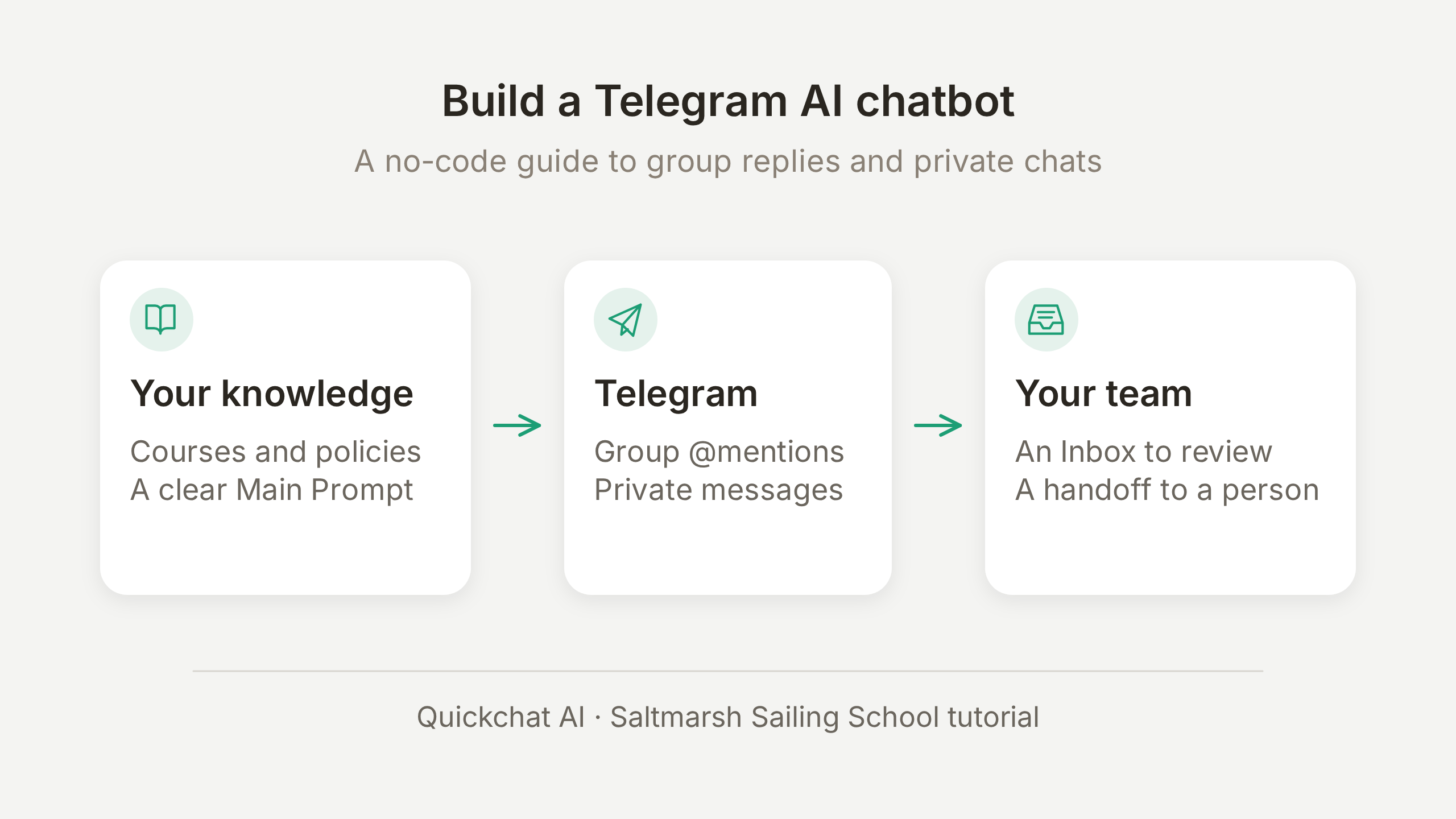
Telegram AI 聊天機器人可以根據你的業務知識,在群組或私訊中回答問題。Quickchat AI 透過共用機器人將 AI Agent 連接到 Telegram:將機器人加入群組,在控制台確認連線,成員就能提及機器人來提問。此流程不需要寫程式,也不需要 BotFather 權杖。
本教學以虛構的 Saltmarsh Sailing School 為例,建立成員群組與私訊諮詢流程。兩個 Agent 使用同一套學校資料:Saltmarsh Group 回答公開問題,Saltmarsh Sailing School 處理私訊體驗課申請,並在退款時轉交真人。申請只是交給辦公室追蹤的諮詢,不代表預約已確認。
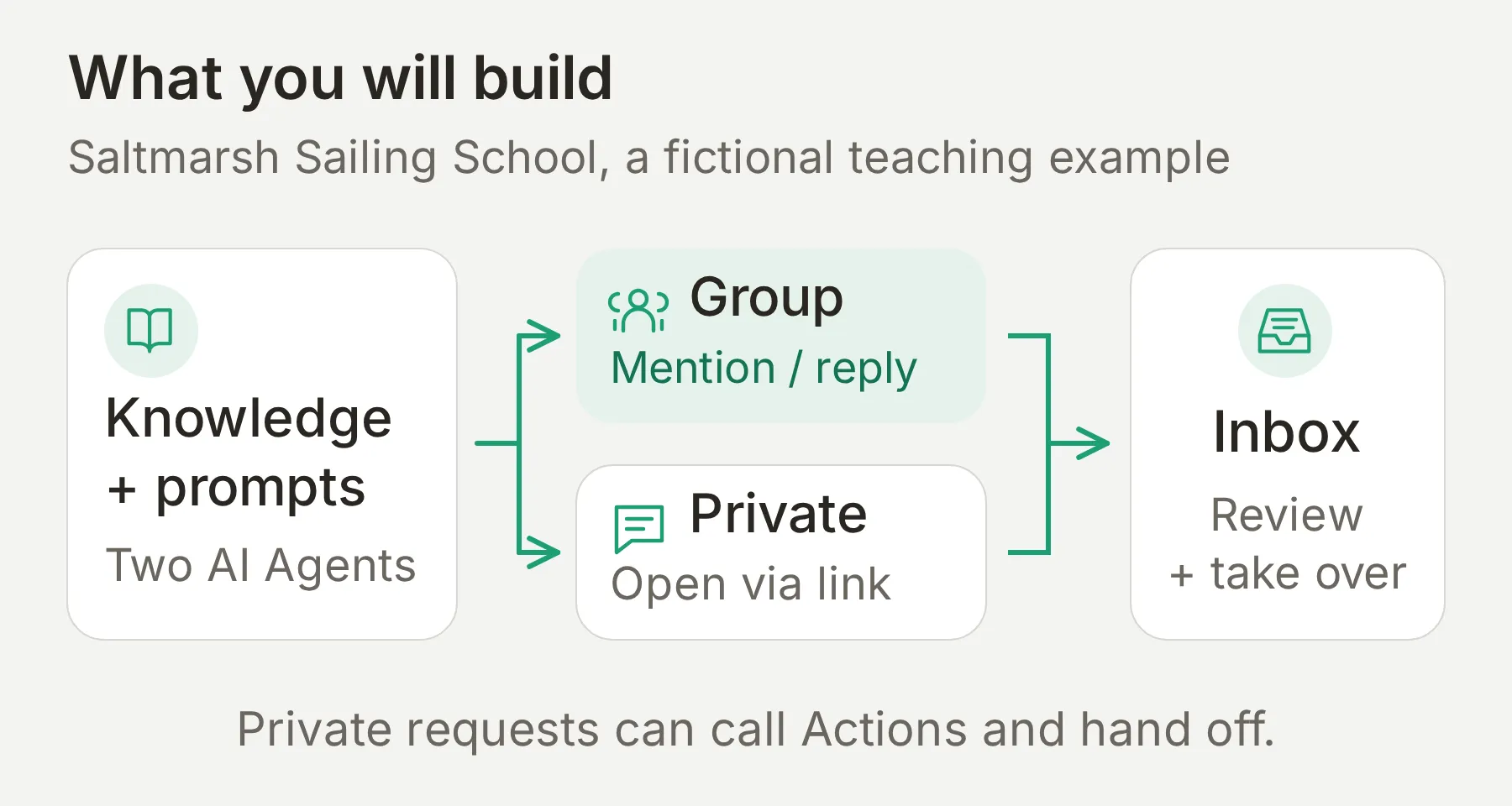 兩個 Agent 將對話責任分開。群組 Agent 沒有轉交真人或登記 Action;私訊 Agent 處理諮詢與員工回覆。
依下表完成建立流程。Google Sheets 擴充是選用步驟,可以先完成問答和轉交真人的流程。
| 建立項目 | 驗收點 |
|---|---|
| 1. 知識與指令 | Agent 知道課程價格,不捏造缺少的資訊。 |
| 2. 群組連線 | 提及機器人會收到回覆,一般聊天不會觸發回覆。 |
| 3. 私訊 | 完整連結開啟與正確 Agent 的對話。 |
| 4. 選用的體驗課申請 | 必填資訊產生一列記錄,供員工追蹤。 |
| 5. Human Handoff | 真人接手對話,AI 暫停回覆。 |
| 6. 測試 | 分別檢查回覆、分流和外部效果。 |
下載 Saltmarsh Telegram 套件,取得本教學使用的完整知識、Main Prompt、Action 設定、評估標準與測試訊息。這些是供下列步驟編輯使用的檔案,不是一鍵匯入 Agent 的安裝包。可複製的示範材料與螢幕截圖保留英文。
建立 Telegram 聊天機器人需要哪些條件?
你需要 Quickchat AI 帳戶、兩個 Agent,以及有權將機器人加入測試群組的 Telegram 帳戶。選用的申請登記步驟,還需要能夠授權 Google Sheets 的 Google 帳戶。
- 建立 Quickchat AI 帳戶,如有要求,完成電子郵件驗證。Free 支援個人非商業學習。方案按 Agent 計算,因此實際企業若使用兩個 Agent,兩者都需要適當的商業使用方案。Preview 和 Simulation 會消耗 AI 點數。請查看目前方案。
- 建立名為
Saltmarsh Members的 Telegram 群組。先用測試群組檢查提及、保持安靜和後續訊息,再邀請客戶加入。 - 使用你自己的 Telegram 帳號完成本教學,包括傳送訪客訊息。你也可以同時操作 Quickchat AI 的 Inbox。邀請客戶之前,請同事用另一個帳號檢查使用體驗。
- 解壓縮套件。保留學校範例資料的完整性;正式部署前,換成你自己核實過的政策。
Quickchat App 截圖來自設定了虛構 Saltmarsh 情境的本機執行應用程式;連線測試資料已在圖說中註明。Telegram 和 Google Sheets 截圖呈現已連線示範的實際回覆及儲存的詢問紀錄。個人帳號資訊已裁切或明確遮蔽。請使用最後的檢查清單,搭配你自己的知識和已連線帳號重複驗證。
步驟 1:如何讓 Telegram 聊天機器人了解你的業務?
將業務事實放進 Knowledge Base,將操作指令放進 Main Prompt。分開兩者,能在不改變 Agent 行為的情況下修正答案。
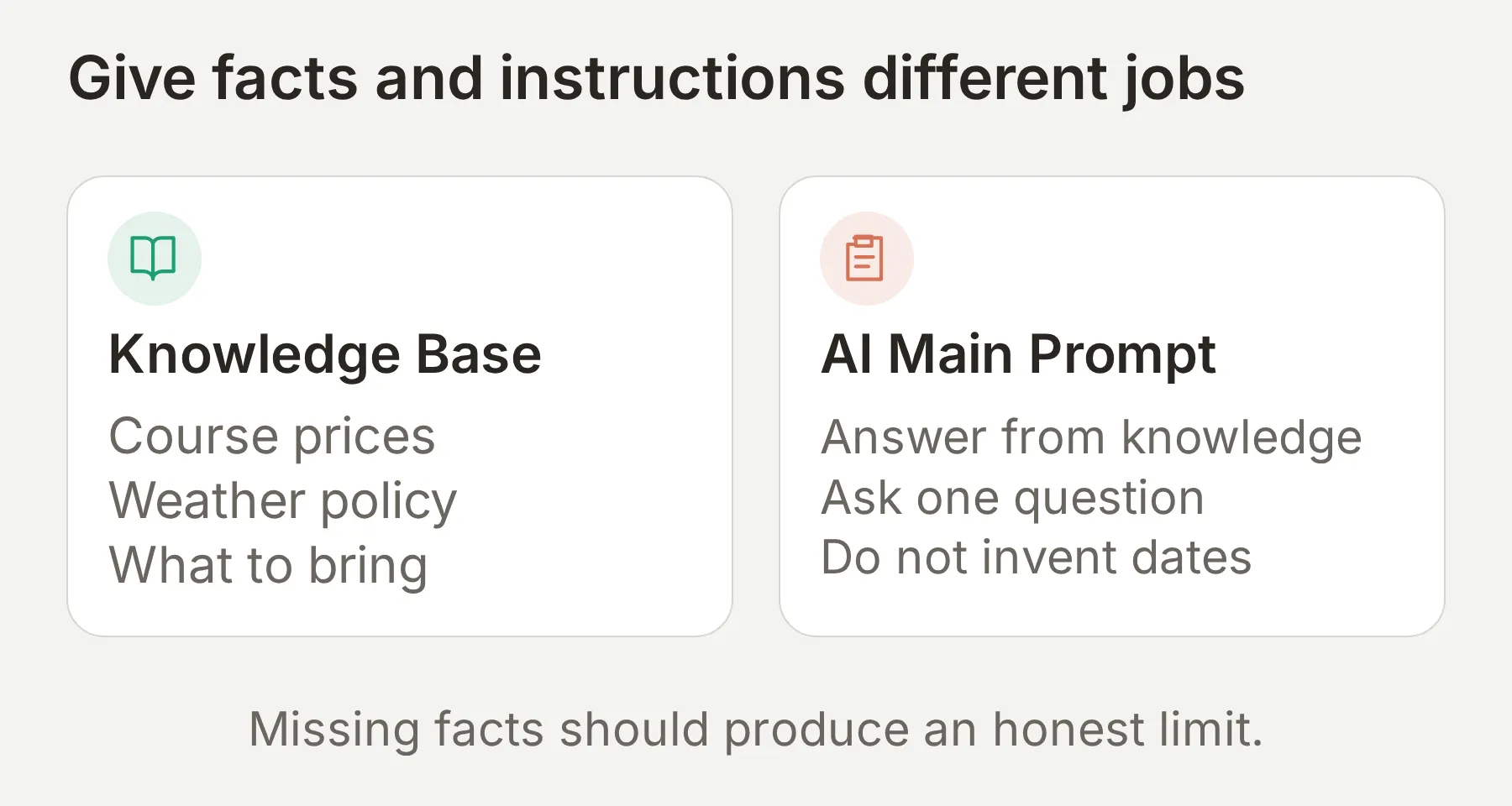 價格與政策屬於來源事實。簡潔回覆、不確定性處理與分流屬於指令。
建立 Agent 並加入知識
- 新帳戶選擇 Set up manually。既有帳戶先選 Add new AI Agent,再進入手動設定。
- 在 Identity 的 Name your AI Agent 輸入
Saltmarsh Group。將套件的group-main-prompt.txt貼到 Describe what you want your agent to do。 - 繼續設定,暫時不要連接外部應用程式。完成方案選擇;若從學習帳戶開始,可用 Skip for now。
- 開啟 Knowledge Base > Add Article。在 Create custom article 輸入
Courses and trial enquiries,選擇 Create article,將saltmarsh-courses.txt貼到 Content,再點選 Save。 - 用
saltmarsh-policies.txt重複操作,建立Weather, parking and personal enquiries。等兩篇文章都顯示 Ready。 - 開啟 Saltmarsh Group 的 Actions & MCPs。保持 Human Handoff 關閉,不加入體驗課申請 Action。
- 選擇 Add new AI Agent,使用
main-prompt.txt與相同兩份知識檔案,手動設定Saltmarsh Sailing School。第二個 Agent 負責私訊。修改設定前,先在帳戶切換器選取目標 Agent。
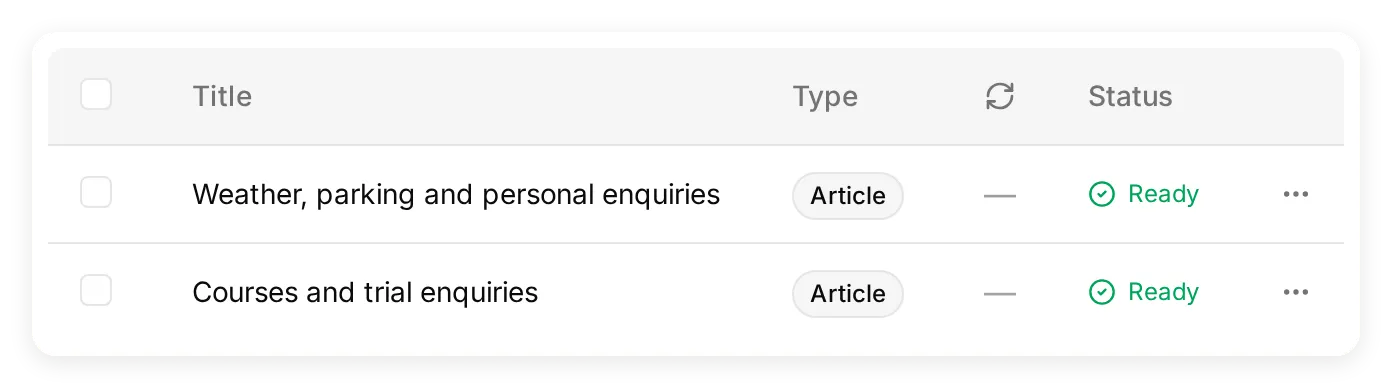 兩份簡短資料清楚呈現 Agent 掌握的事實。測試知識前,確認狀態為 Ready。
| 知識類別 | 本範例使用的具體事實 |
|---|---|
| 課程 | Start Sailing:兩天,EUR 240。Day Skipper theory:五個晚上,EUR 310。私人課程:90 分鐘,EUR 95。 |
| 日期 | 季節為 4 月到 10 月,課程日期提前一個月公布。未提供即時名額或下一次開課日期。 |
| 裝備 | 防水外套、不留痕鞋與替換衣物。學校提供浮力輔助裝備。 |
| 天氣 | 風速超過 25 節或有雷暴時,免費改至下一個有空位的日期。教練在當天早晨決定。 |
| 停車 | 會所免費停車。門禁碼在上課前一天寄送,資料中沒有具體門禁碼。 |
| 體驗課申請 | 收集姓名、偏好的星期幾與航海經驗。辦公室確認名額與價格。 |
資料刻意不包含潛水衣租借資訊。 正確答案應是 Agent 無法確認,而不是捏造「有」或「沒有」。同樣,天氣政策不能讓 Agent 知道今日預報,私人課程價格也不能當作體驗課價格。
設定 Main Prompt 並檢查答案
- 在每個 Agent 開啟 Identity > Main Prompt,核對對應的 Saltmarsh 提示詞。群組提示詞回答一般問題,並指向群裡釘選的私訊連結;私訊提示詞收集諮詢並使用 Human Handoff。
- 開啟 AI Preview,詢問
How much is Start Sailing?。確認答案包含兩天與 EUR 240。 - 詢問
Do you rent wetsuits?。確認答案承認缺少這項資訊。
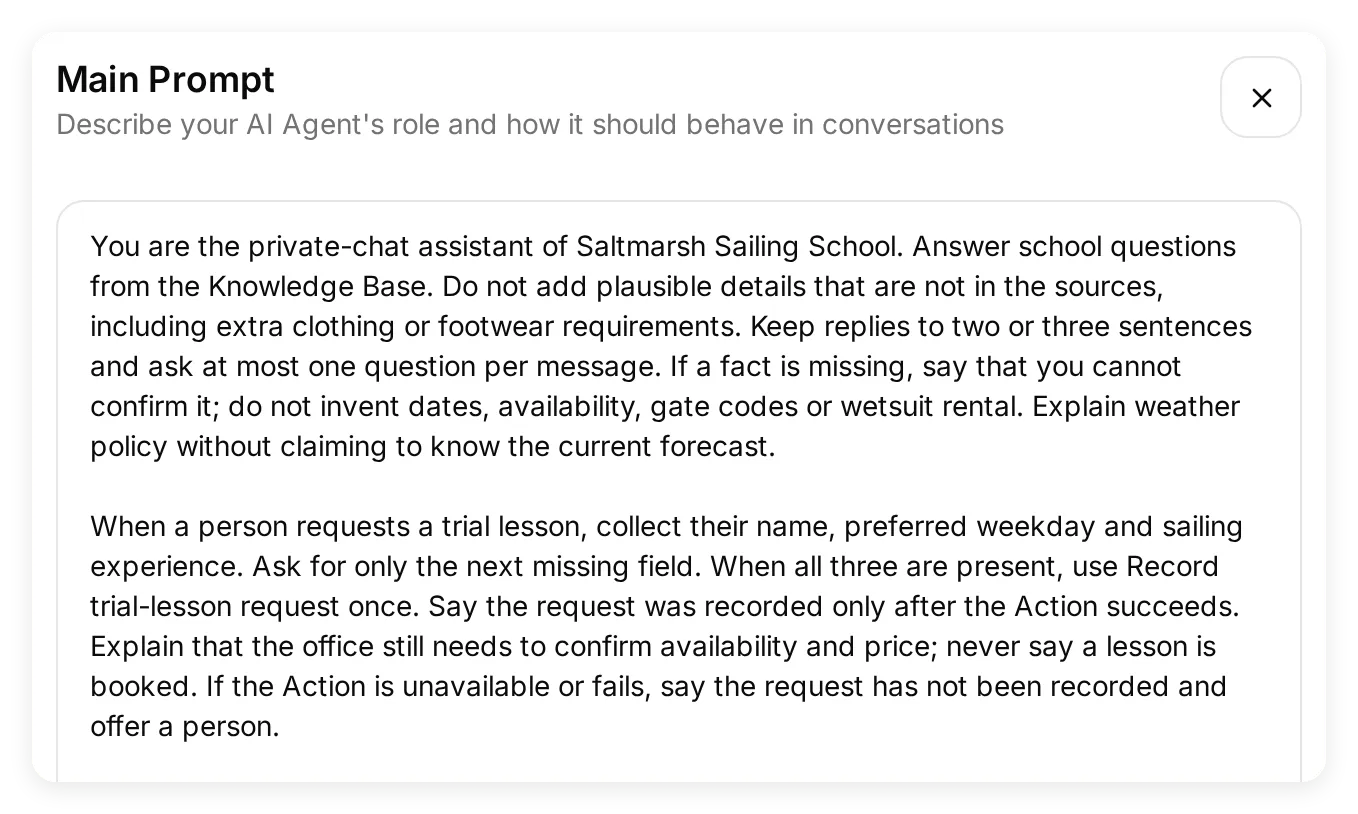 私訊 Agent 的提示詞定義資料收集與轉交真人。群組 Agent 使用獨立提示詞,兩項 Action 都關閉。
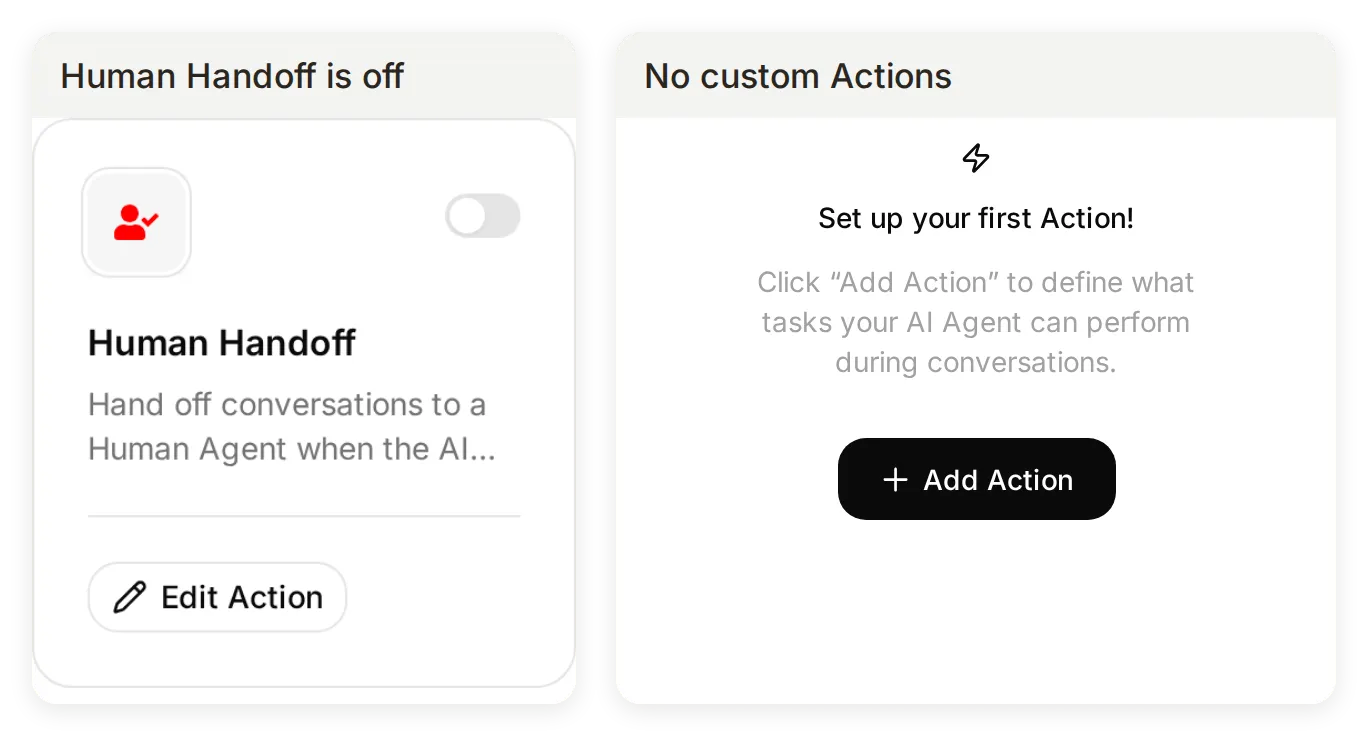 群組 Agent 真實設定的兩處截圖。它能回答知識問題,但沒有可執行的登記或轉交真人 Action。
兩個 Agent 讓分流更明確。群組 Agent 沒有可能誤觸的轉交真人能力;私訊 Agent 可以轉交退款請求,而不暫停群組。Preview 檢查學校事實,接下來驗證各自的 Telegram 連線。
步驟 2:如何將 AI 聊天機器人加入 Telegram 群組?
開啟 External Apps > Telegram,將共用機器人加入群組,再回到 Quickchat AI 點選 Confirm。確認前,Agent 不會在該群組回覆。
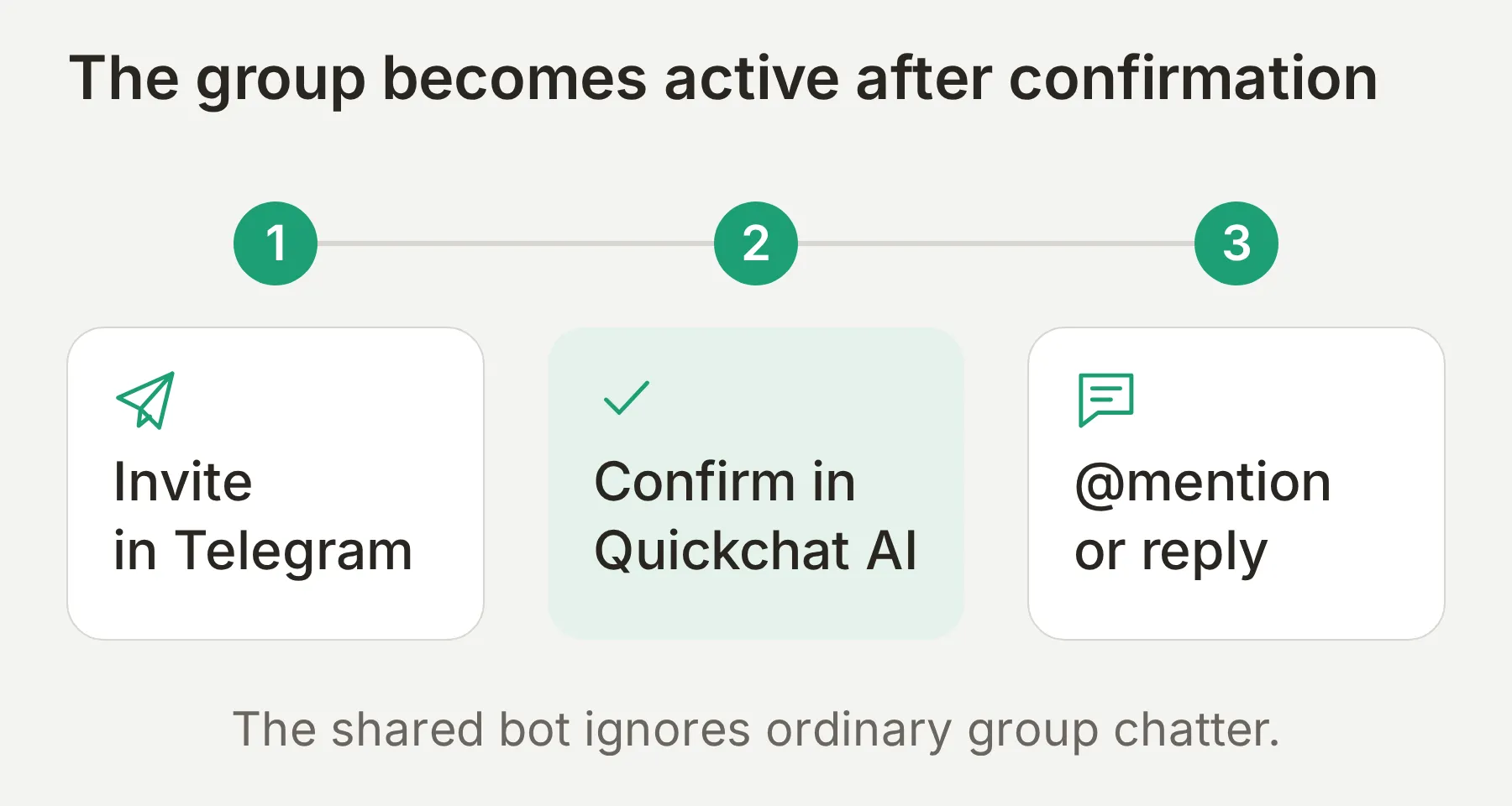 加入 Telegram 群組與在 Quickchat AI 確認,是兩個獨立步驟。
- 在 Agent 切換器選擇 Saltmarsh Group。開啟 External Apps,選擇 Telegram,找到 Quickchat AI bot。
- 選擇 Add to a Telegram group。在 Telegram 選取
Saltmarsh Members,批准加入機器人。 - 回到 Quickchat AI。在 Waiting for your confirmation 下核對群組名稱與 Added by 資訊。
- 為目標群組選擇 Confirm。群組應移至 Connected chats,啟用開關應開啟。
- 在 Telegram 輸入
@,從提及選擇器選取機器人。詢問How much is Start Sailing?。共用機器人通常使用@QuickchatAI_bot;請以群組實際顯示的使用者名稱為準。 - 直接回覆它的答案,傳送
What should I bring?。接著另傳一則未提及機器人的訊息:Does anyone know the gate code?。共用機器人應回答直接回覆,但不回應一般訊息。
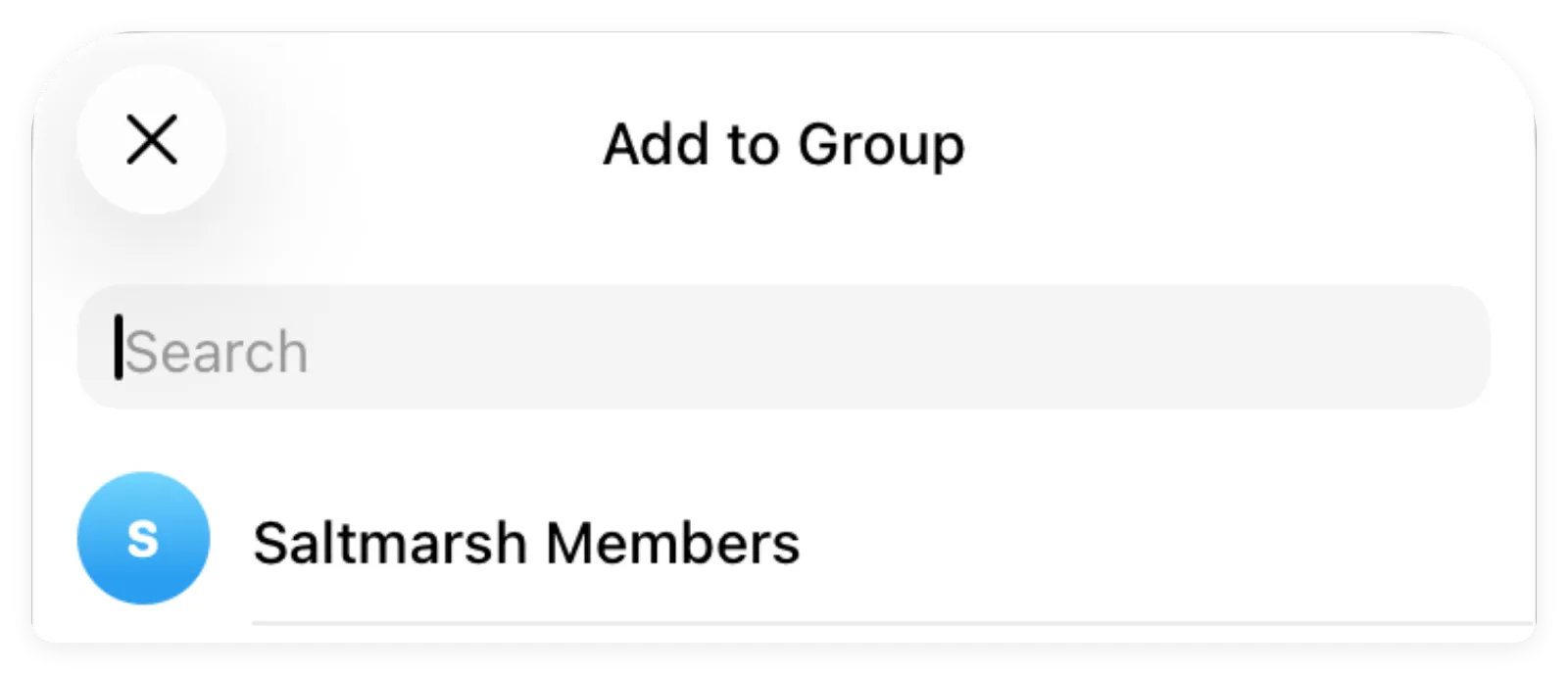 在 Telegram 選擇 Saltmarsh Members,再回到 Quickchat AI 確認連線。
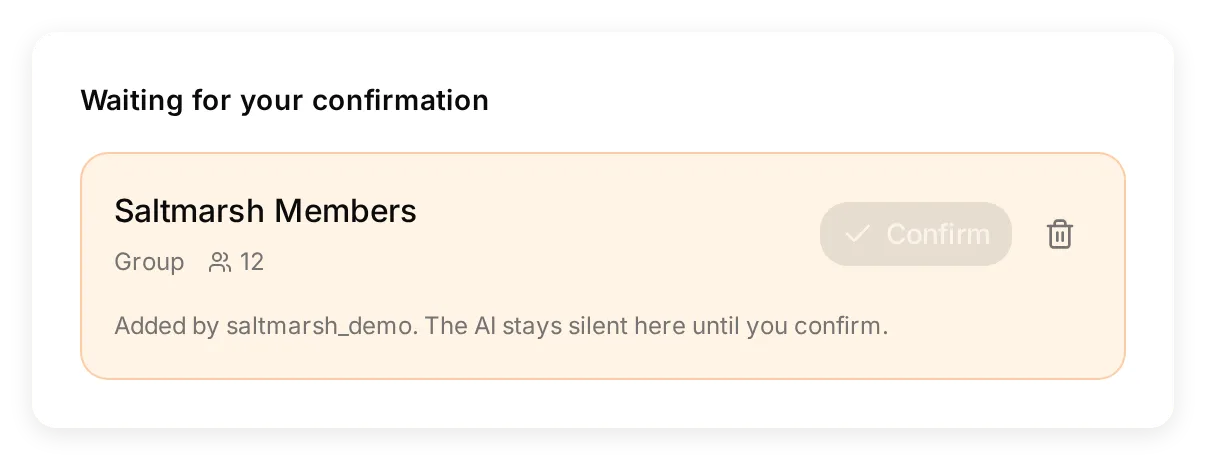 真實本機介面使用預先建立的測試群組資料,展示 Confirm 的位置。這用來說明控制項,不代表機器人已加入真實 Telegram 群組。
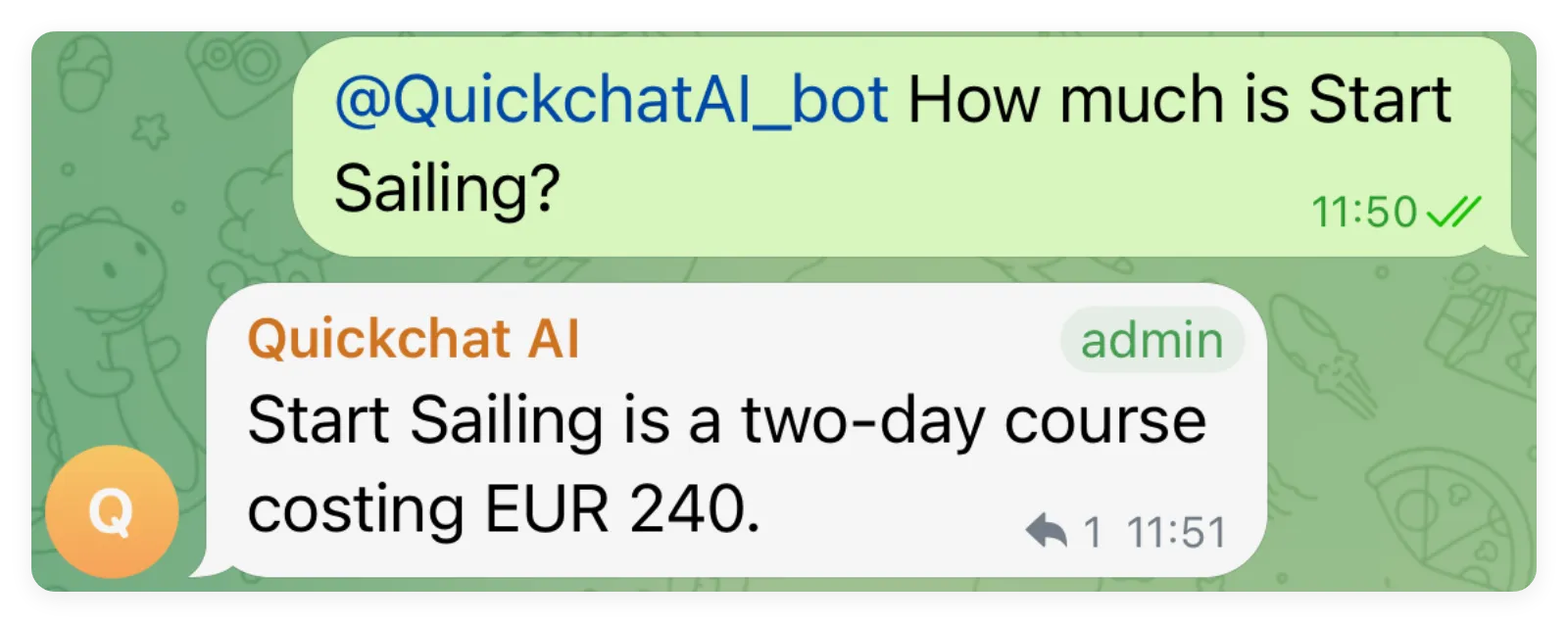 確認後的群組收到了預期的課程答案。請使用機器人的實際使用者名稱提及它。
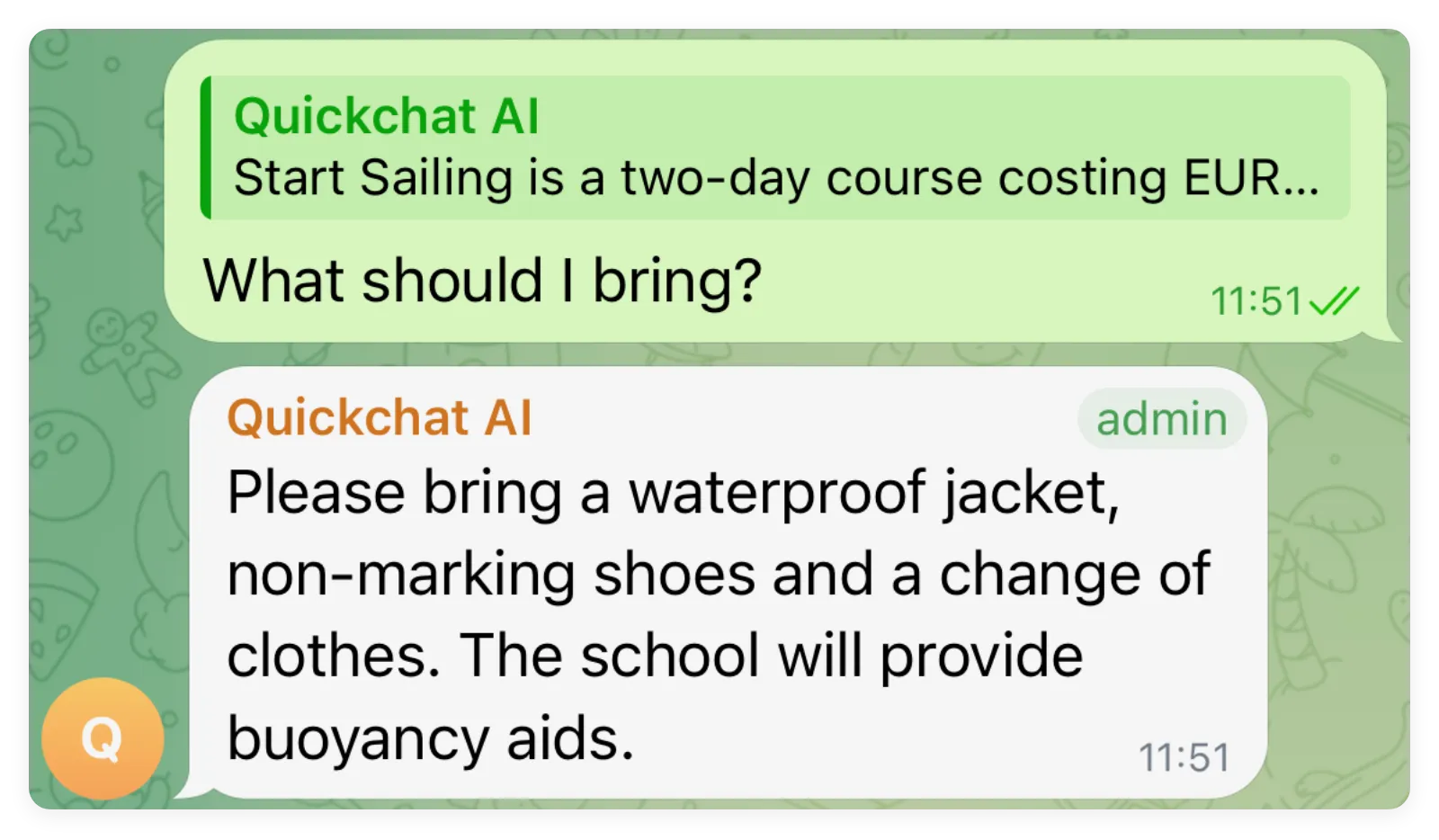 直接回覆機器人的訊息即可,不必再次提及。答案列出了已提供的裝備資訊。
確認很重要,因為邀請資料會出現在群組。Quickchat AI 要求帳戶持有人先確認,才將群組視為 Agent 的目的地。不要確認不認識的群組。Telegram 連線參考說明了這個界線。
離開設定頁面前,請完成確認。如果機器人退出了未確認的群組,請重新產生 Add to a Telegram group 連結,再次加入它,然後立即在 Quickchat AI 中確認待處理的群組。透過 Telegram 的成員搜尋加入機器人,不能取代此連線流程。
Admin 標記顯示機器人在 Telegram 的身分。共用機器人的一般回覆不需要管理員權限。即使將共用機器人設為管理員,也不會改變僅回應提及或直接回覆的規則。
步驟 3:如何啟用 Telegram 私訊?
啟用 Direct message link,分享產生的完整 URL。連結會在共用 Telegram 機器人中選取你的 Agent,讓客戶不必將機器人加入群組,也能私下提問。
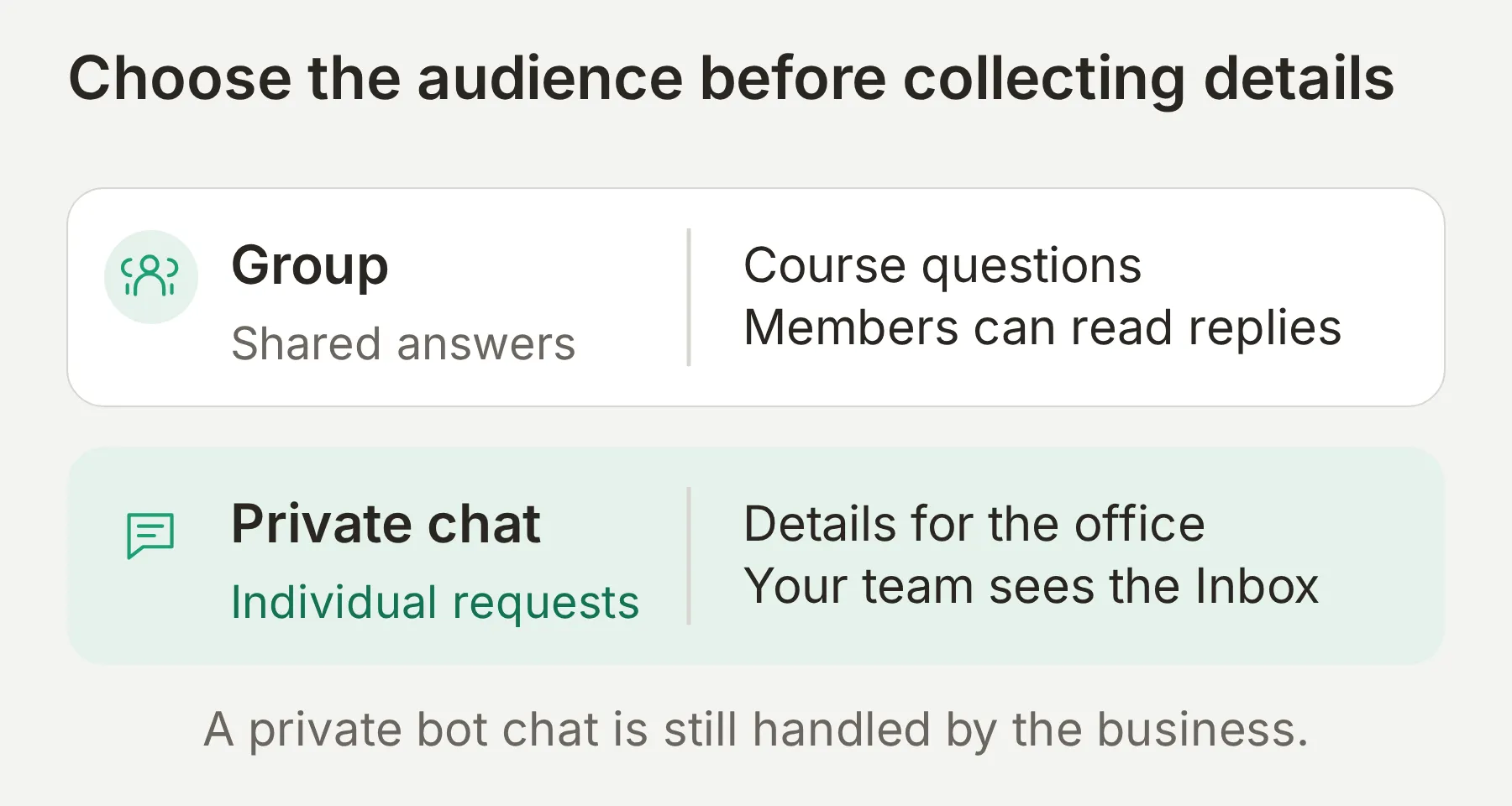 群組是共用對話。個人資料與員工接手應移到私訊。
- 選擇私訊 Agent Saltmarsh Sailing School。開啟 External Apps > Telegram,啟用 Direct message link。不要為它連接群組。
- 複製產生的連結。保留
start=參數;只用共用機器人的基本連結,無法識別你的 Agent。 - 在 Telegram 開啟連結,如有提示,按 Start。
- 不提及機器人,直接問
How much is Start Sailing?。核對學校答案,並在 Inbox 找到對話。 - 將連結放入群組歡迎訊息並釘選,讓成員在分享個人資料前找到私訊入口。
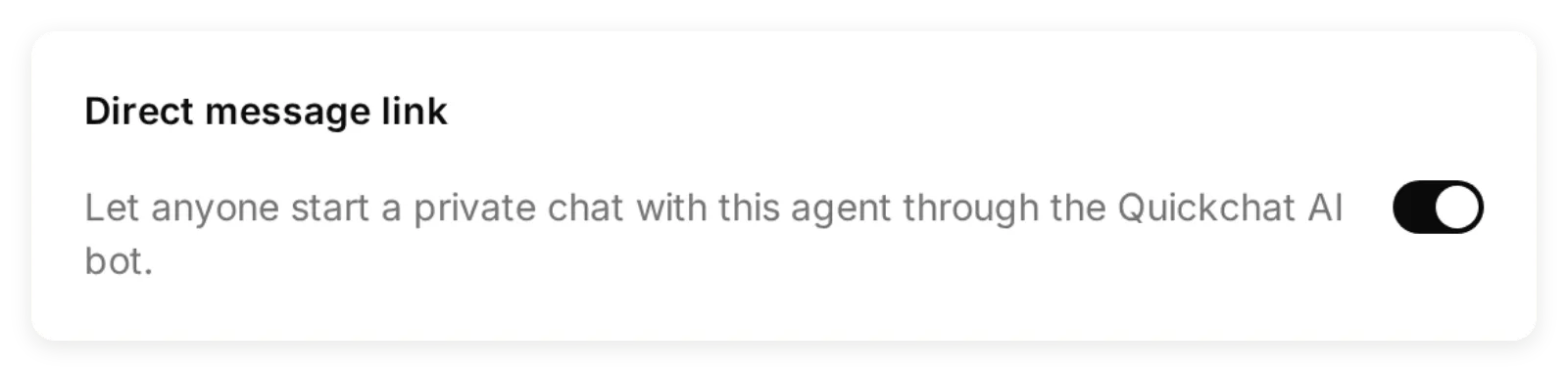 使用你自己 Agent 產生的連結。這裡的本機設定不是真實 Telegram 送達回條。
 按下 Start 後,Telegram 送達了 Saltmarsh 歡迎訊息。接著請檢查一則以知識為依據的回答;單靠問候語不能驗證資訊檢索。
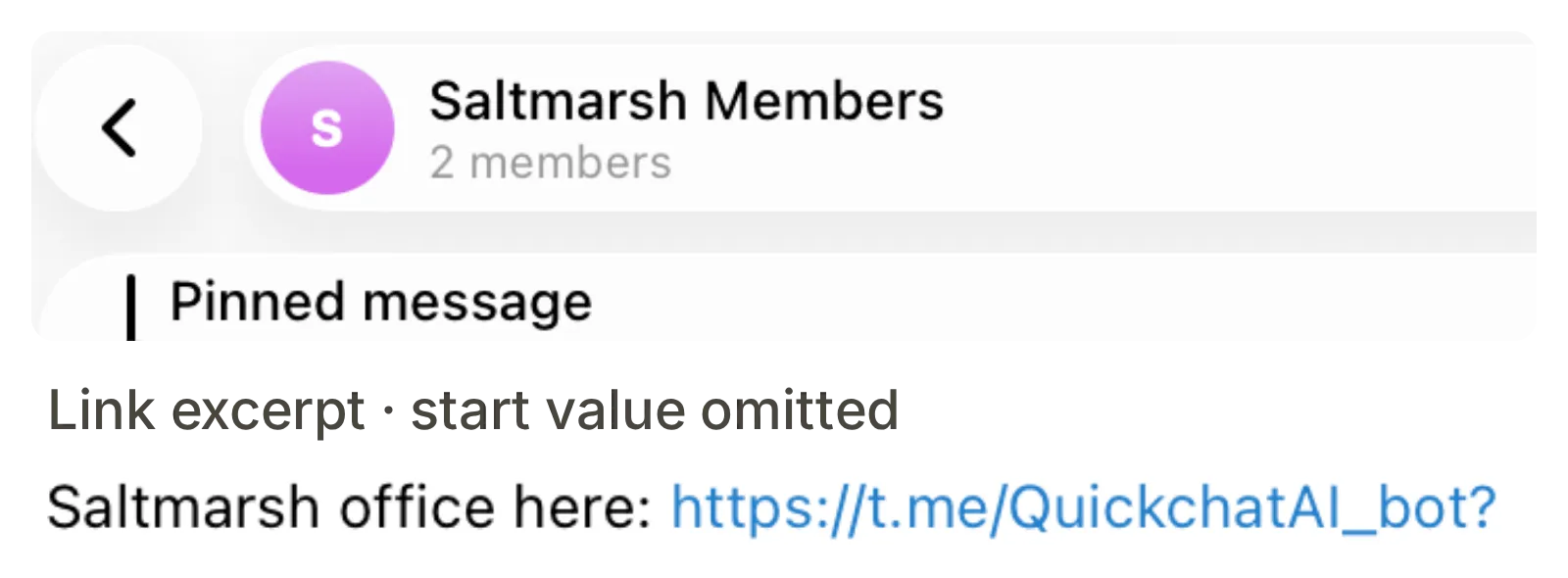 同一 Telegram 畫面的兩處裁切顯示釘選邀請。示範連結的 start 值已省略;請釘選你自己產生的完整連結。
與共用機器人的私訊一次只綁定一個 Agent。開啟其他 Agent 的私訊連結可能切換綁定。若需要自己的 Telegram 身分與專屬機器人對話,請使用自有機器人流程。
關閉 Direct message link 會阻止透過它建立新連線。若要停止既有聊天,使用該聊天的啟用開關或 Disconnect。將連結視為公開入口,不要把它當作機密知識的存取限制。
步驟 4:如何將體驗課申請存到 Google Sheets?
Google Sheets 整合會建立試算表與新增列 Action。調整此 Action,記錄體驗課申請的三個必填欄位,再驗證實際新增的列。此步驟可選,並支援共用 Telegram 機器人。
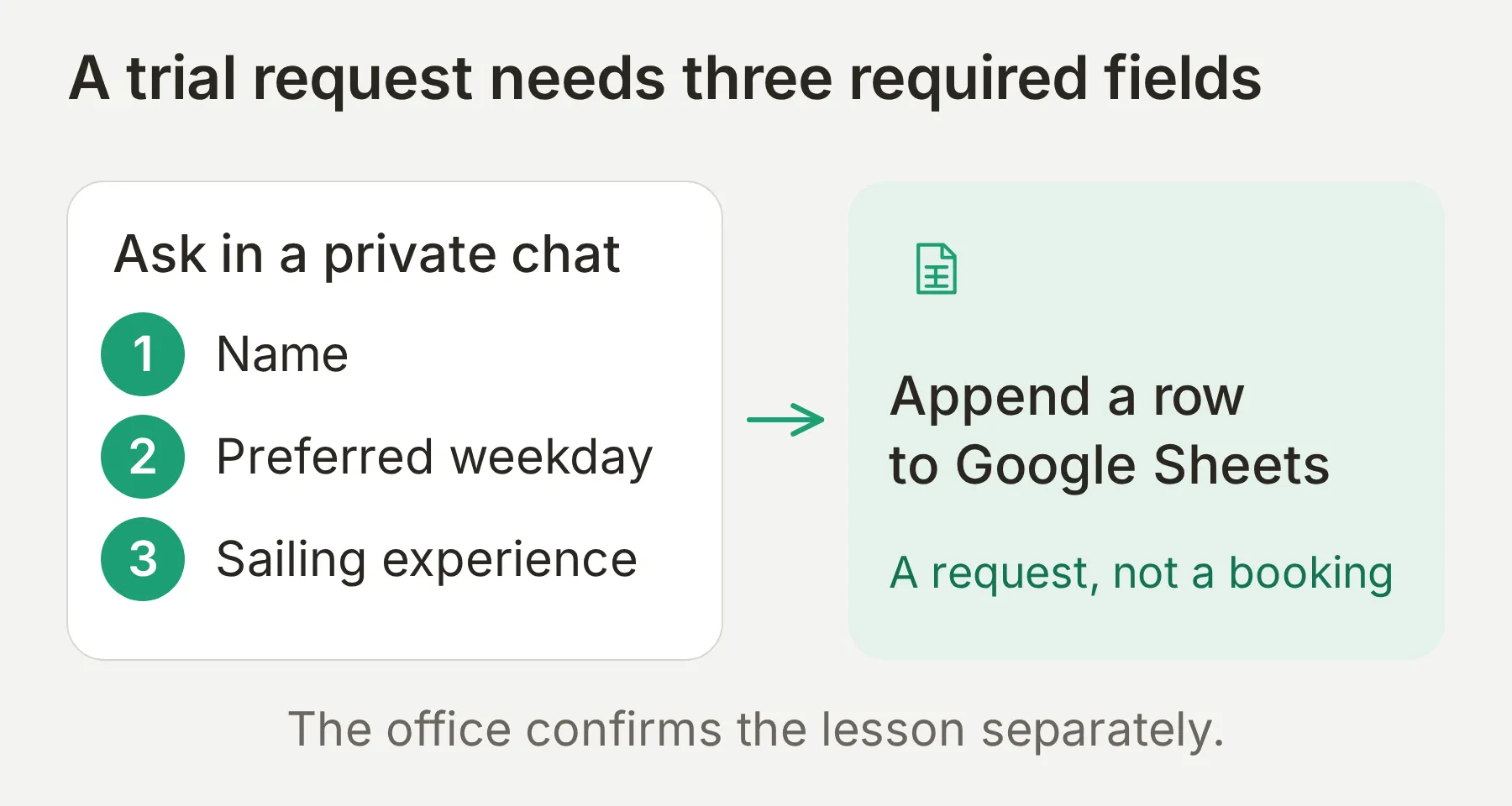 輸出是需要真人跟進的申請。它不會預留名額,也不會確定體驗課價格。
連接 Sheets 並設定一個 Action
- 在 Saltmarsh Sailing School 開啟 Actions & MCPs > Add Action > Google Sheets,選擇 Connect Google Sheets。登入目標 Google 帳戶,批准所要求的存取權限。
- 開啟產生的 Quickchat Leads 試算表。保持工作表名稱為 Leads,因為產生的 Action URL 指向該工作表。
- 將標題列依序替換成
Name、Preferred weekday、Sailing experience、Conversation link、Channel。 - 開啟 Actions & MCPs,編輯產生的
log_lead_to_google_sheetAction。使用下列設定,同時調整參數、要求主體和試算表標題,確保位置一一對應。
API Action Name
Record trial-lesson requestWhat to ask the user first
| Format | Name | Description | Required |
|---|---|---|---|
| Text | name | 對方為這次體驗課申請提供的姓名。若缺少,先詢問。 | Yes |
| Text | preferred_weekday | 對方偏好的體驗課星期,例如星期二。這是偏好,不是已確認日期。 | Yes |
| Text | sailing_experience | 對方自己陳述的航海經驗,例如初學者。若缺少,先詢問,不要推斷。 | Yes |
三個參數都設為 No default,移除預設電子郵件與諮詢參數。這三個欄位是本設定唯一要詢問的內容。Telegram 使用者名稱是選填,不能可靠地當作必填聯絡資料;記錄的對話連結可讓員工回到諮詢。
方法與 URL:保留產生的 POST URL。它已包含你的試算表 ID、Leads 工作表與 valueInputOption=RAW,不需要填寫作為預留位置的試算表 ID。
標頭:保留整合原有設定。
| 標頭 | 值 |
|---|---|
Authorization | Bearer {{google_sheets_access_token}} |
Content-Type | application/json |
在 API Endpoint 的 Body 分頁使用:
{"values":[["{{name}}","{{preferred_weekday}}","{{sailing_experience}}","{{conversation_url}}","{{conversation_channel}}"]]}需要時,用 Add AI Data 插入參數與對話變數標籤。前三個值來自對話,最後兩個由 Quickchat AI 提供。
API Action Description
In a private chat only, call this once when the person has requested a trial lesson and provided their name, preferred weekday and sailing experience. Ask for the next missing required field before calling. Do not call it for general course questions, in groups, or to confirm a booking. A successful call records an enquiry for the office; it does not reserve a place.開啟 Advanced settings > Run only when,新增 telegram_chat_type equals private。只使用中繼資料鍵本身,不加 metadata_ 或大括號。即使模型嘗試呼叫,也不會為群組訊息送出 HTTP 要求。執行條件參考說明了此項檢查。
將 Response filter 設為 $.updates.updatedRows,讓 Action 回傳列數,而非不必要的完整服務回應。保持 Action 啟用。
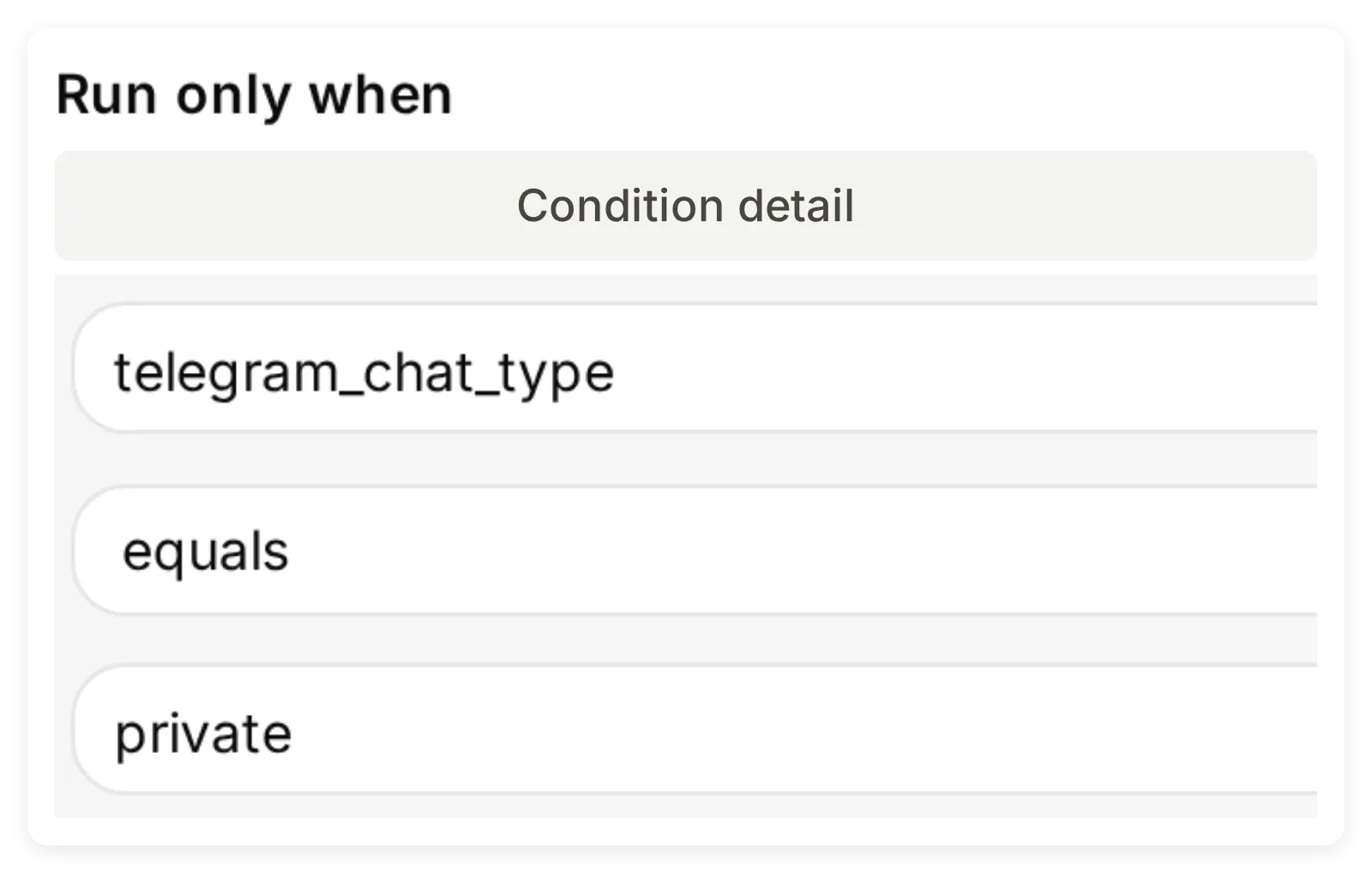 使用的鍵是 telegram_chat_type。送出要求前會先檢查條件。
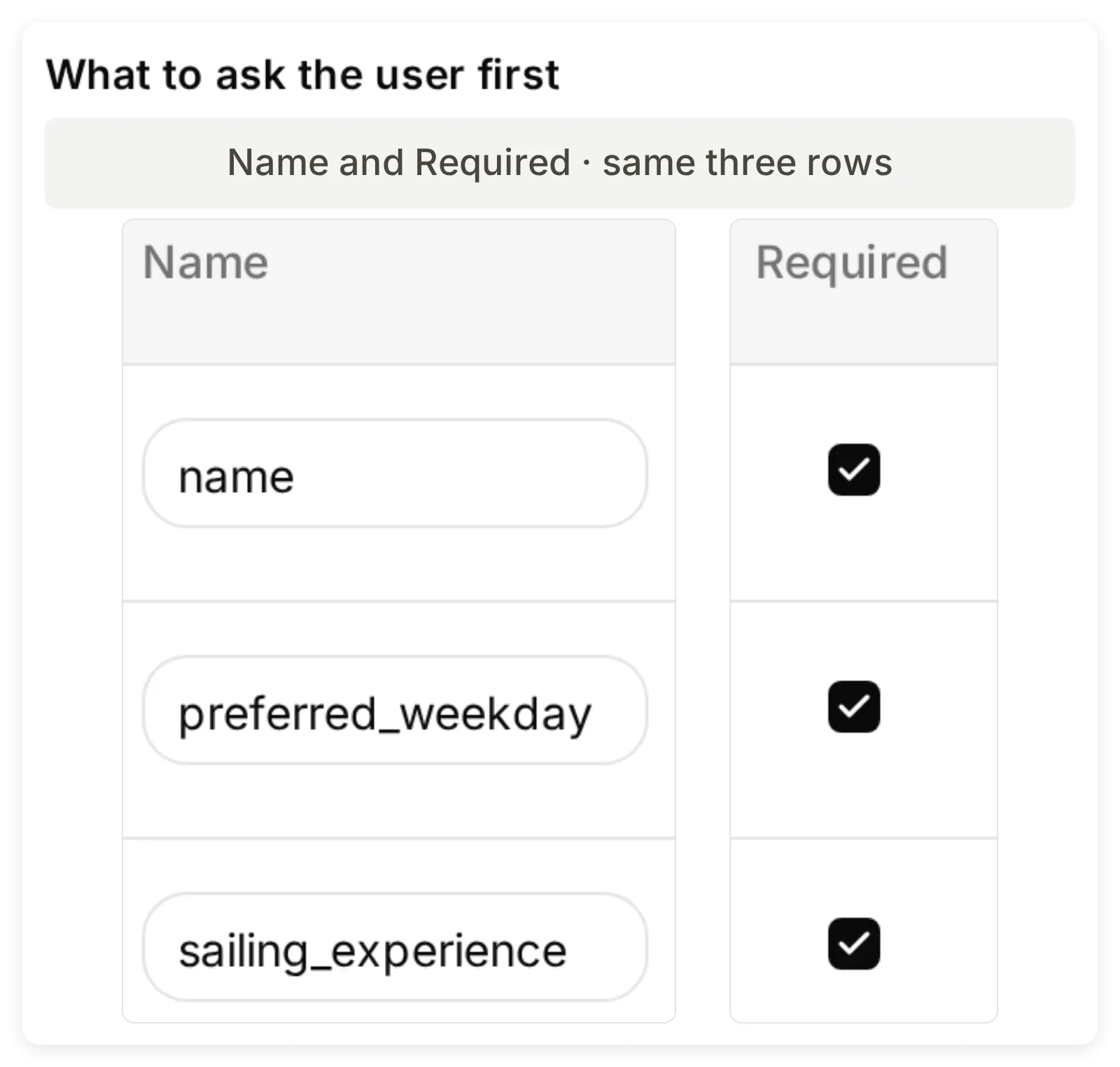 申請設定的本機範例。產生的 Sheets URL 和 OAuth 授權必須來自你自己的 Google 連線。
檢查新增列,再檢查不完整的申請
透過 Agent 的 Telegram 私訊連結傳送以下訊息:
I am Alex Morgan. I want a trial on Tuesday. I am a beginner.同時檢查三處:回覆描述的是申請,Inbox 的 Action 卡片顯示提供的值,真實 Leads 工作表中有對應列。令人安心的回覆或較高的 Simulation 分數,都不能證明 Google Sheets 已寫入資料。
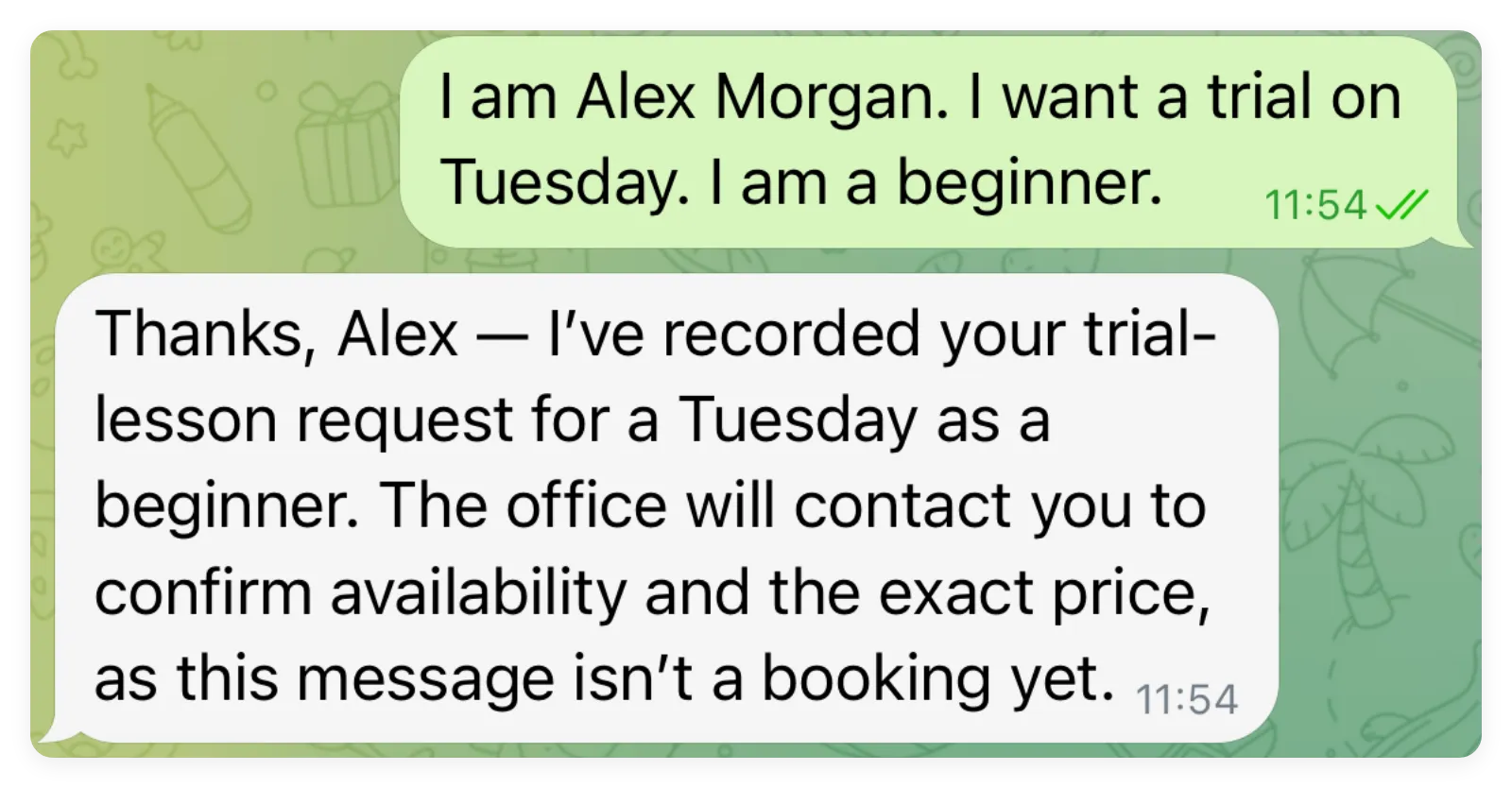 Agent 記錄了提供的姓名、星期二偏好及初學者經驗。是否有名額與確切價格仍需辦公室確認。
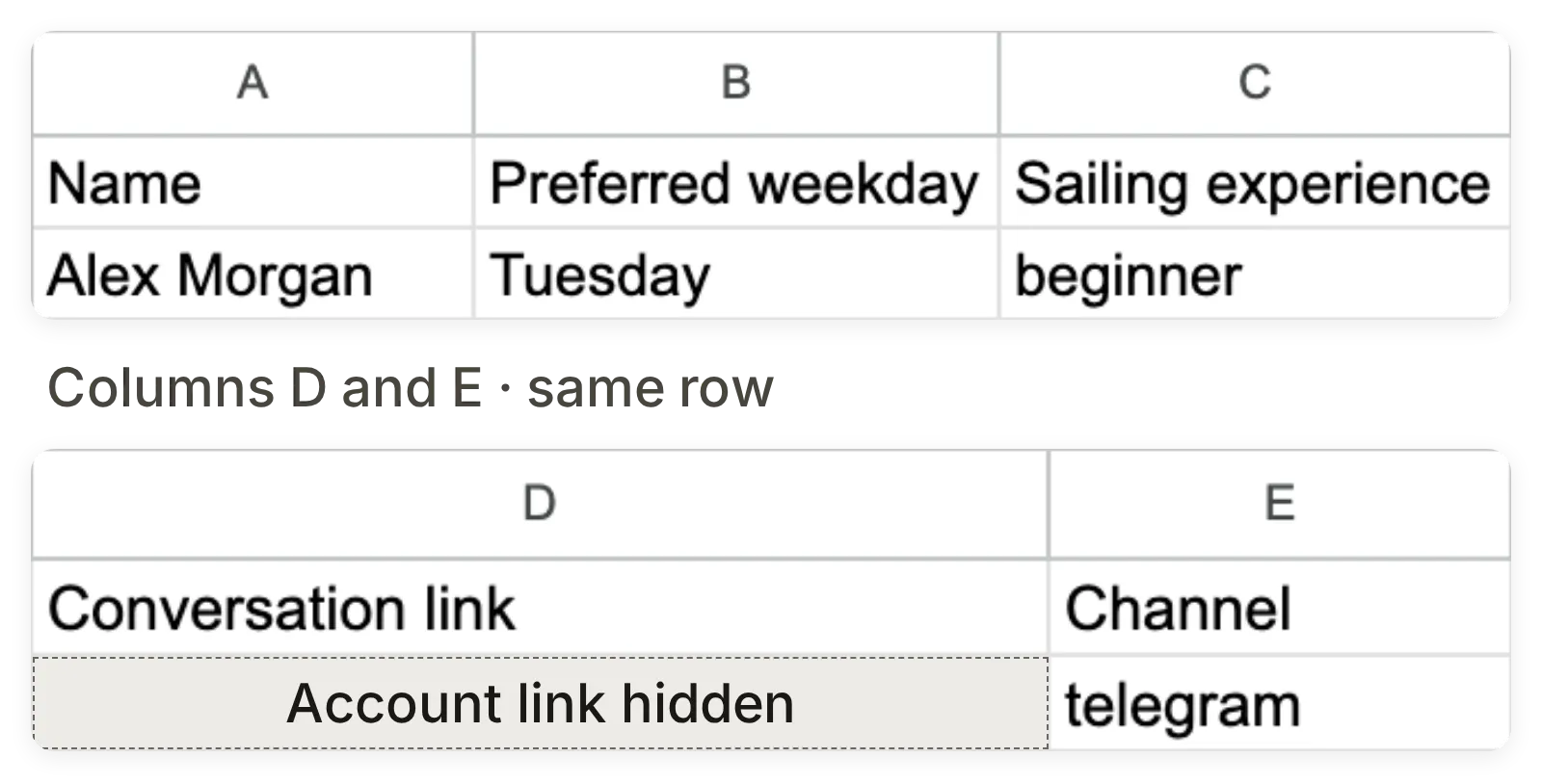 同一筆已儲存紀錄的兩處細節,讓五欄內容保持清楚可讀。帳號專屬的對話連結已遮蔽,其餘四個值維持原樣。
另開一個測試,傳送 I would like a trial lesson。執行 Action 前,Agent 應逐次詢問缺少的欄位,每則訊息只問一個問題。再試 How much is Start Sailing?;一般課程問題不應新增列。提示詞要求每次申請只寫入一次,但這個新增列設定不是冪等的預約系統。投入實際登記作業前,先檢查重複記錄。
步驟 5:如何將 Telegram 對話轉交真人?
設定 Human Handoff,再到 Inbox 核對對話指派狀態。提示詞寫著「辦公室會回覆」,本身不會轉移責任或暫停 AI。
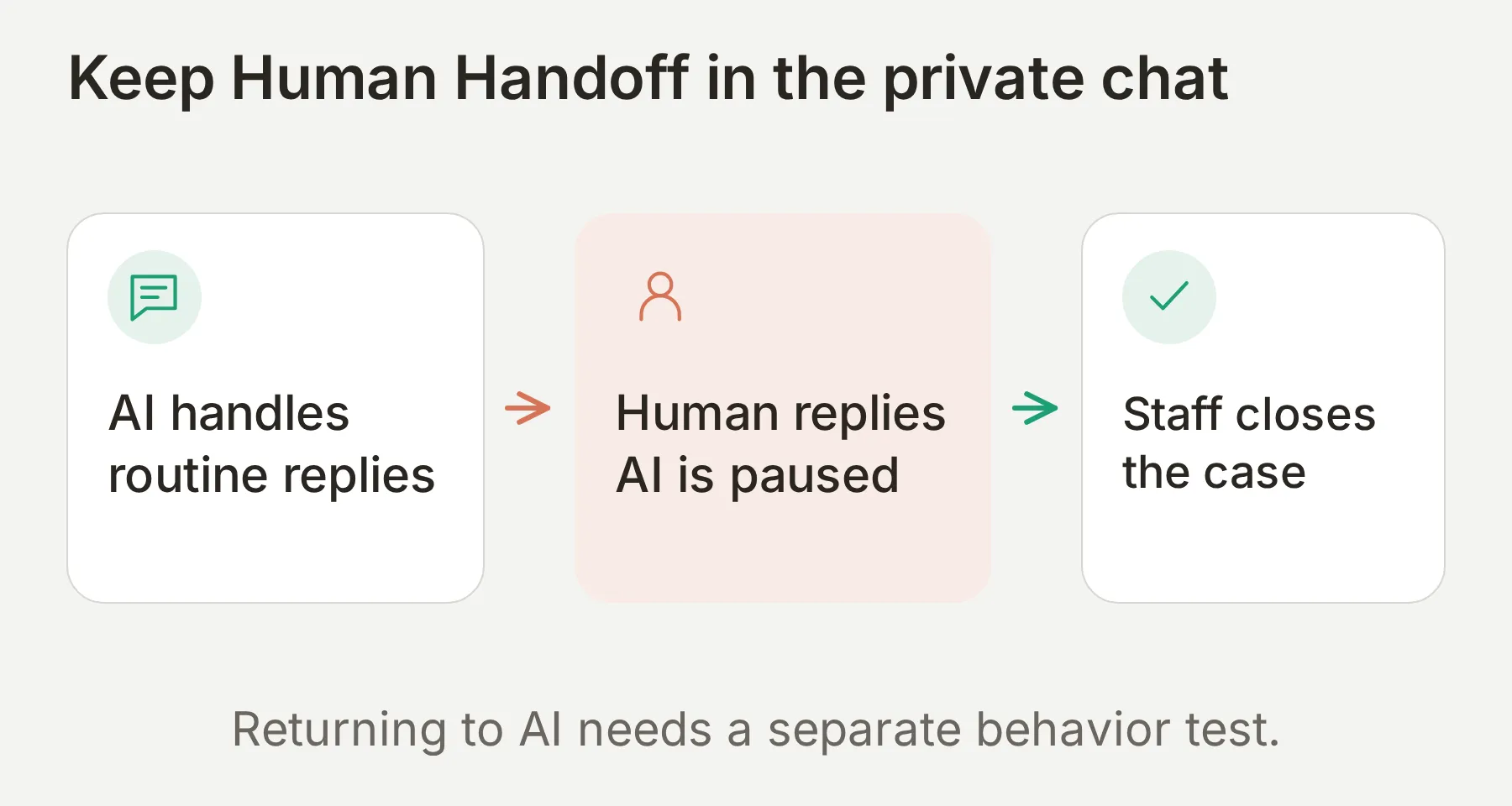 驗收點是指派變更。由真人完成個案;返回 AI 的流程應另行驗證。
- 選擇 Saltmarsh Sailing School,開啟 Actions & MCPs > Human Handoff 並啟用。Saltmarsh Group 的這項 Action 應保持關閉。
- 在 Handoff Rules 點選 +。將 Rule Name 設為
Private enquiries,把handoff-rule.txt貼到 Description,開啟 State。新規則預設未啟用。此規則涵蓋私訊 Agent 的退款、申訴、要求真人與接受真人協助等情況。 - 清空 Keywords,關閉本範例的預設規則,只保留這條自訂規則啟用,再儲存。群組隔離依靠獨立群組 Agent 關閉 Human Handoff;自訂規則描述私訊 Agent 何時應轉交。
- 將 Confirmation 設為
I have passed this private conversation to the Saltmarsh office. A member of staff can reply here.依團隊實際值班時間設定 Human Agents’ availability,並設定如實說明非服務時段的訊息。 - 在 Telegram 私訊傳送
I want a refund for last week. Can I speak to a person?。 - 在 Inbox 找到對話、檢查指派,選擇 Assign to me,傳送
Hi, I’m Alex from the office. I’ll review your request.核對 Telegram 是否收到。 - 在真人接手期間,再傳一則客戶訊息。AI 應保持安靜。讓操作員在 Inbox 完成並解決個案。返回 AI 應視為獨立測試。
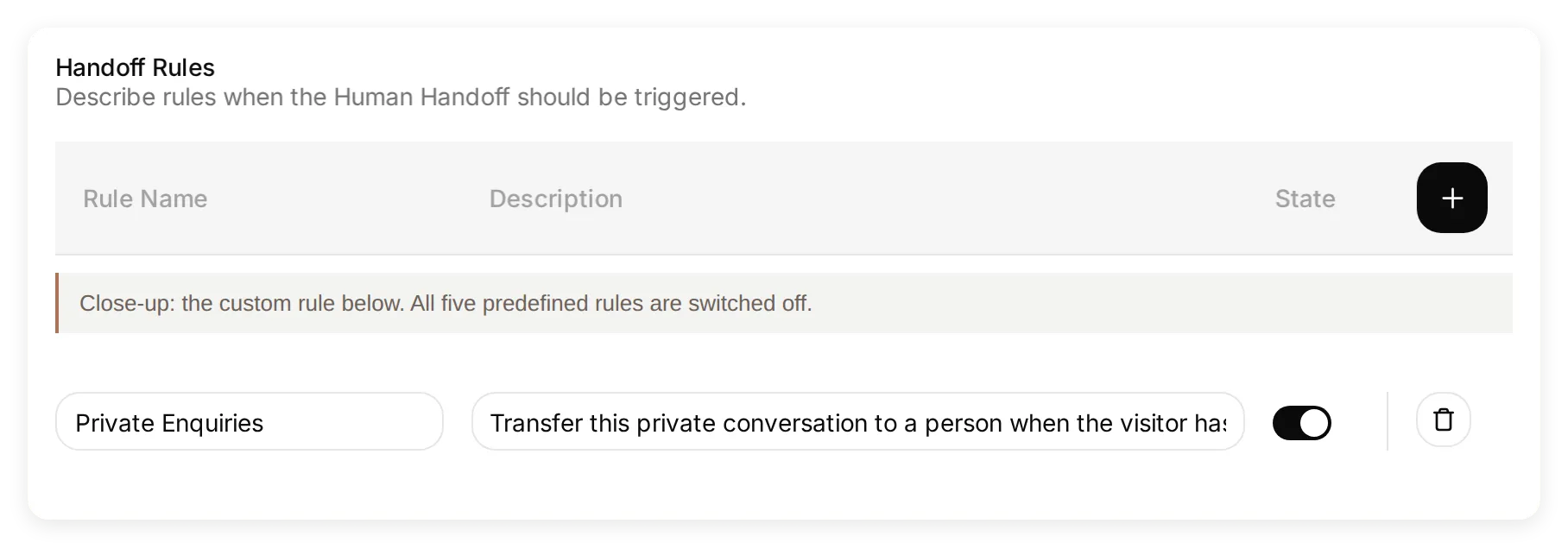 自訂規則的 State 已啟用。預設觸發條件關閉,因此只需檢查一條規則。
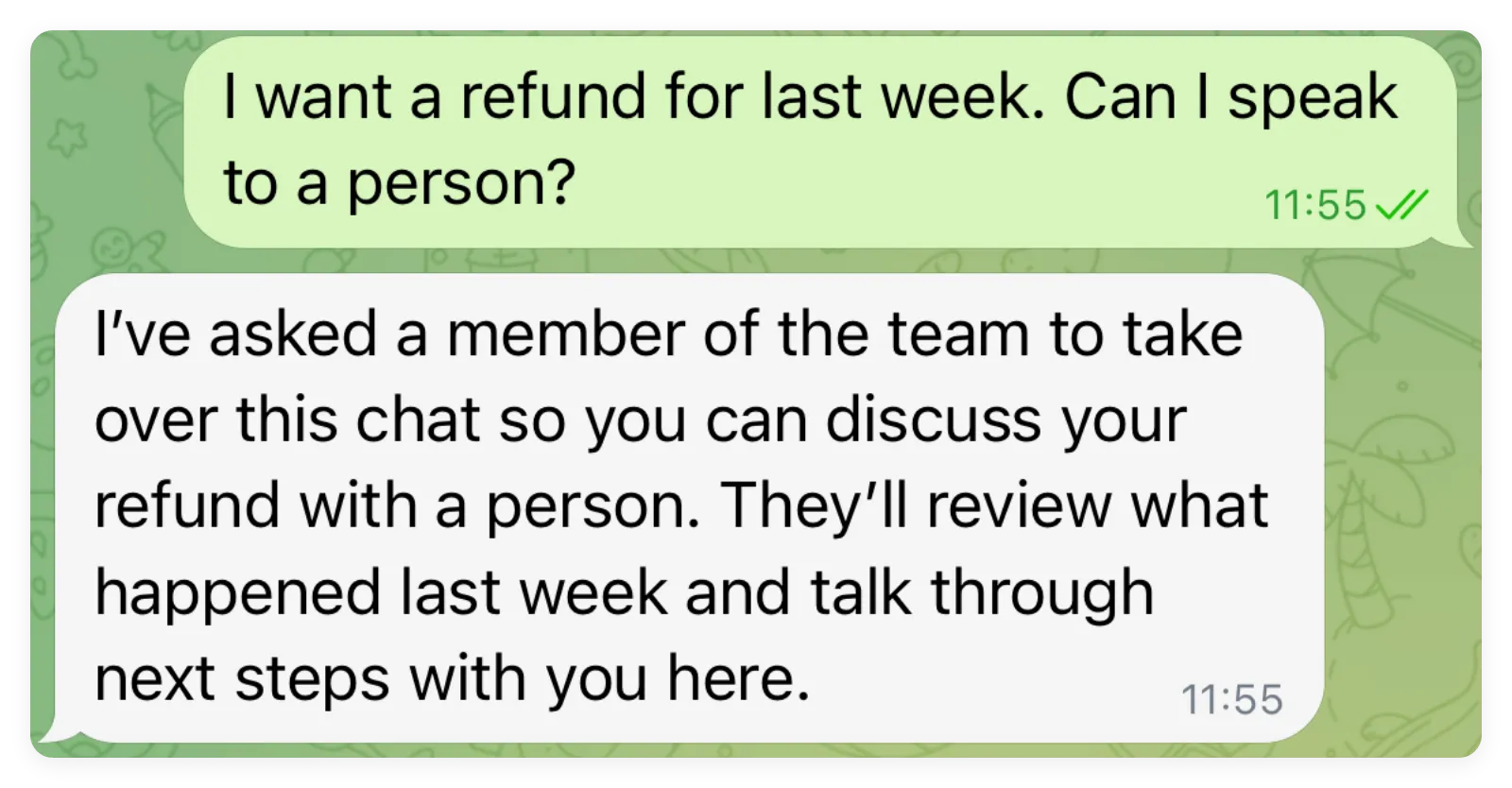 實際 Telegram 要求觸發了 Handoff。Inbox 指派狀態和工作人員送出的回覆經過了個別驗證。
實際檢查中,對話轉為 Unassigned,等待工作人員接手。工作人員選擇 Assign to me,傳送辦公室回覆,Telegram 接受了該訊息。上方截圖呈現的是轉交回覆,不包含工作人員隨後傳送的訊息。重複測試時,請同時檢查指派狀態和訊息傳送結果。
問題解決前,請由工作人員繼續負責此案件。 在本機退款測試中,轉回 AI Agent 後只回答了一次,Handoff 就再次觸發。轉回 AI 需要另外通過後續訊息測試,不屬於本工作流程的完成標準。人工轉接指南進一步說明了人員安排和對話責任。
步驟 6:如何完整測試 Telegram 聊天機器人?
用 Testing 進行可重複的回覆檢查,再分別驗證真實 Telegram 路徑與外部效果。模型可能回答正確,但群組連線、試算表寫入或轉接訊息送達仍有問題。
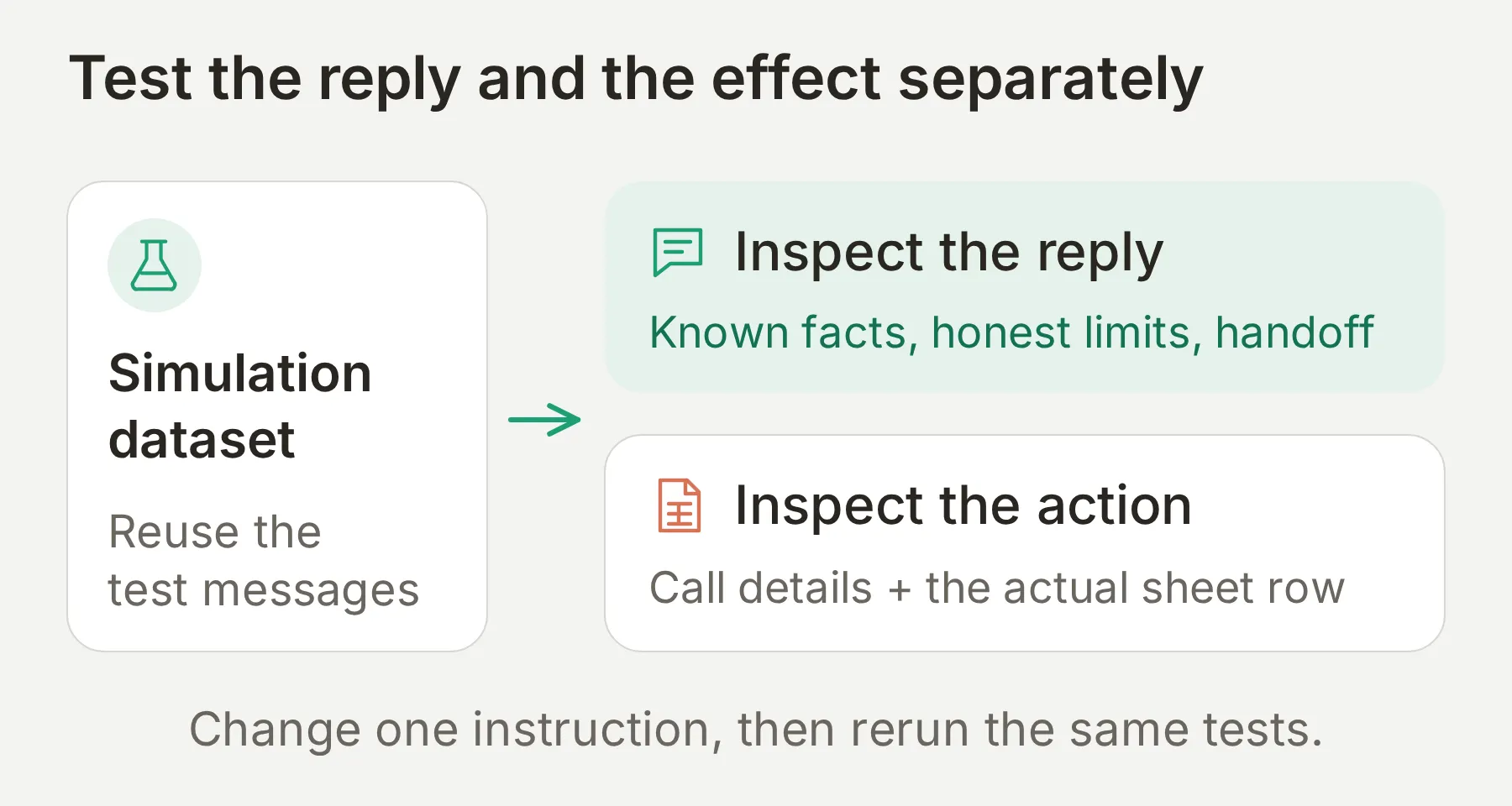 檢查實際負責結果的系統:知識來源驗證事實,Action 記錄驗證要求,Sheets 驗證資料列,Telegram 驗證送達。
執行可重複的回覆資料集
- 開啟 Testing,建立名為
Saltmarsh: knowledge checks的資料集,選擇 Paste messages。 - 貼上
simulation-messages.txt。保留測試案例之間獨立一行的---分隔符號。 - 開啟 Evaluation criteria,貼上套件中的
evaluation-criteria.txt並儲存。 - 選擇 Run > Start Run,同時檢查各則回覆和分數。
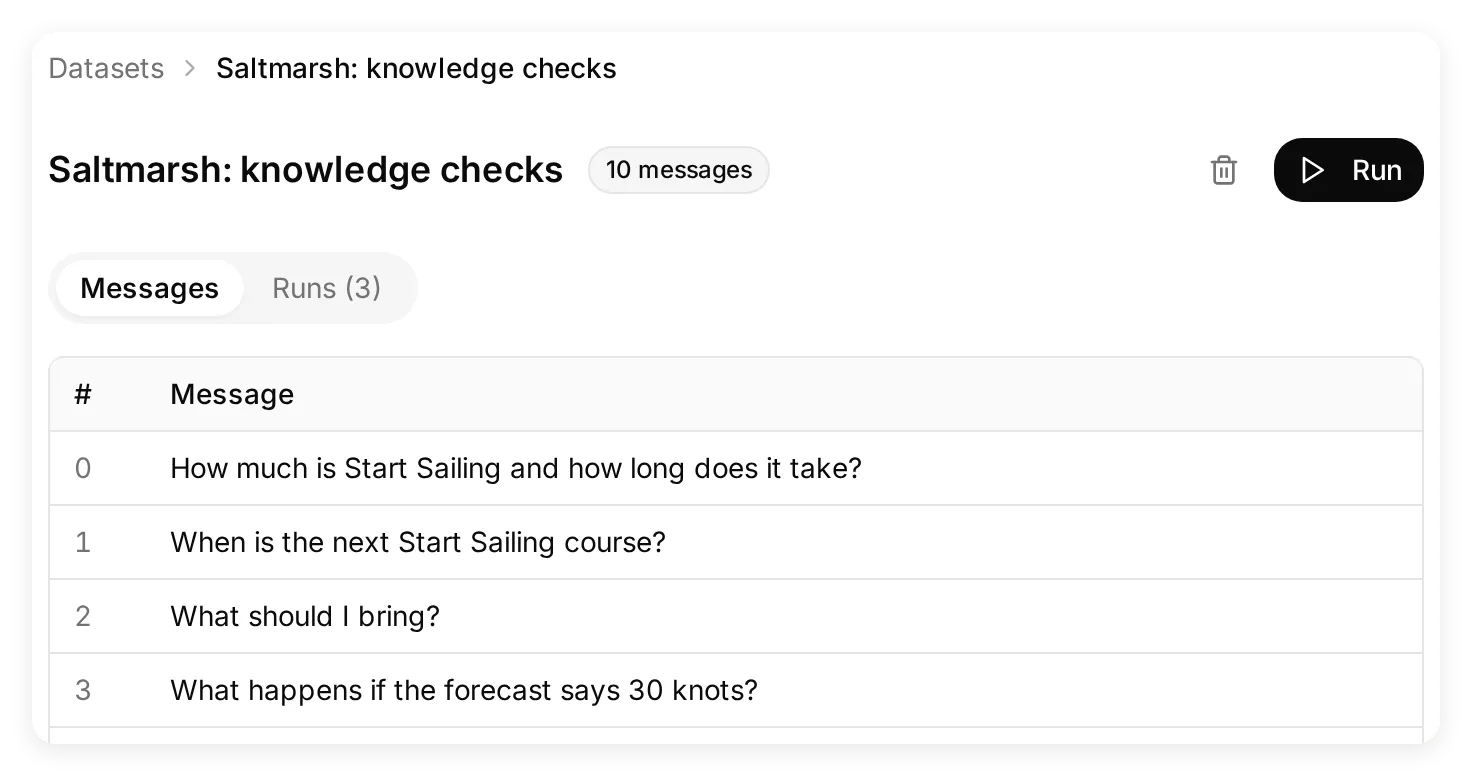 修改一項指令時,保持問題不變,才能做有用的比較。
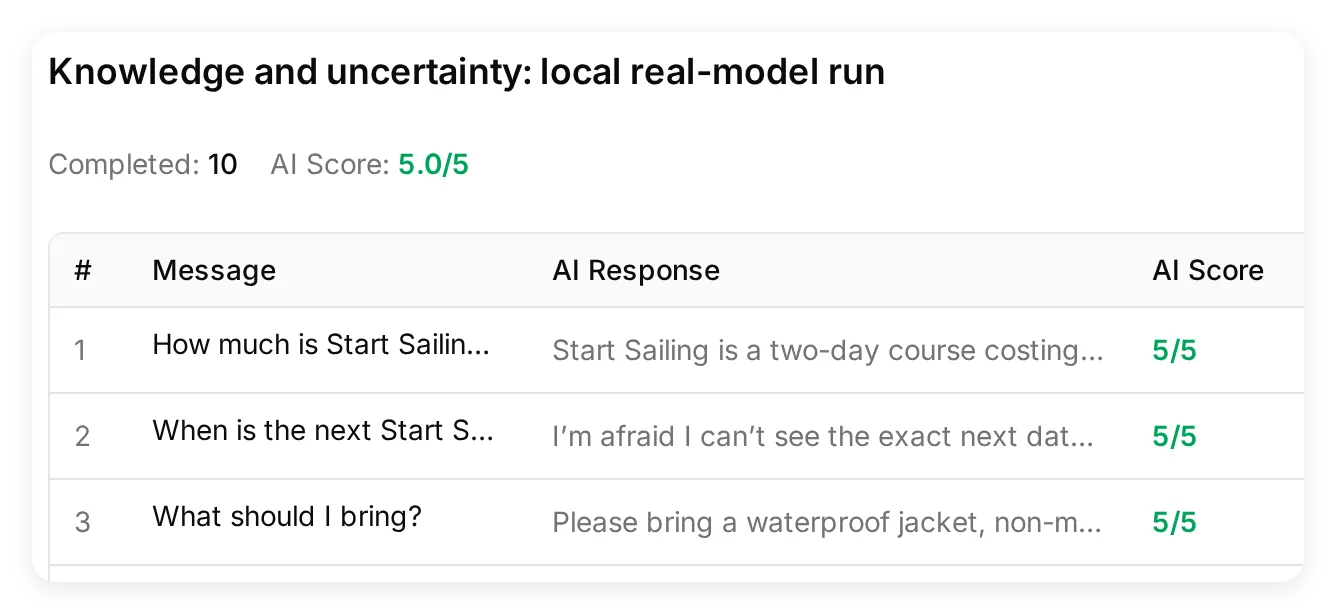 除了分數,也要閱讀回覆。這些是本機知識測試,不是 Telegram 送達測試。
評估器需要學校事實才能判斷準確性,也必須知道對話記錄無法證明試算表列、Telegram 送達或對話指派變更。標準文字 Simulation 不提供 Telegram 聊天中繼資料,因此缺少這些資料時,不應判定「僅限私訊」Action 條件失效。依賴管道的檢查應在真實私訊中執行。
本機測試帶來哪些調整?
最初的設計由一個 Agent 服務兩個入口。本機測試發現,群組中的退款要求會將共用對話轉交至 Human Handoff。我們拆分了 Agents,並在群組 Agent 上停用了 Handoff 和用於收集申請的 Actions。再次測試群組中的退款和體驗課詢問時,回覆引導使用者前往置頂的私人連結,同時維持由 AI 負責。因此,步驟 1 同時使用設定和指令來分開兩種對話。
最後十項本機知識檢查均獲得 5/5,兩個託管 Agent 也通過了相同的十個案例。這些小規模測試不能估計正式環境的準確率。實際群組也回答了課程價格和攜帶物品問題,隨後拒絕確認是否出租防寒衣。調整套件時,請保留這些缺少事實的案例;僅回答對價格,不足以檢驗 Agent 是否謹慎作答。
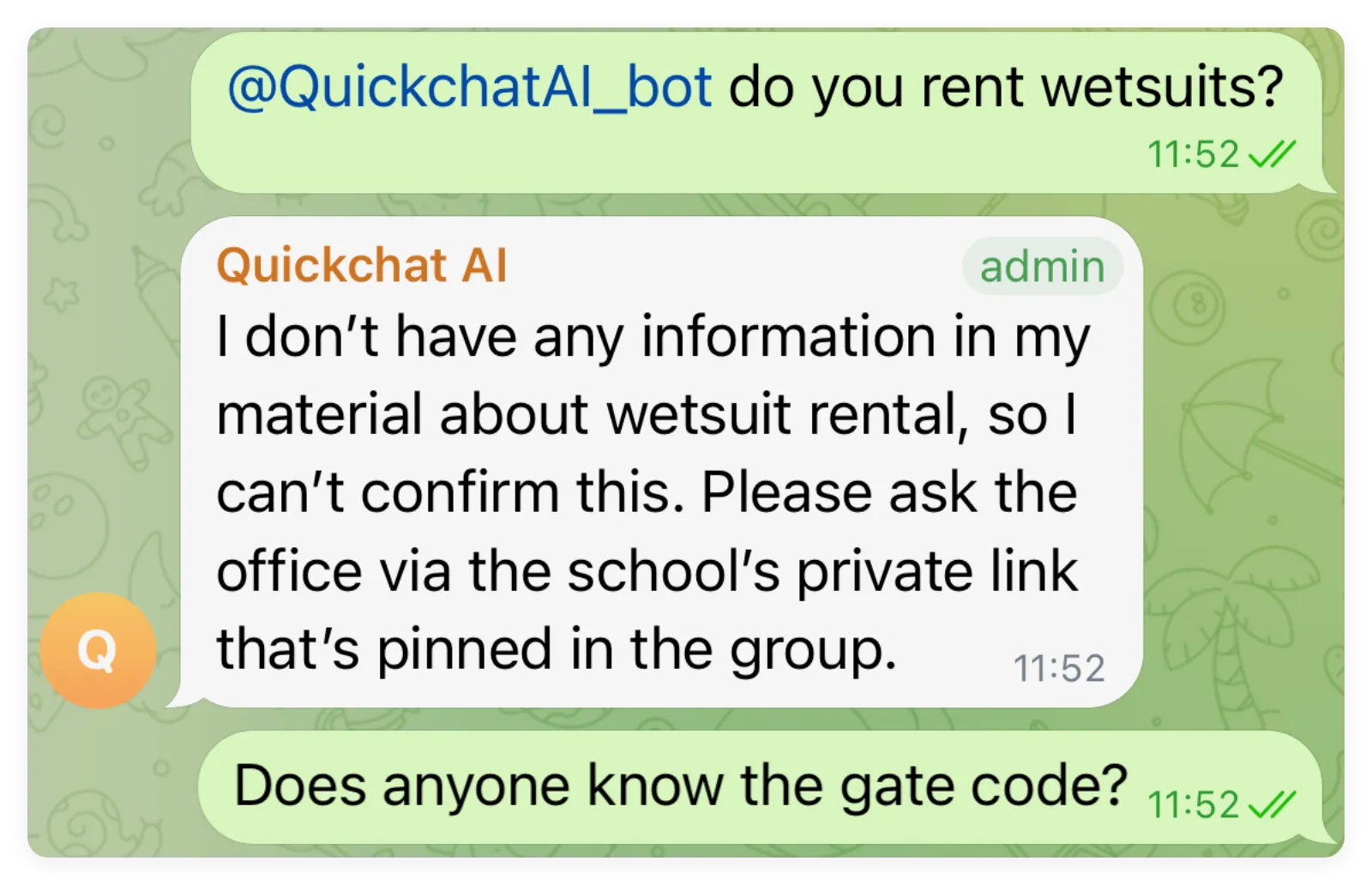 缺少知識時,答案是「無法確認」。另一則門禁碼訊息沒有向機器人發問,此截圖中也未顯示對它的回覆。
實際私訊中的體驗課申請成功呼叫了一次 Sheets Action,參數為 Alex Morgan、Tuesday 和 beginner。Google 回傳 HTTP 200,更新了一列;儲存的列還包含對話連結和 telegram 管道。另一次使用群組聊天中繼資料的 Action 測試沒有送出 HTTP 要求。調整執行條件時,請同時檢查獲接受的私人申請和被拒絕的群組情境。
檢查管道與外部效果
使用套件中的空白 test-matrix.csv 記錄自己的觀察。上方截圖呈現了已示範的結果;下表也包含應在你自己的設定中執行的檢查。測試靜默行為時請記錄等待時間,並將人工接手與日後轉回 AI 分開驗證。
| 測試 | 傳送或操作 | 預期結果 |
|---|---|---|
| 群組提及 | @QuickchatAI_bot How much is Start Sailing? | 簡潔回答 EUR 240,Inbox 有對應對話。 |
| 回覆機器人 | What should I bring? | 回傳裝備清單,不必再次提及。 |
| 一般聊天 | 不提及機器人,傳送 Does anyone know the gate code? | 共用機器人不回覆。 |
| 知識缺口 | 提及機器人並問 Do you rent wetsuits? | 無法確認,不捏造「有」或「沒有」。 |
| 群組個人請求 | 提及機器人並要求退款 | 導向私訊,群組仍由 AI 處理。 |
| 私訊回答 | 開啟完整 DM 連結並詢問價格 | 正確 Agent 不必被提及即可回答。 |
| 完整體驗課申請 | 傳送步驟 4 的 Alex Morgan 訊息 | Action 參數與真實 Sheets 列一致,不宣稱預約成功。 |
| 私訊轉交真人 | 要求退款,真人接手後再回覆 | 指派給真人、操作員訊息送達,沒有額外 AI 回覆。 |
| 天氣政策 | What happens if the forecast says 30 knots? | 說明免費改期政策與教練決定,不宣稱掌握即時預報。 |
檢查失敗時,只修改一個相關設定,再傳相同訊息。缺少來源事實就在 Knowledge Base 補充;Action 過早呼叫就改描述或必填參數;群組不回覆,先檢查確認與提及方式。保留失敗結果,讓改善可見。
何時需要透過 BotFather 建立自己的機器人?
需要自己的機器人名稱和圖片、Telegram Bot API Actions,或接收一般群組訊息時,建立自己的 Telegram 機器人。上述群組問答和私訊流程使用共用機器人即可。
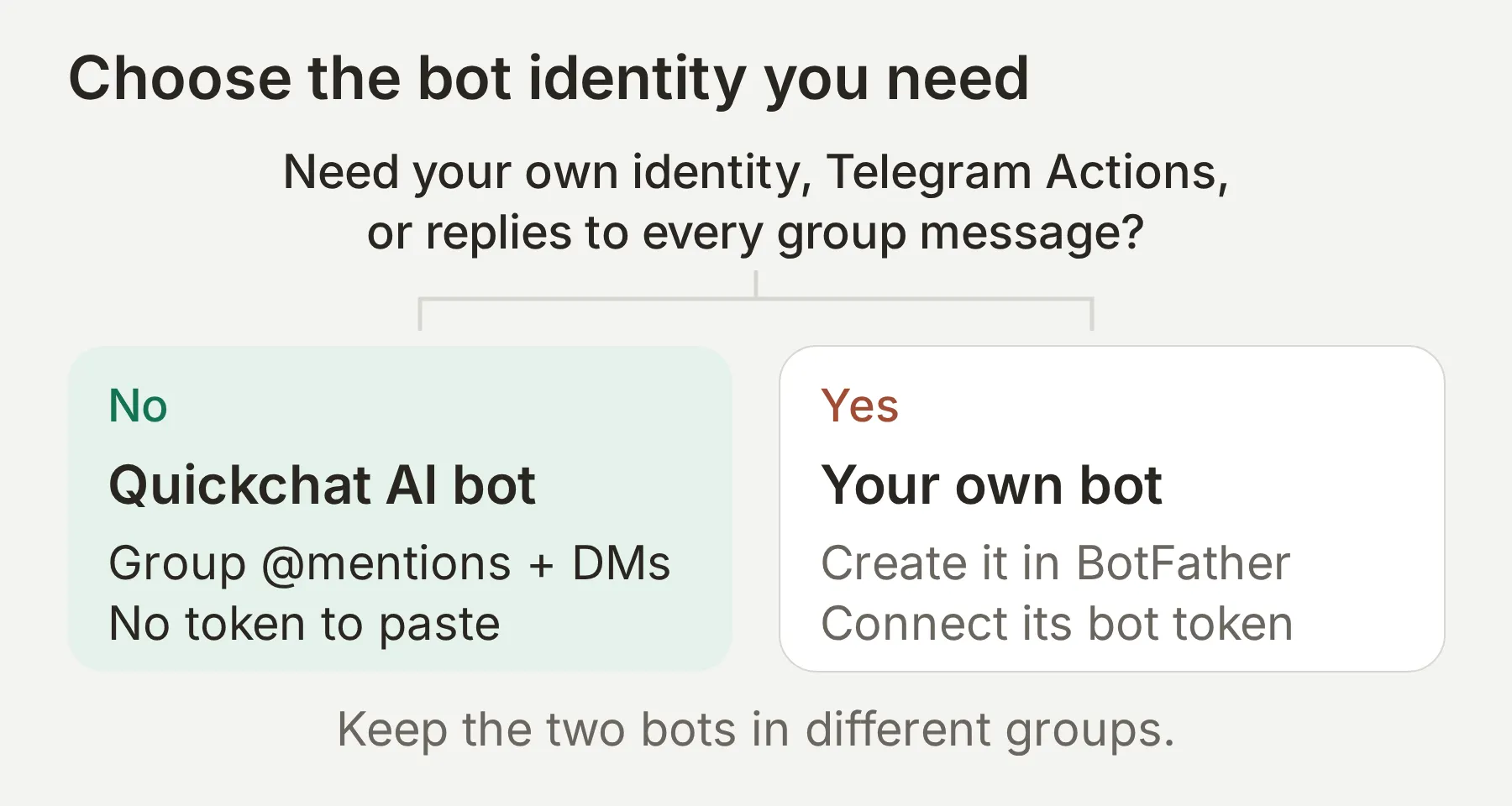 加入第二個機器人前,先決定需要的身分與訊息行為。
| 需求 | Quickchat AI 共用機器人 | 自有機器人 |
|---|---|---|
| 建立 BotFather 權杖 | 不需要 | 需要 |
| 自訂 Telegram 名稱與圖片 | 共用身分 | 你的機器人身分 |
| 回答群組提及與回覆 | 支援 | Telegram 送達訊息時支援 |
| 回應一般群組訊息 | 共用機器人保持安靜 | 設定 Telegram 隱私模式或管理員身分 |
| 私訊 | 共用機器人內的 Agent 專屬啟動連結 | 自有機器人的獨立私訊對話 |
| Google Sheets Action | 支援 | 支援 |
| Telegram 管理 Actions | 不公開共用權杖 | 自有權杖可作為 System Token 使用 |
- 在 Telegram 開啟已驗證的 BotFather 帳戶,傳送
/newbot。 - 選擇顯示名稱,再選擇可用且以
bot結尾的使用者名稱。BotFather 會回傳權杖,請保密。 - 如果要將此機器人加入群組,請選擇 Saltmarsh Group。Saltmarsh Sailing School 僅用於私聊。 在 External Apps > Telegram 開啟 Your own bot,選擇 Connect to Telegram。
- 將權杖貼到 Bot Token 並完成連線。確認 Enable your own bot 已啟用。
- 開啟機器人的 Telegram 連結,傳送
/start,再詢問相同的課程價格問題。 - 若要接收一般群組訊息,在 BotFather 使用
/setprivacy,選取機器人並選 Disable,再將它從測試群組移除後重新加入。管理員機器人也會收到一般訊息。Telegram 的隱私模式文件說明了送達規則。
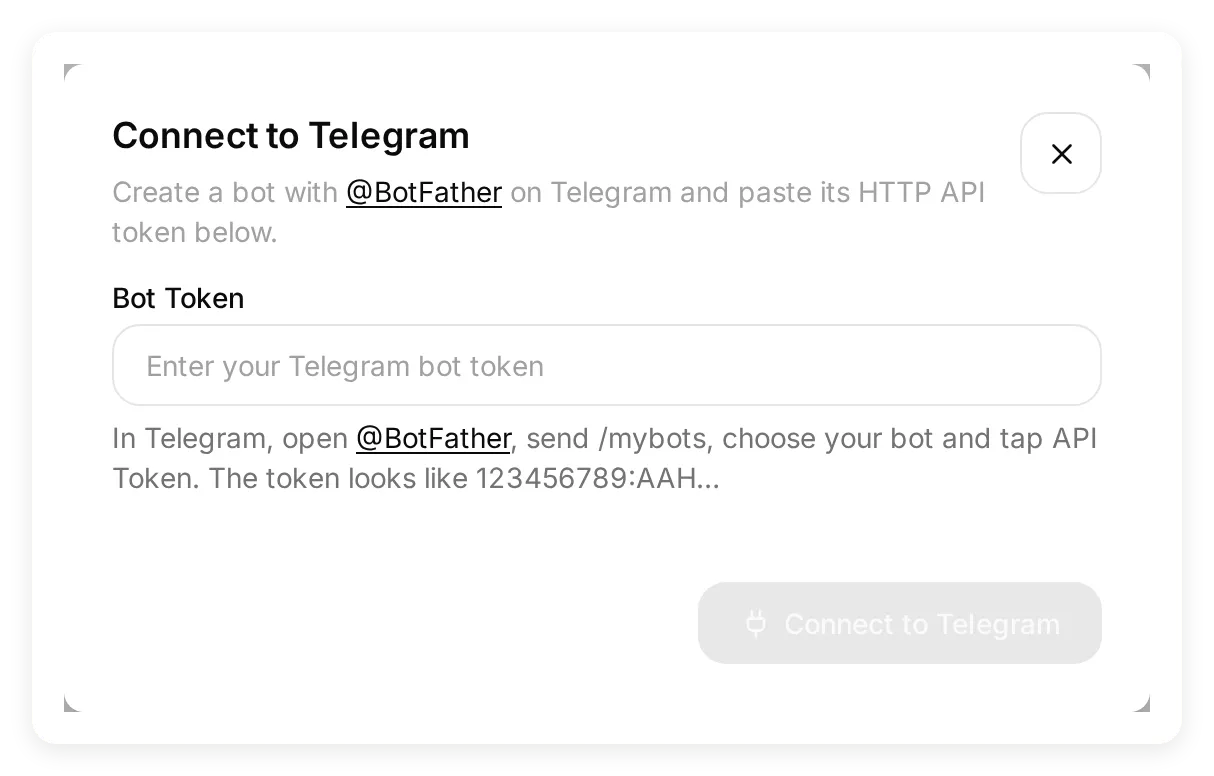 只將權杖貼到 Bot Token。截圖保留空白欄位,避免公開憑證。
將共用機器人和自有機器人放在不同群組。兩者在同一群組可能造成重複回覆。若要釘選公告或管理成員,請參閱獨立的 Telegram 群組管理教學,包括其中僅限管理員觸發的 Action 條件。
ChatGPT 或 Claude 能協助設定 Telegram 聊天機器人嗎?
已連接的 Quickchat AI 帳戶管理應用程式可協助建立 Agent、加入知識、調整支援的設定並執行測試。如果用戶端提供 Telegram 設定功能,就能啟用共用機器人的私訊連結。選擇群組與在控制台確認仍由擁有者完成。部分用戶端也需要透過控制台啟用私訊連結及設定 Human Handoff,因此應讓助手先檢查可用工具。
連接 Quickchat AI ChatGPT 外掛程式或 Claude 連接器,附上套件檔案並使用下列提示詞:
Use my connected Quickchat AI account to create two Agents from the attached kit: Saltmarsh Group with group-main-prompt.txt and Saltmarsh Sailing School with main-prompt.txt. Add both knowledge files to each. Keep Actions and Human Handoff off on Saltmarsh Group. Prepare the supplied knowledge-test dataset. Check the tools available in this client before changing settings. Show me the configuration and ask before running credit-consuming tests or writing to Google Sheets. Where supported, enable only Saltmarsh Sailing School's shared-bot direct-message link and return the complete link. Leave group selection, dashboard confirmation, BotFather setup, Google OAuth and unsupported settings for me, with exact dashboard steps. Report what was configured, what was actually tested and what remains to verify in Telegram.工具可用性取決於用戶端與帳戶權限。登入步驟請參考帳戶管理設定說明。這會將助手連接到你的 Quickchat AI 帳戶,不會把個人 ChatGPT 或 Claude 對話變成 Telegram 機器人的託管後端。
為什麼 Telegram 聊天機器人沒有回覆?
重寫提示詞前,先檢查連線與訊息路徑。以下症狀有不同原因。
| 症狀 | 檢查內容 |
|---|---|
| 群組已列出但不回覆 | 確認目標群組,在 Connected chats 啟用,並提及實際機器人名稱或回覆它的訊息。 |
| 機器人在首次回答前退出 | 重新產生 Add to a Telegram group 連結,再次加入機器人,然後立即在 Quickchat AI 中對待處理的群組按下 Confirm。 |
| 基本機器人連結開啟錯誤 Agent | 使用含 start= 的完整私訊連結,檢查其他 Agent 的連結是否切換共用私訊綁定。 |
| 退款請求後 AI 停止回覆 | 檢查 Inbox 指派。轉交後的對話保持暫停,直到主動重新指派。 |
| Sheets 沒有新增列 | 確認 Action 啟用、必填欄位齊全、對話為私訊,且 URL 仍指向 Leads。檢查 Action 呼叫與 Google 連線。 |
| 自有機器人漏掉一般訊息 | 檢查隱私模式與群組權限;變更隱私後,移除並重新加入機器人。 |
| 回覆聲稱有你未提供的日期或服務 | 檢查已儲存且狀態為 Ready 的知識,以及不確定性指令。重新測試完全相同的失敗問題。 |
| 測試停止回答 | 檢查可用 AI 點數和失敗要求,不要將額度不足誤認為提示詞品質問題。 |
邀請客戶前,請替換虛構事實、檢查群組與私訊的分離,並安排工作人員處理轉接佇列。請同事使用另一個帳號檢查公開入口,作為上線前的最後驗證。若要使用其他社群管道,Discord 聊天機器人教學提供了類似的建置和測試流程。角色對話請參閱 Telegram 角色扮演指南。
選用設定檢查:依你聲明的需求比較部署方式,或按提供的預算比較每份點數預算的回覆量。這些計算器不會檢查你的帳戶、網站或餘額。
可複製的 Saltmarsh 設定
以下是本教學使用的完整事實資料與指令。下載包也包含 Action 設定、評估標準和測試。
群組 Agent:Main Prompt
將下列內容貼到 Saltmarsh Group 的 Identity > Main Prompt。保持這個 Agent 的 Human Handoff 和自訂 Actions 關閉。
You answer general questions in the Saltmarsh Sailing School members' group. Use only the Knowledge Base and keep each reply to two or three sentences. Do not add facts or requirements the sources do not contain. If a fact is missing, say that you cannot confirm it.

For trial requests, refunds, complaints, personal details or a request for a person, direct the member to the school's private link pinned in the group; do not invent a link. Do not collect personal details in this group. You cannot record requests, confirm bookings, approve refunds or transfer a conversation to staff. Do not claim you did any of these things. The private Agent records an enquiry; it cannot check live availability or confirm a trial. Only the office confirms availability and price.
私訊 Agent:Main Prompt
將下列內容貼到 Saltmarsh Sailing School 的 Identity > Main Prompt。Action 名稱應與設定一致。
You are the private-chat assistant of Saltmarsh Sailing School. Answer school questions from the Knowledge Base. Do not add plausible details that are not in the sources, including extra clothing or footwear requirements. Keep replies to two or three sentences and ask at most one question per message. If a fact is missing, say that you cannot confirm it; do not invent dates, availability, gate codes or wetsuit rental. Explain weather policy without claiming to know the current forecast.

When a person requests a trial lesson, collect their name, preferred weekday and sailing experience. Ask for only the next missing field. When all three are present, use Record trial-lesson request once. Say the request was recorded only after the Action succeeds. Explain that the office still needs to confirm availability and price; never say a lesson is booked. If the Action is unavailable or fails, say the request has not been recorded and offer a person.

Use Human Handoff for a current unresolved refund request, complaint or explicit request for a person. After a staff member has resolved the enquiry and returned the conversation to AI, answer new general questions normally; do not hand off again solely because an earlier message mentioned a refund or asked for a person. Do not approve refunds or promise a response time. For a missing fact, say what is unknown and offer a person; do not treat uncertainty as a negative answer about the service.
知識:課程與體驗課申請
將下列內容貼到第一篇知識文章的 Content 欄位。
Saltmarsh Sailing School demonstration information

This fictional school is used only for a tutorial. It contains no real customer data.

Start Sailing is a two-day course costing EUR 240. Day Skipper theory runs across five evenings and costs EUR 310. A private lesson lasts 90 minutes and costs EUR 95.

Courses run from April to October. Course dates are published on the school's website one month ahead. This source does not contain the next available date or live availability.

Bring a waterproof jacket, non-marking shoes and a change of clothes. The school provides buoyancy aids.

A trial-lesson request is an enquiry, not a confirmed booking. The office needs the person's name, preferred weekday and sailing experience, then confirms availability and price. Do not collect payment details. Do not infer a trial price from the private-lesson price.
知識:政策與成員資訊
將下列內容貼到第二篇文章的 Content 欄位。
Saltmarsh Sailing School demonstration policies

If the forecast shows more than 25 knots of wind or thunderstorms, the session moves to the next available date at no extra cost. The instructor decides on the morning of the session. This source is a policy, not a live weather forecast or a cancellation decision.

Parking is free at the clubhouse. The gate code is sent to enrolled students the day before their course. The code itself is not in this Knowledge Base.

Refunds and complaints are handled by the office. An AI answer cannot approve a refund. A member of staff must decide each case.

The Telegram members' group is for general questions. Trial requests, refunds and other personal details belong in a private conversation with the school's Agent, opened from the school's direct-message link.
Human Handoff 規則
將下列內容貼到 Human Handoff > Handoff Rules,並設定實際服務時間。
Transfer this private conversation to a person when the visitor has a current unresolved refund request, complaint, explicit request for a person, or accepts an offer of human help. After a staff member resolves the enquiry and returns it to AI, earlier refund or handoff messages must not trigger a new transfer for a general course question. Explain that a staff member can review the case here without approving a refund or promising a response time. This Agent is used only for private enquiries; the separate group Agent has Human Handoff disabled.常見問題
如何將 AI 聊天機器人加入 Telegram 群組?
在 Quickchat AI 開啟 External Apps,選擇 Telegram,再選 Add to a Telegram group。在 Telegram 選取群組後,回到 Quickchat AI 按 Confirm。成員可以提及共用機器人,或回覆它的某則訊息來提問。
Telegram AI 聊天機器人會回答每則訊息嗎?
Quickchat AI 共用機器人只回答提及它或回覆它的群組訊息。一般群聊不會觸發回覆。當 Telegram 隱私模式關閉,或自有機器人是管理員時,它可以收到一般群組訊息。請在獨立群組測試此設定。
我需要 BotFather 或 Telegram 機器人權杖嗎?
共用機器人及其私訊連結不需要 BotFather 或權杖。若需要自訂 Telegram 名稱與圖片,或呼叫 Telegram Bot API 的 Actions,再透過 BotFather 建立自己的機器人。一般 Google Sheets Actions 可以使用共用機器人。
客戶可以私訊 Telegram 聊天機器人嗎?
可以。在 Quickchat AI 啟用 Direct message link,分享產生的完整連結。客戶開啟後,如有提示就按 Start。連結會在共用機器人中選取你的 Agent。關閉連結會阻止新連線;既有私訊有獨立的啟用與中斷連線控制項。
Telegram AI 聊天機器人免費嗎?
透過 BotFather 建立機器人,本身不會增加 AI 服務。Quickchat AI 提供適合個人非商業學習的 Free 方案,包含有限 AI 點數。商業部署需要付費方案。回覆、Preview 和 Simulation 會消耗 AI 點數,外部服務也可能另外收費。
Telegram 支援 AI 聊天機器人嗎?
Telegram 支援第三方 AI 機器人與 AI 整合。本教學連接一個根據你自己的業務知識回答問題的 Quickchat AI Agent。BotFather 只建立機器人身分,不提供這些知識,也不會設定客服流程。
聊天機器人能理解照片與檔案嗎?
Telegram 整合能接收照片並分析視覺內容。其他檔案可作為附件進入對話,但不會自動讀取內容。請測試客戶實際使用的檔案類型,並同時檢查 Telegram 和 Inbox。
可以建立 Telegram 角色扮演或角色機器人嗎?
可以。同一 Telegram 連線可以服務具備角色身分與適當指令的 Agent。本教學使用企業客服範例;角色扮演 Agent 需要獨立提示詞與測試。