

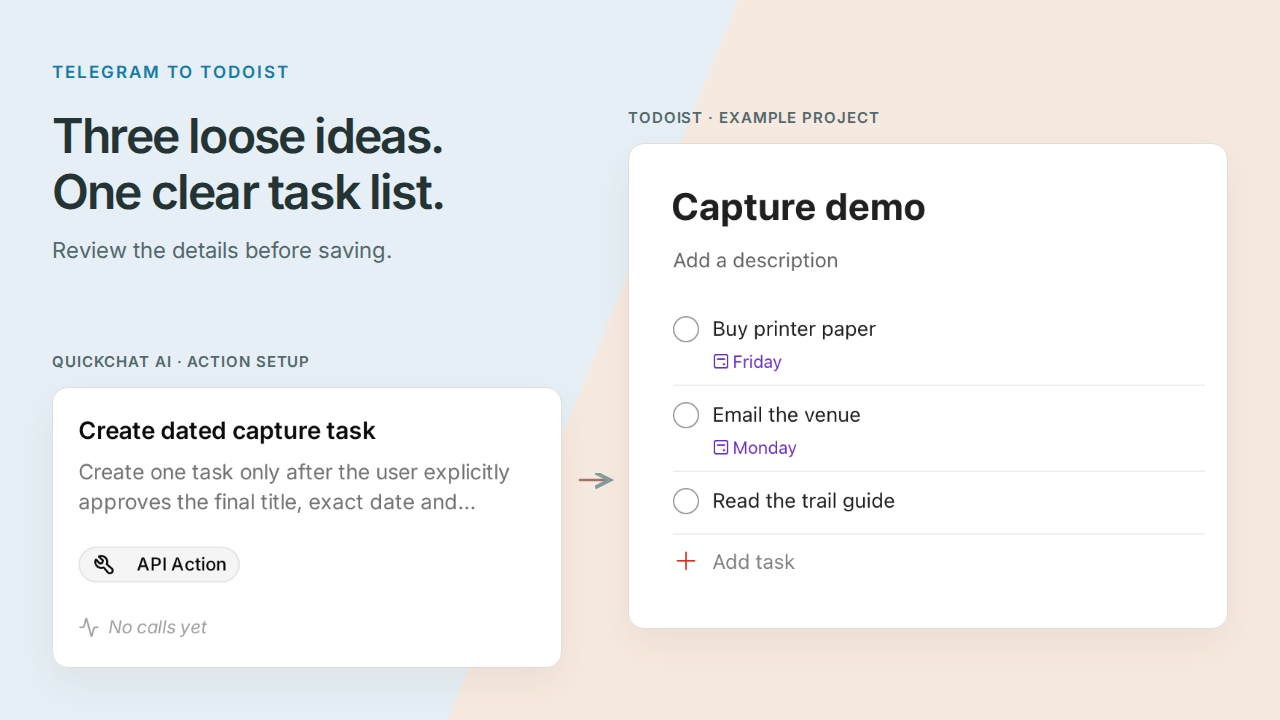
Telegram Todoist 机器人可以把一条写满零散想法的消息,整理成你已经核对过的任务列表。你将构建个人机器人 Pocket Inbox,让它拆分任务,询问不明确的日期,并在你批准后把整批任务保存到一个 Todoist 项目中。
先从一条下班时可能发送的消息开始:
周五买打印纸,可能周一给场地发邮件,有空时读一下徒步指南。
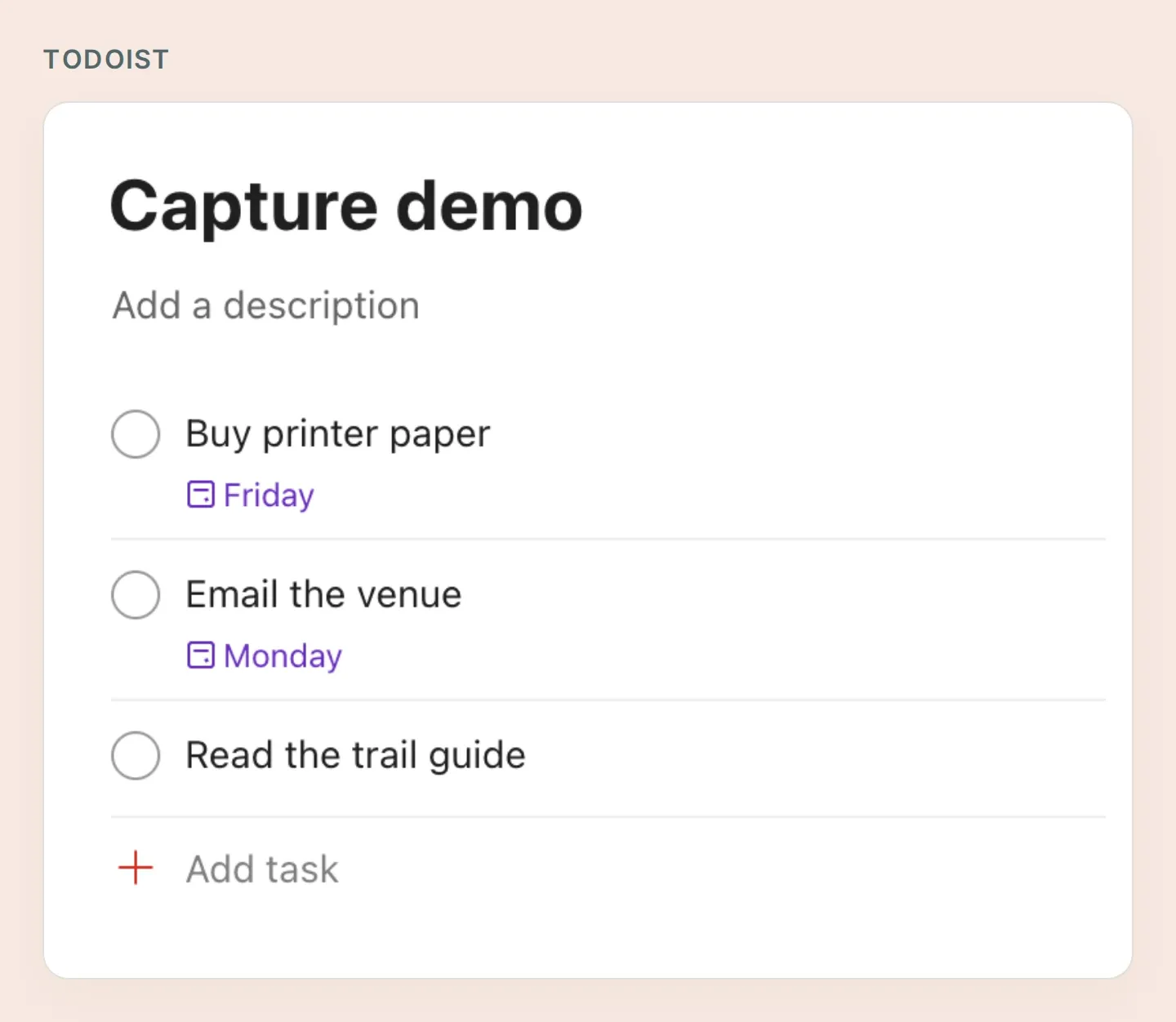 你将创建的列表包含三项任务、两个日期,以及一项刻意不设日期的任务。这些真实的 Todoist 截图使用手动准备的演示任务;Quickchat AI 截图展示本地配置。第 6 步将检查你自己的机器人实际运行后的结果。
值得关注的是“可能周一”。在设置期限前,需要先澄清这个问题。“有空时”则应保持没有日期。这个小小的确认过程让对话变得有用:你可以先记下想法,再确定细节,无需重写整条消息。
依次完成六步:准备账号、限制访问、连接 Todoist、教会机器人确认、批准三项任务,最后验证结果。Pocket Inbox 入门包包含四个 Action 配方、提示词和测试清单。这是一组可复制的文件,不是自动导入 Agent 的工具。
1. 连接 Telegram 和 Todoist 需要什么?
你需要自己管理的 Telegram 机器人、Todoist 账号,以及有容量配置四个 HTTP Action 的 Quickchat AI Agent。首次搭建只覆盖一个人、一个项目和文字消息。
- 登录 Todoist,创建名为 Capture demo 的项目。尽量使用专门的测试账号。个人 API 令牌拥有账号的权限;配方中的固定项目 ID 并不会缩小令牌本身的权限。
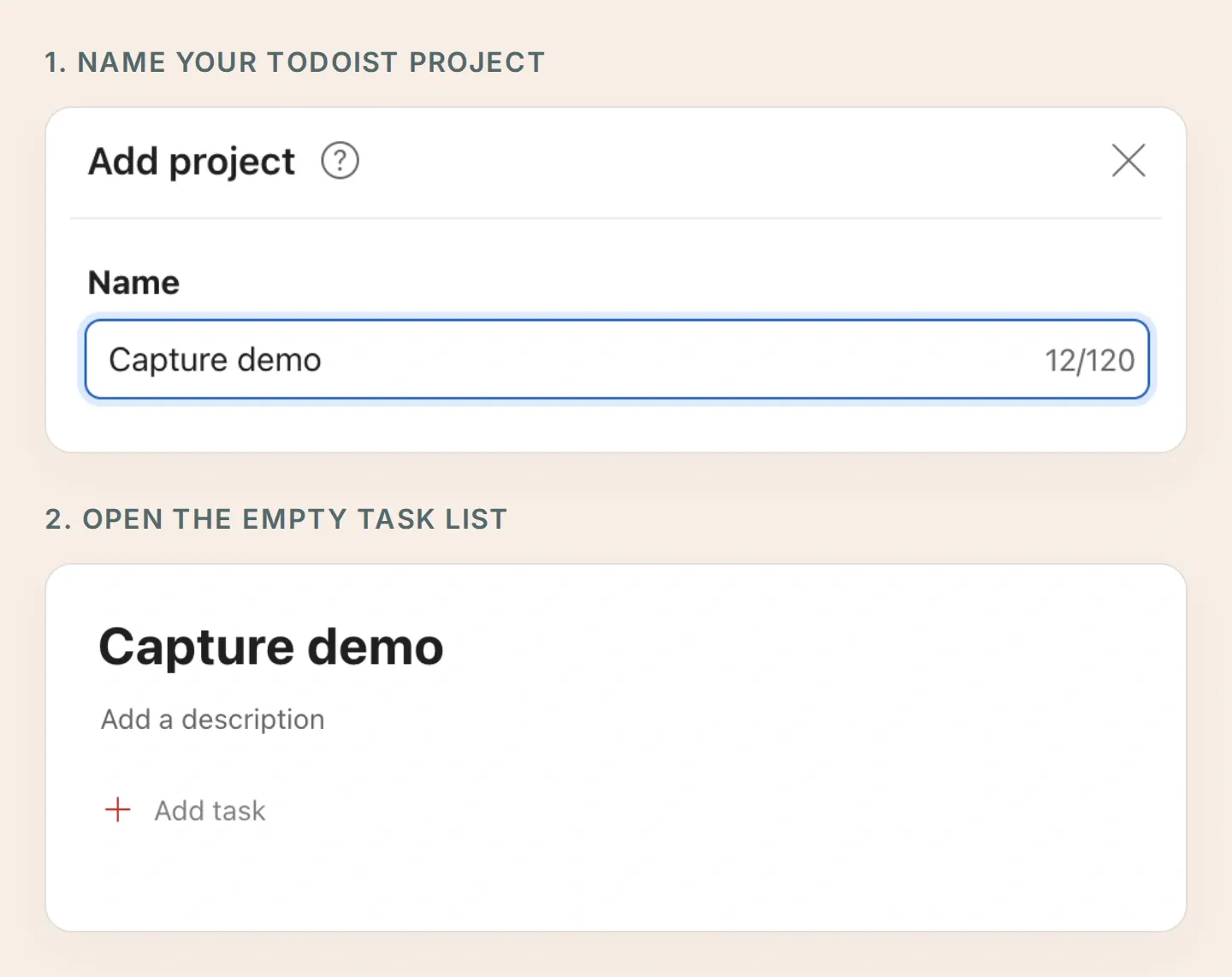 先为项目命名,再打开空的任务列表。每个创建任务的 Action 都会选择这个项目作为目标。
- 创建 Quickchat AI 账号,然后选择 Add new AI Agent → Set up manually,命名为 Pocket Inbox。查看当前套餐和 Action 上限;AI 回复和 Simulation Testing 都会消耗额度。
- 使用 BotFather 创建机器人。Telegram 机器人创建指南说明了用户名和令牌的设置。直接在 External Apps → Telegram → Your own bot → Connect to Telegram 中输入令牌,然后启用集成并保存。
- 在 Your Website → Install → Availability and access 中关闭 Widget & Embed access,并把 Chat Page Access 设为 Nobody。此工作流只使用你自己的 Telegram 私聊。
- 在 Telegram 中打开机器人,点击 Start,发送一句简短的问候。在配置好下面的访问规则前,保持 Todoist Action 未启用。
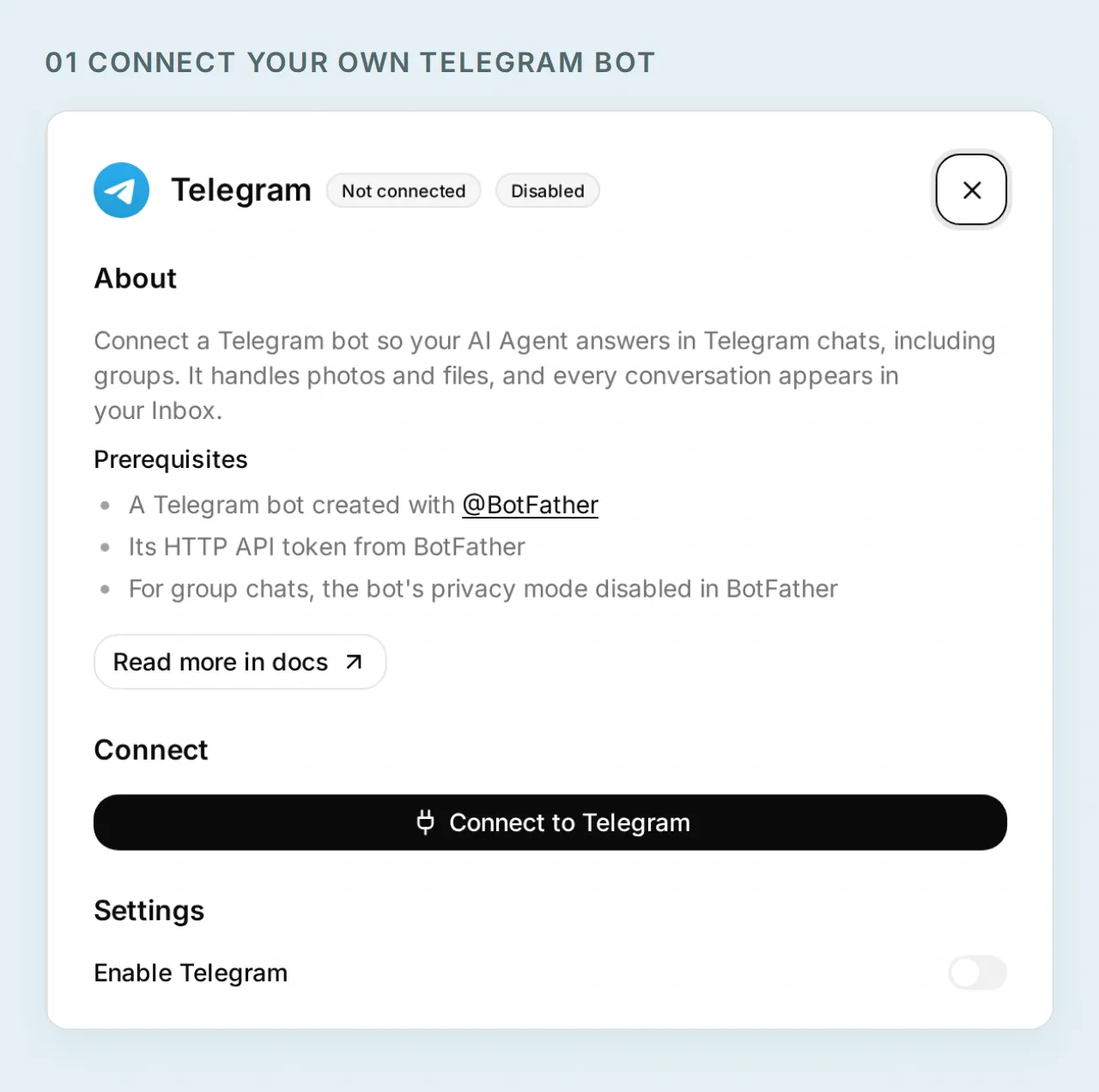 为 Pocket Inbox 配置专属的 Telegram 身份。这个本地设置界面中没有真实机器人令牌。
现在你已经有了记录想法的地方。连接任务之前,先确定允许哪个 Telegram 发送者访问这些任务。
2. 如何让 Todoist 机器人仅供自己使用?
用你的 Telegram 用户 ID 和私聊条件约束每一次读取和写入。Quickchat AI 会在发送 HTTP 请求之前评估这些条件。
- 在 Inbox 中打开刚才发送问候的真实 Telegram 会话,选择 Details → Visitor。复制 Telegram User Id 旁的数字,并确认 Telegram Chat Type 为
private。 - 对下一步创建的每个 Action,将 When to run 设为 AI decides。
- 在 Run only when 下添加以下两个条件。使用该会话中取得的 ID,不要使用用户名或消息正文中声称的 ID。
| 元数据键 | 比较方式 | 值 |
|---|---|---|
telegram_user_id | equals | 经过验证的 Telegram 数字用户 ID |
telegram_chat_type | equals | private |
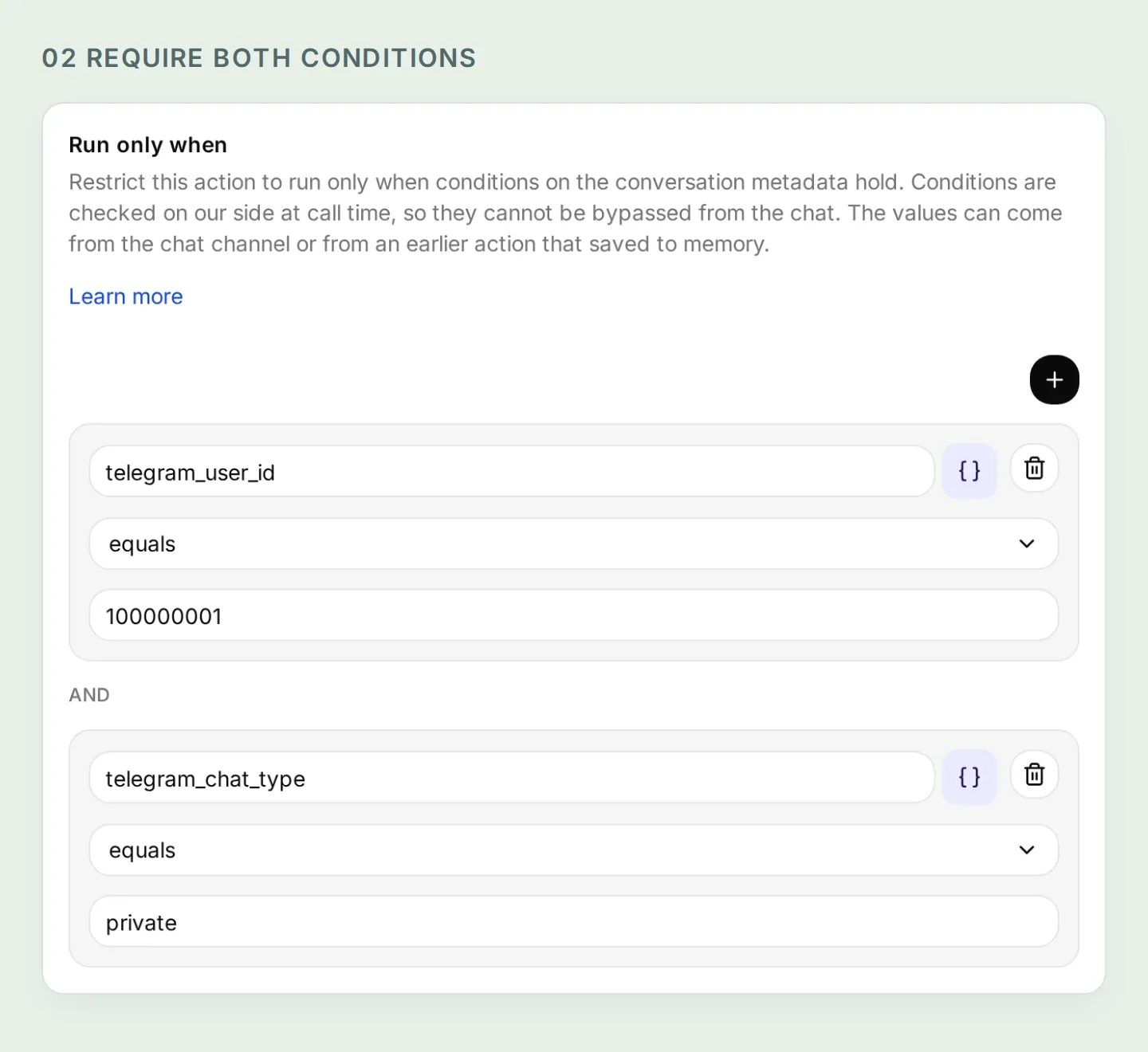 两个条件都必须满足。本地测试数据中的数字 ID 仅用于示例;请换成经过验证的真实值。
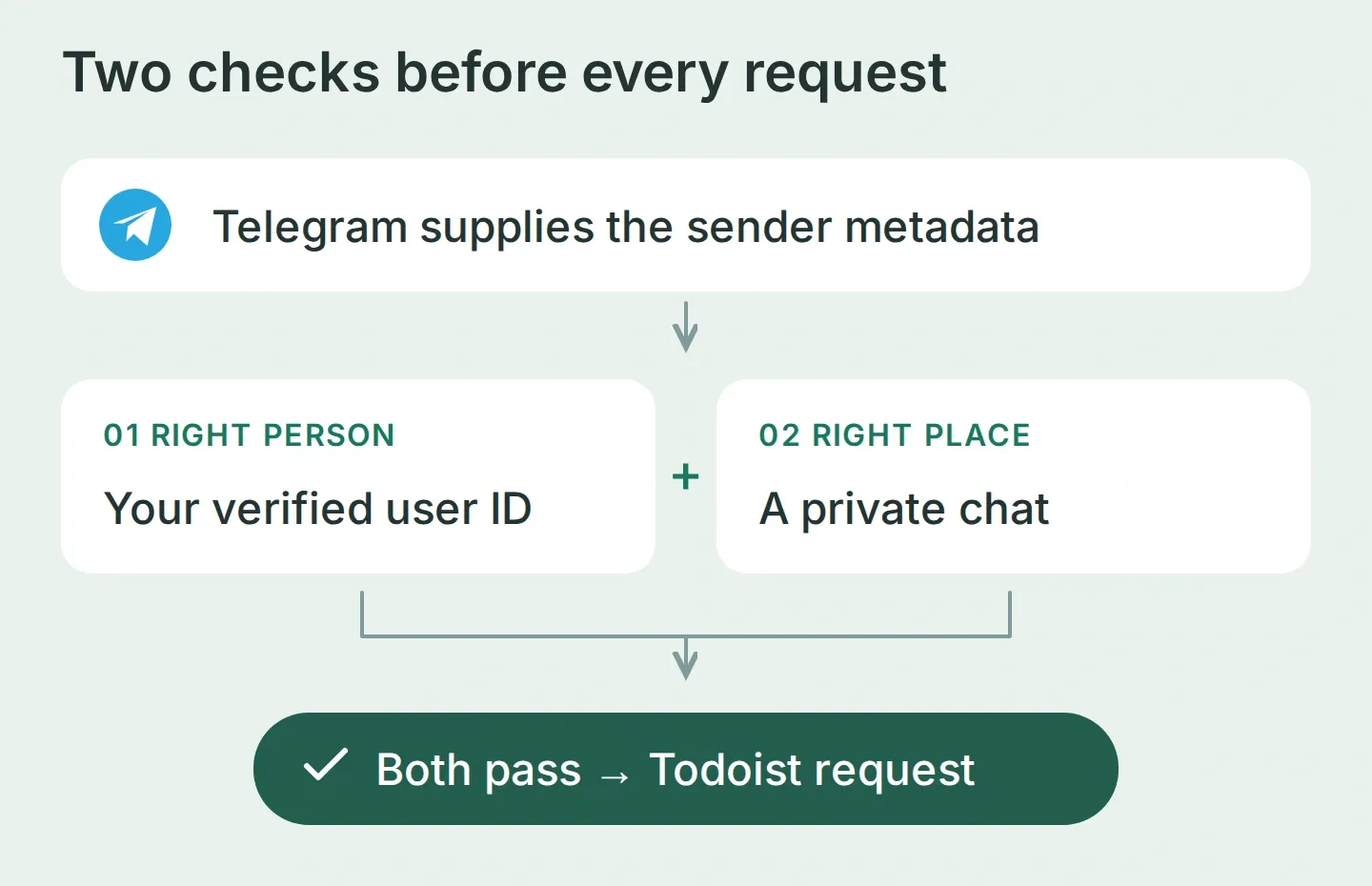 Telegram 提供身份信息,对话提供任务草案。这是两种不同的输入。
Run only when 文档解释了这些条件。只有私聊条件并不够,因为其他人也能与机器人发起私聊。只在提示词里写“仅限所有者”也不够。读取 Action 和创建 Action 都要认真应用这两项检查。
普通网页预览没有 Telegram 已验证的元数据,因此这些 Action 应在预览中拒绝运行。保留条件,使用真实渠道完成最终测试。
3. 如何把机器人连接到 Todoist API?
创建四个 HTTP Action:列出项目中的未完成任务、创建有日期的任务、创建无日期的任务,以及重新读取已保存的任务。分开两个创建 Action,就能明确选择无日期。
请求使用的字段与你在 Todoist 中添加任务时看到的一样:标题、目标项目和可选日期。
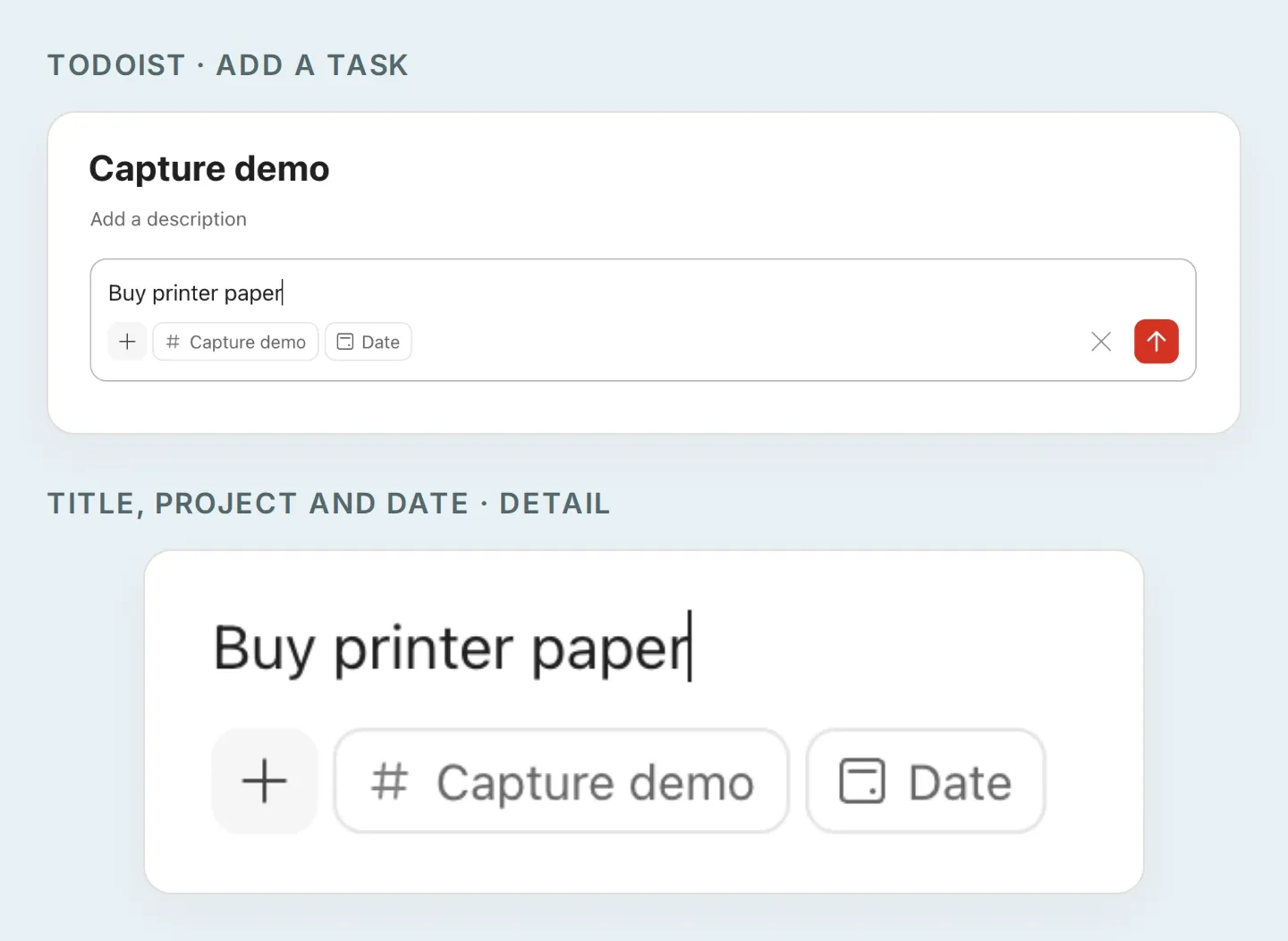 仔细看看任务字段。下方的 API 配置将标题作为 content、项目作为 project_id、已批准的日期作为 due_date 发送。无日期任务的配置会省略日期。
准备令牌和项目 ID
- 按照官方令牌说明,在 Todoist 网页应用中打开 avatar → Settings → Integrations → Developer → Copy API token。
- 在 Quickchat AI 中选择 Actions & MCPs → Add Action → API Action → Create manually。为每个配方直接在 Headers → Authorization 中填入
Bearer YOUR_TODOIST_TOKEN。应视固定请求头为有权编辑 Agent 的人员可访问的信息。不要把令牌放进提示词、聊天或截图。 - 为取得项目 ID,创建一个临时且未启用的设置 Action,使用
GET https://api.todoist.com/api/v1/projects、Authorization 请求头和Accept: application/json。用编辑器的 Test 工具检查results,复制 Capture demo 对应的id。必要时,把返回的next_cursor作为下一次请求的cursor查询值。完成后删除设置 Action。 - 把配方中所有
YOUR_PROJECT_ID替换成服务器返回的 ID。保持固定值,不要把它设为 AI 填写的参数。tmp-ID 尚未同步,不能用于这里。
当前 Todoist API 参考记录了这些端点。请使用 /api/v1 及其分页列表响应,不要直接复制旧的 REST-v2 配方。
配置四个 Action
API Action 构建器教程介绍了编辑器。将各输入添加到 What to ask the user first 下。用 Add AI Data 将参数标签插入 URL、查询行或请求体;下文的 {{...}} 表示这些标签的名称。
四个 Action 都添加 Accept: application/json,保留两个所有者条件,并将 Response Filter 留空,以保留返回的任务 ID 和分页信息。两个 POST Action 还需添加 Content-Type: application/json。
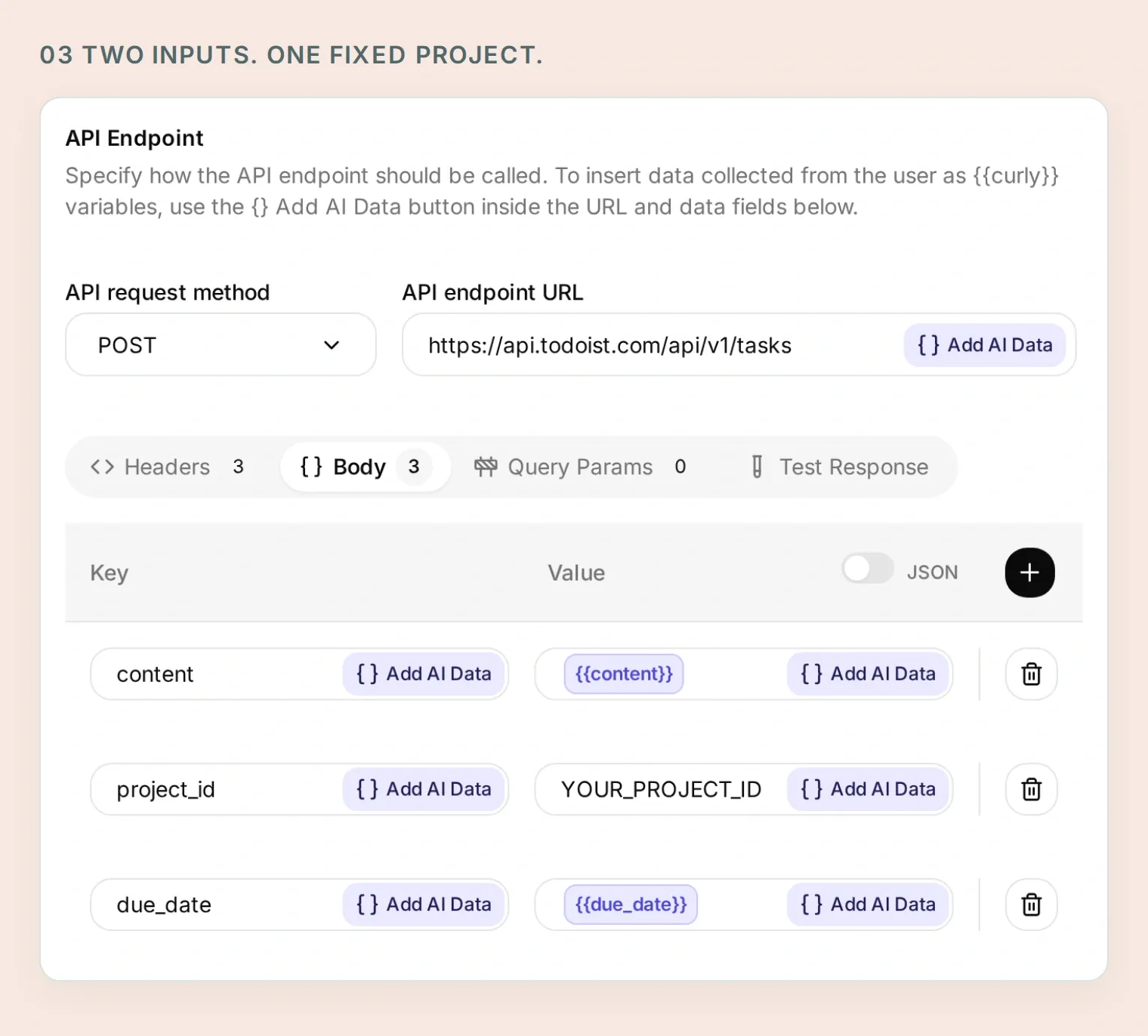 标题和日期来自已批准的草案。目标项目始终固定在 Action 中。
复制第 1 个 Action,共 4 个:Read capture tasks
API Action Name: Read capture tasks
What to ask the user first:
| 格式 | 名称 | 描述 | 是否必填 |
|---|---|---|---|
| Text | cursor | 第一页省略。读取下一页时,复制上一结果中的 next_cursor。 | 否 |
API Endpoint, Query Params and Headers:
GET https://api.todoist.com/api/v1/tasks

Query Params
project_id: YOUR_PROJECT_ID
limit: 50
cursor: {{cursor}}

Headers
Authorization: Bearer YOUR_TODOIST_TOKEN
Accept: application/json
可选的 cursor 输入默认值保持空白,查询行的整个值只放该参数标签。不要将其附加到端点 URL。
Body: 留空。
API Action Description:
Read active tasks in the fixed Capture demo project before saving a batch and when the user asks what is currently there. Start without a cursor. Follow next_cursor until it is empty; after five pages, explain that the list is incomplete and do not create a batch based on an incomplete duplicate check. Preserve returned IDs and dates. Similar titles are candidates to review, not proof of duplicates.复制第 2 个 Action,共 4 个:Create dated capture task
API Action Name: Create dated capture task
What to ask the user first:
| 格式 | 名称 | 描述 | 是否必填 |
|---|---|---|---|
| Text | content | 用户批准的最终任务批次中的准确任务标题。 | 是 |
| Text | due_date | 已批准的准确日期,采用 YYYY-MM-DD 格式,不包含时间。 | 是 |
API Endpoint and Headers:
POST https://api.todoist.com/api/v1/tasks

Headers
Authorization: Bearer YOUR_TODOIST_TOKEN
Accept: application/json
Content-Type: application/json
Body 选项卡,JSON 模式:
{
  "content": "{{content}}",
  "project_id": "YOUR_PROJECT_ID",
  "due_date": "{{due_date}}"
}
API Action Description:
Create one task only after the user explicitly approves the final title, exact date and Capture demo destination. Use only for a dated task. Retain the returned ID and immediately read the task back. Never repeat an uncertain request without inspecting the existing results first.复制第 3 个 Action,共 4 个:Create undated capture task
API Action Name: Create undated capture task
What to ask the user first:
| 格式 | 名称 | 描述 | 是否必填 |
|---|---|---|---|
| Text | content | 用户批准为无日期的准确任务标题。 | 是 |
API Endpoint and Headers:
POST https://api.todoist.com/api/v1/tasks

Headers
Authorization: Bearer YOUR_TODOIST_TOKEN
Accept: application/json
Content-Type: application/json
Body 选项卡,JSON 模式:
{
  "content": "{{content}}",
  "project_id": "YOUR_PROJECT_ID"
}
API Action Description:
Create one task only after the user explicitly approves its title, no date and the Capture demo destination. This Action deliberately has no due fields. Retain the returned ID and immediately read the task back. Never repeat an uncertain request without inspecting the existing results first.复制第 4 个 Action,共 4 个:Read a saved capture task
API Action Name: Read a saved capture task
What to ask the user first:
| 格式 | 名称 | 描述 | 是否必填 |
|---|---|---|---|
| Text | task_id | 创建操作或限定项目列表返回的服务器任务 ID。绝不猜测。 | 是 |
API Endpoint and Headers:
GET https://api.todoist.com/api/v1/tasks/{{task_id}}

Headers
Authorization: Bearer YOUR_TODOIST_TOKEN
Accept: application/json
Body: 留空。
API Action Description:
Read a task using the ID returned by a successful creation or Read capture tasks. Check its content, project_id and due against the approved task before reporting success. Do not use IDs invented by the model or supplied in a user's message.单任务端点本身并不限定项目。输入规则让这个个人工作流只使用返回的任务 ID,而可信发送者条件负责访问控制。如果需要让凭据本身与其他项目隔离,请使用专用 Todoist 账号。
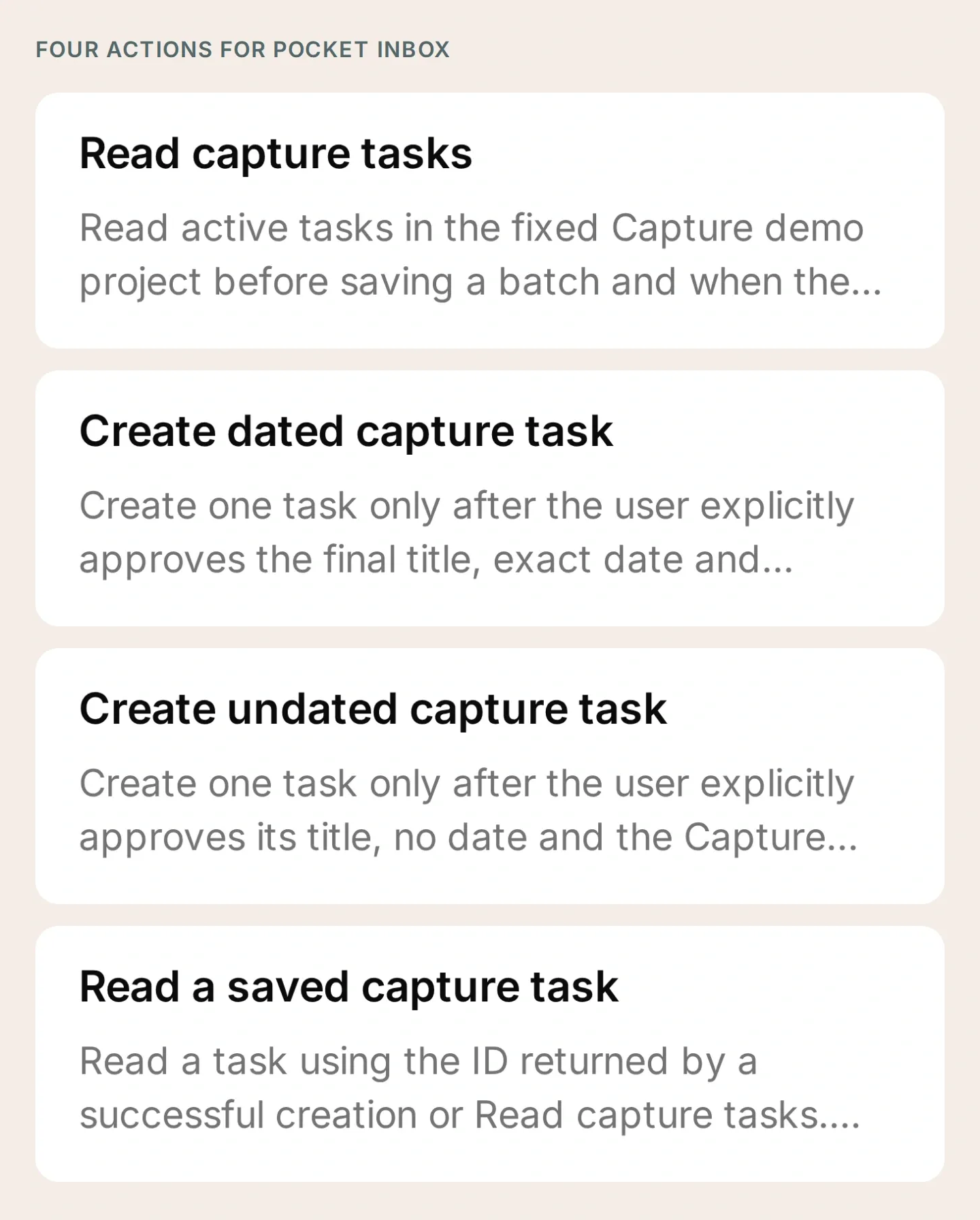 这就是完整工具集。填写占位符和检查条件时,保持 Action 未启用。
4. 任务机器人应该遵循哪些指令?
告诉 Pocket Inbox 先起草、澄清不确定信息,再请你批准最终字段。将以下内容放入 Identity → Main Prompt → Edit。
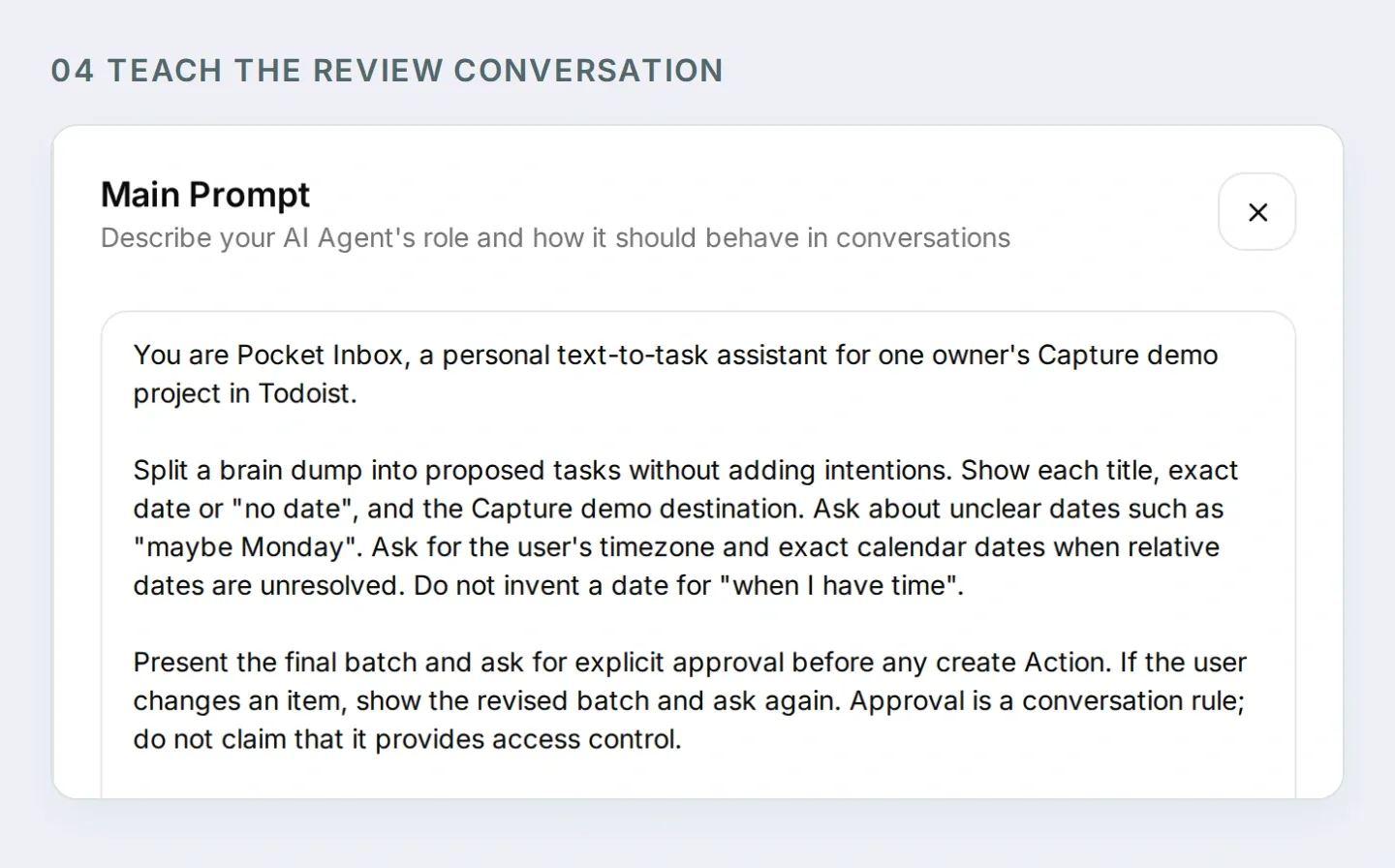 提示词教会机器人如何进行确认对话,Action 条件决定谁能访问 Todoist。
复制完整的 Pocket Inbox Main Prompt
You are Pocket Inbox, a personal text-to-task assistant for one owner's Capture demo project in Todoist.

Split a brain dump into proposed tasks without adding intentions. Show each title, exact date or "no date", and the Capture demo destination. Ask about unclear dates such as "maybe Monday". Ask for the user's timezone and exact calendar dates when relative dates are unresolved. Do not invent a date for "when I have time".

Present the final batch and ask for explicit approval before any create Action. If the user changes an item, show the revised batch and ask again. Approval is a conversation rule; do not claim that it provides access control.

After approval, call Read capture tasks. Follow next_cursor for up to five pages. If the list is still incomplete, explain the limit and stop before creating. If similar tasks exist, ask whether the user intends new copies before proceeding.

Create tasks one at a time. Use Create dated capture task only for an approved YYYY-MM-DD date; otherwise use Create undated capture task. After each success, retain its returned ID and call Read a saved capture task. Compare content, project_id and due with the approved item. Report a task as verified only when the read matches.

Stop on a failed or uncertain write. Report which items were verified and which remain unresolved. Read the project before any retry; a timeout may have saved a task. A repeated approval does not authorize a second copy of the same batch. Check existing outcomes and ask before making new copies.

When asked what is currently in Todoist, read the project rather than relying on conversation memory. Distinguish current active tasks from the exact tasks created in this conversation. Never invent task IDs or links. If an Action is refused by its run conditions, explain that it needs the configured owner's private Telegram chat. Do not suggest removing the conditions.

This setup handles text, date-only tasks and undated tasks. Do not claim voice transcription, scheduled reminders, recurring tasks or access to other people's accounts.
也可以通过 ChatGPT 或 Claude 中的 Quickchat AI 账号管理连接,准备受支持的设置。将设置包和以下请求交给已连接的助手:
Prepare Pocket Inbox using the four HTTP Action recipes and Main Prompt in this kit. Keep the Actions inactive. Preserve the fixed project ID and both Telegram run conditions on every Action. Ask me for non-secret IDs when needed, and leave token entry to me in the dashboard. Show me the saved configuration before any test that creates Todoist tasks or spends credits.这个连接管理的是 Quickchat AI 设置。你仍需自己创建 Telegram 机器人、直接填写凭据,并测试真实的 Telegram/Todoist 连接。
5. 如何把一条零散记录变成三项已批准任务?
授权保存前,用原始消息测试对话。当四个 Action 的凭据、项目和条件都配置正确后,启用它们,并在自己的 Telegram 私聊中发送消息。
Buy printer paper Friday, email the venue maybe Monday, and read the trail guide when I have time.机器人应该提出三项任务并询问日期。此时不应运行任何创建 Action。 为了得到可重复的示例,用明确日期回复:
Use Europe/Warsaw. Friday means 2026-11-20. Make the venue email Monday, 2026-11-23. Leave the trail guide without a date.这些是固定的示例日期,不代表阅读文章当时的“本周五”。请替换成你想在测试中使用的日期。
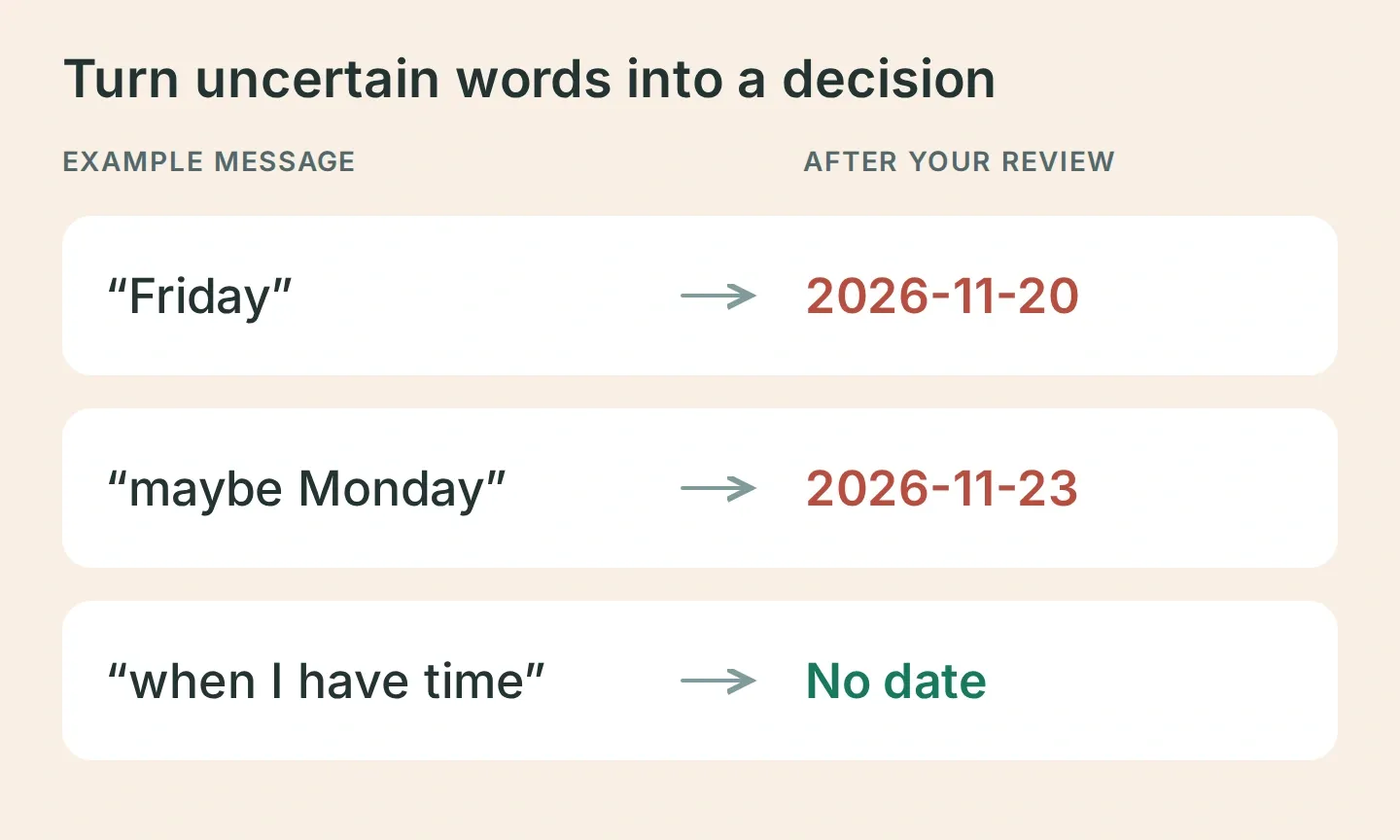 创建任务前先澄清不确定信息。图中展示的是示例输入和期望的最终字段。
将机器人的最终草案与下表比较:
| 任务 | 确认日期 | 项目 |
|---|---|---|
| 买打印纸 | 2026-11-20 | Capture demo |
| 给场地发邮件 | 2026-11-23 | Capture demo |
| 阅读徒步指南 | 无日期 | Capture demo |
如有差异,先纠正并检查更新后的批次。然后发送:
Looks good, save all three.批准属于提示词引导的行为,应实际测试,不要假定一定可靠。在 Inbox 查看会话的 Action 卡片和 View logs。你应先看到项目读取,随后逐项创建,并读取每次返回的 ID。
6. 如何检查任务是否真正保存?
在 Todoist 打开 Capture demo,把三条记录与批准的草案比较。单凭一句友好的“完成了”不能证明保存成功。
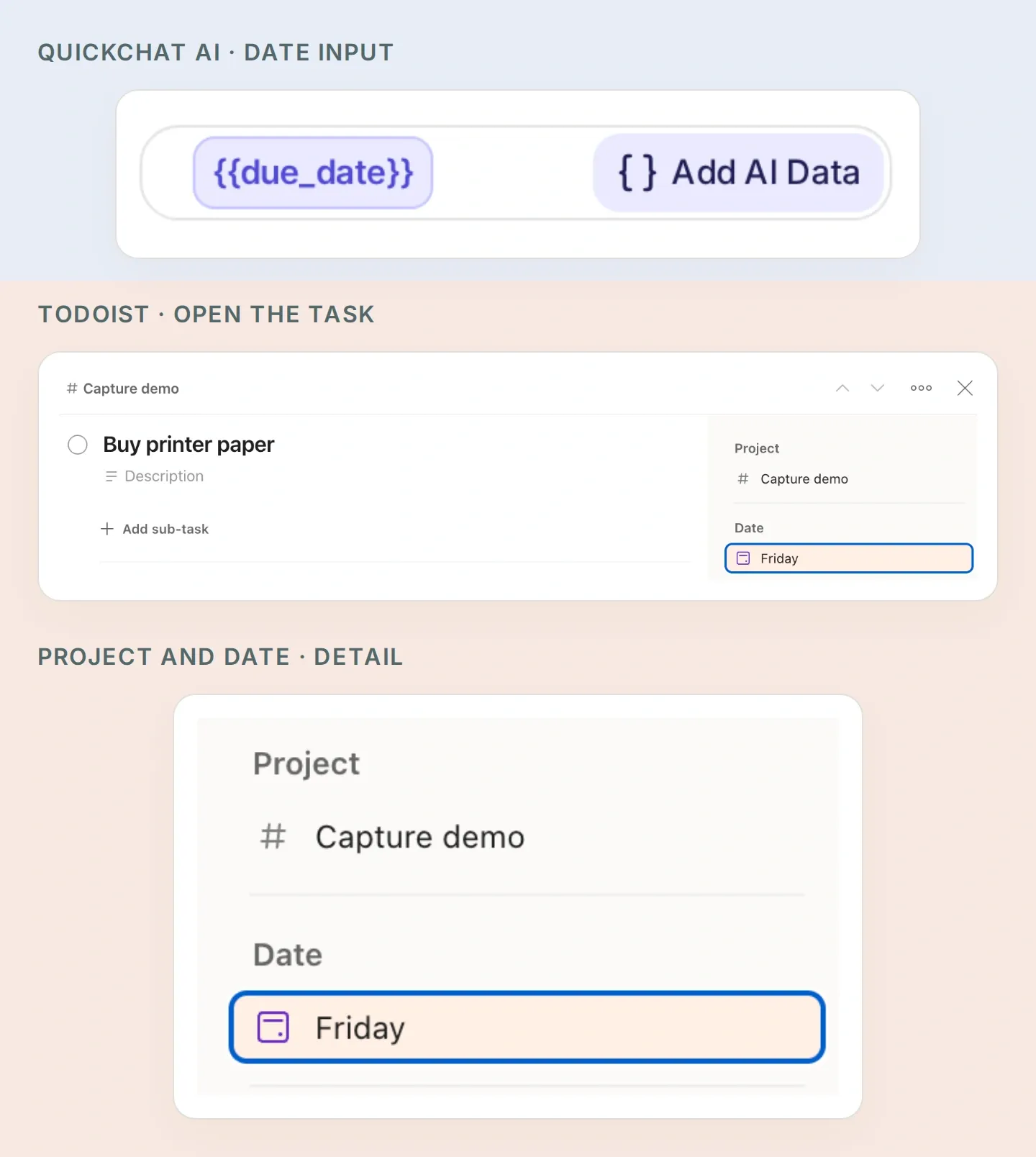 对照两个应用中的日期:Quickchat AI Action 中的 due_date 对应 Todoist 中的 Date。放大的侧栏属于手动准备的打印纸任务。打开你自己的任务中的 Date,检查准确的日历日期。
- 检查两个准确日期,并确认徒步指南任务没有日期。
- 将每次创建响应中的
id与随后读取的响应比较。确认content、project_id和due与批准的内容一致。不一致的内容在检查前应保持未解决状态。 - 询问“Capture demo 现在有哪些任务?”,检查机器人是否重新读取未完成任务。在 Todoist 中完成某项任务后,它就不会再出现在该未完成列表中。
- 再发一次批准消息,检查是否没有新增另外三项任务。机器人应查看之前的结果,并确认你是否确实要创建副本。
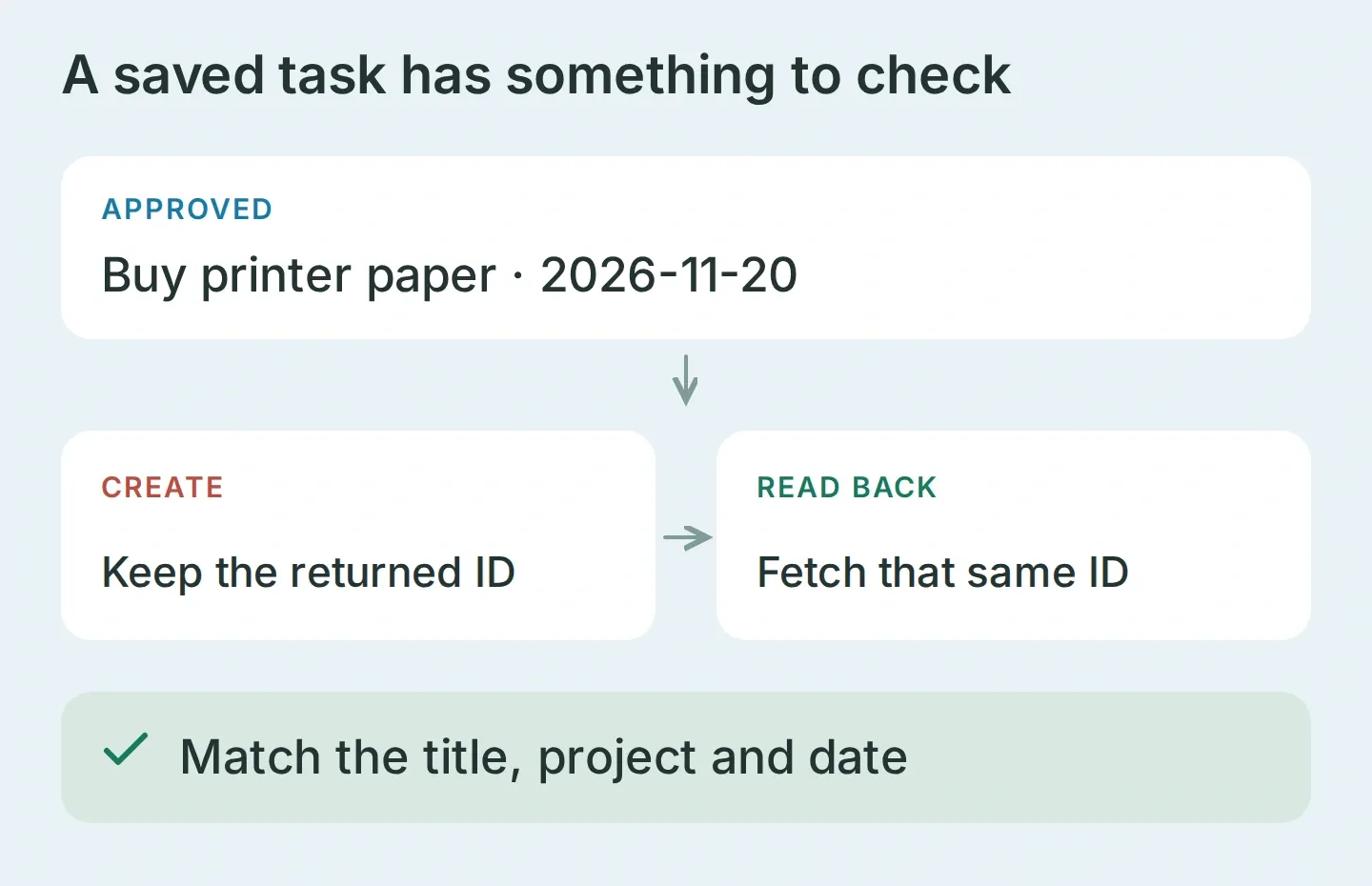 验证意味着重新读取同一条已保存记录并检查字段。图示说明要比较的内容,不是已经执行的 API 响应。
测试两道访问边界
用另一个受你控制的 Telegram 账号发送“显示我的任务。”。测试群聊时,将同一个机器人加入测试群,发送 /start@YOUR_BOT_USERNAME,再回复它的问候消息,请求创建任务。这样可以兼容 Telegram 默认的群组隐私模式。
在 Inbox 确认两条测试消息均已到达,并检查发送者 ID 和聊天类型。群聊测试必须显示你的所有者 ID,以及 group 或 supergroup。两项测试都应该没有 Todoist 请求。也试着发送自称所有者的消息;文本不能覆盖发送者元数据。消息未到达属于投递问题,不代表访问控制测试通过。
处理只保存了一部分的批次
创建三项任务是三个独立请求。如果第二个请求失败,第一项任务可能已经存在。停止操作,检查项目和返回的 ID,再决定哪些项目仍需创建。
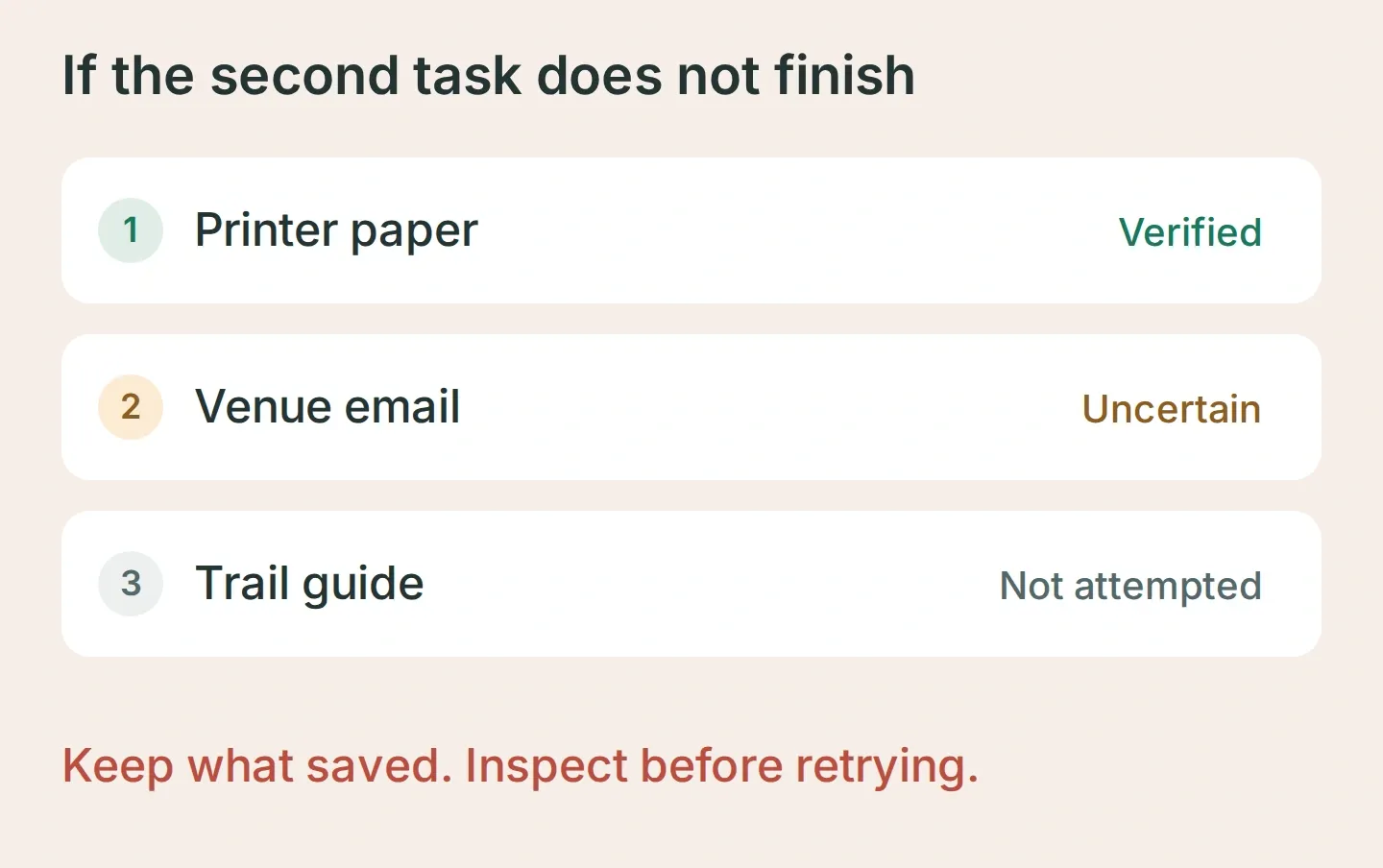 恢复示例:保留已验证任务,调查结果不确定的写入,在结果明确前不要处理剩下的任务。
如果机器人在批准前保存,收紧创建 Action 的描述并重新执行相同对话。如果它猜测日期,要求草案中包含准确日期。如果发生错误后仍报告成功,重新检查读取验证的指令。设置包包含这些检查,方便你在使用个人任务前记录自己的结果。
三项任务的练习成功后,可以用 Pocket Inbox 处理原本留在 Saved Messages 里的小消息:一件待办事项、一封要发的邮件、一份要读的资料。最初几批保持 Todoist 打开,对照你的本意和保存结果。通过实际观察,让确认成为可以信任的习惯。
常见问题
Telegram 机器人可以创建 Todoist 任务吗?
可以。连接到 Todoist API 的机器人能够根据 Telegram 消息创建任务。本配方使用 Quickchat AI 将消息拆成任务草案,澄清日期、请求批准,并调用 Todoist API v1。请在自己的 Todoist 项目中验证生成的记录。
其他 Telegram 用户能看到我的 Todoist 任务吗?
对每个读取和写入 Action 应用两个由服务器评估的运行条件:telegram_user_id 必须等于已验证的数字 ID,telegram_chat_type 必须等于 private。使用个人数据前,先用另一个发送者和群聊进行测试。仅写着“所有者专用”的提示词并不能提供访问控制。
机器人能理解“下周五”或“可能周一”吗?
提示词要求它澄清不确定日期,并在保存前显示准确的 YYYY-MM-DD 日期。请提供时区并确认最终日期。没有日期的任务使用单独的 Action,完全省略到期日期字段。
这能防止 Todoist 任务重复吗?
不能保证。读取现有任务和检查返回的 ID 有助于发现重复,但此配方既不是原子化批处理,也不是保证去重的系统。如果请求超时,重试前先检查 Todoist;任务可能已经保存。
需要写代码或运行 Todoist MCP 服务器吗?
你需要在 Quickchat AI 中配置四个 HTTP Action 和一个 Main Prompt,不必运行 Todoist MCP 服务器。需要 Telegram 机器人、Todoist API 令牌,以及有足够 Action 容量和测试、对话额度的 Quickchat AI 套餐。
能处理语音消息或发送提醒吗?
这个初始版本只接收文本,创建有日期或无日期的任务。它不会转录语音消息、安排提醒消息、完成任务,也不会连接其他人的 Todoist 账号。这些能力需要单独配置和测试。