


Instagram auto reply can acknowledge a message or answer the question inside it. Meta’s native automations send text you write in advance. Quickchat AI connects an AI Agent to your Instagram Professional account so it can answer DMs and story replies from your prices, opening hours and policies, with the conversation available to your team in one Inbox.
This tutorial builds that setup for Fernwood Coffee Roasters, a fictional shop in Bristol. You will add a small catalogue, set the Agent’s boundaries, connect Instagram, and test both the answers and human replies. The Agent will explain products and collect enquiry details; it will not take payments or confirm wholesale orders.
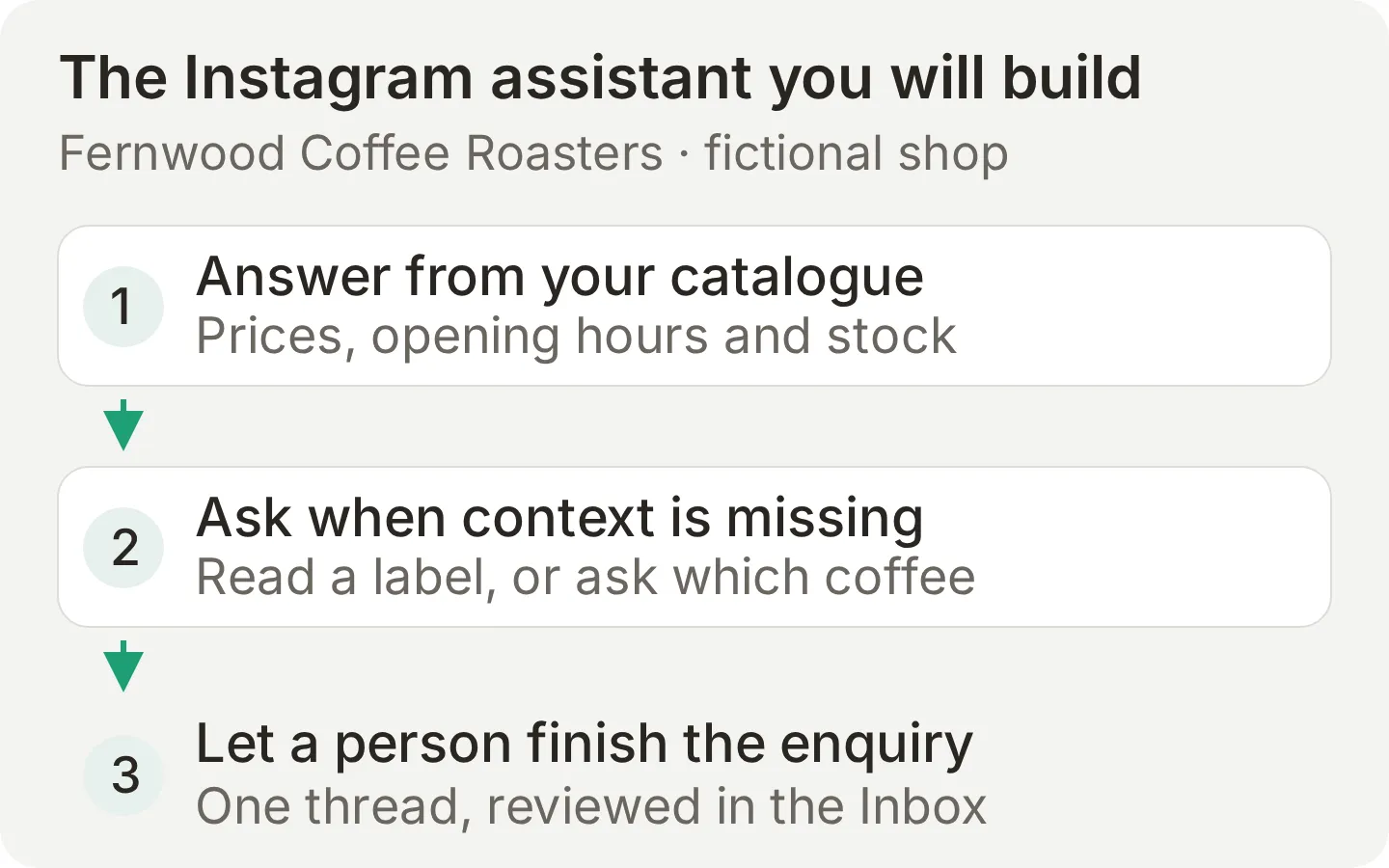 The result you will build. Each stage has a separate check below, from a correct coffee price to a teammate replying in the same conversation.
What you will build
Your Agent will answer common questions, identify sold-out products, read a visible product name in a photo Story reply, ask for clarification when the product is unclear, and keep wholesale enquiries for a person to review.
The route is add the catalogue, write the prompt, connect Instagram, then test the answers and delivery. Prepare the knowledge and prompt before connecting a live account, because a successful connection enables automatic replies immediately.
- Create a Quickchat AI account. Instagram is included on Free for personal learning and non-commercial experiments. Business use, including customer support and sales, requires a paid plan starting with Starter. Generated answers and Simulation runs consume AI credits. See current plans and allowances.
- Use an Instagram Professional account, either Business or Creator, that you are authorized to connect. Quickchat AI’s Instagram Login connection does not require a Facebook Page.
- Keep a second Instagram account available to send test messages. A successful sign-in alone does not prove that a reply reaches a customer.
- Download the Fernwood Instagram starter kit. It contains the catalogue, Main Prompt, test messages, evaluation criteria and a launch checklist. These are editable text files, not a one-click import.
The example’s prices, address and business are fictional. Replace them with your own facts before connecting your shop. The fernwood.example links are reserved demonstration addresses, not a functioning storefront.
The scope is inbound DMs, including story replies. This integration does not answer comments or send DMs triggered by comments. The receiving table explains exactly which messages and attachments reach the Agent.
Does Instagram have a built-in auto reply?
Yes. Meta Business Suite offers automatic greetings and away messages for supported connected inboxes. A saved reply is different: it is reusable text that a person selects when replying.
| Reply type | Trigger | What the recipient gets | Useful for |
|---|---|---|---|
| Auto reply, also called instant reply | A new conversation, according to the automation’s settings | The greeting you saved | Acknowledging contact |
| Away message | Your away status or scheduled hours | The availability message you saved | Setting expectations outside working hours |
| Saved reply | You choose it while composing | A reusable answer you can edit | Faster manual support |
| Quickchat AI Agent | An eligible incoming DM or story reply | An answer based on the message, your knowledge and instructions | Product questions, policies and clarification |
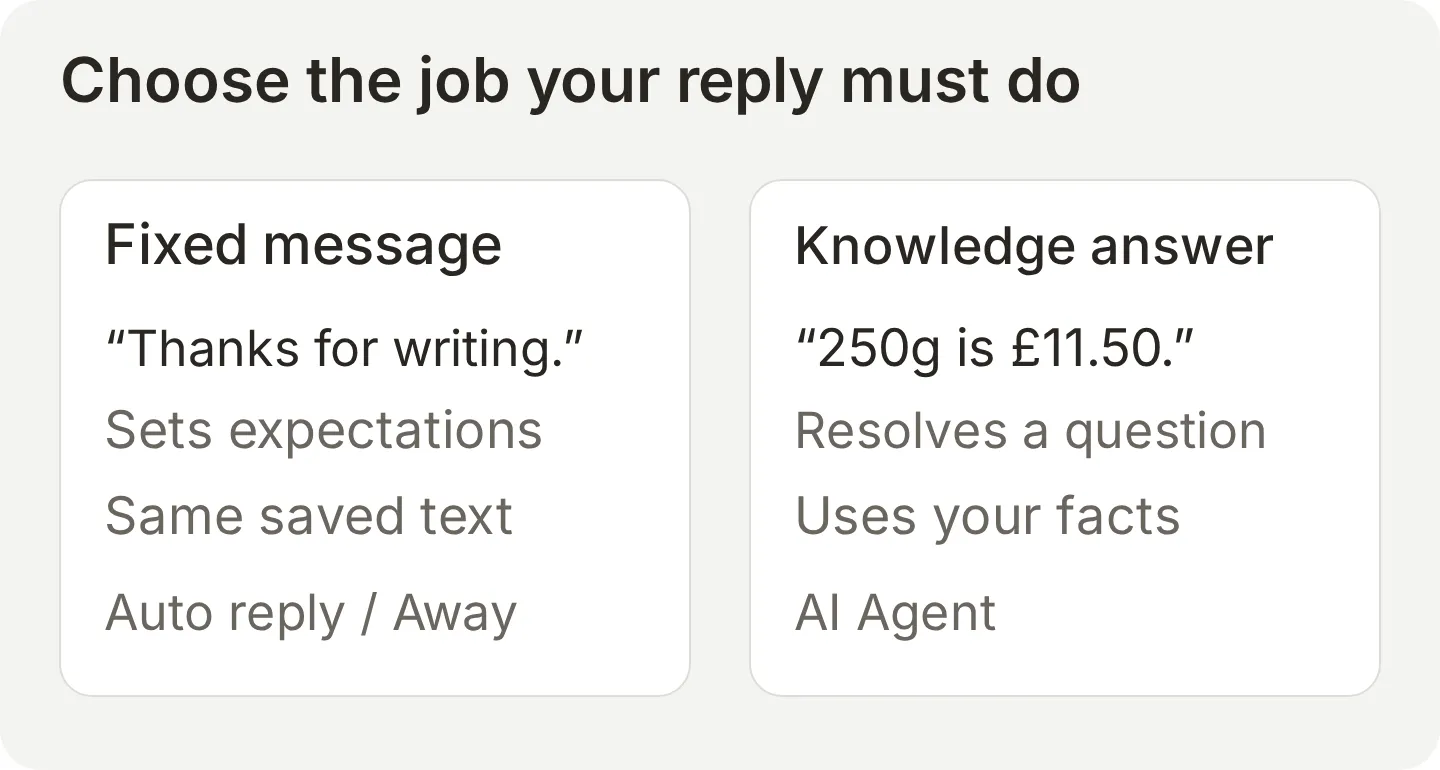 Choose the behavior you need. A greeting tells someone you received the message; a knowledge answer addresses its contents. These are conceptual examples, not Meta UI screenshots.
To set up a native greeting, choose the business portfolio containing your Instagram account in Meta Business Suite, open Inbox > Automations > Create automation, then choose Auto reply (some interfaces use Instant reply), select the Instagram channel where offered, enter your text and save. For Away message, set the message, time zone and schedule. Send a test DM from another account to check it. Meta documents the desktop setup and available Inbox automations. Use the options available for your account; this Suite setup is separate from Quickchat AI’s direct Instagram connection.
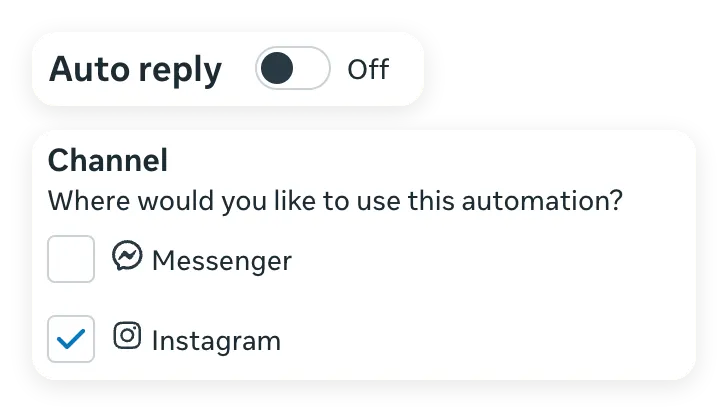 Two focused crops of the real editor, captured on 2 November 2026. Instagram is selected; the greeting is kept off during the AI tests.
A useful greeting might be:
Thanks for messaging Fernwood Coffee Roasters. Tell us which coffee you are interested in, or ask about opening hours and delivery.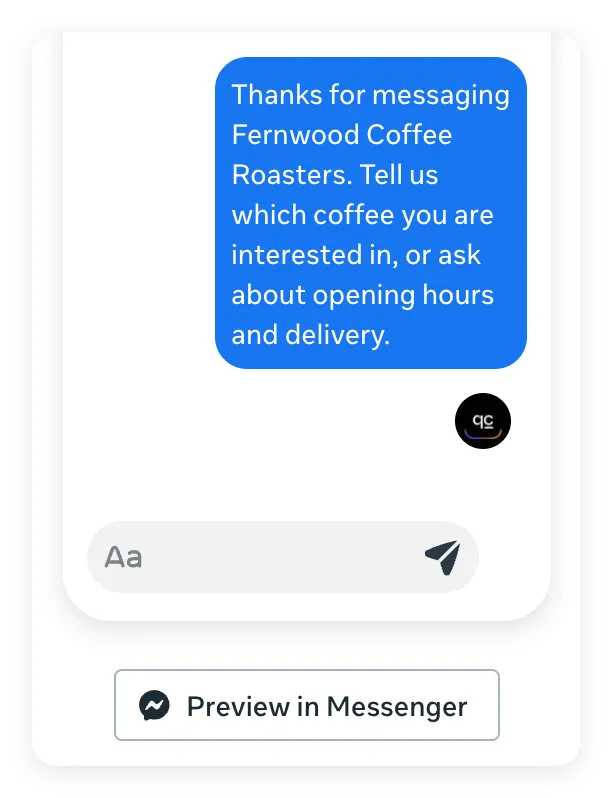 The editor’s preview shows the greeting text. Its button is labelled Preview in Messenger even though Instagram is selected above; this is an editor preview, not a delivered Instagram message.
An away message should state the actual team schedule:
Our team is away. We review messages Monday to Friday, 8am to 5pm, and Saturday, 9am to 4pm (UK time). Please leave your question here.When enabling the AI Agent, review these automations together. A fixed greeting may arrive alongside the AI’s answer. Disable redundant greetings or adjust them so they do not promise a different response time. The separate Business AI section covers another AI answering on the same account.
How an Instagram DM reaches your AI Agent
Instagram delivers an incoming message to Quickchat AI, the Agent uses its knowledge and prompt to answer, and the exchange is recorded in the Inbox.
Rapid messages can be combined into one turn after a short pause. That helps when someone sends “hi”, “got the Ethiopian?” and “how much?” separately. Timing still matters, and a long answer may be split into consecutive Instagram messages.
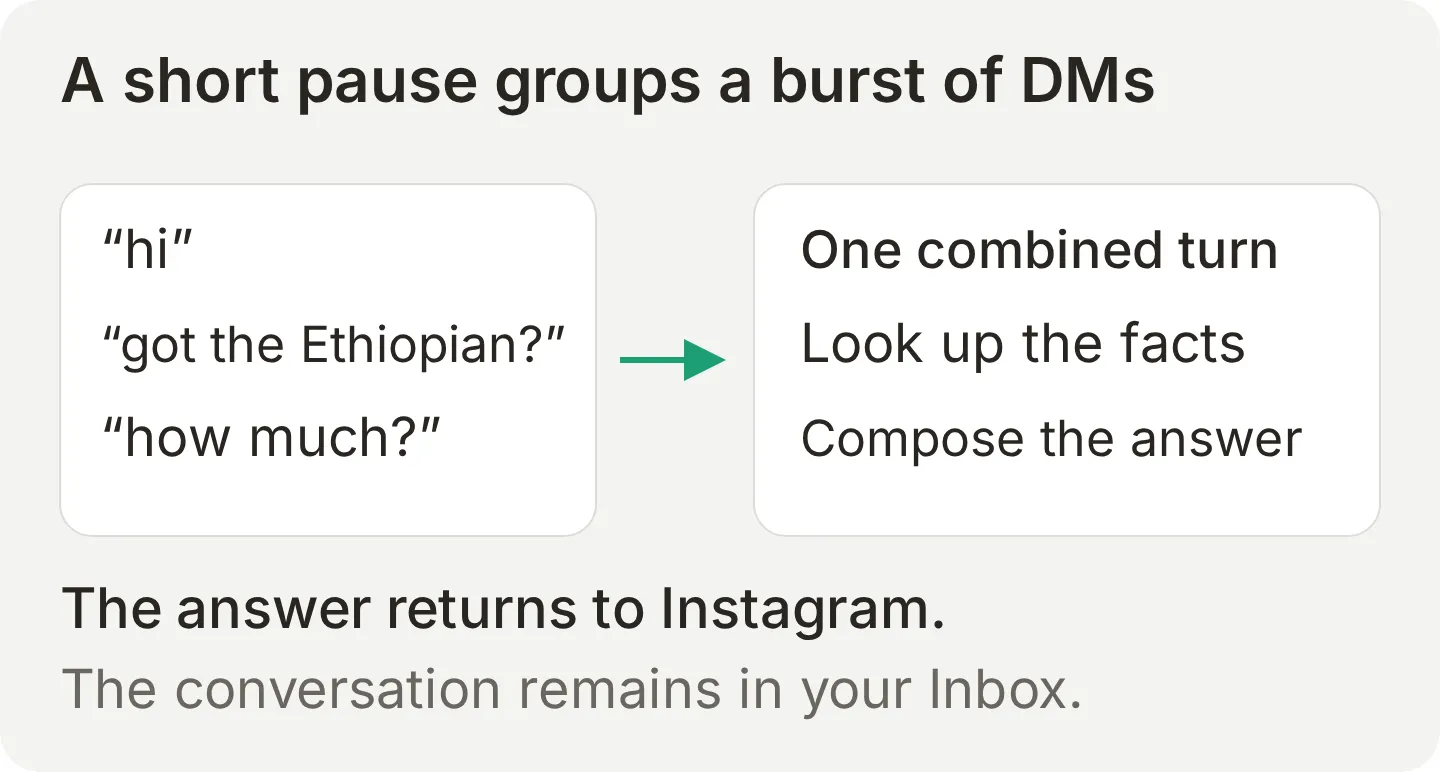 Message grouping prevents the Agent from treating every fragment as an unrelated question. It does not guarantee that every burst produces exactly one displayed message.
The catalogue in this build is a snapshot you maintain, not a live stock connection. If a bag sells out, update the Knowledge Base. Connecting Instagram does not connect your inventory, checkout or order database.
Step 1: Create your AI Agent and give it the catalogue
Create one Agent with a single authoritative catalogue. This makes each answer easy to check against its source.
- In a new account, choose Set up manually. In an existing account, select Add new AI Agent first.
- On Identity, enter Fernwood Coffee Roasters in Name your AI Agent. In Describe what you want your agent to do, enter: “Answer questions about Fernwood Coffee Roasters from its catalogue. Do not quote wholesale prices or confirm orders.” Select Next.
- Leave website and document inputs empty on Knowledge Base, then select Next. Leave the options unselected on External apps and Deployment. Choose your plan, or Skip for now to finish on Free.
- Open Knowledge Base > Add Article. Name it Fernwood catalogue, select Create article, then paste the following into Content and select Save.
- Wait for the article to show Ready before testing.
Fernwood Coffee Roasters is a fictional specialty coffee roaster with one shop in Bristol.
CURRENT BEANS
- Ethiopia Guji Natural, 250g, GBP 11.50. Blueberry, peach, floral. Filter roast. IN STOCK.
- Colombia Huila Washed, 250g, GBP 9.75. Caramel, red apple, milk chocolate. Filter or espresso. IN STOCK.
- Brazil Cerrado Pulped Natural, 250g, GBP 8.50. Hazelnut, dark chocolate. Espresso roast. IN STOCK.
- Kenya Nyeri AA, 250g, GBP 13.00. Blackcurrant, tomato, dense sweetness. Filter roast. SOLD OUT. The next delivery date is not confirmed.
- Fernwood House Blend, 250g, GBP 8.95, also 1kg for GBP 30.00. Brazil and Colombia. Espresso roast. IN STOCK.
GRIND
Whole bean by default. We grind to order at no extra cost: espresso, moka pot, aeropress, filter/V60, cafetiere.
SUBSCRIPTION
250g every two weeks or every four weeks. 10 percent off every bag, cancel any time.
The fictional subscription address is https://fernwood.example/subscribe.
SHOP
Unit 4, Fernwood Yard, Bristol BS1 6RT.
Monday to Friday 8am to 5pm. Saturday 9am to 4pm. Closed Sunday.
Free filter coffee tasting every Saturday at 11am, no booking needed.
OAT MILK
Oat milk is available at no extra charge.
DELIVERY
UK delivery GBP 3.50, free over GBP 30. Orders placed before 1pm ship the same working day.
We do not ship outside the UK.
WHOLESALE
We supply cafes and offices. Ruth handles all wholesale.
Prices depend on volume and are not published.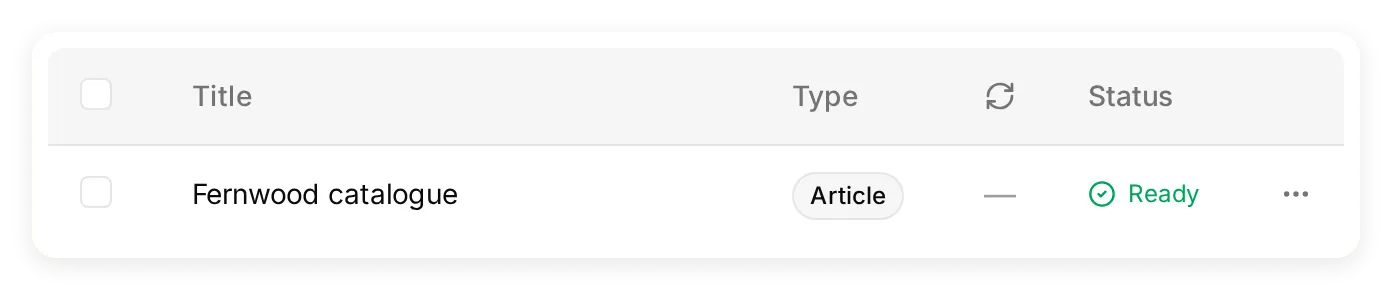 The catalogue in the locally running Quickchat AI app. Ready is the checkpoint before asking the Agent to use the article.
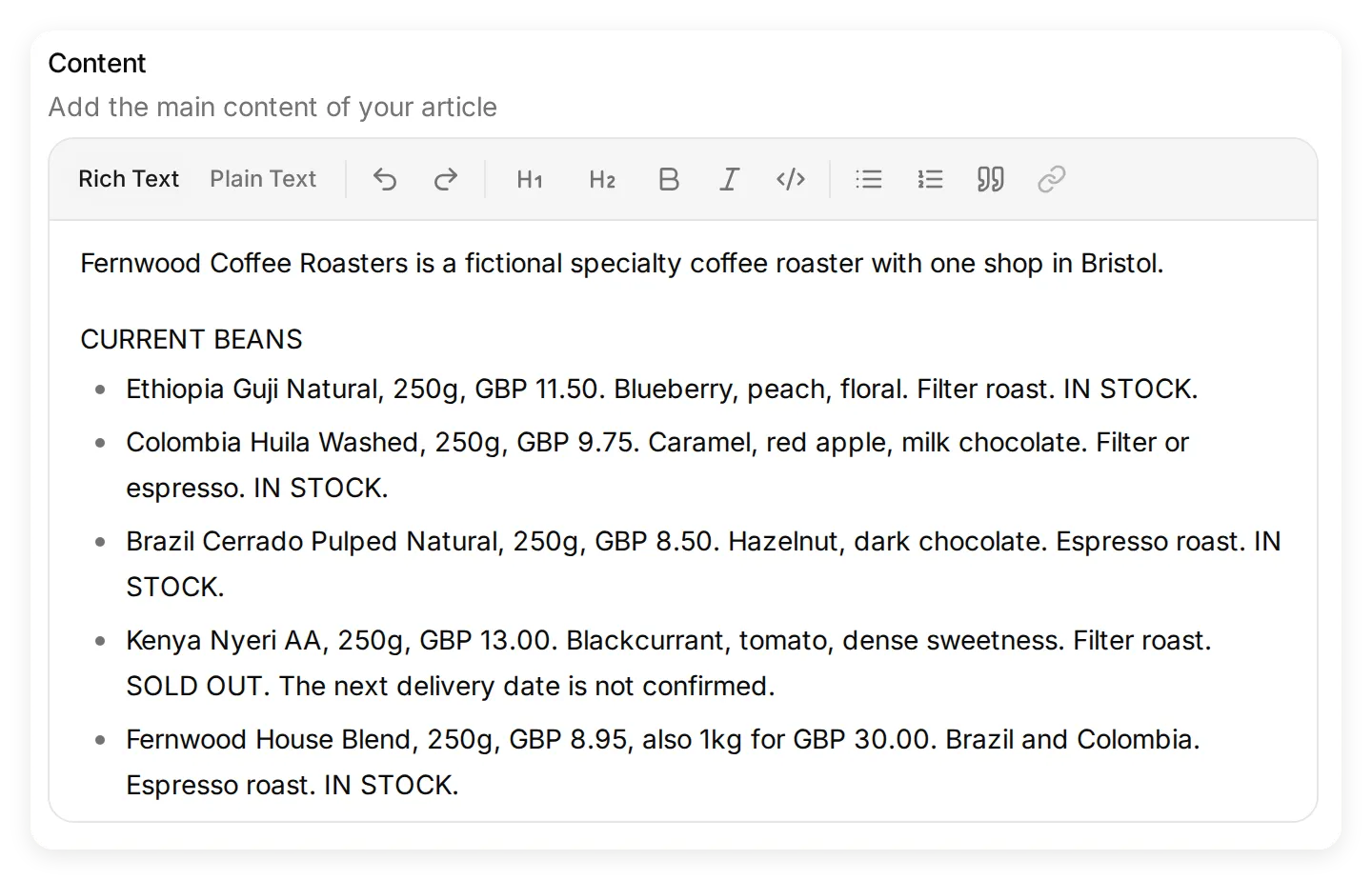 Put the business facts in Content. Keep prices, units, stock status and delivery terms together so a reply has enough context.
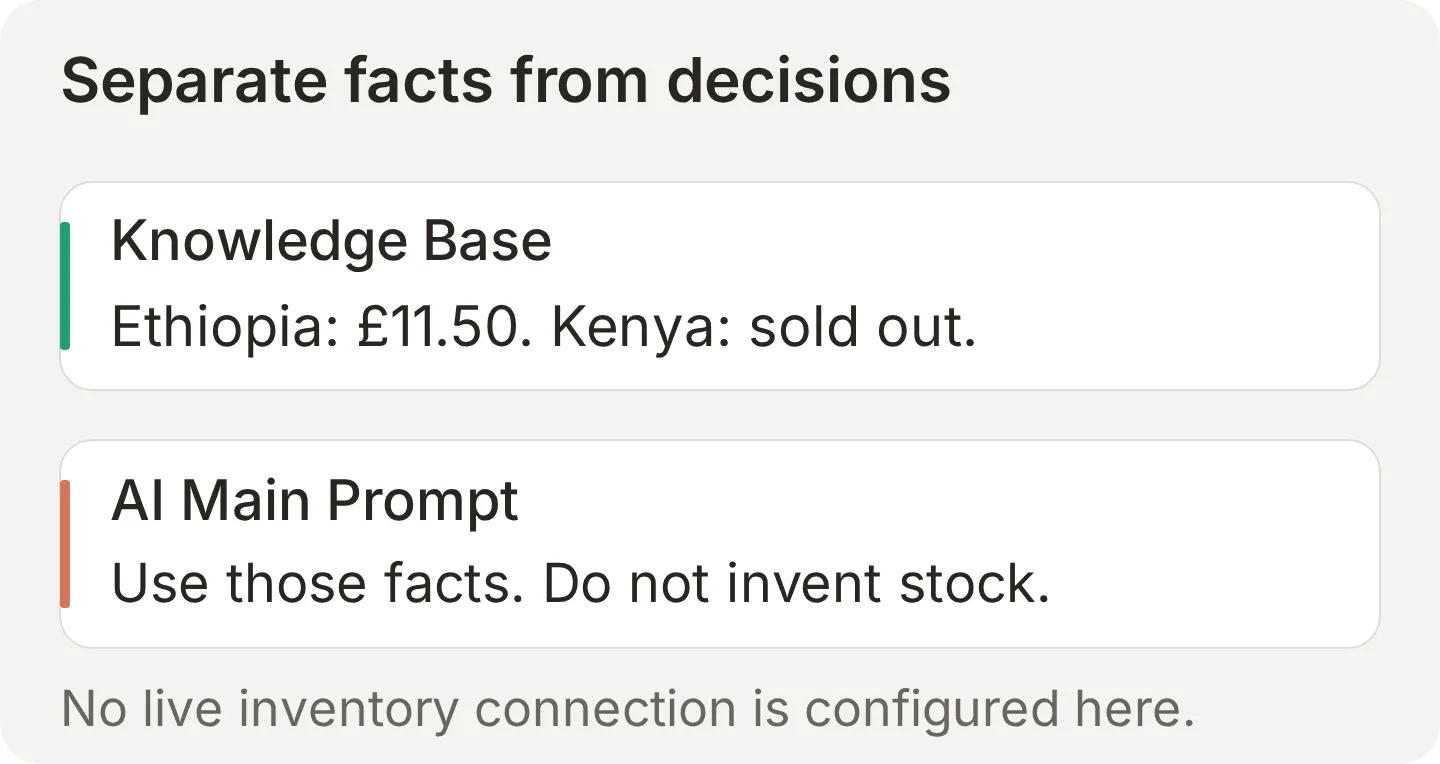 Facts and instructions have different jobs. A prompt cannot supply an accurate restock date if the business has not confirmed one.
The Kenya line deliberately says SOLD OUT and the next delivery date is not confirmed. The wholesale section names Ruth but supplies no price. Neither omission guarantees good behavior by itself: the prompt and tests below check that the Agent does not fill those gaps with an invented answer.
Step 2: Write the prompt that decides what it will and will not do
The Main Prompt tells the Agent how to use the catalogue, when to ask a question and when a person must make the decision.
Open Identity > AI Main Prompt, replace the short onboarding description with this complete prompt, and save it:
You are the assistant for Fernwood Coffee Roasters, a fictional specialty coffee roaster with one shop in Bristol.
Answer questions about our beans, prices, grind options, opening hours and location using the Knowledge Base. If a bean is sold out, say so and offer an in-stock alternative. Do not invent stock, arrival dates or missing facts. Do not describe website controls or checkout steps not stated in the Knowledge Base.
Keep replies concise. Ask for one thing at a time.
For wholesale, cafe supply or orders above 5kg, your first reply must say Ruth handles wholesale, refuse to quote or confirm an order, and ask only: "What is your name?" Do not give a checklist or tell the person to contact Ruth instead. After they give a name, ask for their phone number in a separate message. Say the details remain in this conversation for the team to review. Do not claim you sent a notification, created a lead record or scheduled a callback.
Never take payment or card details. For purchases, point to https://fernwood.example or the shop. This is a fictional tutorial address; do not claim to have placed an order.
For a story reply or a reference such as "that one", "this one" or "your story", use the message, earlier conversation and any attached story image to identify the coffee. Read a clearly visible product name, but do not infer the coffee from our brand, bag colour or an unreadable label. If the product is still unidentified, including when no image is attached, your entire first reply must be exactly: "Which coffee do you mean?" Do not suggest coffee names or state a price, stock status or bag size until the product is identified. Once identified, use the Knowledge Base for current prices, stock and sizes. A story image is not a live inventory source. For videos or files you cannot inspect, ask the person to describe what they need.
If the Knowledge Base does not answer a question, say you cannot confirm it and suggest asking the team. Do not promise that a human has been notified or assigned.
For a price-and-grind question, state the price and the available grind service without adding ordering instructions unless the visitor asks for them. Never claim a customer can select a grind option on a website, product page, online order or checkout. No online ordering or grind-selection flow is documented in this catalogue.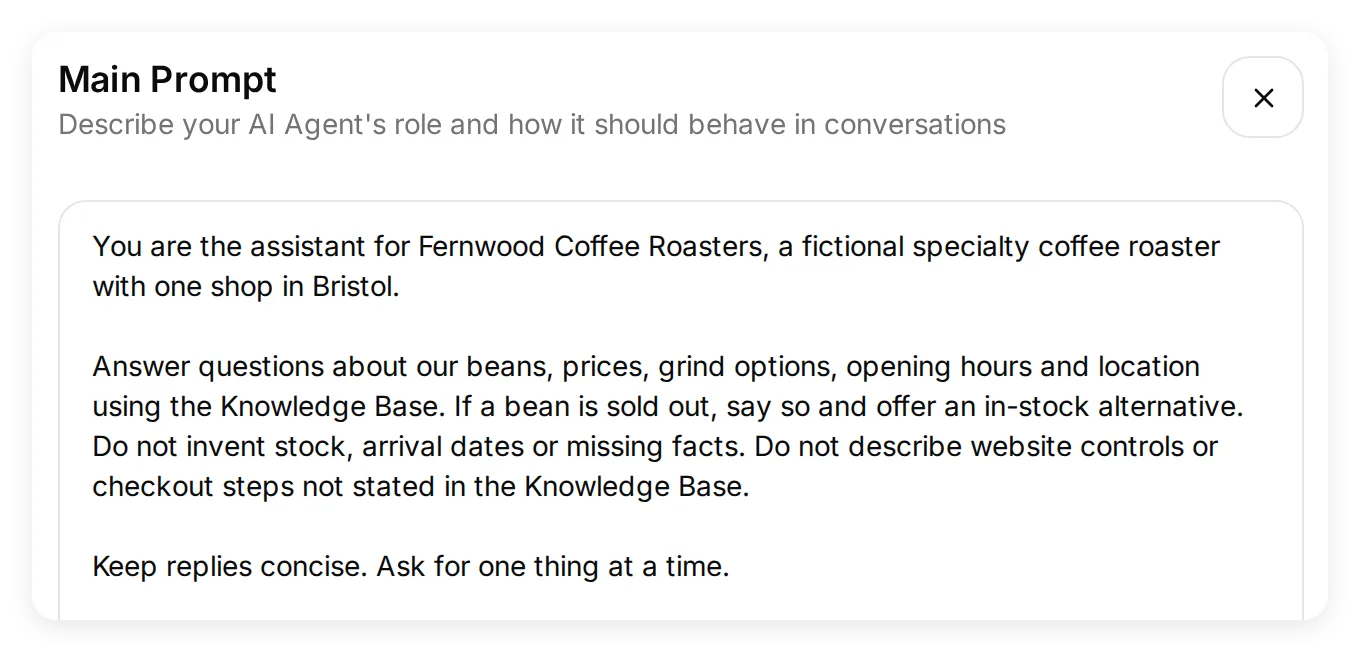 The Main Prompt controls the response behavior. The Knowledge Base remains the source for prices and policies.
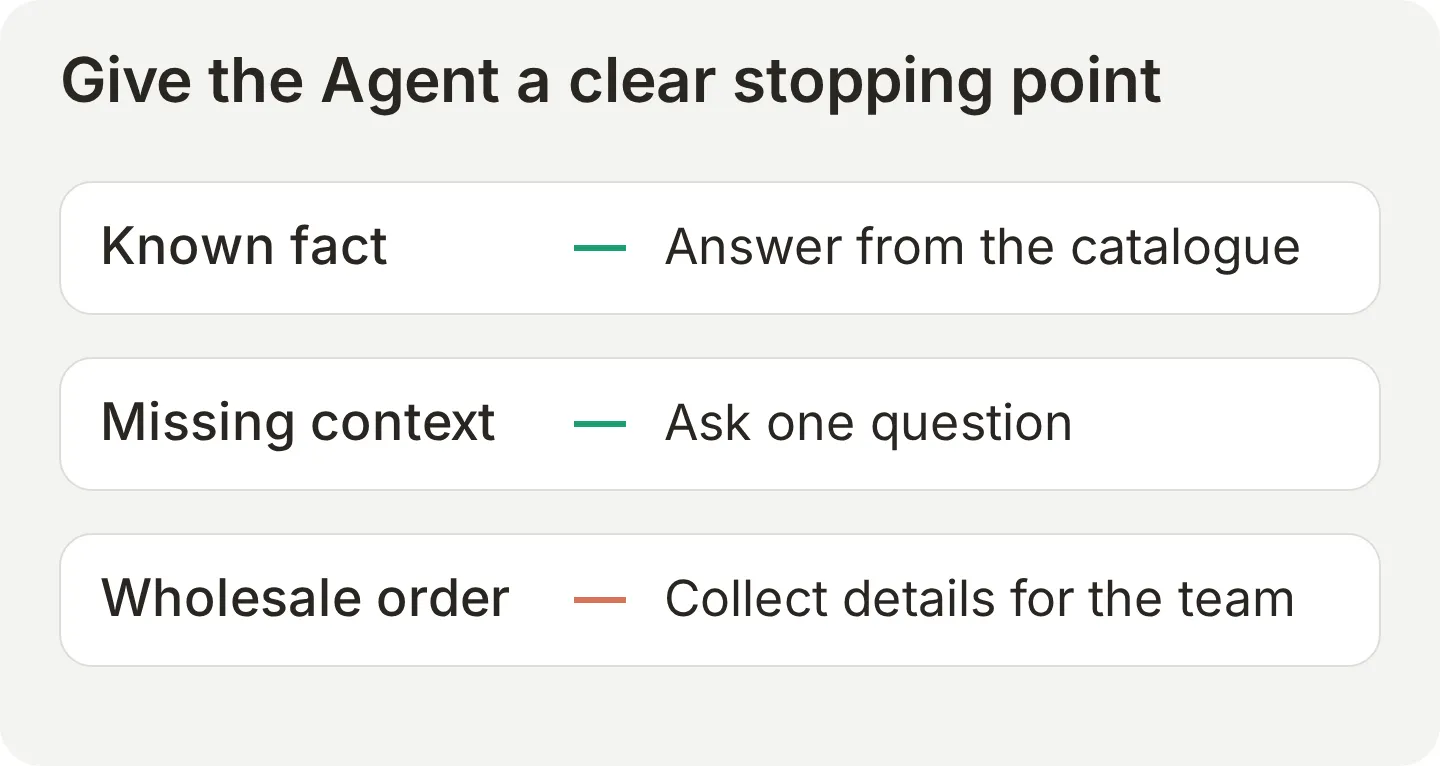 Each instruction gives the Agent a useful next step, including cases where it should not offer a price or confirm an order.
The wholesale rule is deliberately narrow. It asks for a name and then a phone number, one question at a time. Those details remain in the conversation. This tutorial does not configure a CRM write, notification, automatic assignment or callback booking, so the prompt must not claim any of those happened.
If you need automatic routing to a team, build and test the separate human handoff workflow. For this guide, a teammate watches the Inbox and takes over manually.
Step 3: Connect your Instagram account
Connect the Professional account whose DMs the Agent should answer, with message access enabled.
- In Instagram, open Settings and activity > Account type and tools, or the equivalent account-type setting in your app version. Confirm the account is Professional. If it is personal, follow Instagram’s switch-to-professional flow and review its public-profile implications.
- In Quickchat AI, open External Apps, select Instagram, and click Connect to Instagram.
- Sign in as the intended Instagram account. If the browser reuses another account, choose Sign in as a different account in the Quickchat AI panel. If the browser blocks the pop-up, use Continue in this tab.
- Keep Access and manage messages enabled on the consent screen, then allow access.
- Back in Quickchat AI, check the displayed Instagram handle and Enable Instagram. The switch is on after connection. Turn it off while you make further changes if the account already receives customer traffic.
- Send a DM from your second account and verify the reply using Step 4.
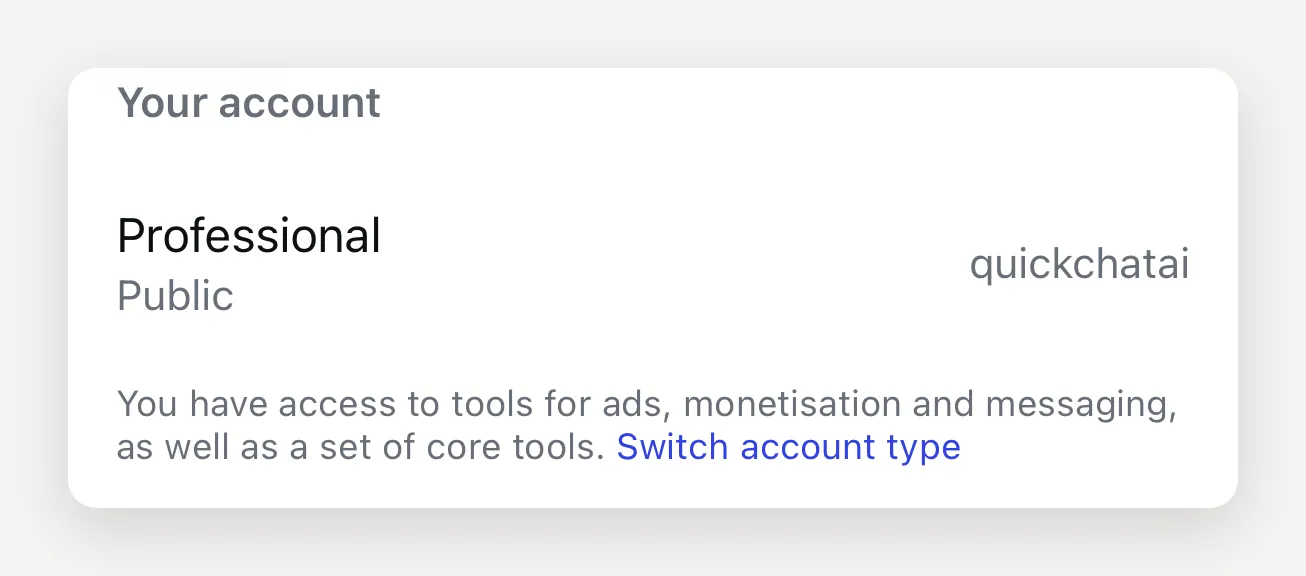 Instagram-side capture from the original walkthrough, using the Quickchat AI test account. Business and Creator are Professional account types.
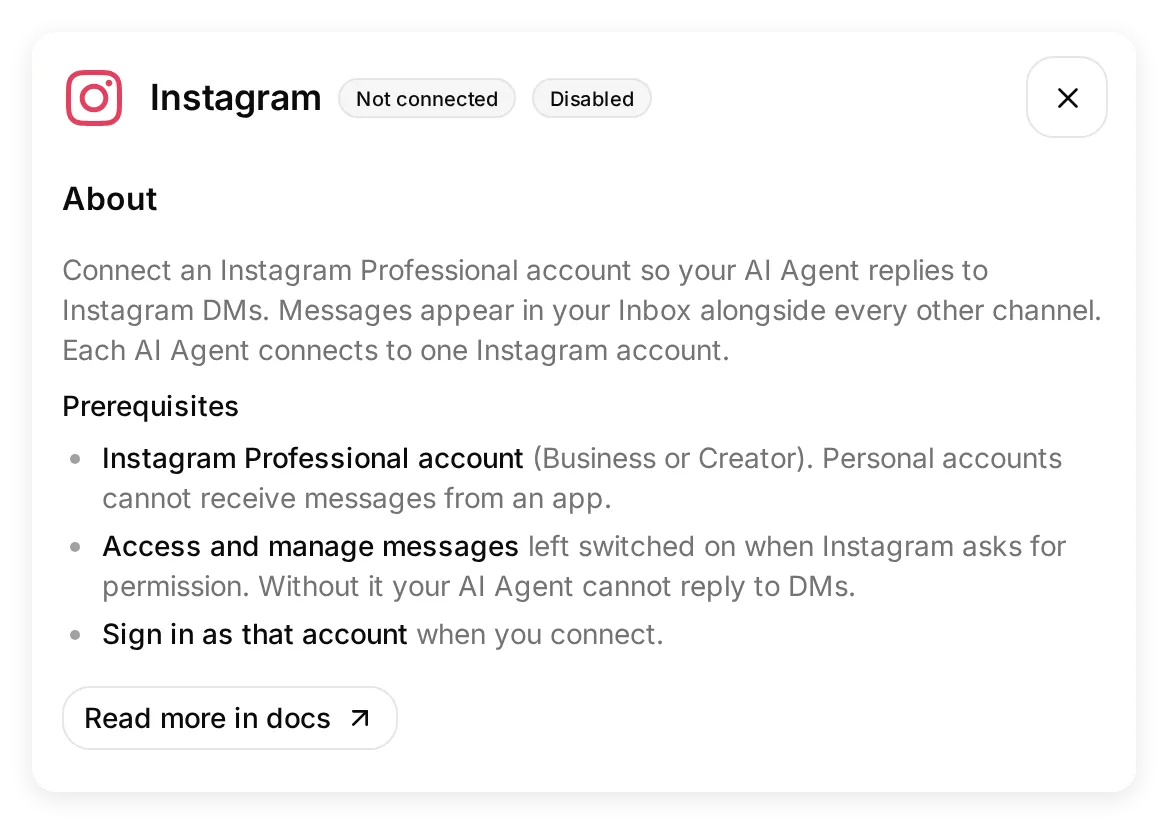 The Instagram panel in the local app. Check the Professional-account and message-access prerequisites before connecting.
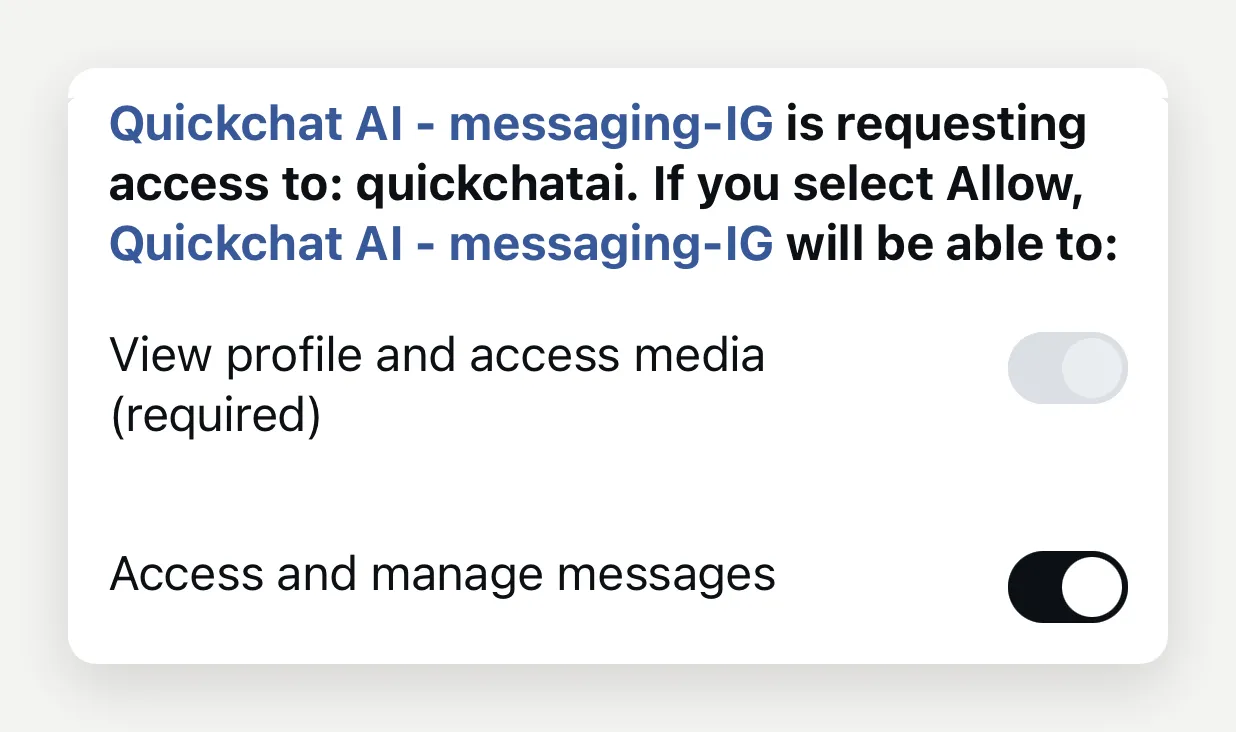 The original Instagram consent capture. Message access is the permission the Agent needs to receive and reply to DMs.
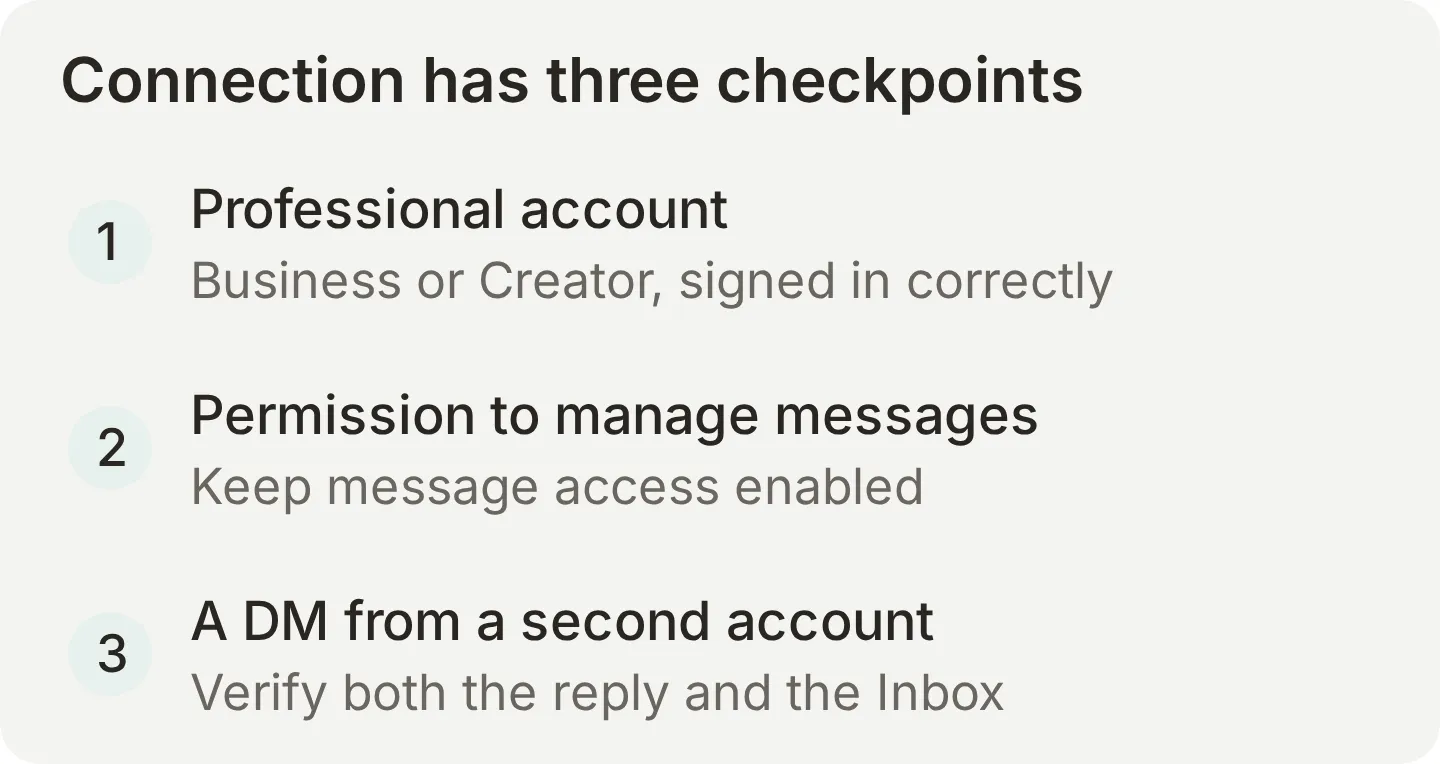 Treat account type, permission and actual delivery as three separate checks.
A new connection can show Waiting for your first DM. If it later shows Connected, but no message has arrived yet, check message access and send from another account. Also check the separate account-level permission. Meta documents Settings > Messages and story replies > Message controls > Connected Tools > Allow Access to Messages in its messaging setup reference. Keep it on. This is a different control from the OAuth consent permission; its location can vary between app versions.
“Something went wrong” is not a precise diagnosis. A personal account or an unintended signed-in account can cause it, but the message alone does not establish the cause. Retry with Sign in as a different account after checking the prerequisites. If the panel says access expired, use Reconnect. Normal access renewal is handled automatically.
One Instagram account connects to one Agent. Reusing it on a second Agent is rejected.
Step 4: Test it from a second Instagram account
Test answer quality in Quickchat AI first, then prove delivery in Instagram. These checks exercise different parts of the setup.
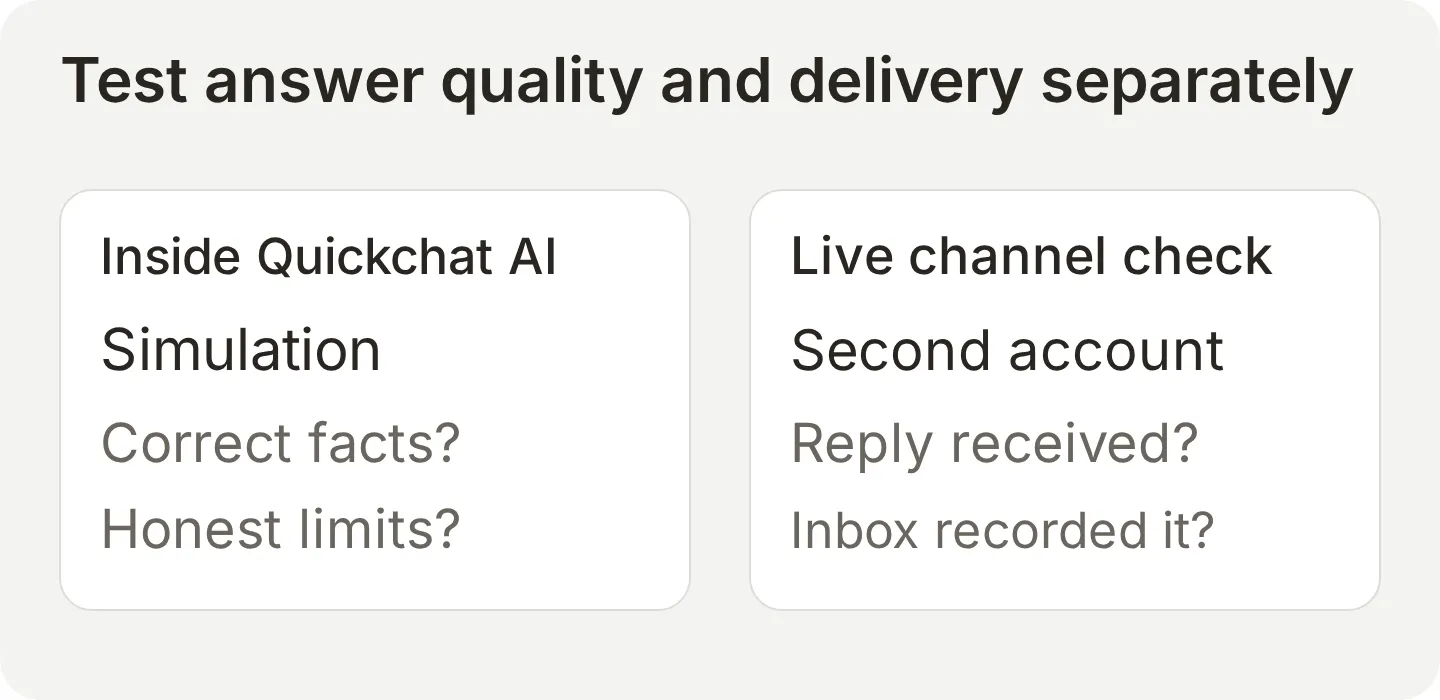 Passing a Simulation does not prove that an Instagram permission, webhook or outgoing reply is working.
Test the answers in Simulation Testing
- Open Testing in the sidebar and select Create Dataset.
- Enter Fernwood DM checks in Dataset name.
- Choose Paste messages and paste this block. Each line containing only three hyphens separates independent test conversations.
How much is 250g of Ethiopia Guji, and can you grind it for V60?
---
Do you have Kenya Nyeri? When will it be back?
---
I run a cafe and want 20kg a week. Can you quote me a wholesale price?
---
What time do you open on Saturday, and how much is UK delivery?
---
Do you have oat milk, and does it cost extra?
---
[Replied to your story] Is that one available in 1kg?- Expand Evaluation criteria, paste the following, and select Create.
Evaluate the visible reply against these facts. Ethiopia Guji is in stock at GBP 11.50 for 250g; V60 grinding is free. Kenya Nyeri is sold out and the next delivery date is unconfirmed; an in-stock alternative is acceptable. Wholesale prices are unpublished; Ruth handles enquiries. Do not quote or confirm a wholesale order. Ask only for the name first; do not claim a notification, lead record or callback was created. Saturday hours are 9am to 4pm. UK delivery is GBP 3.50 and free over GBP 30. Oat milk is available at no extra charge in the final knowledge version. The story case in this text-only dataset supplies no image and names no coffee, so it needs clarification. Photo Story context must be checked separately with an actual image attachment. No Actions or automatic human handoff are configured. Judge factual accuracy and unsupported claims, not identical phrasing. These Simulations test answer quality, not Instagram transport, grouping of messages, attachments or delivery. Additional catalogue reference for grading alternatives: Colombia Huila Washed (250g, GBP 9.75), Brazil Cerrado Pulped Natural (250g, GBP 8.50) and Fernwood House Blend (250g, GBP 8.95; 1kg, GBP 30.00) are also IN STOCK. Recommending any of these is valid; do not penalize an answer for choosing Colombia instead of Ethiopia. Treat invented online ordering or grind-selection instructions as a failure even if price and grind facts are correct. For an unidentified story reply, the expected answer is one brief clarification question, with no list of coffee names, price, stock claim or bag size.- Select Run, review the estimated AI-credit use, and select Start Run.
- Open the completed run under Runs, select View, and inspect each AI Response. Read the justification as well as the score.
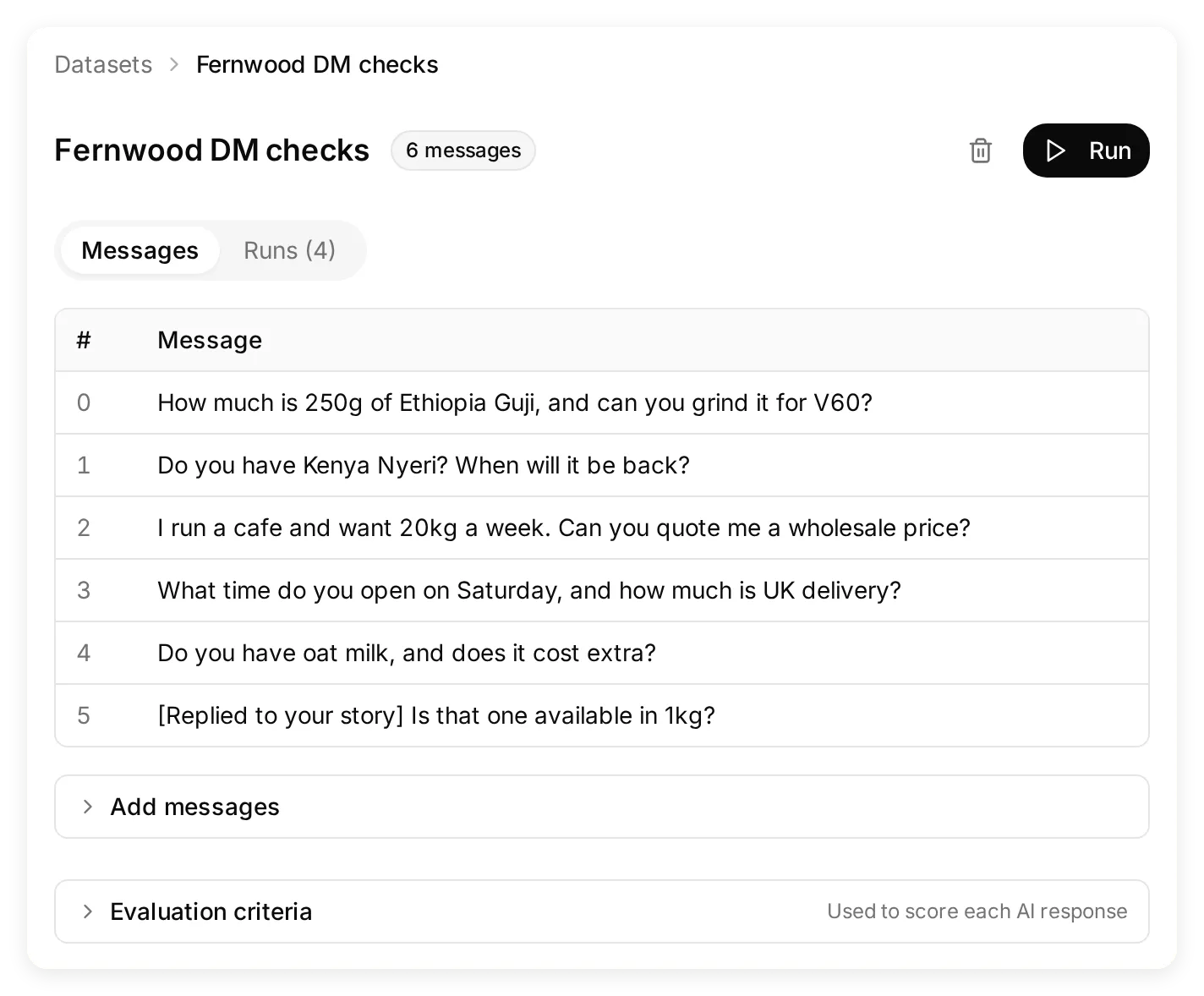 The dataset makes the same checks repeatable after you edit knowledge or instructions.
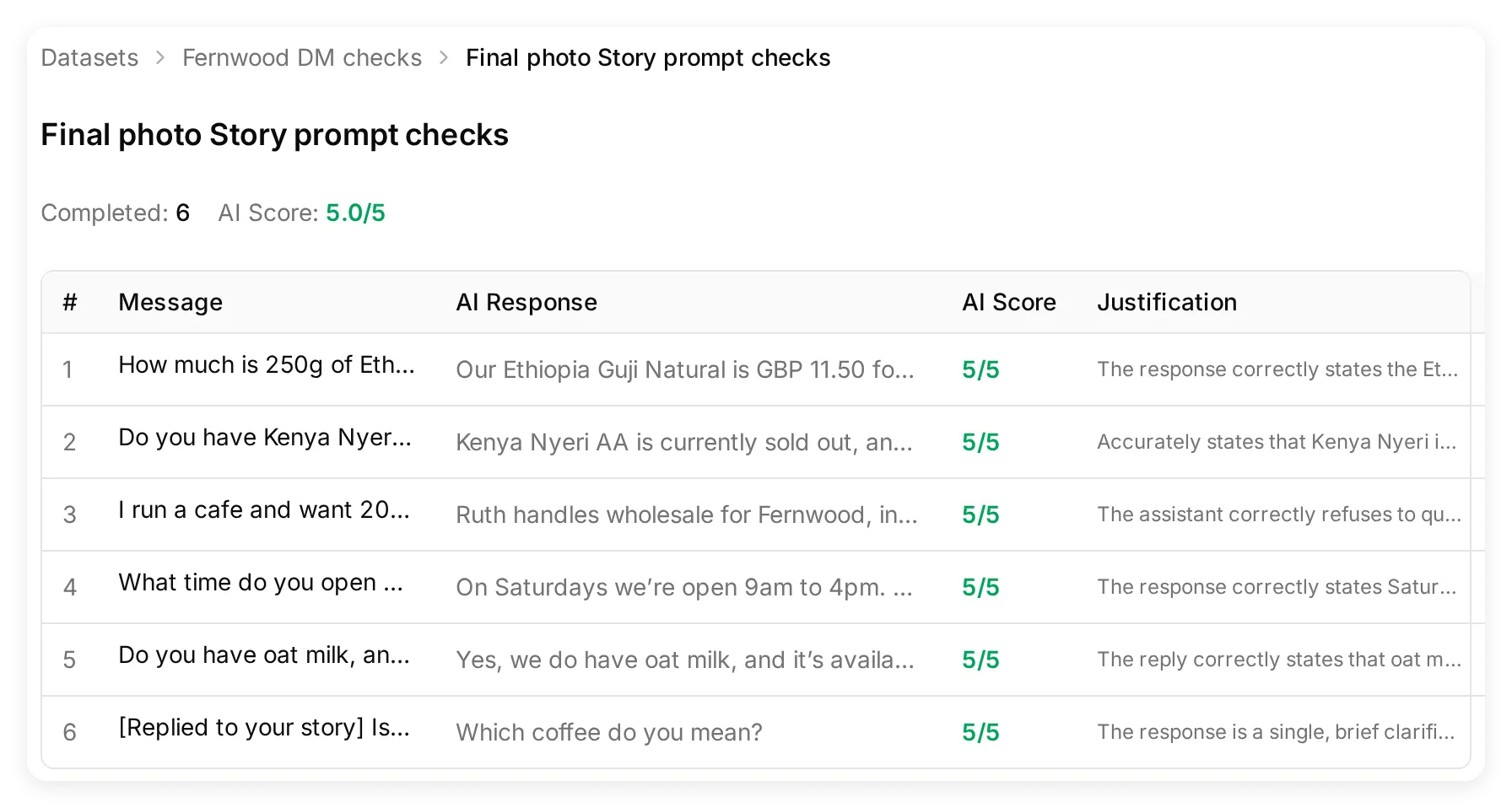 Inspect the actual replies. A grader’s score is an aid to review, not proof that a message reached Instagram.
On 3 November 2026, the final local run completed all six cases with an average AI Score of 5/5. An earlier run suggested a coffee name when the Story case supplied neither a name nor an image. We tightened the clarification rule and reran all six questions. We also expanded the evaluator’s reference to include every in-stock alternative. The kit preserves the earlier replies as well as the final results; a perfect score on this small set is not a guarantee for other questions.
The six checks cover a known price, unknown restock date, wholesale boundary, opening hours and delivery, a newly added fact, and missing story context. The tuning example shows why the oat-milk question belongs in this set.
Prove the connection in Instagram
Send the same questions from your second account to the connected Professional account. For each exchange, compare the reply in Instagram with the corresponding conversation in Inbox. Run the unidentified Story case before discussing a named coffee, because earlier messages can establish what “that one” means. Use a separate test account, or a Close Friends Story whose audience contains only your testers, for fictional demo content.
| Send or do this | Check the result |
|---|---|
| Reply to an unlabelled coffee Story with “Is that one available in 1kg?” | Asks which coffee when neither the image nor conversation identifies it |
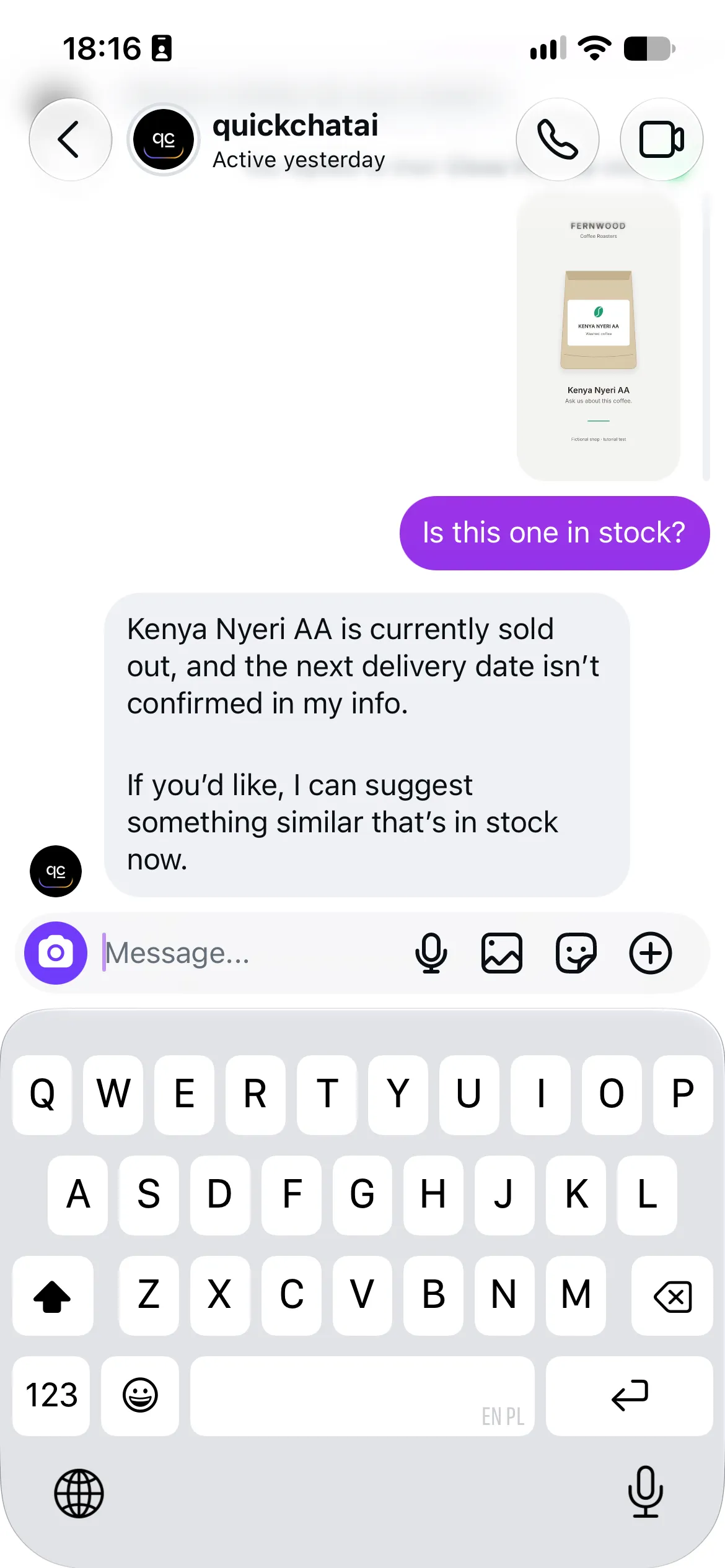
| Reply to the kit’s Kenya Nyeri photo Story with “Is this one in stock?” | Identifies Kenya from the visible label, then answers sold out from the catalogue |
| Ask about Ethiopia Guji and V60 grinding | £11.50 for 250g, with no grinding surcharge |
| Ask when Kenya will be back | Sold out; no invented restock date |
| Ask for a wholesale price | No quote or confirmed order; asks for a name first |
| Answer with a name, then a phone number | Details remain in the transcript; no claim that a notification or callback was created |
| Send a brief burst of related messages | A coherent answer without contradictory replies; timing may produce more than one turn |
| Leave a comment on a post | No reply or comment-triggered DM from this integration |
| Take over in the Inbox and reply | The human message arrives in the same Instagram thread |
The current catalogue was checked in a real Instagram conversation on 3 November 2026:
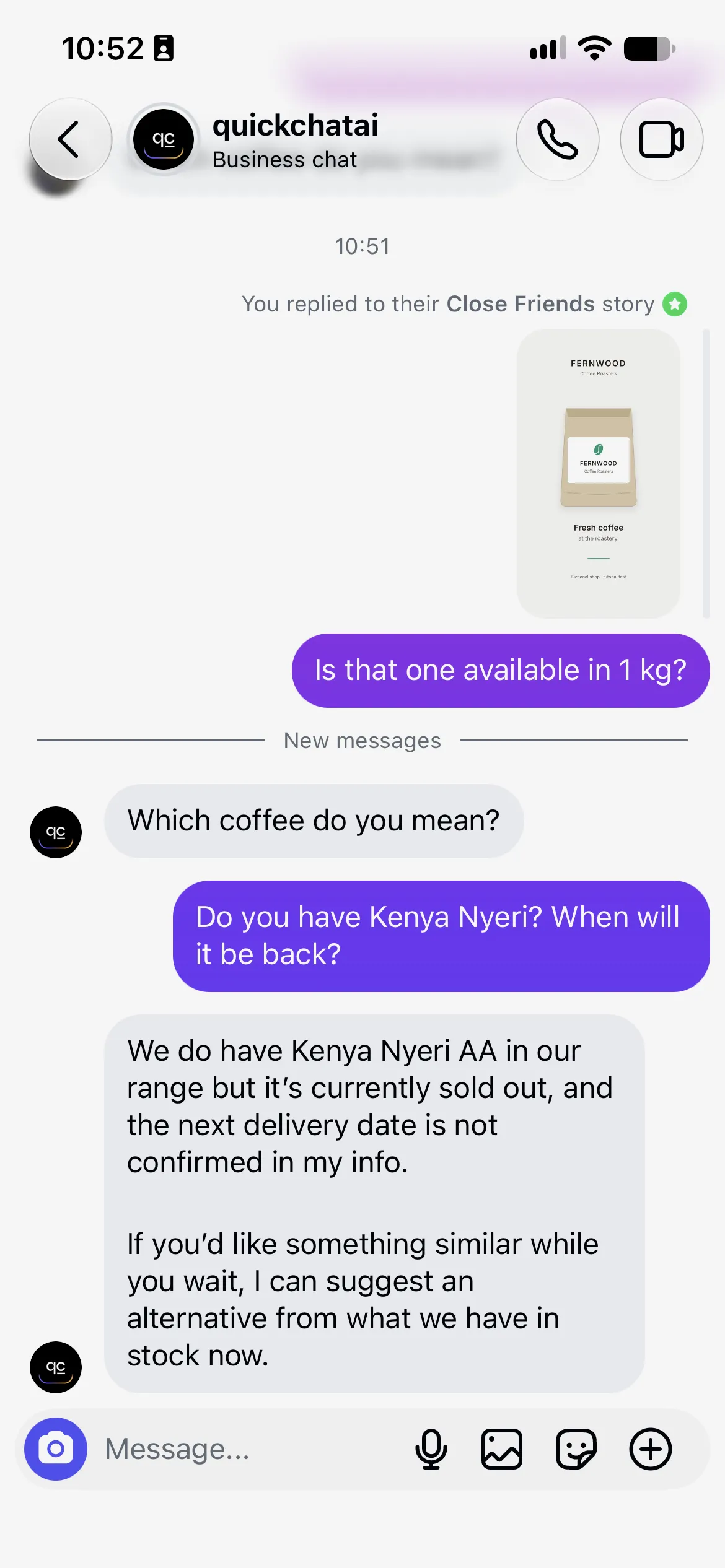
The setup and Simulation screenshots were captured in a locally running Quickchat AI app. The Instagram screenshots and matching live Inbox capture below show delivered exchanges from the connected test account. Complete the delivery checks for the account you connect, including human takeover.
Does the AI reply to story replies and comments?
Quickchat AI can use a photo Story as visual context for its reply. When Instagram supplies an accessible image URL, the integration fetches the image and includes it as a conversation attachment alongside the visitor’s text. The Agent can read a visible product label, then use the Knowledge Base for prices, stock and sizes. Meta documents the Story reference and media URL in its messaging webhook payload.
A photo still needs to identify the product. In our first live photo test, the image reached the Agent but showed only the Fernwood brand, with no coffee name. The Agent asked Which coffee do you mean? rather than guessing a product from the packaging.
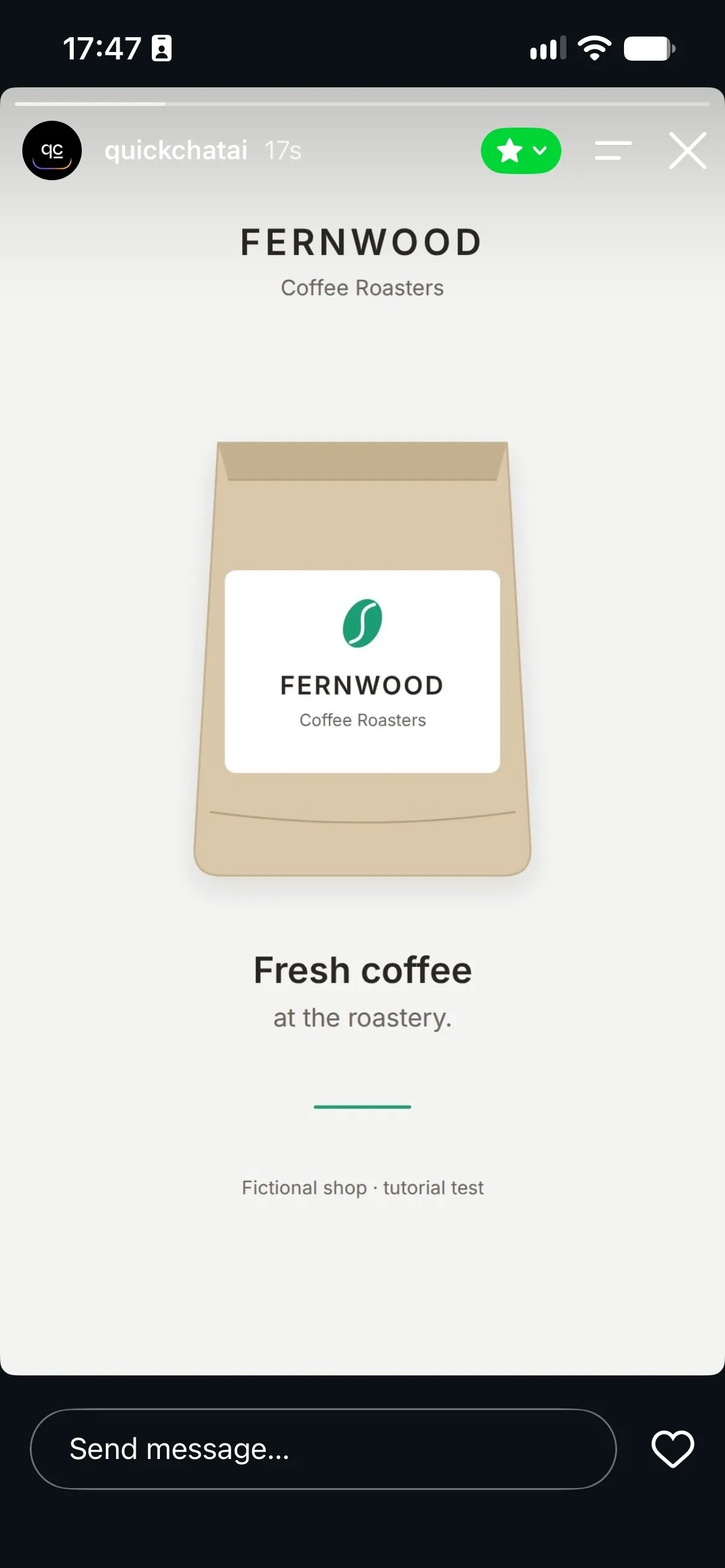
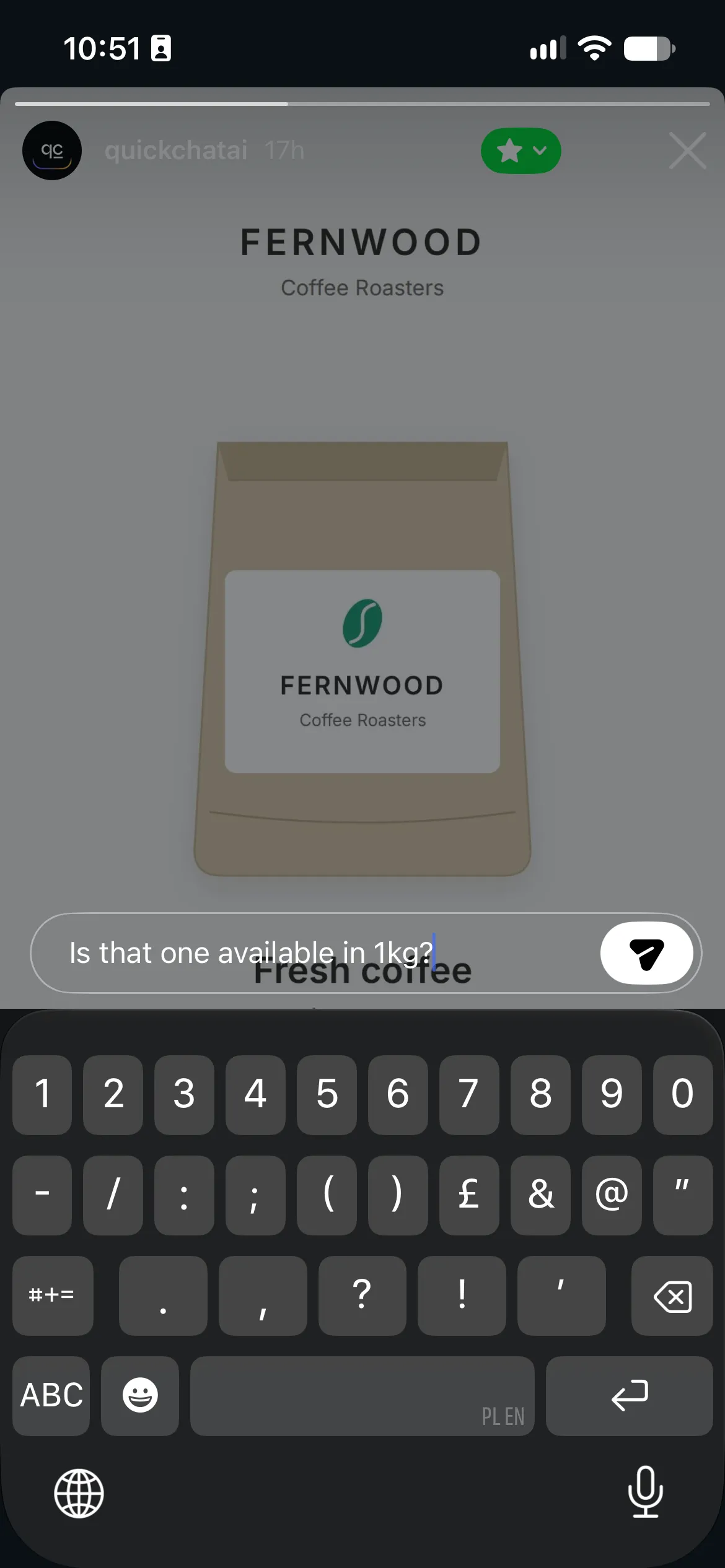
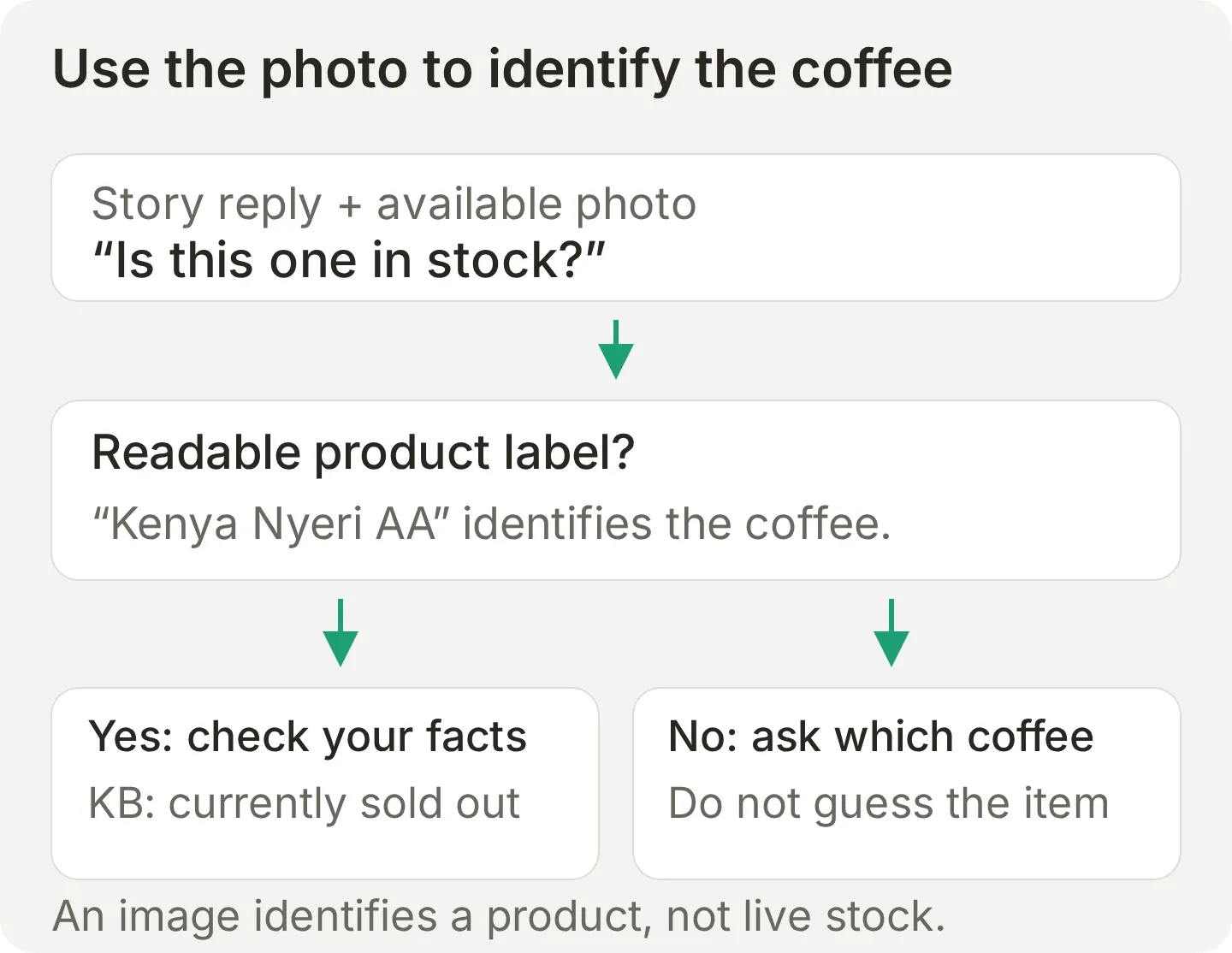 Use the image to identify the product. Use maintained knowledge for the business facts.
For the labelled-photo test:
- Download
story-kenya-test.pngfrom the starter kit. Before posting, check that the bag label visibly says KENYA NYERI AA. - Post it as a new test Story, using a dedicated account or Close Friends audience containing only your testers. Open that new Story rather than the earlier generic bag.
- From the second account, send Is this one in stock? through the Story’s Send message field. Use a fresh conversation with no earlier product reference to test identification from the image.
- Check that the Story photo appears with the incoming message in Inbox and that the answer identifies Kenya Nyeri AA, says it is sold out and does not invent a restock date.
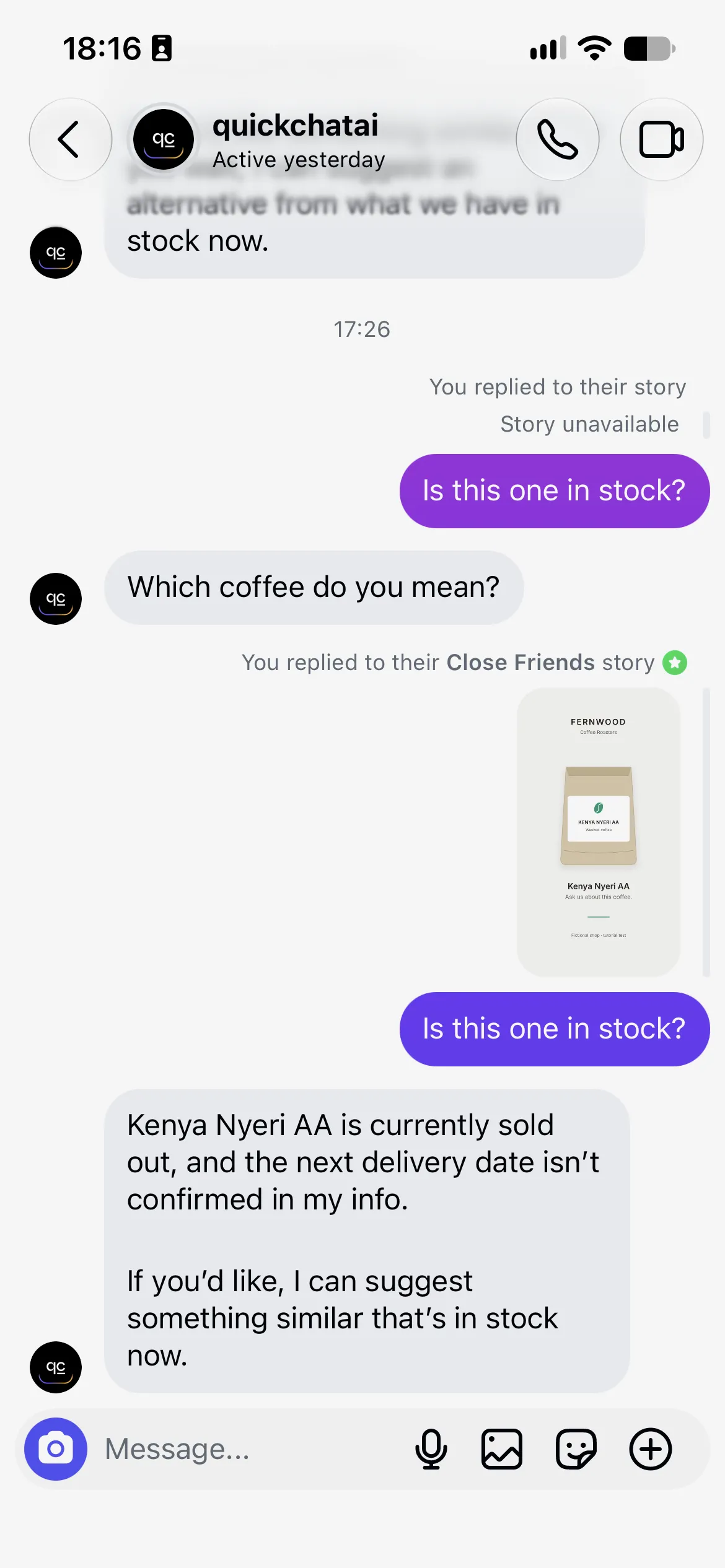
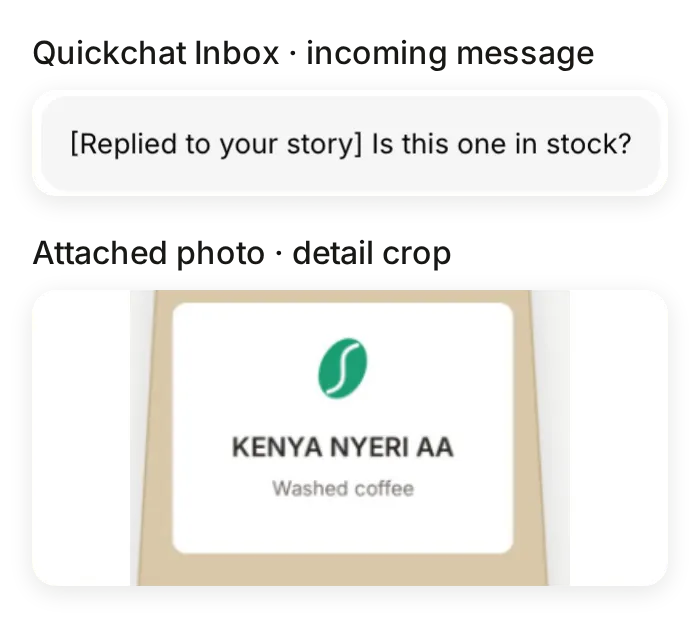 The same live exchange in Quickchat AI’s Inbox. Detail crops show the incoming question and the product label on its attached Story photo.
We verified the image attachment and the catalogue lookup behind this reply. This live thread included earlier coffee questions; the separate local image test used a question with no previously named product. Together, the checks cover photo identification, use of the business facts and actual Instagram delivery.
Separate local tests covered a failed image download and a readable image of the generic bag. Both replies asked for the coffee’s identity. If the URL is absent, expired or unavailable, the text still reaches the Agent. Video Story content is not analyzed. A text-only Simulation case checks this fallback, but cannot prove that an image was fetched or read.
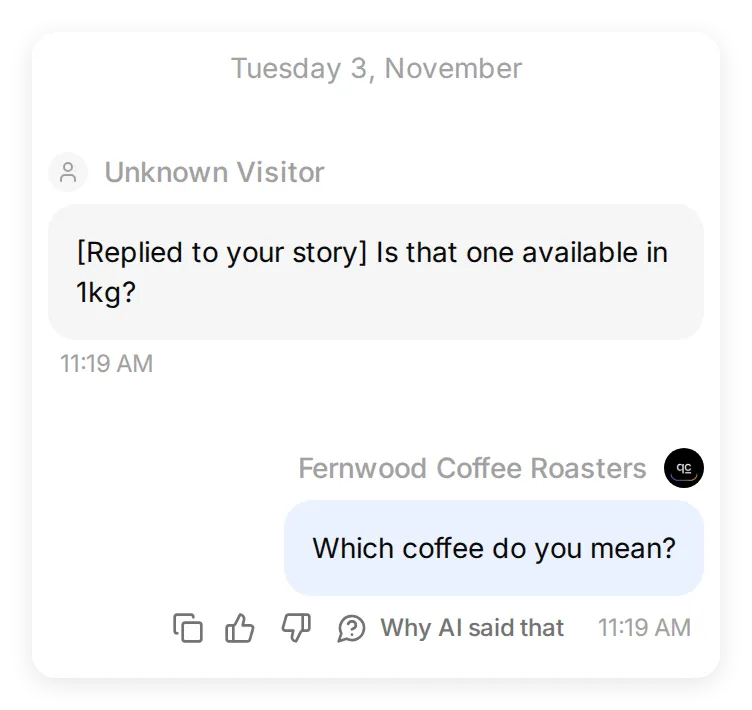 The final local Simulation supplies only the Story-reply text. Keep this case in the test set to check that a missing image still produces a useful clarification.
| Incoming item | What reaches the Agent |
|---|---|
| Text DM | The message text |
| Photo Story reply | Reply text marked as a Story reply, plus the Story image when it can be fetched and validated |
| Unavailable image or video Story | Reply text and Story marker; no Story image for the Agent to inspect |
| Photo attached to a DM | The image, which the Agent can inspect |
| Voice note | A transcription; the audio is also available in the Inbox |
| Video or file | An attachment notice, rather than analysis of its contents |
| Shared post or Reel with accompanying text | The text; not the shared media |
| Shared post or Reel without text | No question for the Agent to answer |
| Story mention or reaction | Ignored by this integration |
| Comment on a post or Reel | Not received; no comment-triggered DM |
If a voice transcription or attachment download fails, the Agent can ask the person to type or describe the issue. A file appearing in the Inbox does not mean the model read its contents.
Taking over from the AI
A person takes over by assigning the conversation to themselves, then replying within the integration’s messaging window.
- Open Inbox and select the conversation.
- Read the latest messages and click Assign to me. The composer is disabled while the conversation is assigned to the AI or another person.
- Type your reply and send it. The AI stops answering while the conversation is assigned away from AI Agent.
- When the Agent should resume, change Assignee back to AI Agent.
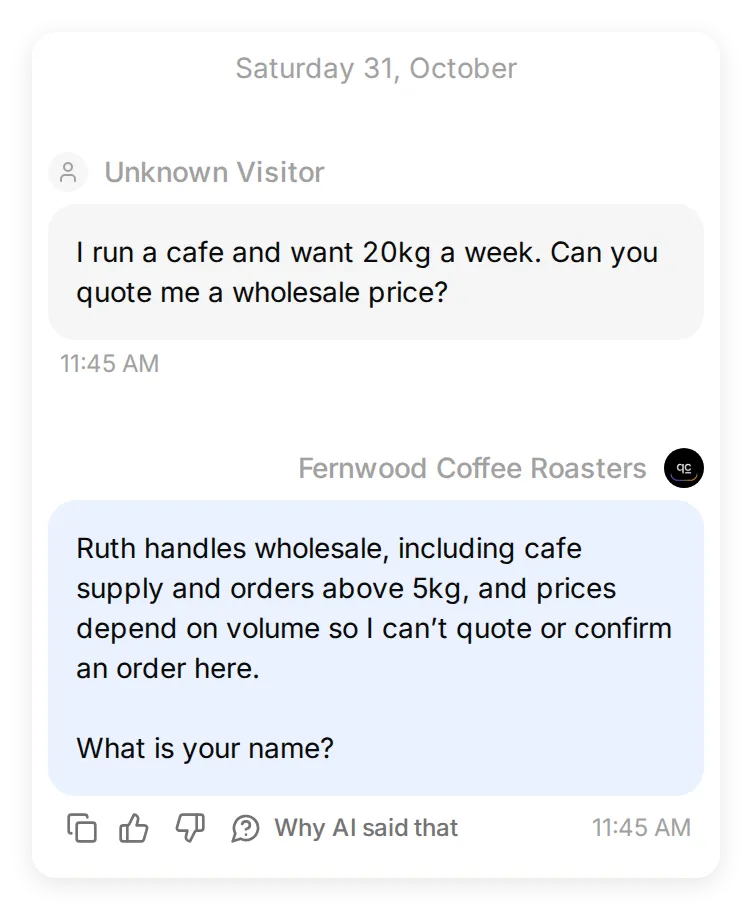 The local wholesale test. Naming Ruth explains who handles the decision; it does not assign Ruth or notify her.
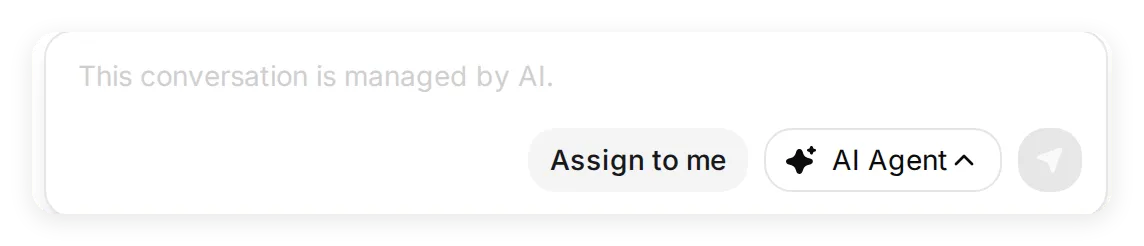 The shared Inbox takeover control, captured on a real local widget conversation. It shows where to assign the thread; it is not evidence of an Instagram reply being delivered.
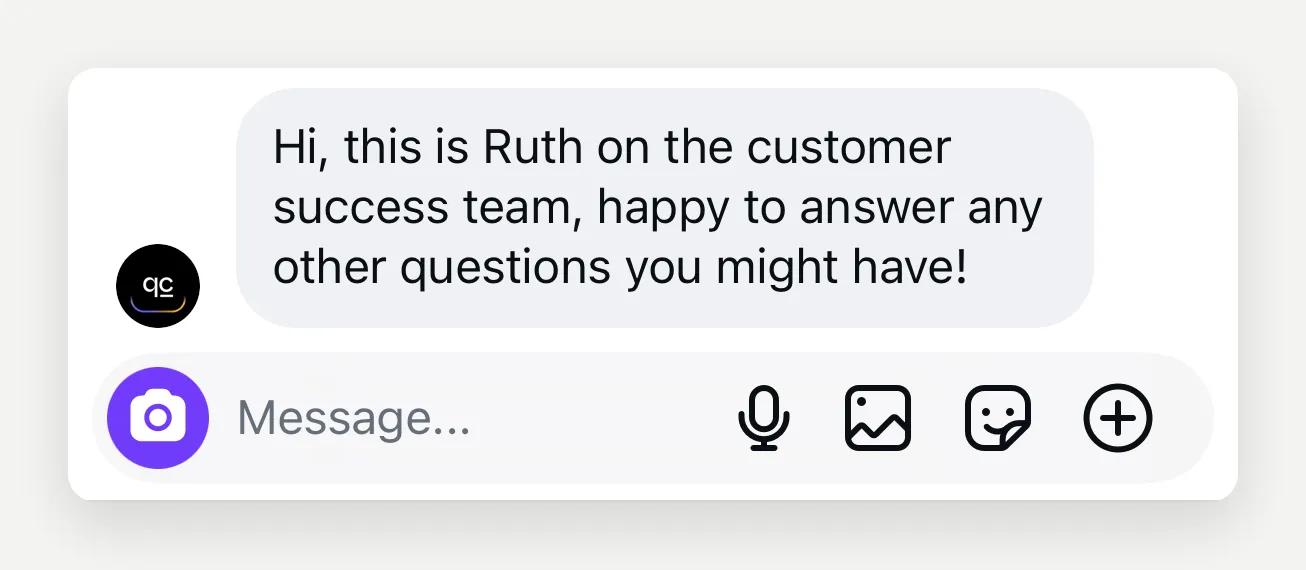 The original walkthrough’s Instagram-side human reply. In your delivery test, verify that your own Inbox reply reaches this same customer thread.
Keep each manually typed reply within 900 characters and 1,000 UTF-8 bytes. Emoji and some languages reach the byte limit sooner. Split longer manual replies into separate sends; the Agent’s long replies are split automatically.
Operators can also send JPEG or PNG images up to 5 MB and PDFs up to 16 MB. Send accompanying text separately: this attachment flow does not send a caption.
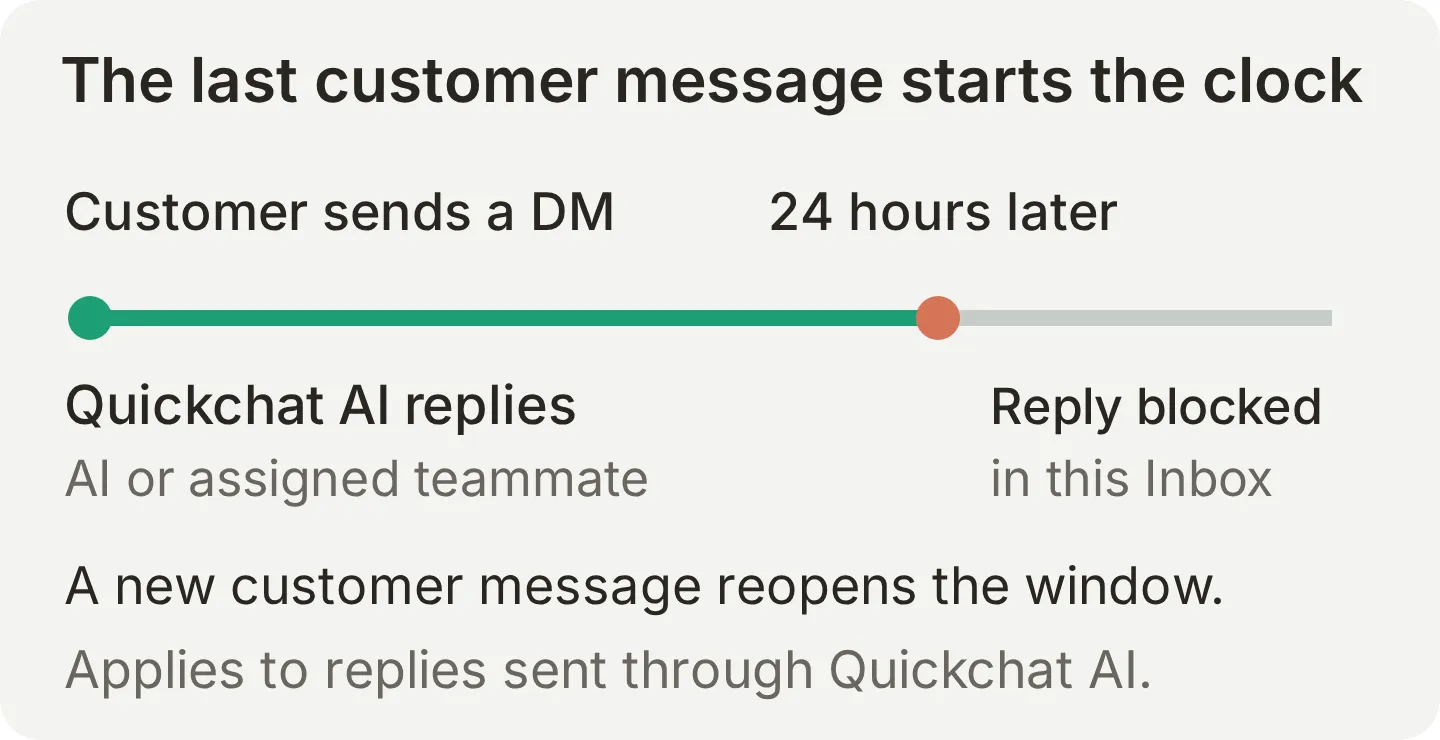 The clock runs from the customer’s latest message, not from the latest AI answer. Another customer message opens a new window.
Quickchat AI’s Instagram integration uses a 24-hour reply window. After it expires, the Inbox disables sending until that person messages again. This applies to AI replies and operator replies sent through this integration. It does not mean a person is universally prohibited from replying in Instagram’s native app. Meta documents other messaging permissions and exceptions, which this recipe does not configure.
What it will not do
This build answers from a catalogue and leaves decisions to a person. It does not connect a checkout, charge a card, reserve stock or create a wholesale order.
It also does not:
- Send unsolicited first messages or start a campaign.
- Reply to comments or turn comments into DMs.
- Browse your feed or follower list to infer what a visitor wants.
- Identify a coffee from an unavailable image, an unreadable label or generic packaging alone.
- Analyze the contents of videos or files received through this channel.
- Send the Agent’s configured welcome message on Instagram.
- Emit typing or seen signals, cards or quick-reply buttons through this integration.
These boundaries keep the recipe reproducible. Add a connected business system only when you are ready to configure and test the action it performs.
Can it run alongside Meta’s Business AI?
Treat Meta Business AI as a separate responder. For this setup, choose one AI assistant for the account rather than assuming two systems will hand conversations between themselves.
Meta offers its own Business Agent on Instagram; availability is account- and market-dependent. Meta’s Suite setup documentation also says that enabling its Business Agent pauses existing away and instant replies. Its Instagram messaging changelog records changes to conversation control:
| Meta changelog date | Documented change | Implication for this tutorial |
|---|---|---|
| 18 October 2026 | Updated default behavior for apps taking over conversations handled by Business AI | Connecting another app does not establish that it can send into a Business AI-owned thread |
| 28 October 2026 | Additional handoff-reason information | A documented API event does not prove an integration handles that event |
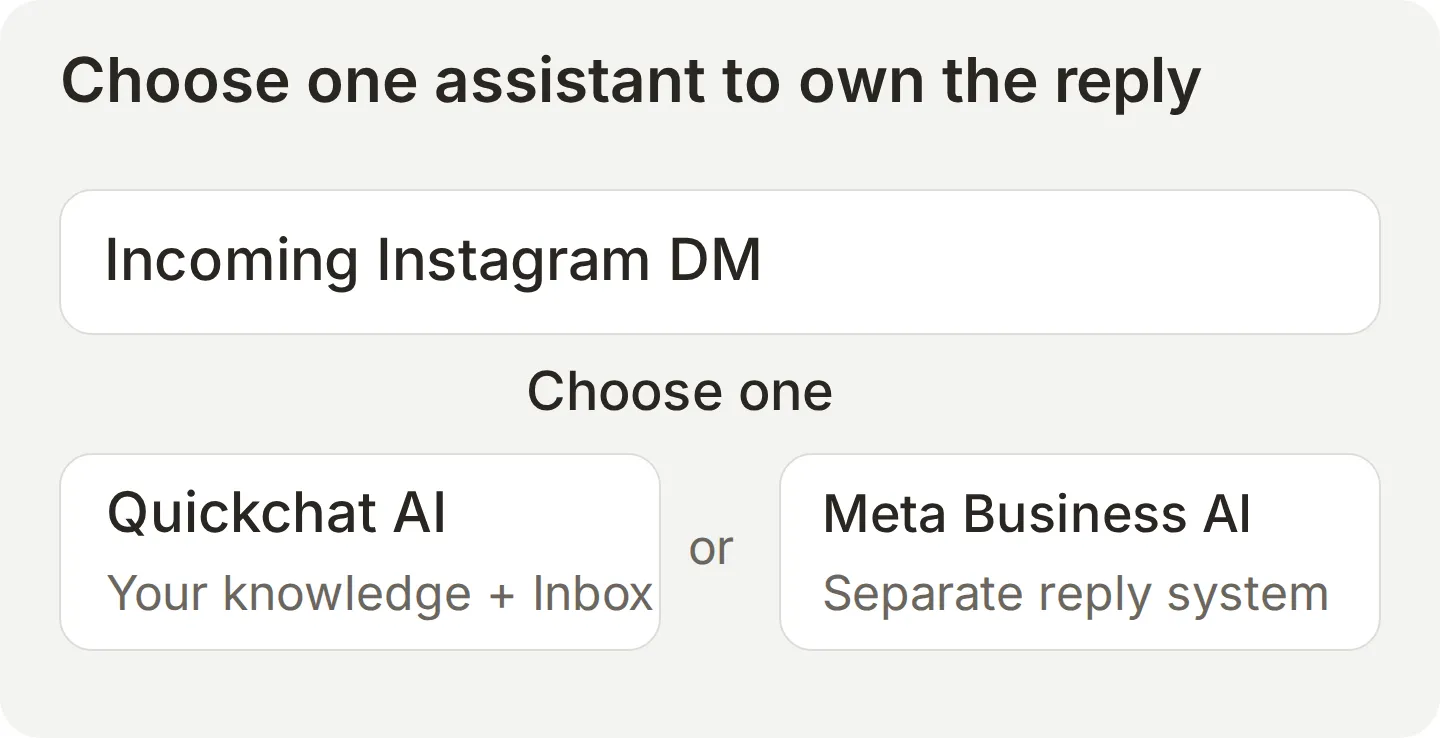 Concept diagram of the responder choice, not a tested automatic handoff between the two products.
This Quickchat AI walkthrough does not configure Meta’s thread-control APIs, and the local test did not reproduce coexistence with Business AI. Meta also documents a Page-linked conversation-routing setup; do not assume those instructions apply unchanged to this direct Instagram Login connection.
If Business AI is enabled, turn off one responder for a controlled test, then send from a second account. If the Inbox reports Instagram rejected the reply, that is a generic delivery error, not confirmation that Business AI caused it. Check the connection, messaging window and account’s other reply tools before diagnosing the failure.
Going live
Launch after the Agent answers correctly, a real DM reaches it, and a teammate can take over.
- For a real business, choose a paid plan starting with Starter before enabling replies. Replace every fictional fact and
.examplelink. Confirm stock and hours against the business, then wait for the edited knowledge to become Ready. - Run the six-question dataset again and read the answers. Keep any failed case as a regression test.
- Complete the second-account delivery table, including a story reply and human takeover.
- Review native greetings, away messages and any other AI responder. Test the messages a customer actually receives.
- Confirm Enable Instagram is on, and assign someone to review the Inbox. Contact details collected in a transcript are not a completed follow-up.
- Read the first day’s conversations. Correct missing facts and repeat the affected questions.
You can pause replies with Enable Instagram without disconnecting. Disconnect ends the connection from Quickchat AI. On Instagram’s side, use Apps and websites to review and remove an app’s authorization.
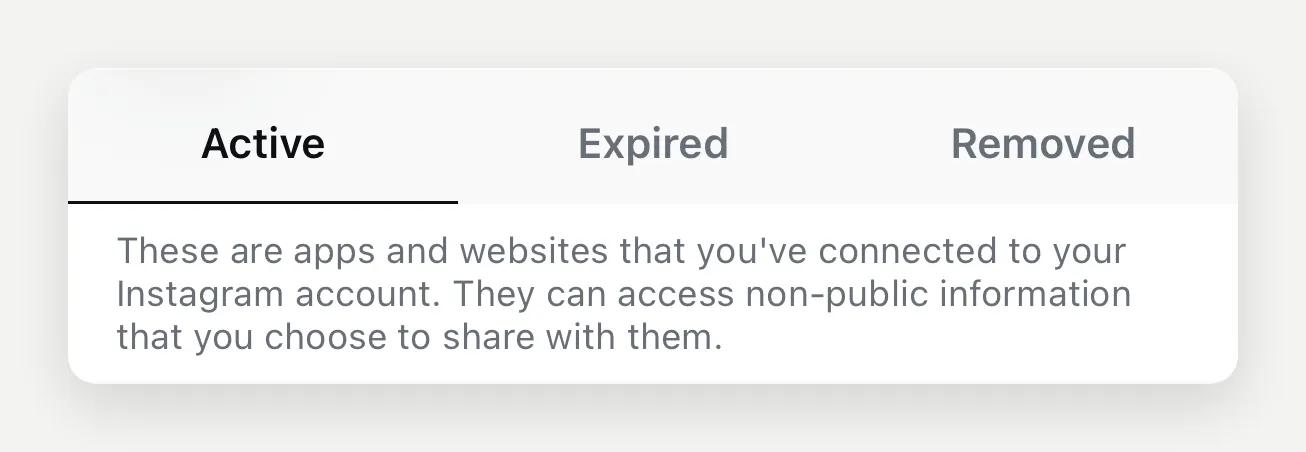 The original Instagram-side permissions screen. The Active tab is where you review current authorizations; this crop does not show a specific connected-app entry.
How to tune it
Change the source of a wrong or incomplete answer, then rerun the identical question.
Our local demo first used a catalogue without any oat-milk information. We asked:
Do you have oat milk, and does it cost extra?The baseline reply could not confirm whether oat milk was available. That was a knowledge gap: the prompt could not supply a policy that the catalogue did not contain. After the one-line knowledge change, the reply said oat milk was available at no extra charge.
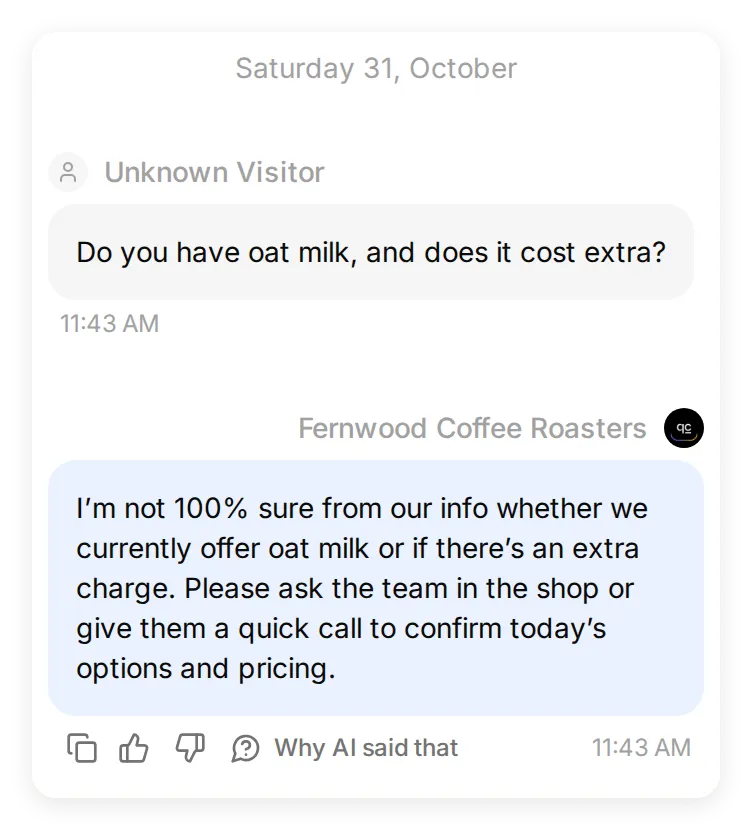 The baseline uses the catalogue without an oat-milk policy.
We added one section to the Knowledge Base and waited for Ready:
OAT MILK
Oat milk is available at no extra charge.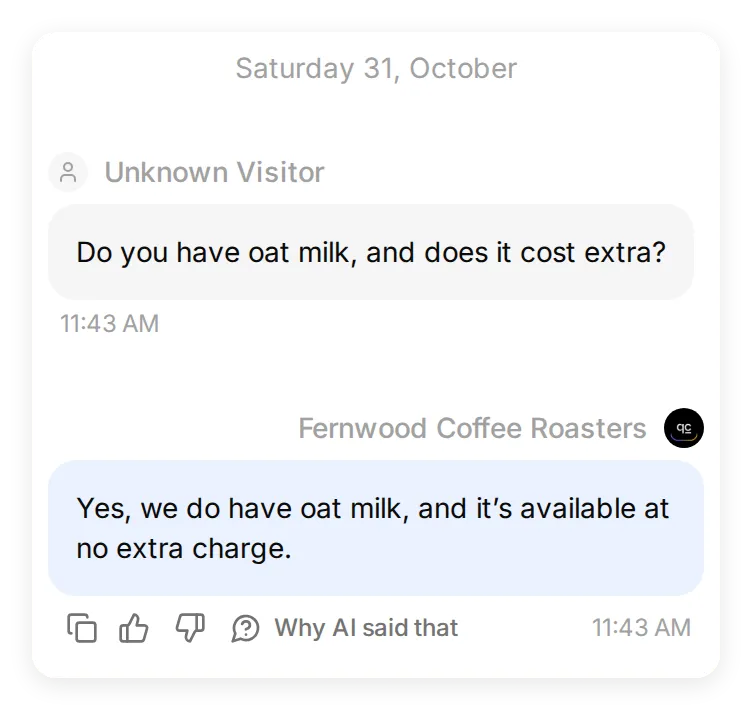 The follow-up uses the final catalogue printed in Step 1. The prompt and question are unchanged.
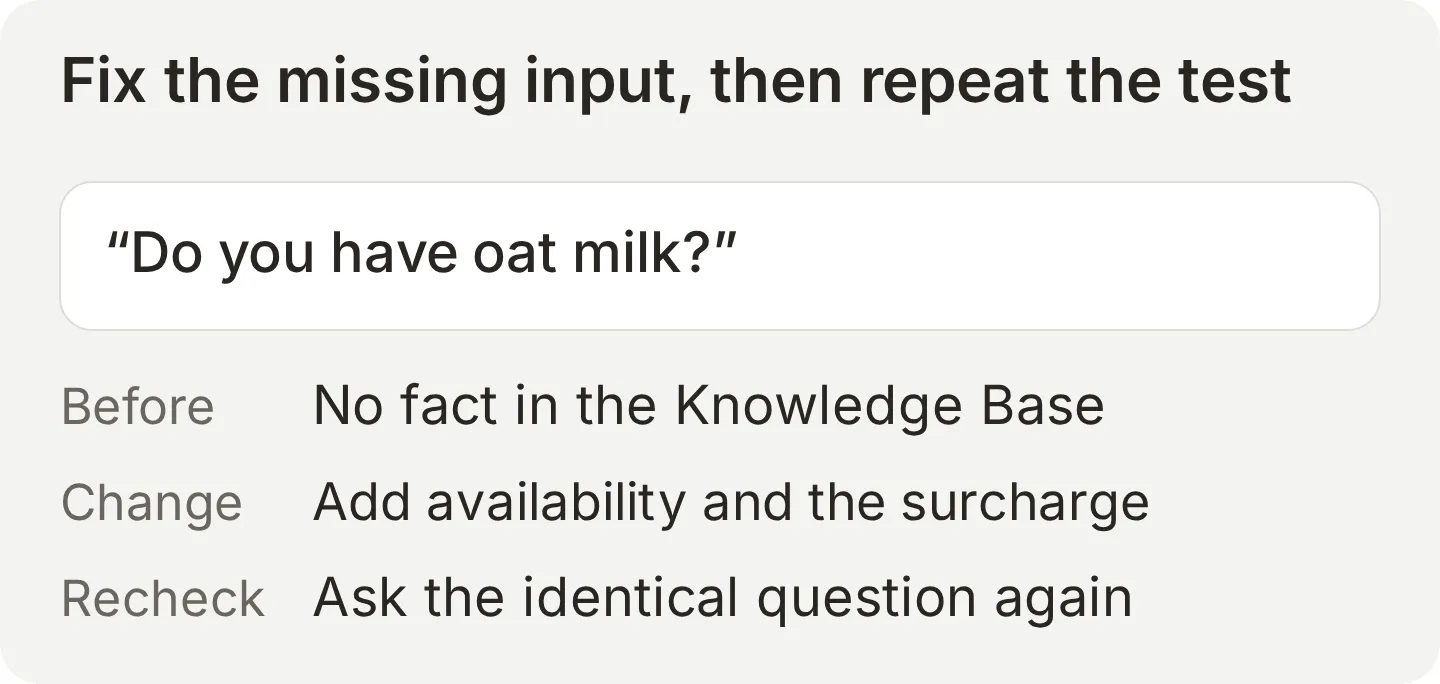 Use a knowledge edit for a missing fact. Use a prompt edit when the fact is present but the response behavior needs changing.
A practical loop is: read the conversation, identify the missing fact or instruction, change one thing, and rerun both the affected question and the rest of the dataset. Keep a sold-out case and an unknown fact in the tests so an improvement in friendliness does not hide a new tendency to guess.
Can an AI assistant help configure this?
A compatible assistant can use the Quickchat AI account-management connection to prepare knowledge, settings and tests. You still authorize Instagram yourself and verify delivery from another account.
The separate Quickchat AI listings for ChatGPT and Claude provide that account connection. Available tools vary by client. This is different from exposing your Agent as an MCP tool for other assistants to ask questions.
Attach the starter-kit text files and use:
Check which Quickchat AI management tools are available. Create an Agent named Fernwood Coffee Roasters using the attached final catalogue and main-prompt.txt. Configure the six test messages and evaluation criteria exactly as supplied. Do not enable Actions or promise automatic handoff.

Before running tests, explain the AI-credit use and ask me to confirm. Report the actual replies and unresolved failures, not only their scores. Once I am ready to connect Instagram, provide the Instagram connection link if your tools support it. I will open it and grant access myself. A configured connection is not proof of delivery; give me the second-account test checklist.
Summary
The working setup has four parts: an accurate catalogue, a prompt with clear boundaries, an authorized Instagram account and a repeatable test set. Start with common product questions, then verify the unknown-fact and human-reply paths before relying on it for customer traffic.
For the same business on another channel, the WhatsApp chatbot tutorial adds an order lookup and a tested human-handoff workflow. The Instagram overview describes this channel’s broader use cases.
Frequently asked questions
How do I set up Instagram auto reply with AI?
Create a Quickchat AI Agent, add your business information to its Knowledge Base, and write a Main Prompt with clear boundaries. Connect your Instagram Professional account under External Apps, grant message access, then test from another account. Check both the Instagram reply and the matching Inbox conversation.
Does Instagram have a built-in auto reply?
Yes. Meta Business Suite offers automatic greetings and away messages for supported connected inboxes. Saved replies are reusable text that you select and send manually. These are separate from Meta’s Business Agent and from a Quickchat AI Agent that answers using your knowledge.
Does Instagram have a built-in AI chatbot?
Meta offers a Business Agent that can answer on Instagram for eligible businesses. Availability depends on the account and market. This tutorial uses Quickchat AI with its own Knowledge Base and Inbox; it does not configure a handoff between the two AI systems.
Does Instagram’s own auto reply work with this?
A fixed greeting or away message may arrive alongside the Quickchat AI reply, so test the combined experience and disable redundant messages. Meta Business Agent is a separate responder: this tutorial recommends using one AI assistant for the account, rather than assuming automatic handoff.
Can an AI chatbot answer Instagram Story replies?
Yes. Quickchat AI can include an available photo Story image with the reply text so the Agent can inspect it. If the image is unavailable or does not identify the product, the Agent should ask which product the person means. Video Stories are not analyzed, and Story mentions are not handled.
Can an AI chatbot reply to Instagram comments?
This Quickchat AI integration does not receive comments on posts or Reels and does not send DMs triggered by comments. It handles incoming DMs and story replies. Choose a separately verified comment-automation workflow if that is your requirement.
Do I need a Facebook Page to connect Instagram?
No. Quickchat AI connects through Instagram Login. You need a Professional Instagram account, either Business or Creator, and permission to receive and manage its messages. A separate Meta Business Suite or Page-linked routing setup can have different requirements.
Do I need code to build an Instagram AI chatbot?
No. This recipe uses the Quickchat AI interface, a text catalogue, a Main Prompt and Instagram authorization. You do not need to write or host an API integration.
Can ChatGPT, Claude, or Gemini answer my Instagram DMs?
An ordinary chat with an AI assistant does not by itself connect your Instagram inbox. An authorized messaging integration must receive the DM and send the reply. A compatible Quickchat AI management connection can help configure the Agent; you still authorize Instagram and test delivery.
Does it work on a personal Instagram account?
No. This connection requires a Professional account, either Business or Creator. Review Instagram’s account-switching options and public-profile implications before changing a personal account.
Why does Instagram say “Something went wrong” when I try to connect?
A personal account or the wrong signed-in account can cause the connection to fail, but that generic message does not identify every cause. Check that the intended account is Professional, then use Sign in as a different account in the Quickchat AI Instagram panel and grant message access.
What happens when someone asks something the AI cannot answer?
The prompt tells the Agent to say it cannot confirm the answer and suggest asking the team. Test that behavior with a fact absent from the Knowledge Base. The conversation remains in the Inbox; this recipe does not automatically assign or notify a human. A teammate can click Assign to me and reply.
Is there a time limit on replying to an Instagram DM?
Through this Quickchat AI integration, AI and Inbox replies use a 24-hour window from the customer’s latest message. After it expires, sending is disabled until the customer messages again. This does not describe every native Instagram or Meta API exception.
Can I use it with Meta’s Business AI?
Do not assume the two assistants can hand conversations between them. Meta documents conversation ownership and takeover controls, but this Quickchat AI recipe does not implement or test that coexistence flow. Use one AI responder and verify delivery from a second account.
How much does an Instagram AI chatbot cost?
Instagram is included on Quickchat AI’s Free plan for personal learning and non-commercial experiments. Business use, including customer support and sales, requires a paid plan starting with Starter. Generated answers and Simulation runs use AI credits. Check current pricing for allowances.
Related guides
- Instagram channel documentation for connection reference and troubleshooting.
- Instagram AI chatbot for Shopify for store-specific use cases.
- How to build an AI Telegram bot for a channel with group-management actions.
- Quickchat AI for Messenger for the Facebook Page messaging channel.
- Build a Facebook Messenger AI chatbot, a worked Page setup with business knowledge, catering requests and a staffed handoff.