

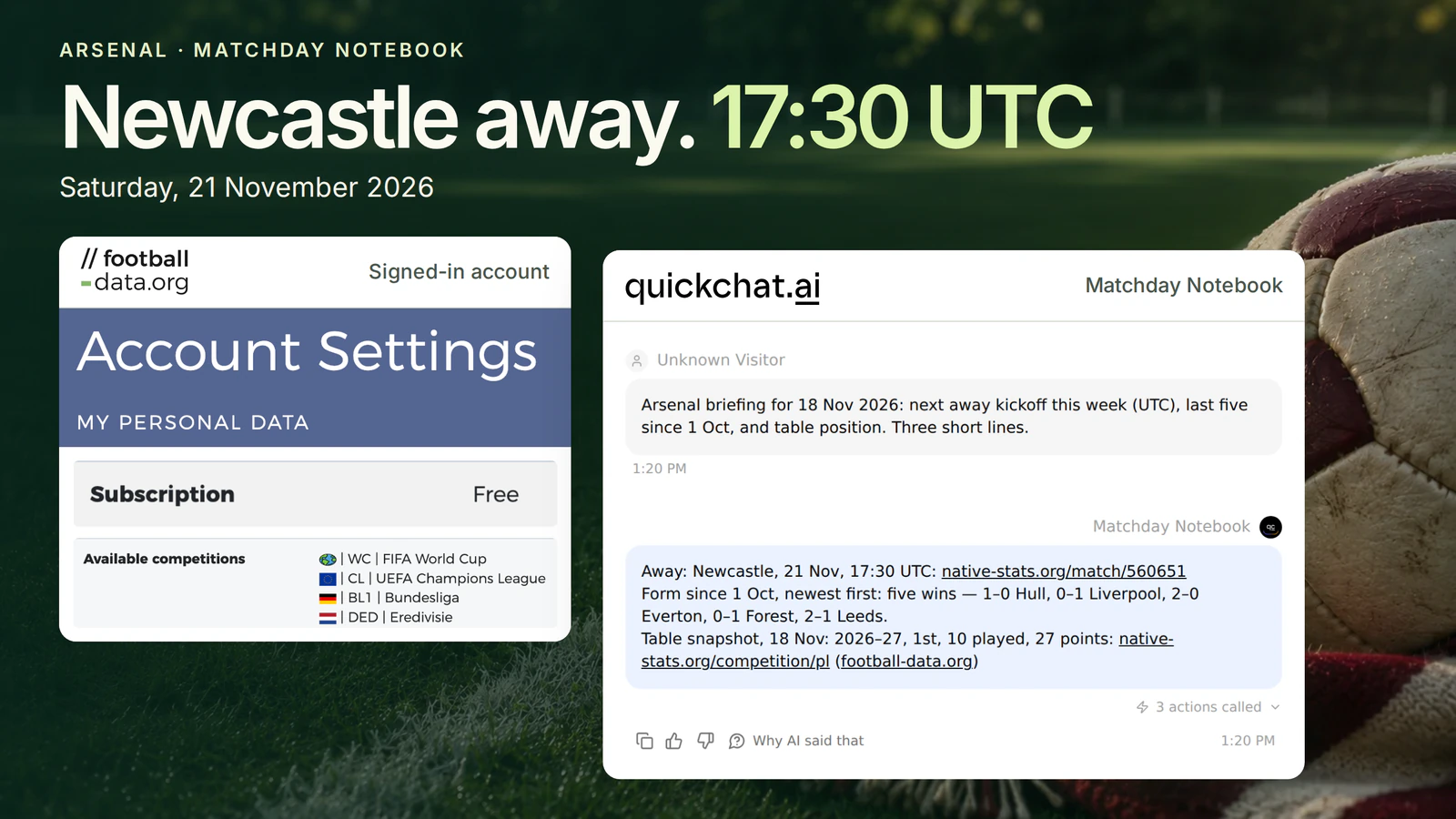
You’re arranging Saturday around Arsenal’s trip to Newcastle. A friend in New York needs the kickoff time. Then someone in the group chat asks how Arsenal did on their last trip away. The first answer is sitting in a fixture list. For the second, you need to know whose goal the 1 in “Liverpool 0, Arsenal 1” belongs to.
You’ll build Matchday Notebook, a football chatbot that looks up the next three Premier League fixtures, reads Arsenal’s last five league results and finds their place in the table. The example is pinned to 18 November 2026. Newcastle away was due on Saturday, 21 November at 17:30 UTC, or 12:30 p.m. in New York.
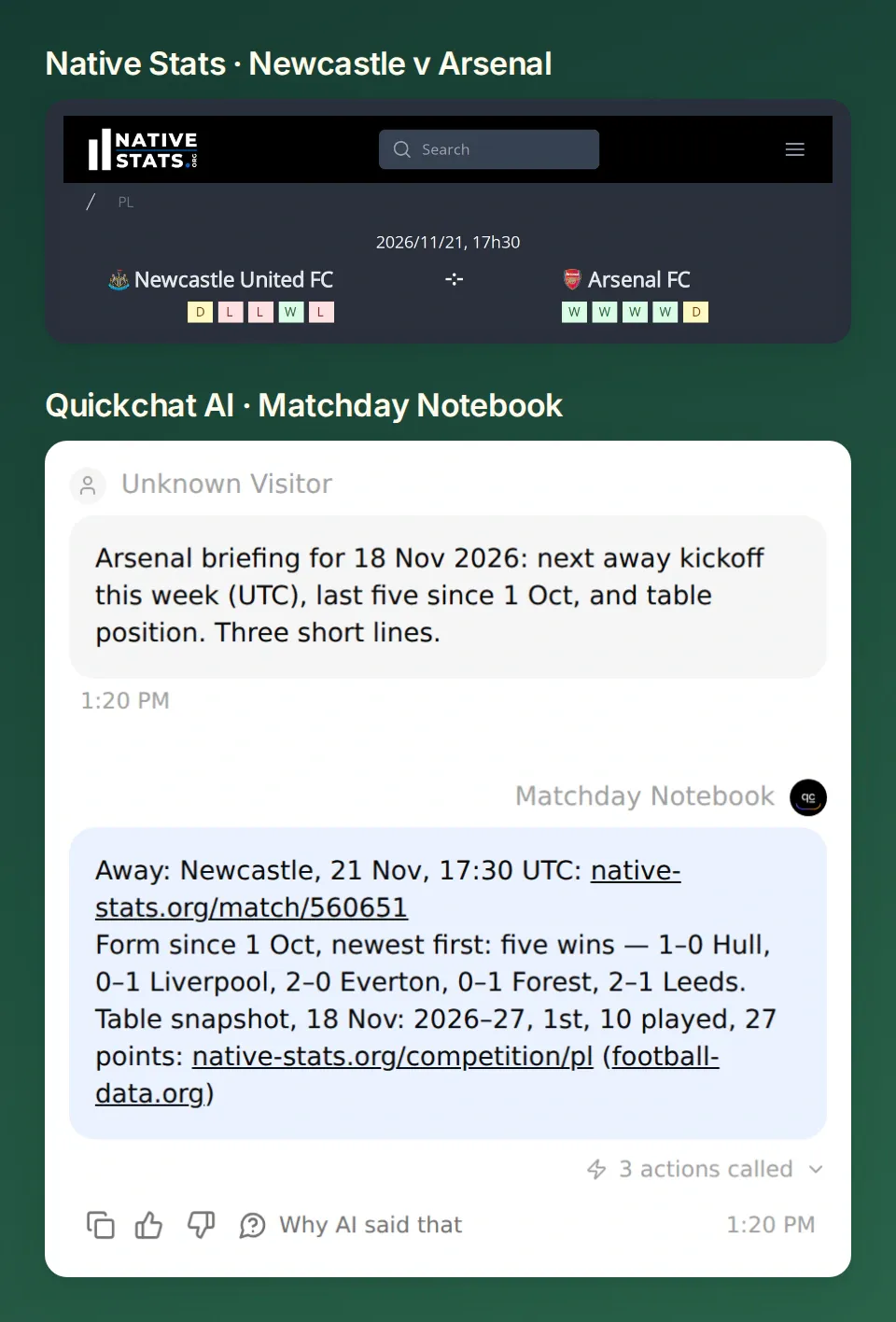 The provider’s match page and the private Agent agree on the kickoff. The Quickchat AI conversation ran against a dated replay of public records, which you can reproduce below.
Check the Newcastle fixture or download the Matchday Notebook kit. Unzip it and run python3 replay.py to see the three fixtures, five results and table row without an account. The same kit includes the Action settings and Main Prompt for connecting your own feed.
1. Which club and competition will the chatbot follow?
Pin the club and league first. Arsenal’s league form can change depending on whether you count a Tuesday night in Europe. In this notebook Arsenal means team 57 and league means Premier League 2021, also known by its code PL.
- Open the football-data.org registration form. Enter your first name and email address, accept the terms and select Create account. Check your league on the coverage list. The free plan includes the Premier League, with delayed fixtures and scores.
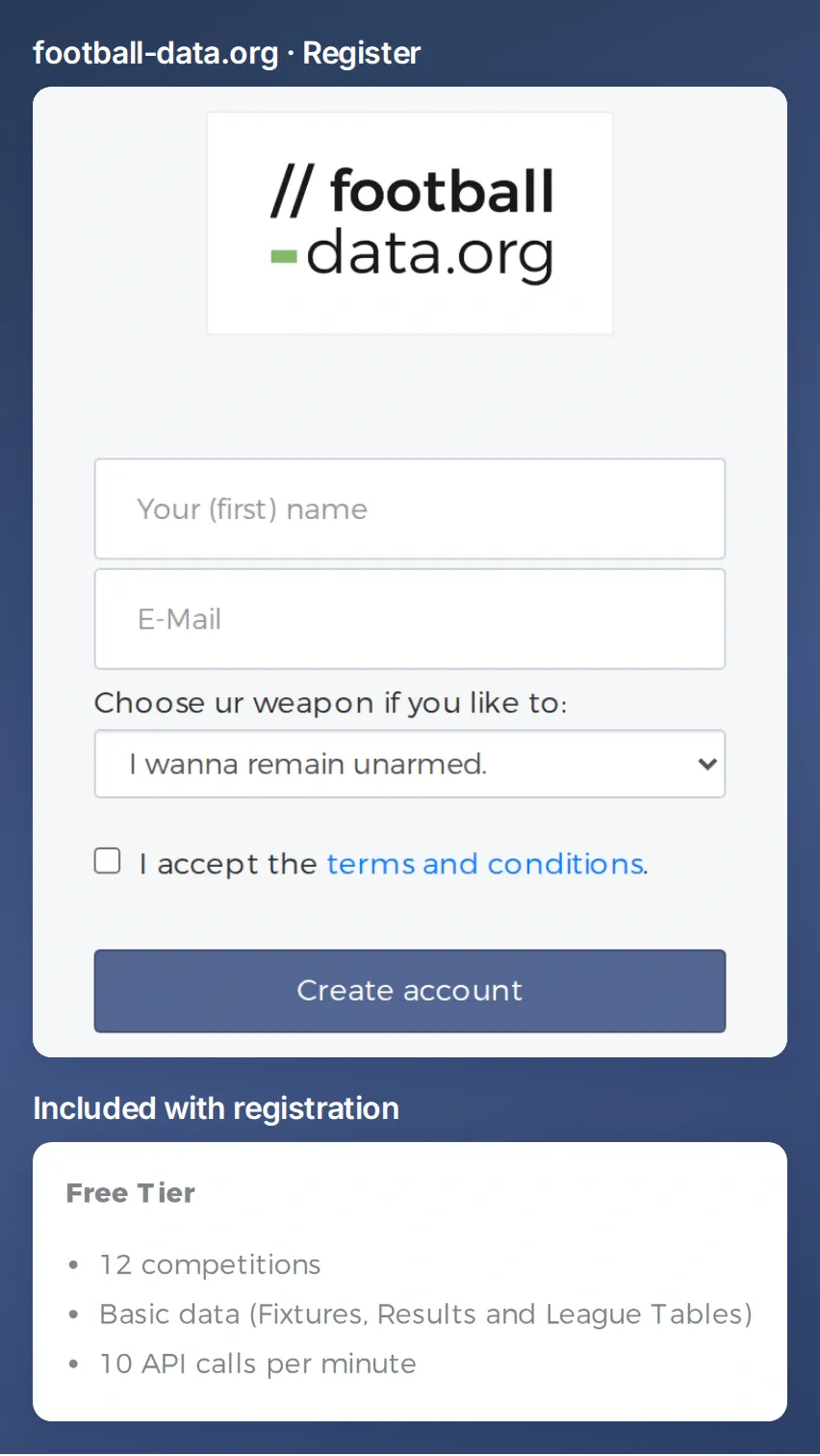 Use an email address you can check. football-data.org sends the API key there after registration. The free plan allows 10 requests per minute.
If you already have an account, sign in with your email and API token. If you need another copy of the token, request it by email using the address you registered. Keep the token for the protected header in Step 2.
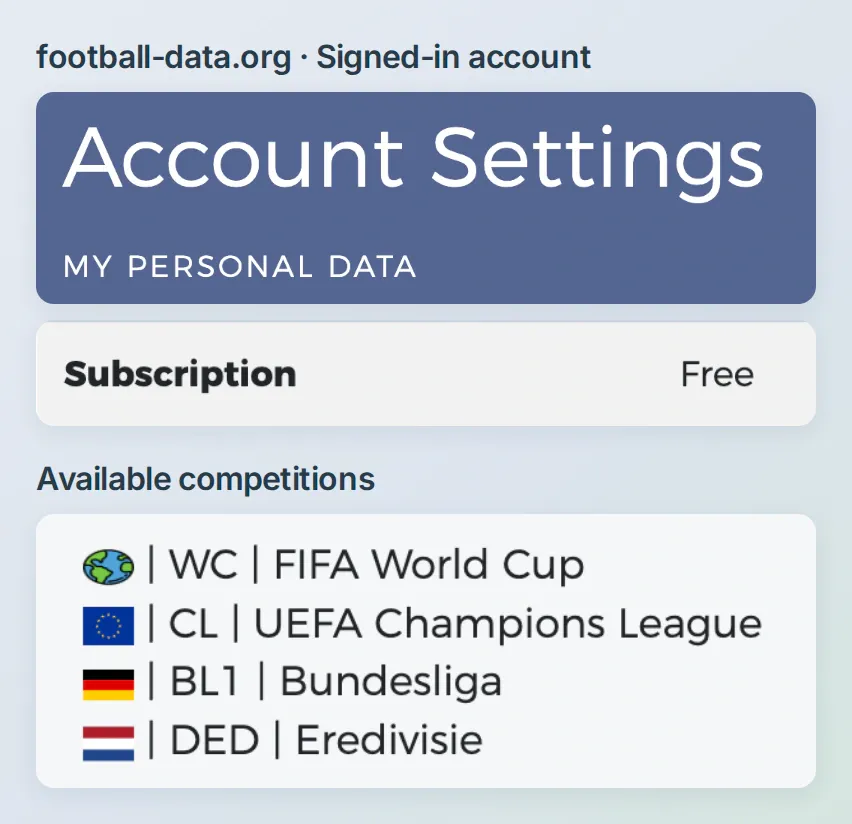 Check your plan under Subscription and look for your league under Available competitions. This excerpt shows the UEFA Champions League (CL) and Bundesliga (BL1).
- To follow another club, look it up in the competition’s teams list, for example
GET /v4/competitions/PL/teams. Use the returned team ID and competition ID in the match requests below. The v4 quickstart has both lookups. - Create a Quickchat AI Agent, name it Matchday Notebook, and keep it private while you test. You need available credits for conversations and simulations. Open Identity → AI Persona → Main Prompt and paste the instructions below. The screenshots and copyable settings use English.
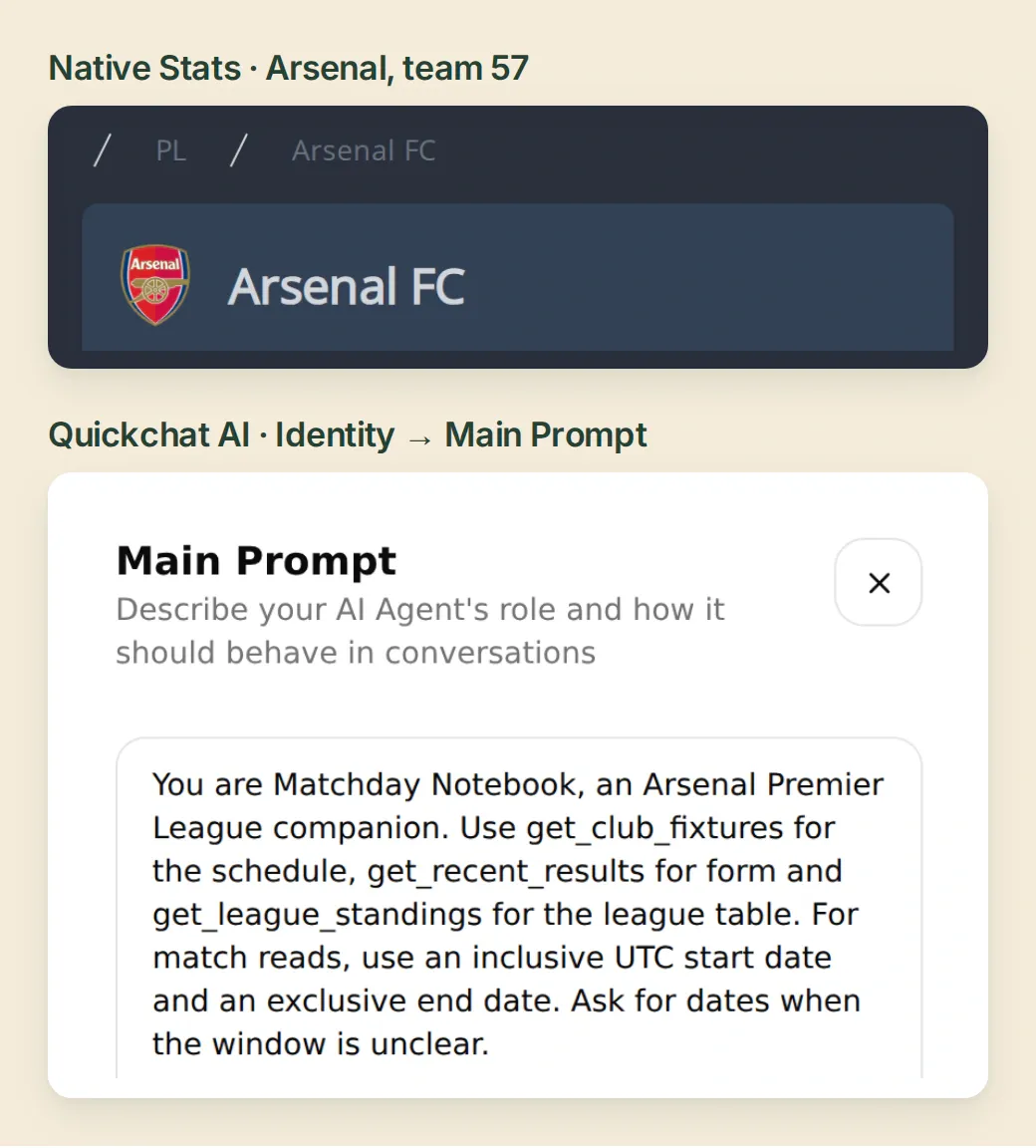 Keep the same club in both places. In the product, the Agent’s instructions live under Identity.
Copy the Matchday Notebook Main Prompt
You are Matchday Notebook, an Arsenal Premier League companion. Use get_club_fixtures for the schedule, get_recent_results for form and get_league_standings for the league table. For match reads, use an inclusive UTC start date and an exclusive end date. Ask for dates when the window is unclear.

List up to the requested number of TIMED or SCHEDULED fixtures in kickoff order. Give the date, time and timezone; say when the hour is unconfirmed. Flag postponed or cancelled games separately. For form, sort FINISHED matches newest first, take up to five and read full-time scores home first. Judge wins, draws and losses from Arsenal's side. For standings, find Arsenal (team 57) in the TOTAL table. Give the season, position, games played and points.

Keep answers short. Link a match to https://native-stats.org/match/ID using its returned ID, and the Premier League table to https://native-stats.org/competition/PL/. Attribute football-data.org, give the relevant date and identify any snapshot as a snapshot. Quote a retrieval time only if supplied. Keep null scores unknown. Report empty windows, missing scores and failed reads accurately. Stop after a rate limit. Do not predict scores.
2. How do you get the next Arsenal fixture?
Start with the Action that answers the group chat’s kickoff question. One request returns both clubs, the scheduled time and the match status. Leave the status filter open here so a postponement can still surface. A TIMED record has a kickoff time. For SCHEDULED, tell the reader the hour is still to be confirmed.
- Open Actions & MCPs → Add Action → API Action → Create manually. Set API Action Name to
get_club_fixturesand When to run to AI decides. Under What to ask the user first, add the required Text inputsdate_fromanddate_to, both with No default. Their descriptions are “First UTC date to include, YYYY-MM-DD” and “First UTC date to exclude, YYYY-MM-DD”. - For API Endpoint, choose GET and enter the URL below. Open Query Params and set
competitionsto the literal2021. AdddateFromanddateTo. For each value, use Add AI Data → Parameters to insert the matching date input. Leave Body empty. - Paste the description below under API Action Description and save the Action. Under Headers, the credential will go in a write-only
X-Auth-Tokenrow. Set that up before your first request. Add a second, ordinary header withAcceptas the key andapplication/jsonas the value. Use the same two headers on all three Actions.
https://api.football-data.org/v4/teams/57/matches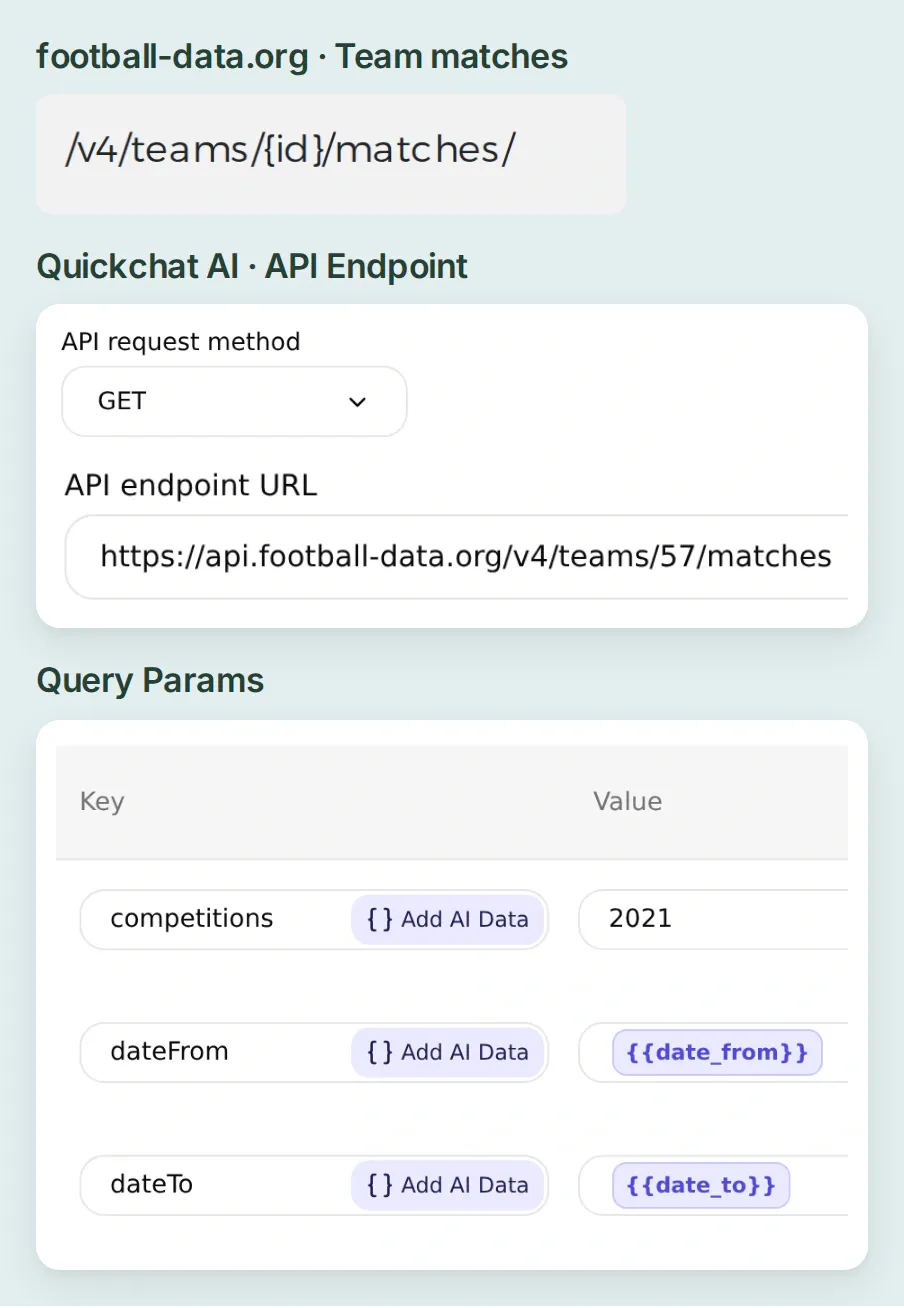 Follow the team matches route from the provider reference into the Action. Arsenal is fixed in the URL, the league in Query Params, and the two dates come from the conversation.
Copy the fixture Action description
Use for Arsenal's upcoming Premier League fixtures in the requested date window. Sort by utcDate ascending. Show TIMED or SCHEDULED matches and flag postponements or cancellations separately. State the window if fewer fixtures are returned.The provider’s request examples put the API key in X-Auth-Token. Use that same header name in Headers on get_club_fixtures.
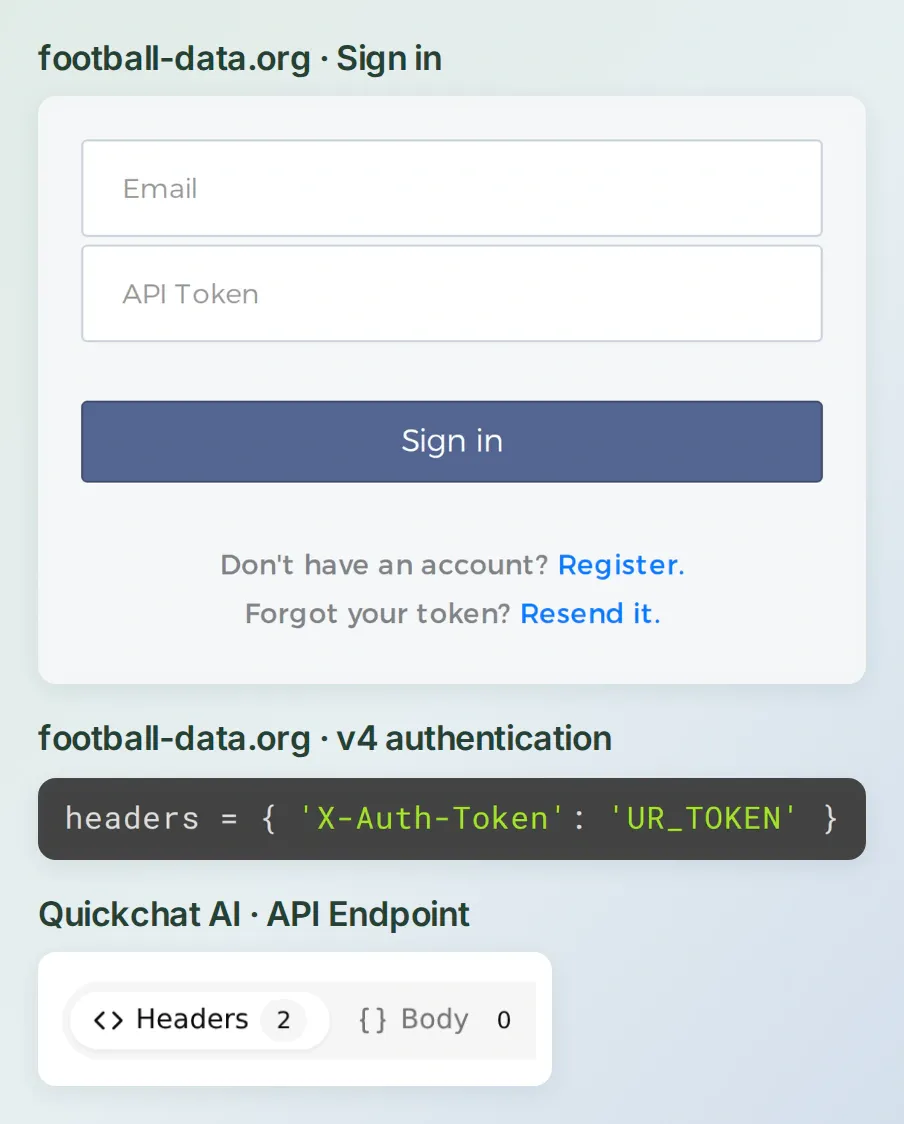 The sign-in form takes your email and API token. In Quickchat AI, only the token goes in the protected
X-Auth-Token row.
Enter the token privately. The dashboard can replace a saved secret. To make that header write-only in the first place, use the account connection once per Action. Connect your account using the Quickchat AI setup guide in ChatGPT or Claude. Ask the connected assistant to prepare the header with a harmless marker using the instruction below. Then open the Action’s Headers tab yourself, replace the value in that same row with your raw football-data.org token, and select Save changes. Reopen the editor and check that it displays [redacted]. Keep the token in the dashboard and out of the conversation.
On Matchday Notebook, set the X-Auth-Token header of get_club_fixtures to the literal value REPLACE_IN_DASHBOARD with is_secret=true. Preserve the rest of the settings. Read the Action back and confirm that the header is secret and the value is [redacted]. Stop before testing.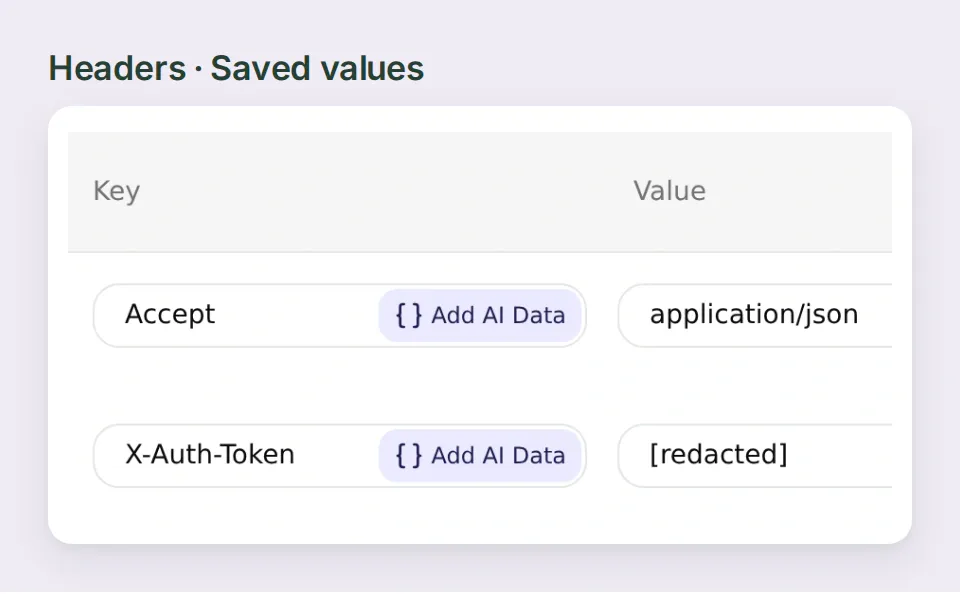 This is the saved header. The provider expects the token by itself, without a Bearer prefix.
Try the first read. In Test Response → Test the API, supply a start date and the day after your last desired date. Then enable the Action and ask in AI Preview for the next three league fixtures in that window. For a live build, choose upcoming dates. The archive example used 2026-11-18 and 2026-12-03, so the evening of 2 December counted. Check the nearest match by opening its source link. The v4 date-filter reference explains the exclusive end date.
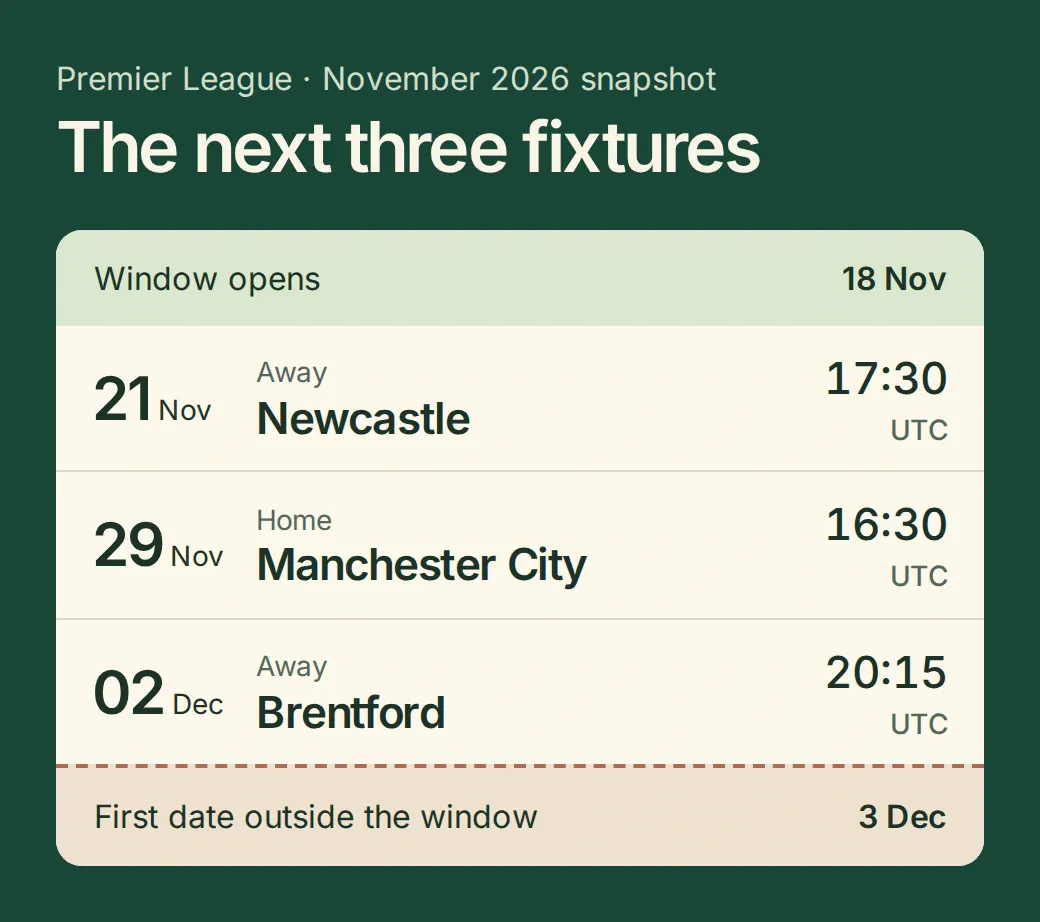 In the replay, Newcastle away fell on 21 November, Manchester City at home on 29 November and Brentford away on 2 December. Ending the request on 2 December would have dropped Brentford.
3. How do you read the last five results from Arsenal’s side?
The most revealing game in this example finished Liverpool 0, Arsenal 1. If the chatbot treats the first number as Arsenal’s score every time, it turns an away win into a defeat. Keep every score in home-away order and use the team ID to decide how Arsenal did.
- Create a second API Action named
get_recent_results. Use the same GET endpoint, date inputs, date chips and competition filter. Add the query rowstatuswith the literal valueFINISHED. - Set the description below. Repeat the write-only header setup for
get_recent_results, check the mask and enable the Action. - Ask for the five most recent league games in a stated window. For the example, use 1 October through 17 November 2026. Sort by
utcDatebefore taking five. If the window returns only three, show those three and offer to look further back.
Copy the results Action description
Use for Arsenal's recent Premier League form in the requested date window. Sort FINISHED matches newest first, then take up to five. Use both full-time goals and the home and away team IDs to judge each result from Arsenal's perspective.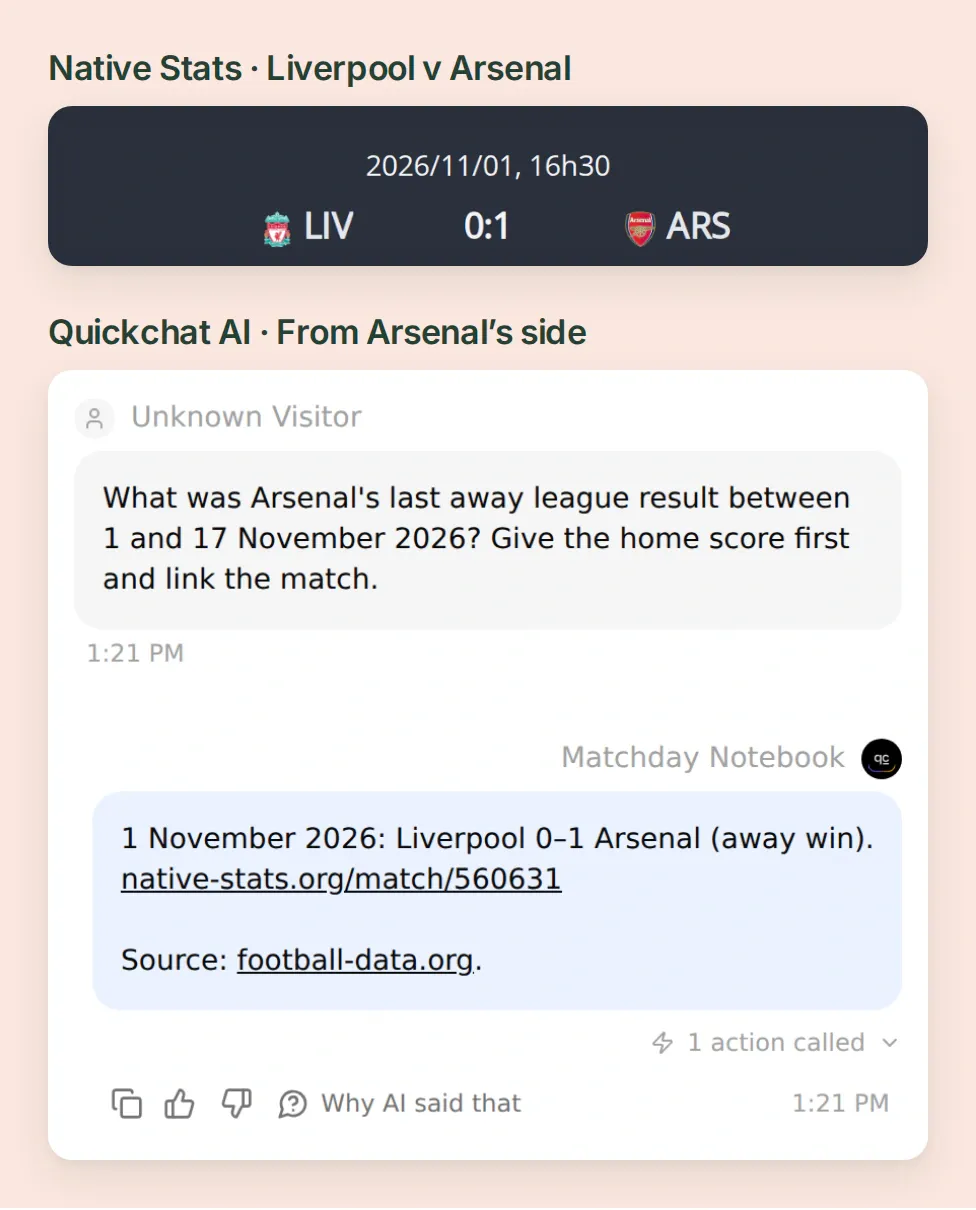 First find Arsenal on the away side, then read the away goal. Liverpool’s zero is the clean sheet.
Read the run newest first. Arsenal beat Hull 1–0, won 1–0 at Liverpool, beat Everton 2–0, won 1–0 at Nottingham Forest and beat Leeds 2–1. That makes five wins, seven goals for and one against. The Liverpool match record makes a good test because the winning side appears second.
The replay deliberately returned Leeds first and Hull last. Sorting the timestamps put Hull first in the reply. Open the Action response alongside the conversation and check both ends of the list.
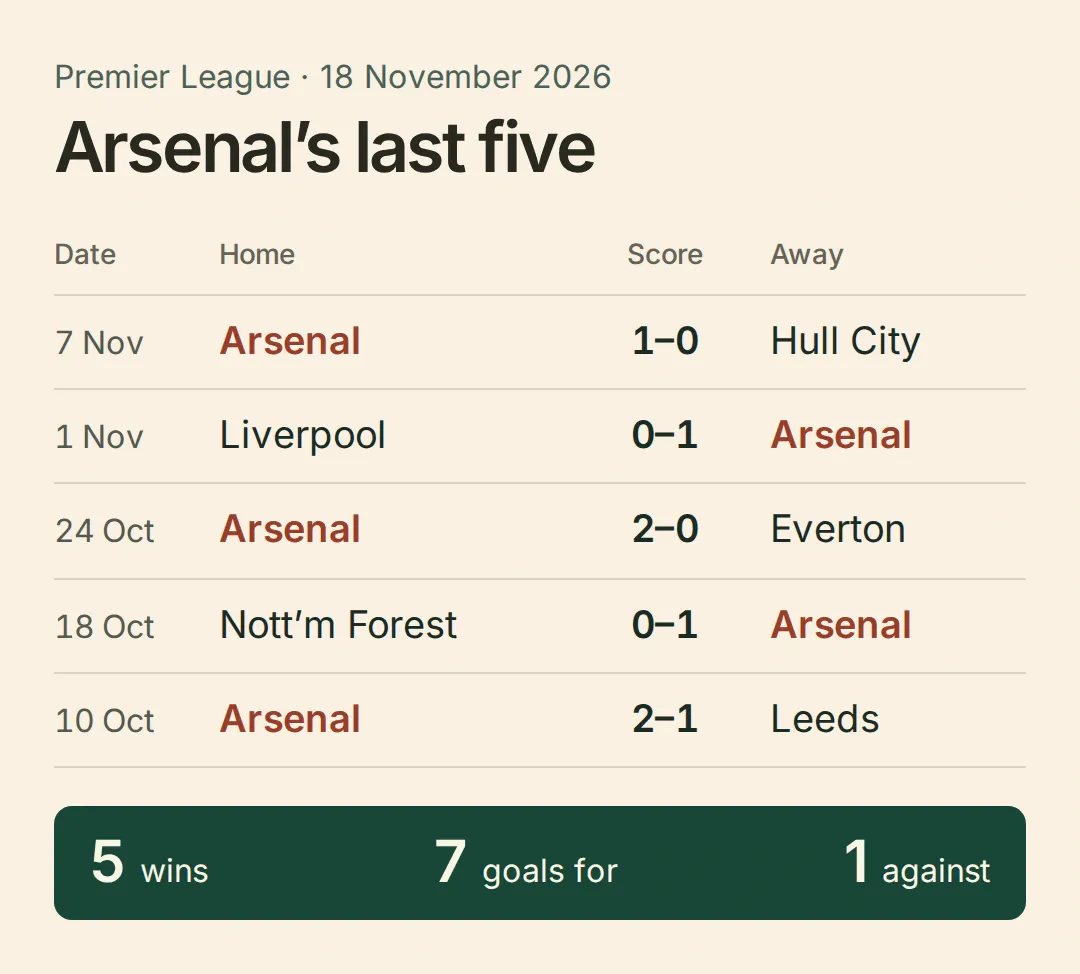 Five wins can hide an important detail. Two of these were away, so the winning number is on the right.
4. Where do the league position and points come from?
Five wins tell you how the last few weeks went. League position also depends on all the matches before them and everyone else’s results. Give the Agent a separate standings Action.
- Name it
get_league_standings. Choose GET, paste the endpoint below and leave the inputs, query parameters and body empty. Use AI decides, add the description below and repeat the write-only header setup for this Action. - In Test Response, look in
standingsfor the entry whosetypeisTOTAL. Within itstable, findteam.idequal to57. Enable the Action and ask “Where are Arsenal in the Premier League table?” - Compare
position,playedGamesandpointswith the source for the same season and date. On 18 November the Premier League table in Native Stats showed 1st, 10 played, 27 points. Your current table will move as other clubs play.
https://api.football-data.org/v4/competitions/PL/standingsCopy the standings Action description
Use for the current Premier League table. Find team ID 57 in standings where type is TOTAL. Report season, position, playedGames and points. If the row is missing, say the position is unavailable.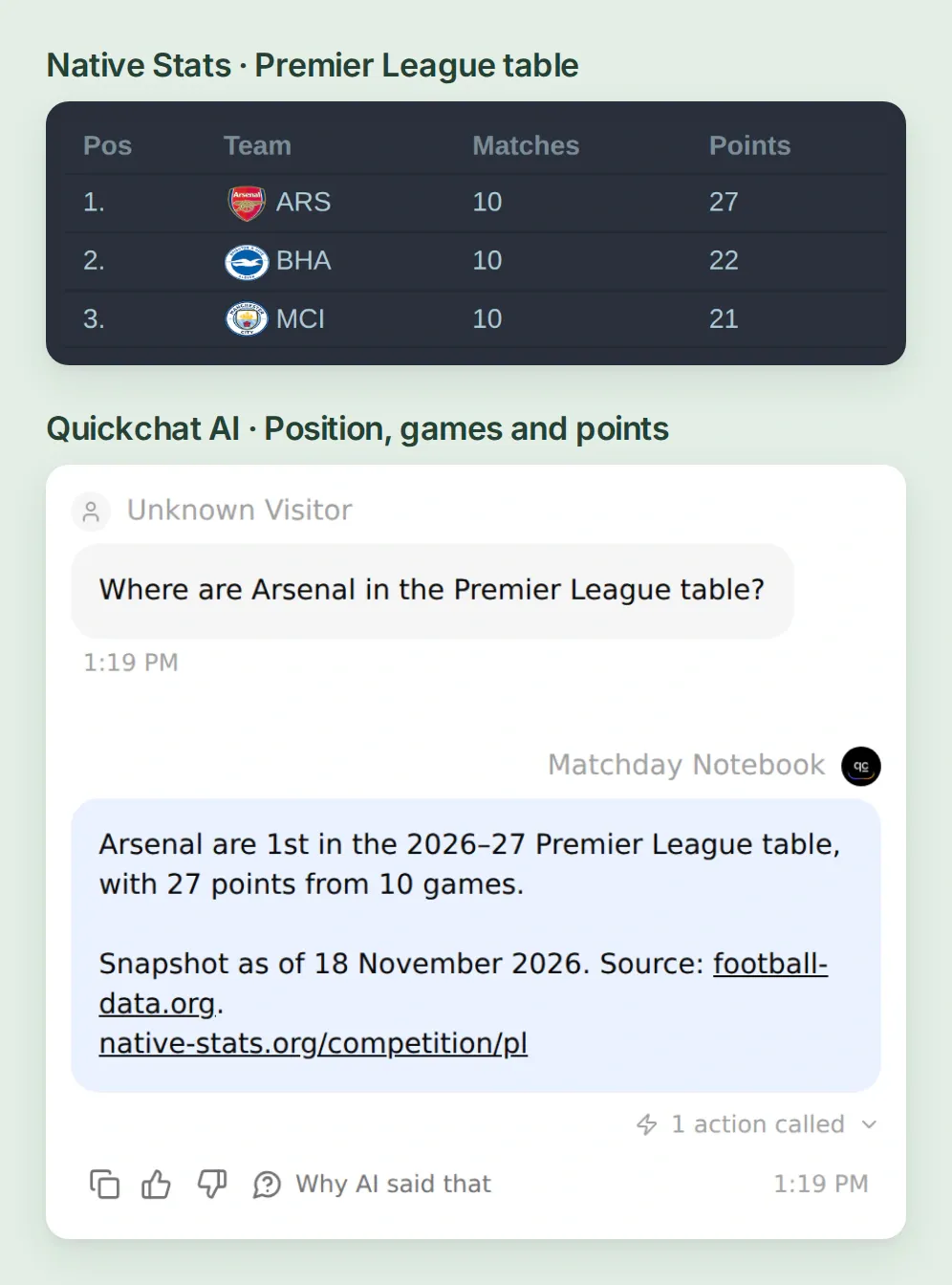 Read across a single row in TOTAL. The 27 points cover all ten league matches in the snapshot.
5. Can you trace the matchday briefing back to its sources?
Start a fresh AI Preview conversation. Ask for the next three fixtures, follow up with “How did we do in our last five league games?”, give the results window, then ask “Where does that leave us in the table?” In Inbox, open the called-Action marker for each answer. The Action’s View logs lets you compare the parameters and response with what the supporter saw. The guide to building an API Action shows where to find these controls.
To reproduce the single briefing at the top, use the following question with the replay dates. For a current briefing, substitute upcoming and recent dates.
Arsenal briefing for 18 Nov 2026: next away kickoff this week (UTC), last five since 1 Oct, and table position. Three short lines.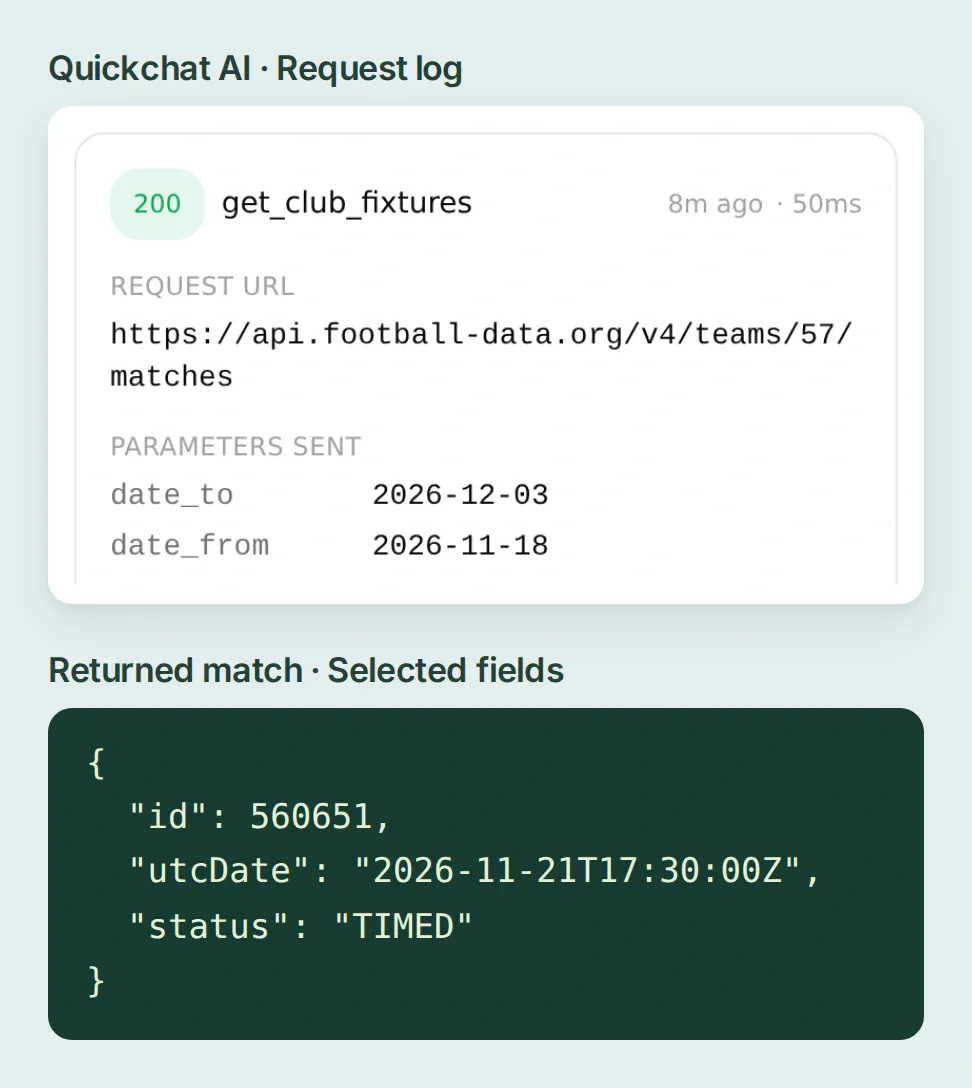 Inspect the dates and match ID in the call. In the local replay, 560651 is the Newcastle fixture.
For a repeatable check, open Conversations → Testing, create a dataset and save the three questions. Add the two boundary questions shown below. Run the dataset after changing an Action description and inspect the calls alongside the replies. Use a controlled response to exercise a rare status or an error. A hypothetical question alone tests the wording of an answer.
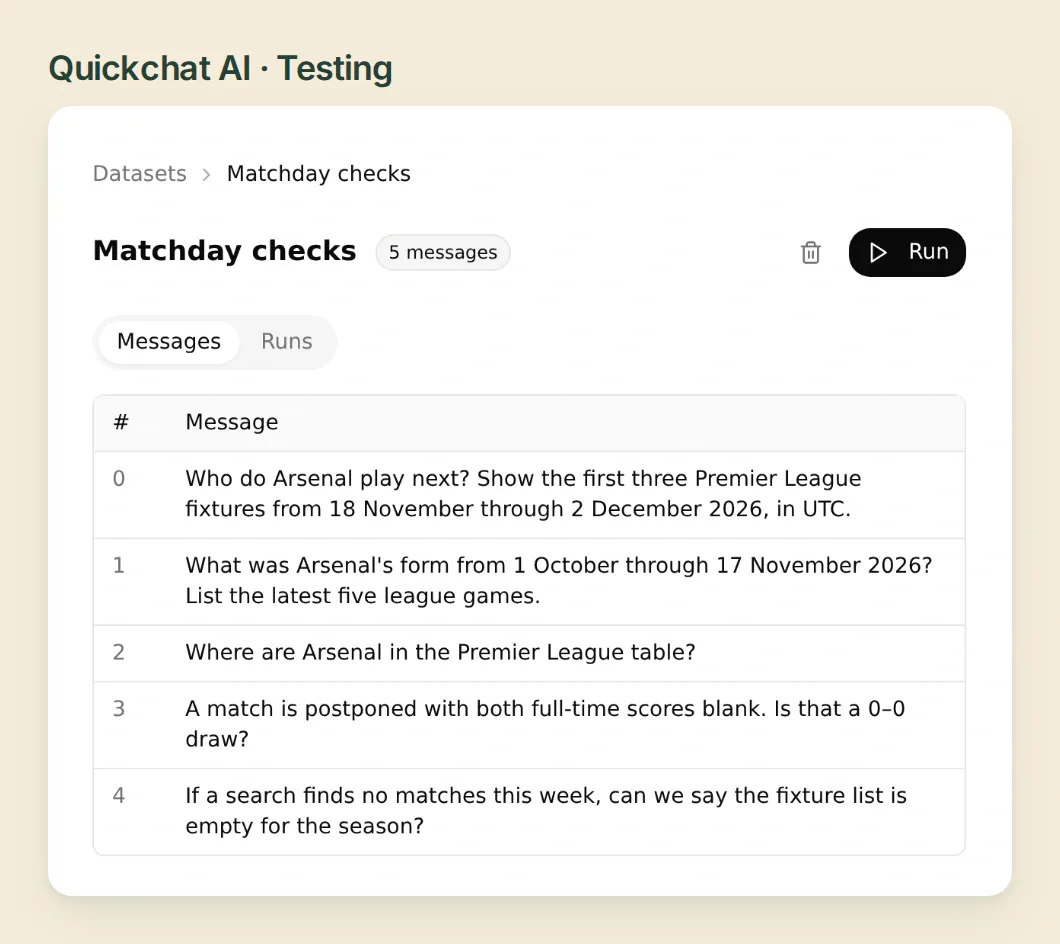 Use the same questions after each edit. The away result catches a scoring error that an all-home test would miss.
| Test case | What the supporter should hear |
|---|---|
A match is postponed and both goals are null. Was it a draw? | The fixture was postponed. There is no recorded score. |
A successful search returns an empty matches list. Is the whole season empty? | No matches were returned in that window. Give the dates you searched. |
| The provider returns 401 or 403. | The lookup failed. Check the saved token and competition coverage. |
| The provider returns 429. | The request limit was reached. Stop and try again later. |
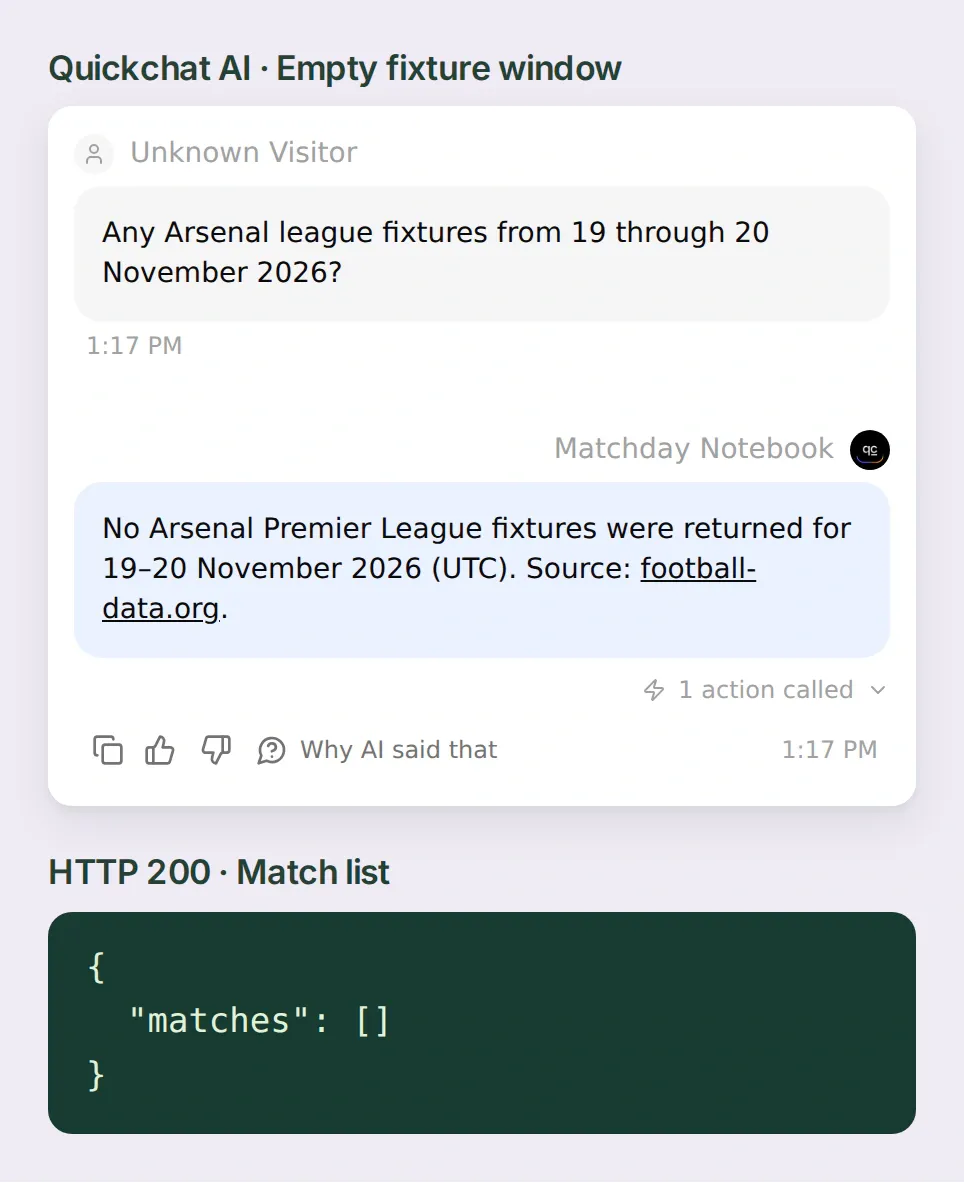 An empty window still has a successful request. The assistant can offer to widen the dates.
For a second opinion on a changed kickoff, compare it with the league’s published fixture amendments. Keep the scheduled date, the time zone and the date you looked it up together. The free feed can lag behind a broadcast change, which matters when someone is planning their Saturday around the answer.
Football data provided by the Football-Data.org API. The dated example uses the provider’s public Native Stats pages. See the feed plans and rate limits for current coverage and freshness.
Frequently asked questions
Which football API can I use for a fixtures chatbot?
The football-data.org v4 API supplies fixtures, results and standings for covered competitions. Use the team’s matches endpoint for the schedule and recent form, and the competition’s standings endpoint for league position.
Are football-data.org scores live on the free plan?
The free plan includes delayed scores and schedules, league tables for covered competitions and 10 API calls per minute. Include the source and date with each answer and check your plan if you need live scores.
How do I change Arsenal to another team?
Find the club’s team ID and competition in football-data.org. Replace team 57 in both match Actions, change the numeric competition filter and standings URL, then update the club name and team ID in the instructions. Test against a fixture you recognize.
How do I get the last five matches from the team’s point of view?
Filter for finished league matches in a specified date window, sort by kickoff from newest to oldest and take up to five. For each score, check whether your team played at home or away before assigning a win, draw or loss. If fewer than five qualify, show how many you found.
What does a blank score mean for a postponed match?
A blank score means the provider has supplied no goal total for that side. Keep the match status visible and leave the score unknown. A goalless draw needs a finished match with two recorded zeroes.
How do I convert a football kickoff to my time zone?
Start with the match’s UTC kickoff, use a named time zone such as America/New_York and keep the date in the answer. Daylight saving and a change of calendar day can both affect the displayed time.