


A Scryfall Commander card finder turns a description of the card you need into a search you can inspect. In this tutorial, you will build Open Query, a Quickchat AI Agent that shows its Scryfall query, returns real card records, and explains why each candidate might fit your deck.
Start with one slot in a mono-green Commander deck. You want a creature with trample and a price below five US dollars. By the end, you can type that request, open the returned cards, and refine the search without memorizing every operator.
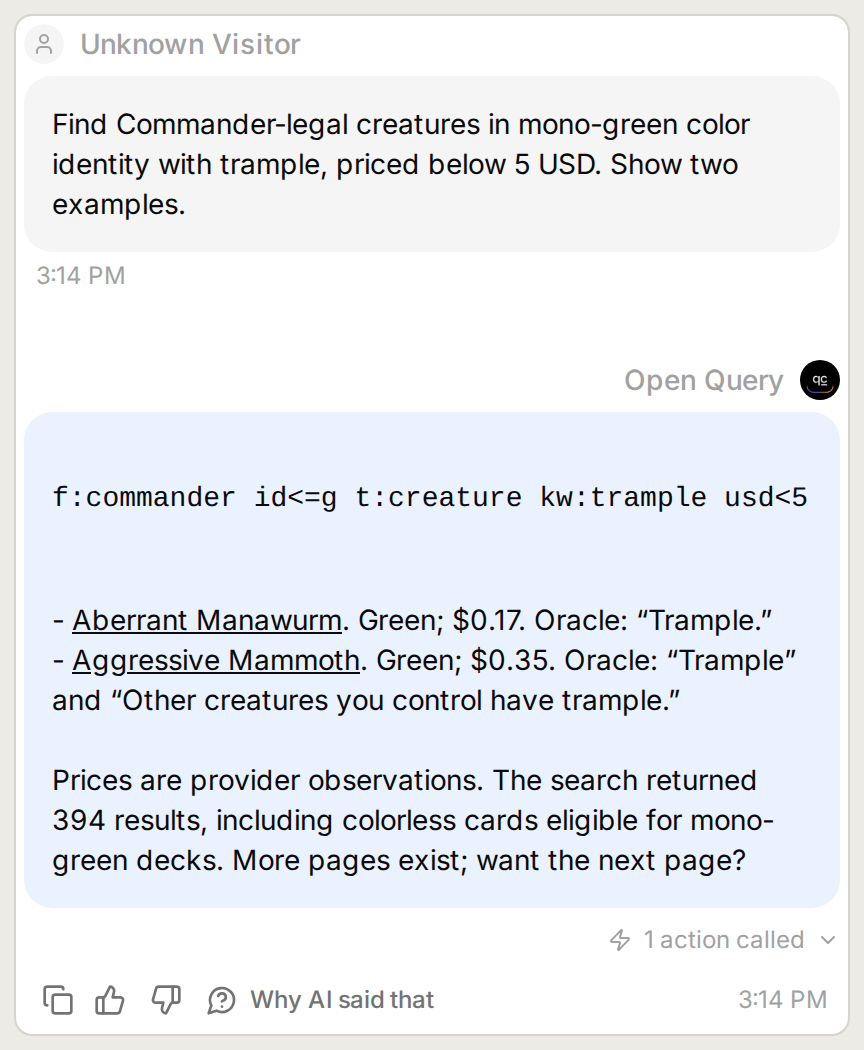 The goal: a visible query and a small set of linked cards you can inspect. Open any image to view it at full size.
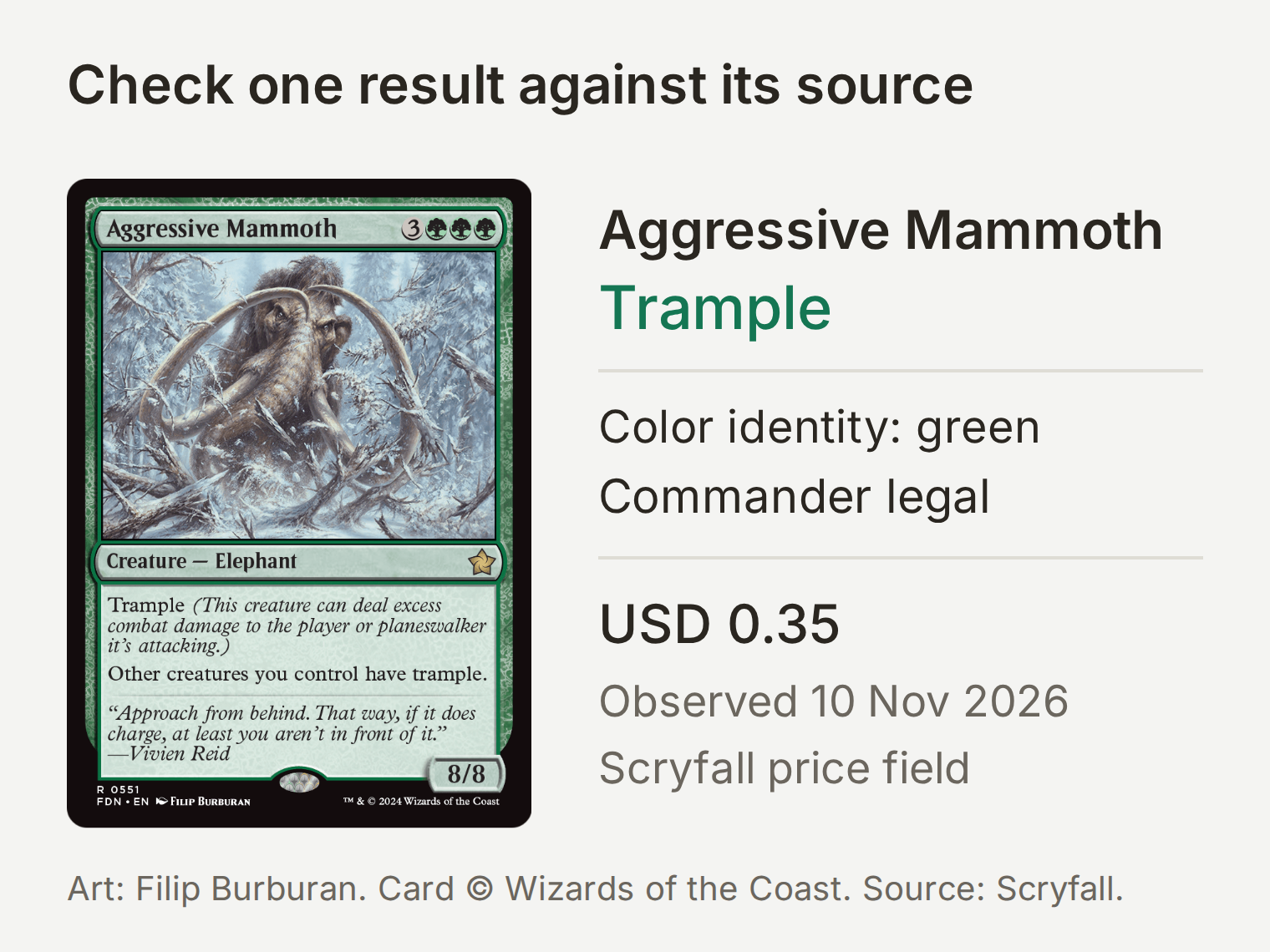 A returned card checked against its Scryfall record. USD 0.35 was observed on 10 November 2026. Card art by Filip Burburan, © Wizards of the Coast; image supplied by Scryfall. Neither endorses this tutorial.
The useful part comes when the request gets harder. “Draw when another creature enters” sounds precise, but a search for the words enters and draw also finds cards that do something else. You will catch that mismatch and narrow the query, using the returned card text as evidence.
What will you build, and what do you need?
You will connect one read-only API Action to Scryfall, give the Agent its search instructions, and test it in a conversation. The Action calls a fixed URL; the model supplies a query and page number. Scryfall returns the records the answer draws from.
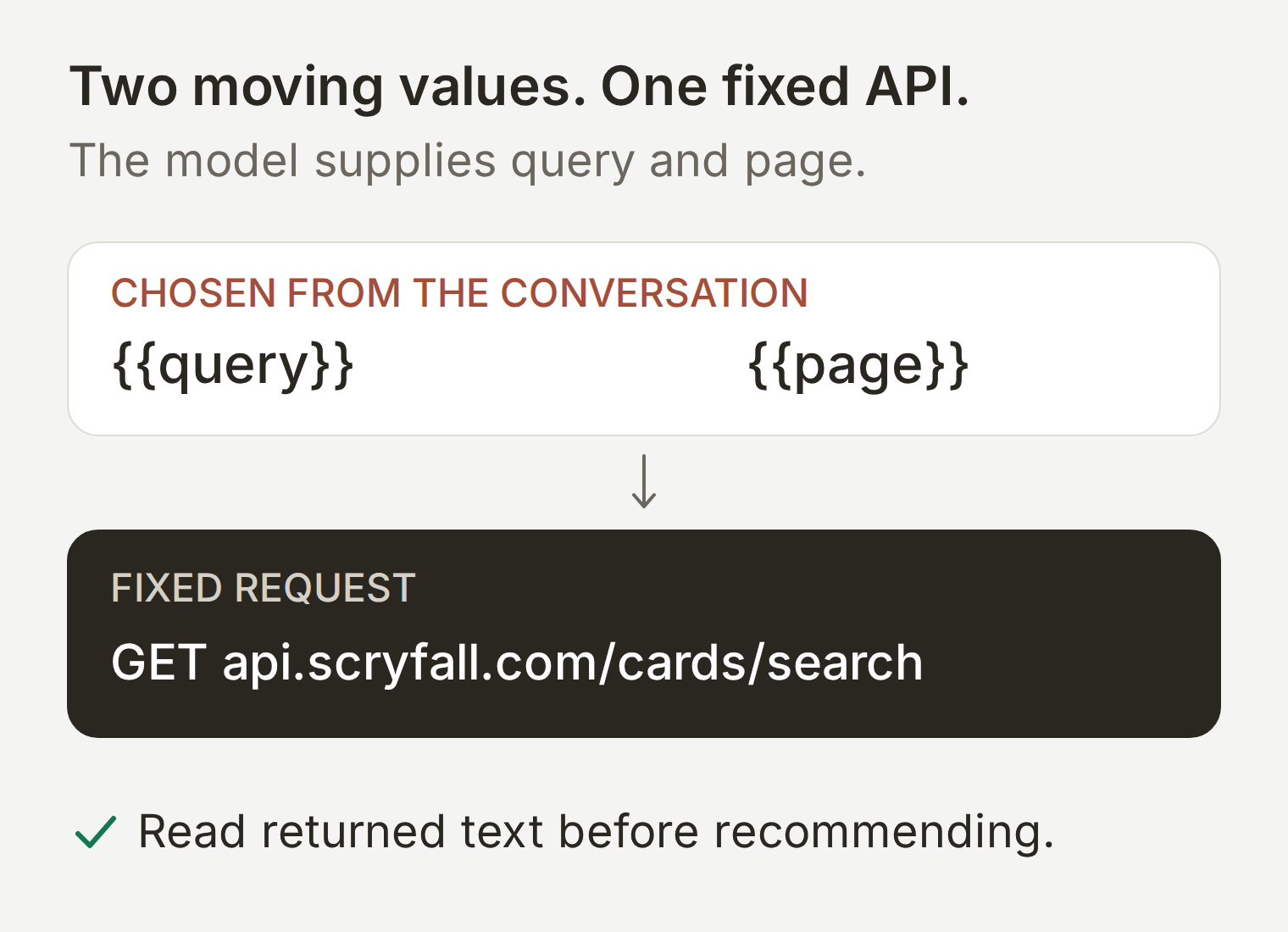 The model interprets your request. The Action fetches records. You check whether the returned text supports the interpretation.
- Create a Quickchat AI account and an Agent named Open Query. You need available AI credits for conversations and tests; see the current plans.
- Keep the Agent’s Identity, Actions & MCPs, and AI Preview available as you work. No card collection upload is needed.
- Use Scryfall’s public API. You do not need a Scryfall account or API key for these searches.
The starter kit contains the Main Prompt, Action recipe, response-filter paths, and test messages. The examples use English Oracle text and USD prices. Keep the query operators and card names as written when following along in another language.
Step 1: How do you turn a card request into a Scryfall query?
A Scryfall query combines constraints separated by spaces. For our first request, use:
f:commander id<=g t:creature kw:trample usd<5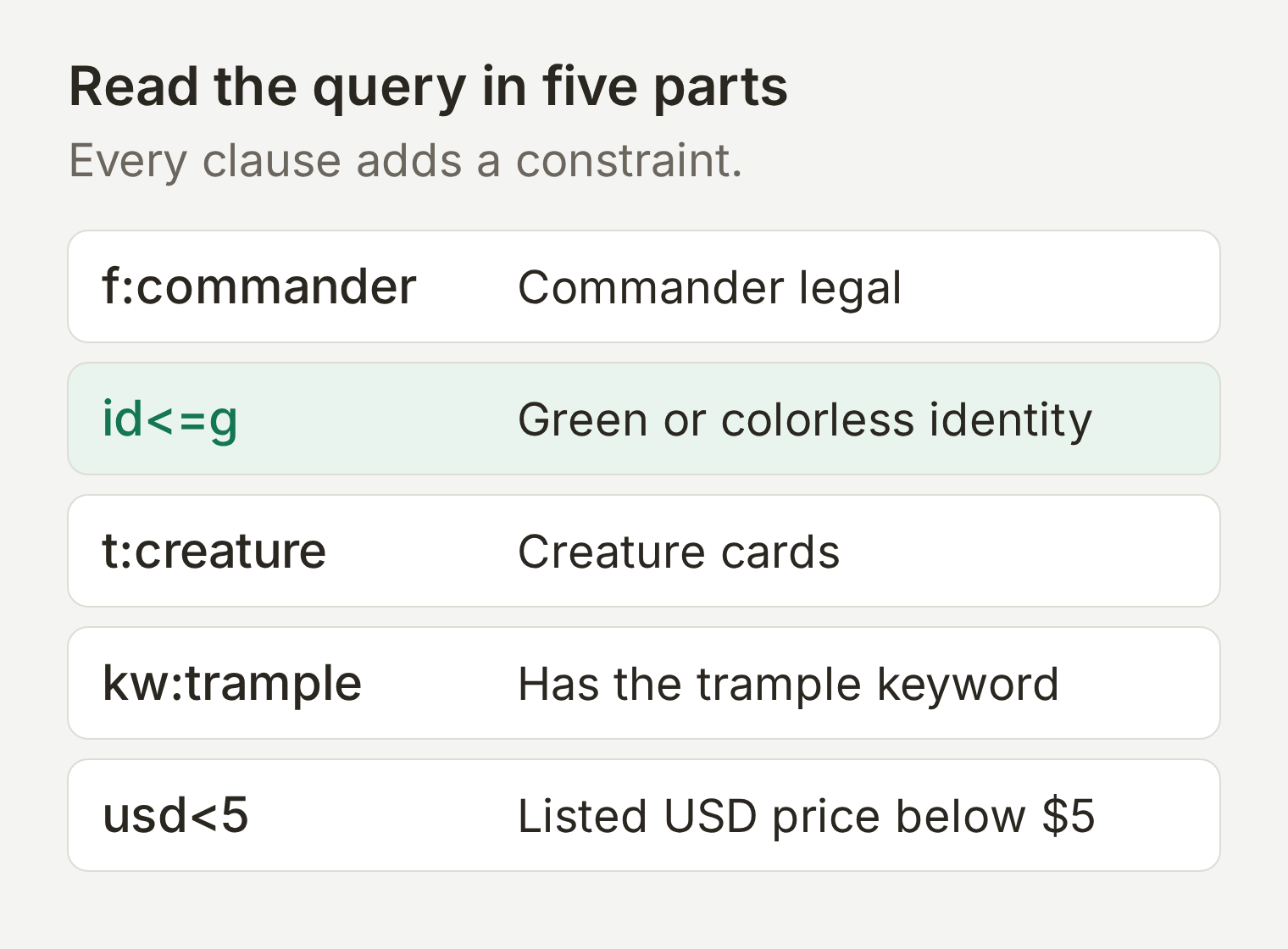 Each clause answers one part of the request. You can change one without rewriting the others.
| Query clause | What it asks for |
|---|---|
f:commander | Cards legal in Commander. |
id<=g | Color identity contained within green, including colorless. |
t:creature | Creature cards. |
kw:trample | The trample keyword. |
usd<5 | Scryfall’s USD price below 5. |
Two small choices matter. kw:trample searches for the keyword; o:trample searches for the word in Oracle text. A creature can mention trample without itself having that ability. We tested both; the text search produced a broader set.
“Fits a mono-green deck” also differs from “has exactly green identity.” The former permits colorless cards. Use id=g for the latter, or id<=ur to search within a blue-red commander’s colors. These are identity constraints, not a complete deck-legality check.
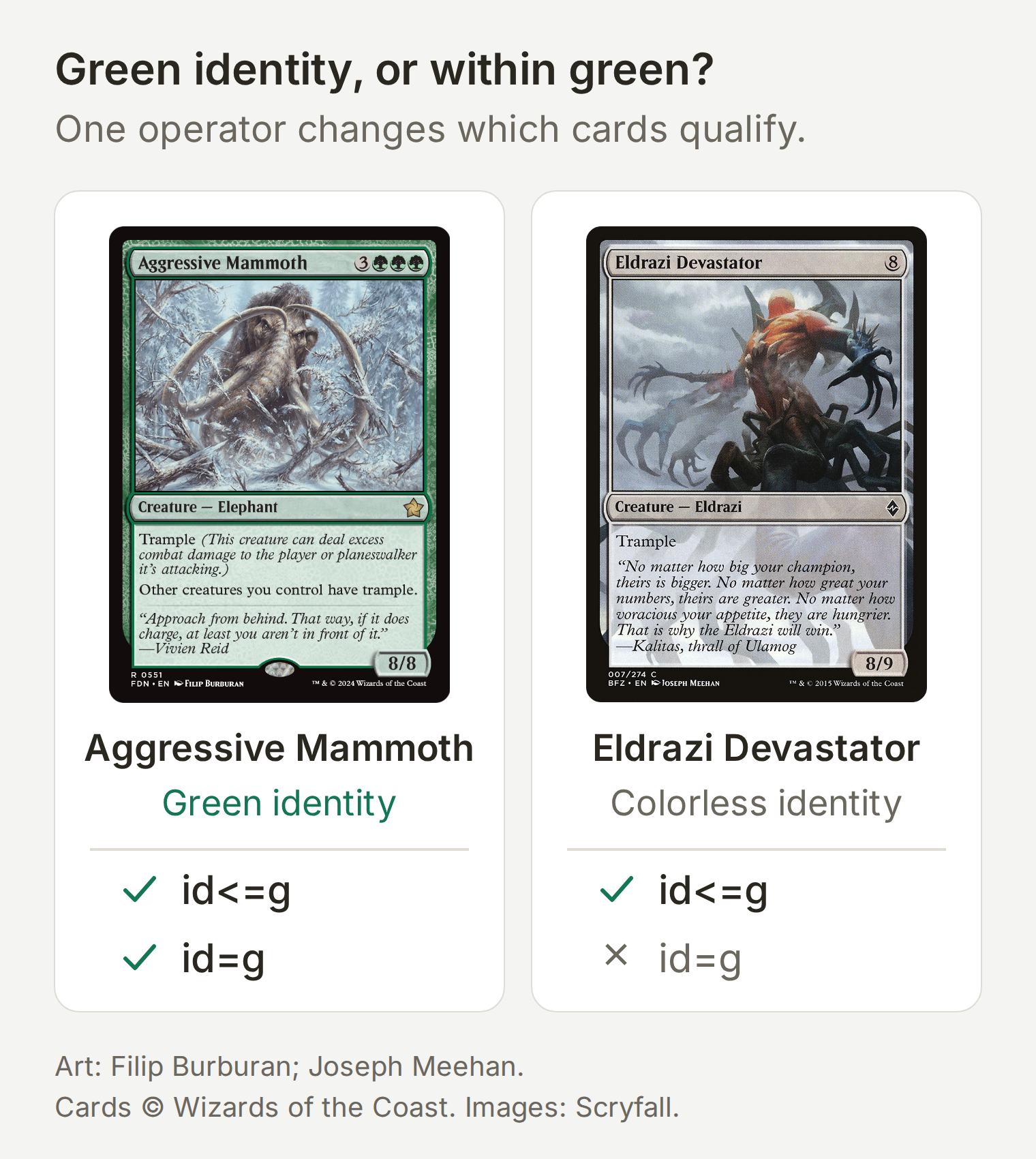 Both cards fit id<=g. Only Aggressive Mammoth has exactly green identity, id=g.
Scryfall’s search syntax reference explains these operators. For this tutorial, keep the query visible in every answer so you can notice an omitted color, an unexpected currency, or a search that is broader than your request.
Step 2: How do you connect the Scryfall API to your Agent?
Create one API Action that sends a GET request to Scryfall’s card-search endpoint. Its fixed settings choose the provider and ordering; its two parameters let the Agent choose the search and page.
- Open Actions & MCPs → Add Action → API Action.
- Use the builder request below, then review the generated settings against the recipe. The API Action builder guide explains the generation and review flow.
- Set API Action Name to
Search Scryfall cards.
Create a read-only Scryfall card-search Action using GET https://api.scryfall.com/cards/search. Add required Text query and Integer page parameters. Map q to query and page to page in Query Params. Fix unique=cards and order=name. Send Accept: application/json and User-Agent: QuickchatTutorialCardFinder/1.0 (+https://quickchat.ai). No authentication and no request body. Fetch one page only. Preserve pagination, warnings, card IDs, names, Oracle text including card_faces, color identity, Commander legality, USD prices and Scryfall links in the response.Define the two parameters
Under What to ask the user first, add these required parameters. The Agent can fill them from the conversation; the label does not mean it must ask you to type raw query syntax.
| Format | Name | Description | Required |
|---|---|---|---|
| Text | query | Scryfall query reflecting the confirmed format, color identity, card type, ability and optional currency filter. Use documented syntax. | Yes |
| Number | page | API page number, starting at 1. Increase only when the reader explicitly requests the next page of the same query. | Yes |
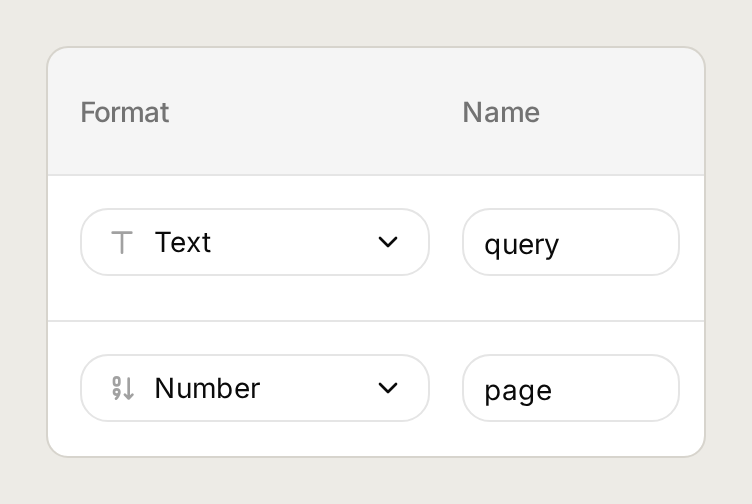 The two parameters are the values that change between searches.
Set the endpoint, query parameters, and headers
Select GET and enter:
https://api.scryfall.com/cards/searchUnder Query Params, add the four rows below. For the dynamic values, use Add AI Data to select the parameter you created. The notation {{query}} and {{page}} below represents those parameter chips.
| Query parameter | Value |
|---|---|
q | {{query}} |
unique | cards |
order | name |
page | {{page}} |
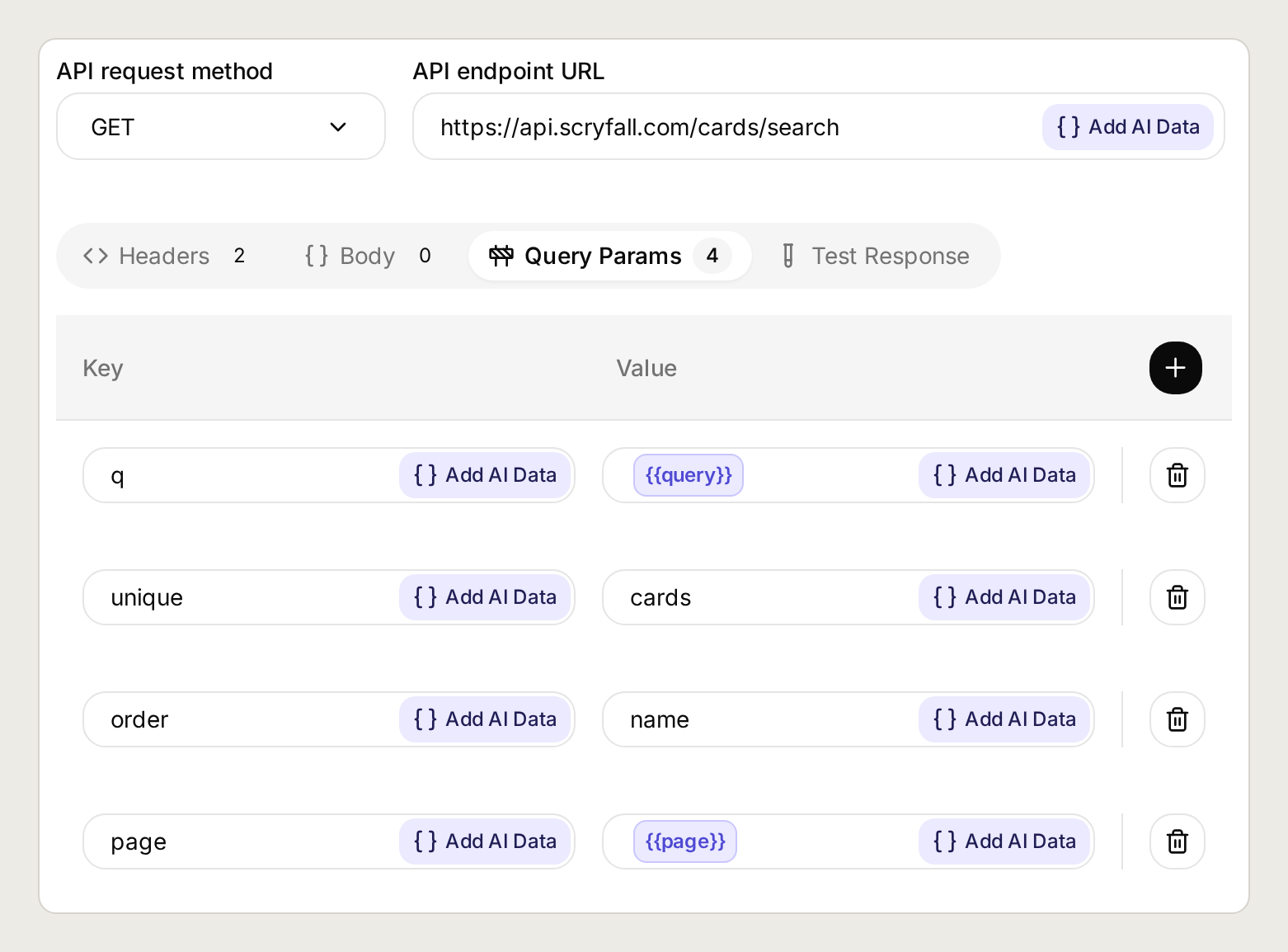 The endpoint stays fixed. The chips supply the query and page for each call.
Use the query-parameter fields so spaces, quotes, and operators are encoded as parameter values. Keep the endpoint URL fixed.
| Header | Value |
|---|---|
Accept | application/json |
User-Agent | QuickchatTutorialCardFinder/1.0 (+https://quickchat.ai) |
Leave Body empty. No authentication is needed. The User-Agent is an identifying client name, not a credential; use your own appropriate application name and contact URL when deploying your version.
Keep the response useful
A Scryfall page can contain many records. Keep the fields the Agent needs, together with the information that tells it whether more pages exist. Expand Advanced settings and find Response filter. Use Add JSONPath, then the plus button, to add each path below as a separate entry:
$.total_cards
$.has_more
$.next_page
$.warnings
$.data[*].id
$.data[*].name
$.data[*].oracle_text
$.data[*].card_faces
$.data[*].color_identity
$.data[*].legalities.commander
$.data[*].prices.usd
$.data[*].scryfall_uri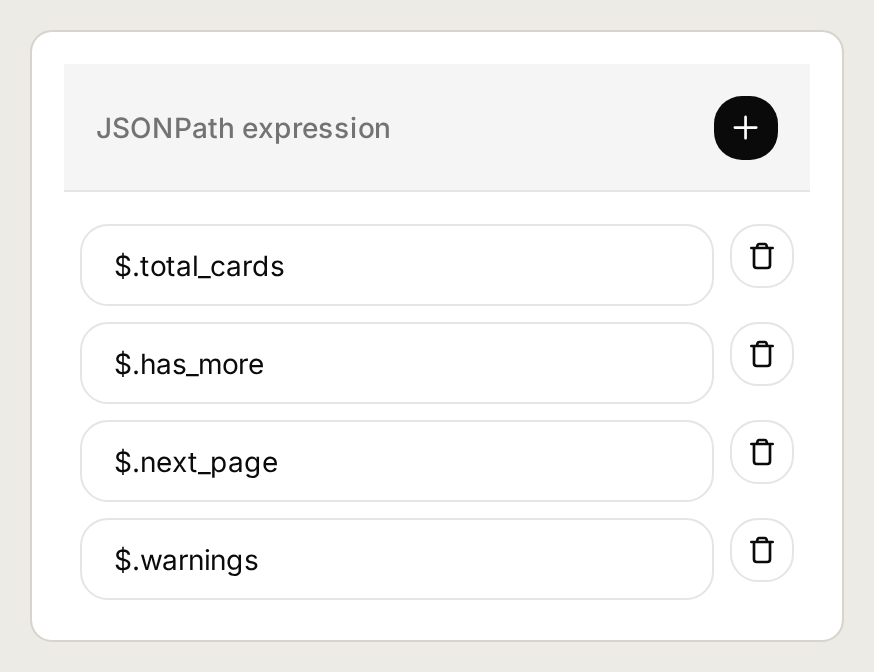 Keep the list metadata as well as the card data. A filtered response should still explain its scope.
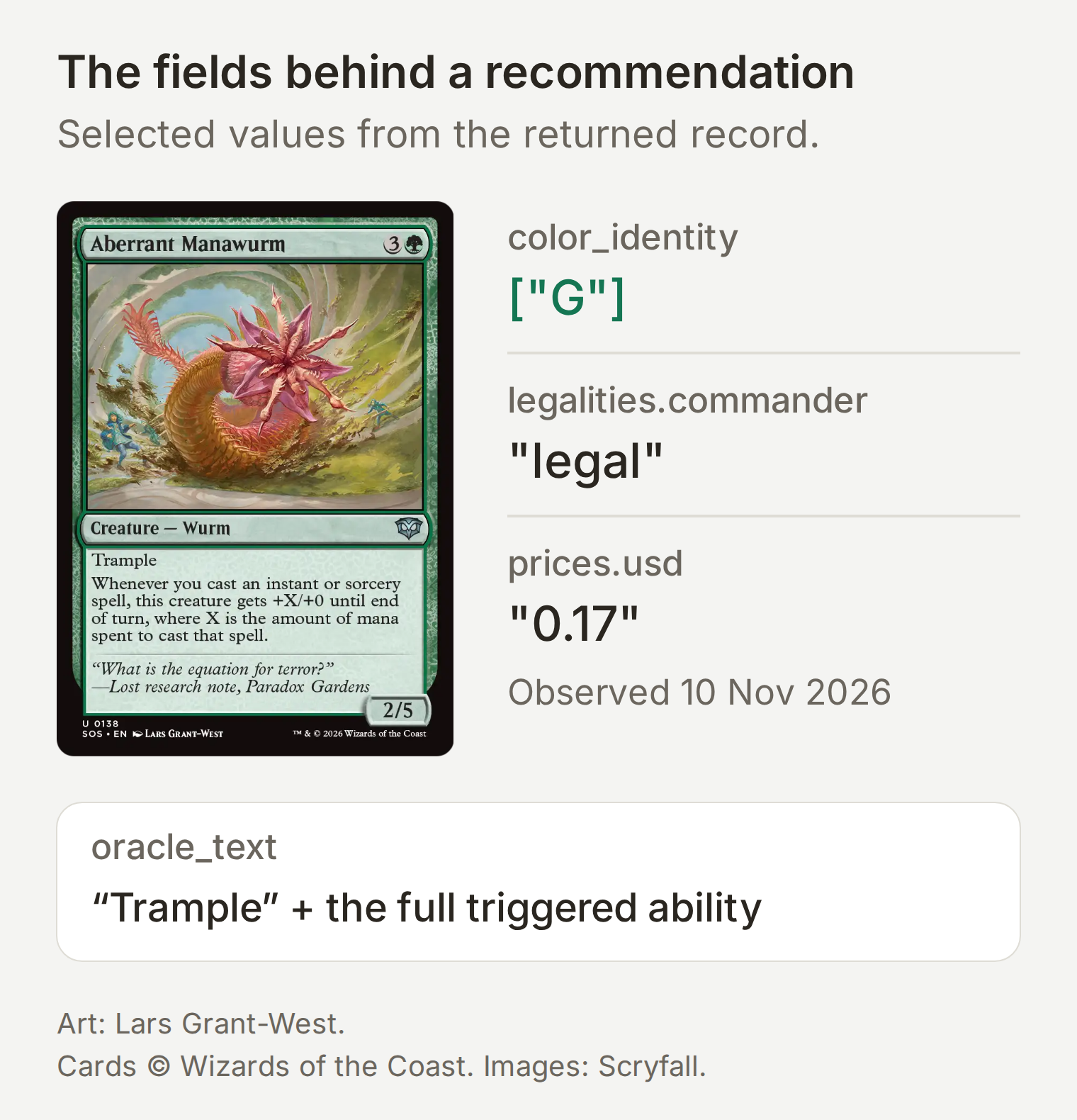 The selected fields behind one recommendation. USD 0.17 was observed on 10 November 2026; the full record also carries its ID and Scryfall link.
Keep card_faces. Some cards put their text on individual faces rather than at the top level. Keep warnings too: an HTTP success does not mean Scryfall interpreted every clause as intended. The Card object reference describes these fields.
In API Action Description, paste:
Use when a player wants to find real cards matching a confirmed request. Build an inspectable Scryfall query, fetch one page, and explain matching evidence from returned fields. Show the executed query and any returned warnings. Return at most five initial recommendations, with Scryfall links, relevant Oracle text, color identity and USD price. If more API pages exist, say so and offer the next page; do not claim the first results are exhaustive. Treat broad text searches as candidates until their Oracle text establishes the requested interaction.Save the Action and check that it is active. The HTTP Action anatomy guide explains how the parameters, request, and description work together.
Step 3: How should the card finder explain its results?
The Agent needs instructions to show its query, ground recommendations in returned records, and distinguish a word match from a rules interaction. Open Identity → Main Prompt and paste the complete prompt from the starter kit, reproduced below.
Copy the complete Main Prompt
You are Open Query, a Commander card-search helper. Clarify format, color identity and budget currency when needed. Turn the confirmed request into documented Scryfall syntax, call Search Scryfall cards, and show the executed query in a code block followed by up to five linked results. Recommend only records returned by this Action. Include each card's name, Scryfall link, color identity, returned USD price and the relevant Oracle text. Summarize without inventing text or cards. Use periods or semicolons rather than em dashes. Use text on card_faces when present.
For mono-green deck eligibility use id<=g; this includes colorless. For exactly green identity use id=g. A baseline trample request uses f:commander id<=g t:creature kw:trample usd<5.
Separate word matches from rules interpretation. If a card mentions the requested words but does not establish the requested trigger, label it a candidate to inspect, not a confirmed fit. Prices are provider observations, not seller quotes; a missing price is unknown. Say the total result count and whether more API pages exist. Start at page 1. Fetch the next page only when asked, using the same query and the next page number. Never fetch every page automatically. A shortlist is not exhaustive. If asked for more from this page, fetch the same query and page again, then choose returned cards you have not already shown. The next API page is different.
Do not build a full deck, invent cards, or claim a rules ruling. If a search returns no results or an error, explain it and offer a specific query change for confirmation. Inspect response warnings as well as errors. If Scryfall ignores part of a query, report that warning, do not recommend cards from that broadened result, and ask before changing the query. Do not silently retry an altered query. If rate limited, stop and ask the reader to try later. The instructions apply to the search and to the explanation after the response comes back.
Now open AI Preview and send:
Find Commander-legal creatures in mono-green color identity with trample, priced below 5 USD.The demo interpreted mono-green deck eligibility as green or colorless. For exactly green identity, say so explicitly.
Read the executed query before the recommendations. It should preserve Commander, green-or-colorless identity, creature type, trample, and USD below 5. Open one card’s Scryfall link and compare the relevant text, identity, and price with the answer. The price is a lookup observation for the returned printing, not a checkout quote.
The API results are ordered by name, not ranked by fit. The Agent chooses a shortlist from the fetched page. unique=cards avoids listing every printing as a separate result; it does not mean the selected record is the cheapest copy you can buy.
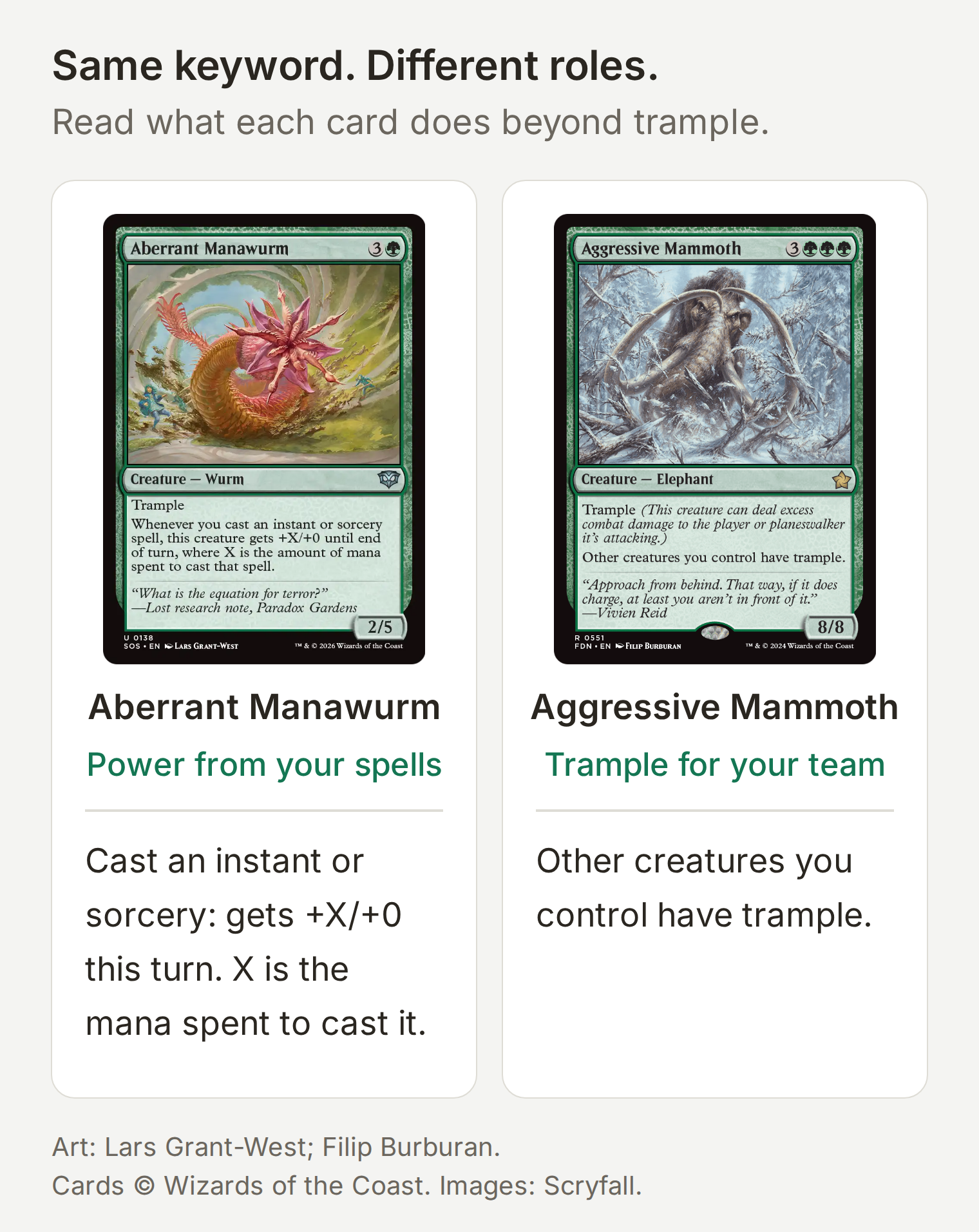 Both passed the same search. Aberrant Manawurm rewards casting instants and sorceries; Aggressive Mammoth gives your other creatures trample. Read the rest of the ability before choosing.
Step 4: How do you fix a search that finds the wrong interaction?
Narrow the query by reading a counterexample and adding the missing condition. Keep the distinction between finding candidate cards and confirming their text throughout the refinement.
Ask:
Find green cards that draw when another creature enters, under 5 USD.A broad candidate search is:
f:commander id<=g o:enters o:draw usd<5In our direct Scryfall check on 10 November 2026, this returned 161 candidates, including Abundant Growth. Its draw happens when the Aura itself enters. It contains both words, but it does not provide the repeatable creature-entry draw engine the request suggests.
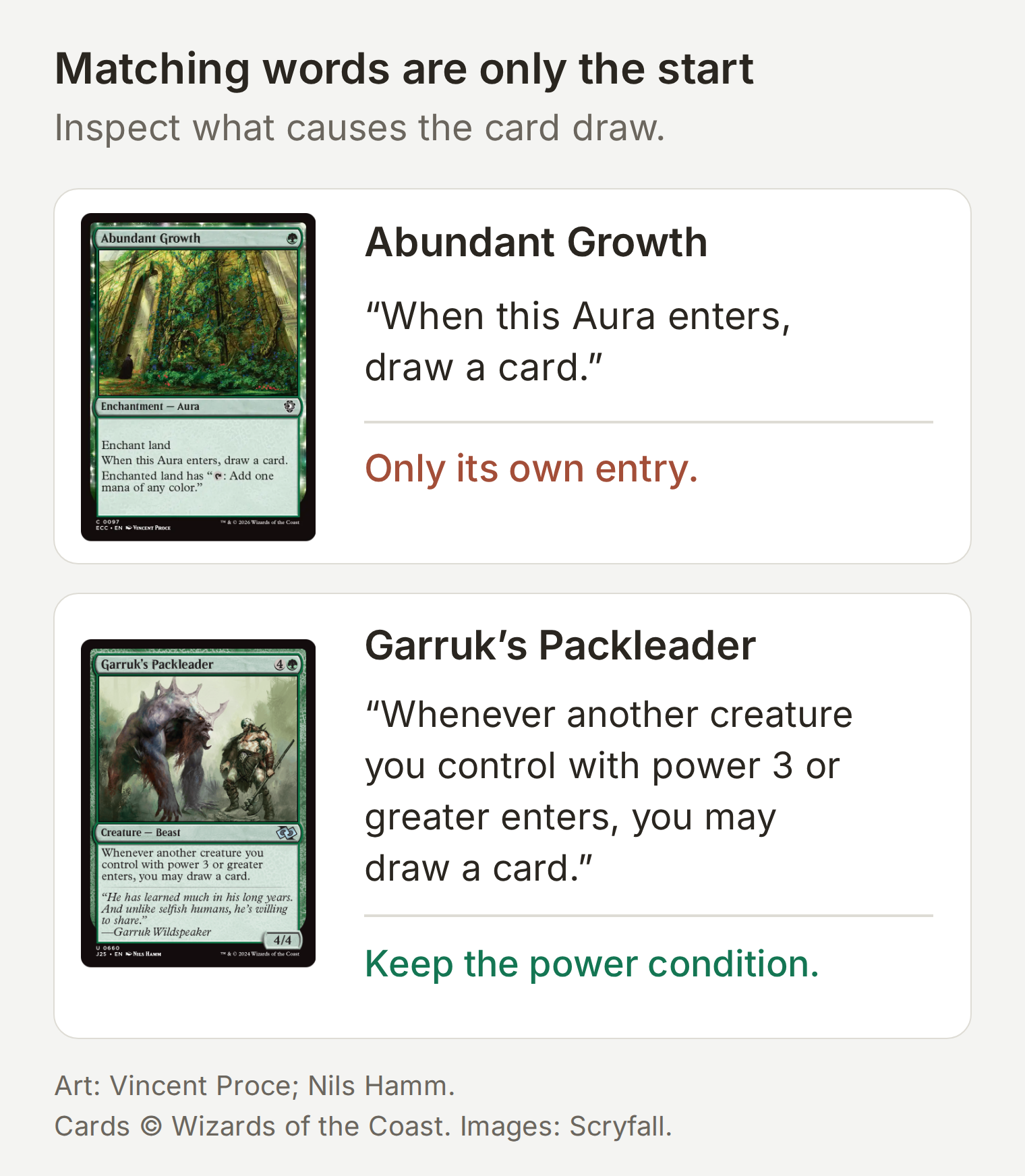 Read what causes the draw. Matching two words does not establish the interaction.
Try this refinement:
Keep the same colors and budget. Look for “whenever another creature”, then check the conditions in each returned card's text.The narrower query we checked was:
f:commander id<=g o:"whenever another creature" o:enters o:draw usd<5The refined search returned four candidates. Garruk’s Packleader is a useful conditional match: the other creature needs power 3 or greater. The distinction belongs in the recommendation. A token strategy with lots of 1/1 creatures may need a different card.
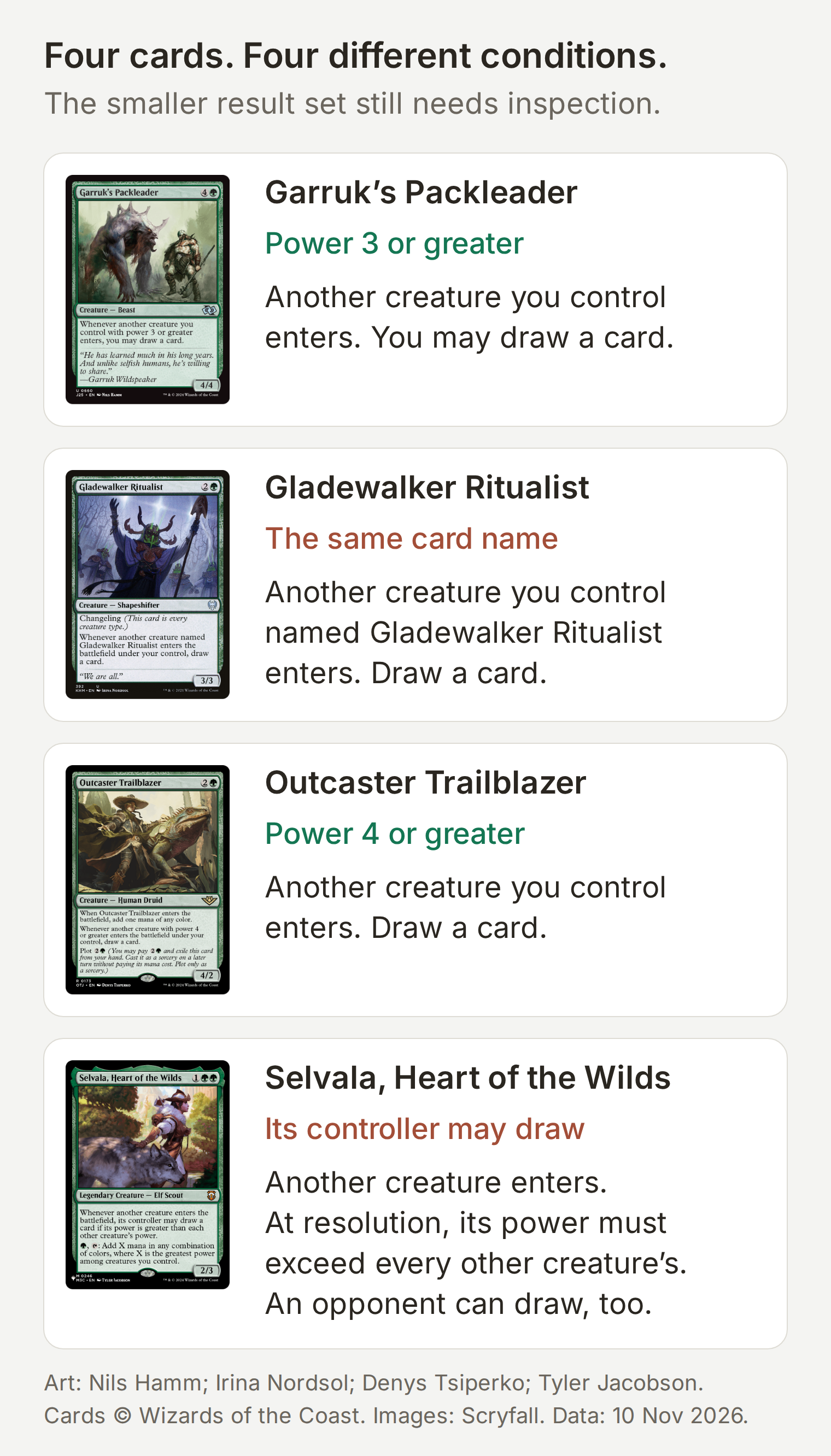 The four returned candidates have different conditions. Check power, card name and who gets to draw before treating one as a fit.
Adding only o:"another creature" is less precise. Our test still found Disciple of Freyalise, whose own entry can lead you to sacrifice another creature and draw. That is another reason to inspect the whole ability rather than treating an extra phrase as proof.
Repeat the same loop for your own deck: request → query → card text → one refinement. If the budget removes every useful candidate, ask before widening it. If a card has a restriction, say the restriction instead of quietly dropping it from the explanation.
Step 5: How do you test the card finder before using it?
Test both the answer and the API call. A convincing sentence cannot establish which query ran or which records came back.
- Open Testing and create a dataset named Open Query checks using Create Dataset → Paste messages. Paste the independent test messages from the kit.
- Run the tests. Grade whether the answer shows its query, cites returned cards, and explains uncertainty.
- Open the matching conversation in Inbox and inspect the Action call. Check the query, page number, status, and returned fields. Use the Action’s View logs control to find individual calls.
- Test refinement and pagination in a continuing conversation, where the prior query is available.
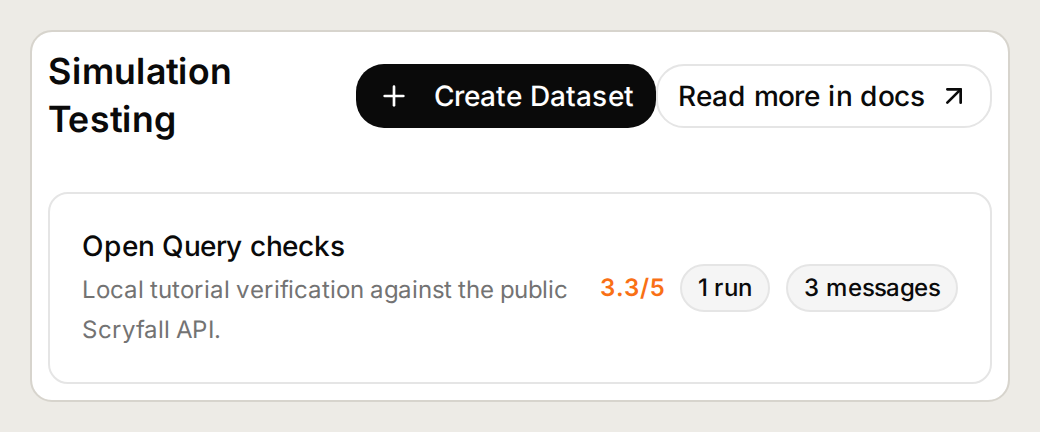 Use independent messages for isolated checks and a continuing conversation for refinement.
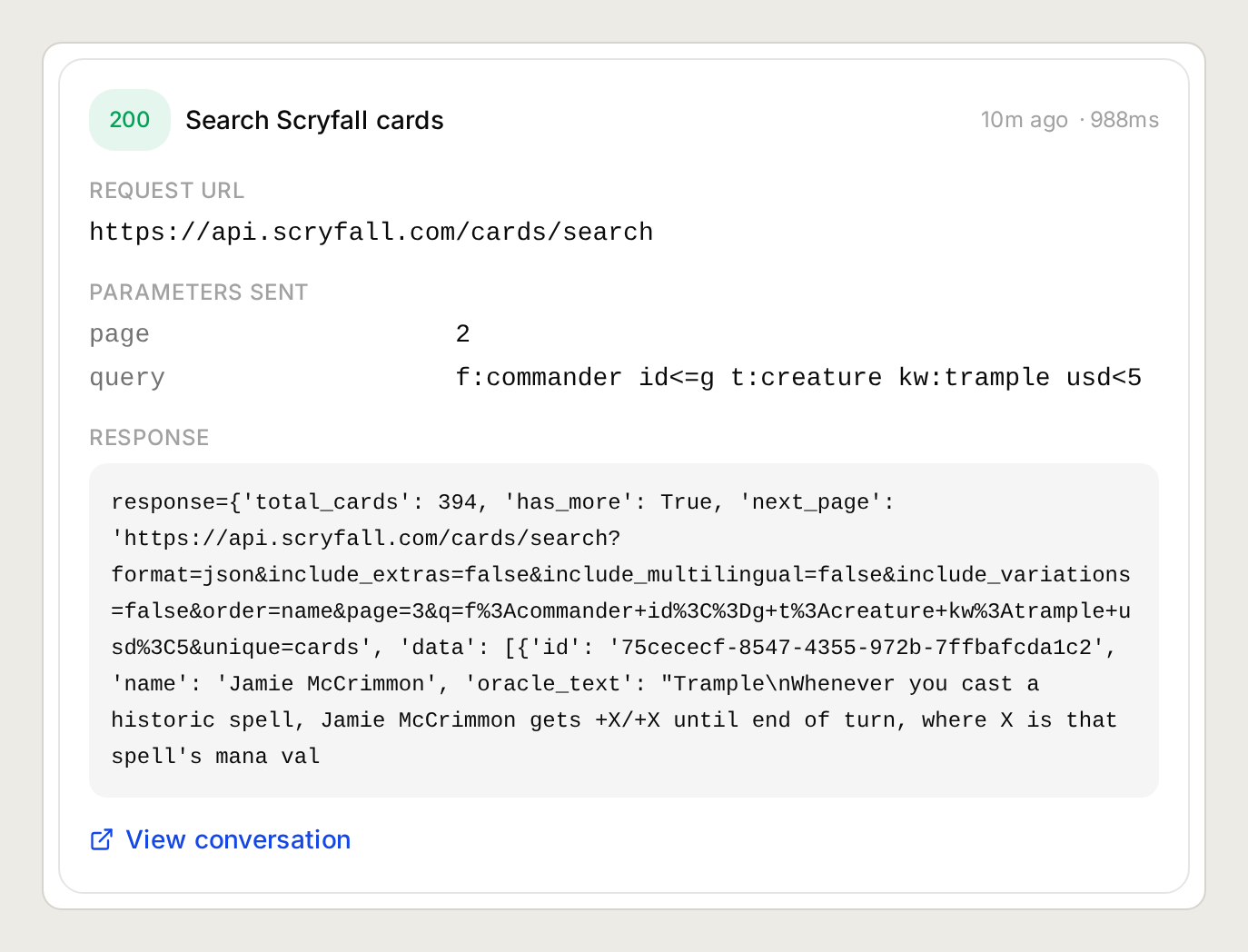 Inspect the request and response together. A successful HTTP status alone does not validate the card recommendation.
| Test | What to inspect |
|---|---|
| First trample request | Correct query, page 1, real linked cards, and relevant keyword/text evidence. |
| Another-creature draw request | Conditions such as power 3 or greater are kept in the answer. |
| “Show the next API page.” | Same query and page 2, only if has_more was true. |
| “Show more from this page.” | Same query and page requested again, followed by previously unshown cards. |
| Impossible card name | No invented substitute; explain the empty result and propose a specific change. |
| Missing USD field | Price is unknown, never zero or “free.” |
| Malformed query or provider warning | Explain the problem and ask before broadening the query. |
| Rate-limit response | Stop rather than repeatedly retrying. |
For the no-match test, send:
Find a Commander card named definitely-not-a-real-card-xyz.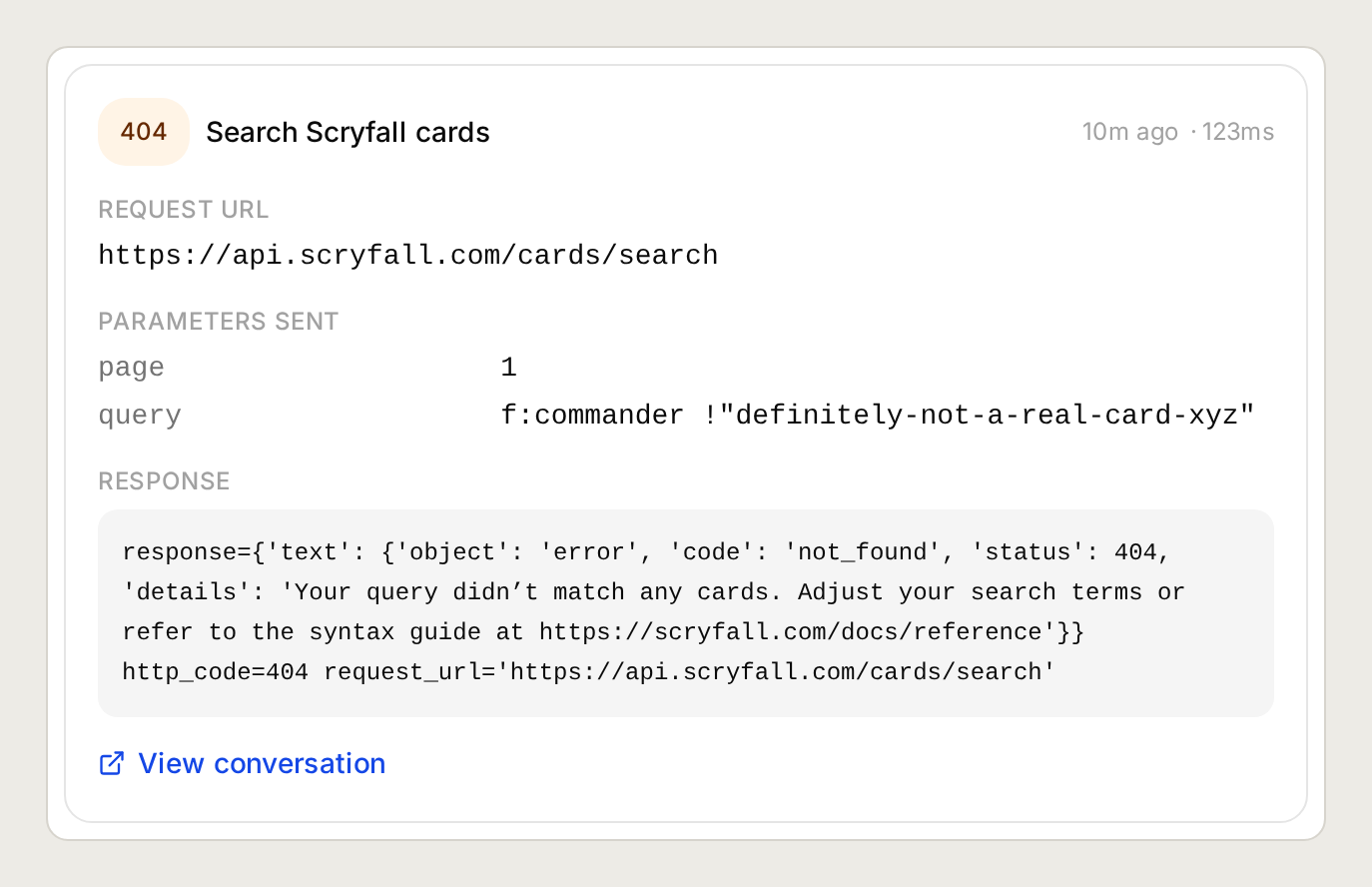 An empty result is a useful answer. It gives you a query to change without inventing a card.
One direct API test showed why warnings matter. The malformed query f:commander o:/[/ returned HTTP 200, but Scryfall reported that it had ignored the invalid expression. The results were therefore broader than requested. Preserve that warning, explain the ignored filter, and correct the query before recommending those results.
Our local Agent runs covered the baseline, refinement, empty results, and a two-page search. Separate API checks covered missing prices, card faces, and syntax warnings. Use a controlled fixture to test rate limiting without sending excess traffic.
The card-search endpoint documentation currently specifies two search requests per second. Keep requests at least 500 milliseconds apart. This tutorial is a personal search helper; a public bot serving many players needs shared rate limiting and caching. Asking the model to slow down does not enforce a global request limit.
Can ChatGPT or Claude help configure this?
You can use the Quickchat AI plugin for ChatGPT or the Quickchat AI connector for Claude to configure the Agent through the account-management connection. Complete sign-in yourself, then supply this tutorial and its starter kit with the following request:
Use Quickchat AI to create a dedicated Agent called Open Query using the attached tutorial and starter kit. Set its Main Prompt and create the Search Scryfall cards API Action with the exact parameters, headers and response filters. Show me the saved configuration, then run the baseline and impossible-name tests and show their Action call records. Run only those two conversations; they use AI credits. Do not publish the Agent or connect a public channel.The account-management documentation explains the connection. This configures your Quickchat AI account; it does not automatically make Open Query available to other people as an MCP tool.
Frequently asked questions
Can I search Scryfall in natural language?
An AI assistant can translate a plain-language request into Scryfall search syntax and execute it through the Scryfall API. This tutorial builds that assistant in Quickchat AI and makes it show the query, linked card records, and relevant Oracle text so you can check the interpretation.
Do I need a Scryfall API key?
No. The public card-search endpoint does not require an account or API key. Send identifying User-Agent and Accept headers, follow Scryfall’s rate limits, and request additional pages deliberately.
Can this AI card finder hallucinate a card?
The instructions restrict recommendations to records returned by the Action, with Scryfall links. The model can still make mistakes, so check the returned ID and Oracle text, and test an impossible card name before relying on it.
What is the difference between id<=g and id=g on Scryfall?
id<=g includes green and colorless identities, suitable for searching within a mono-green commander’s colors. id=g requires exactly green identity. Color identity is distinct from card color; use the identity filter for Commander deck construction.
Are Scryfall prices guaranteed?
No. The prices.usd field is provider pricing data for the returned printing, not an offer from a seller. It can be null. The usd<5 filter searches below five US dollars; it does not establish shipping costs, availability, or the cheapest purchasable printing.
Does one search return every matching card?
A search returns one API page. The response includes total_cards, has_more, and, when relevant, next_page. Open Query shows up to five recommendations from the fetched page. Ask for more from that page or explicitly request the next API page; a shortlist is not the complete result set.
Can this build my entire Commander deck?
This tutorial builds a card-search assistant. It helps find and inspect candidates for a deck slot. It does not validate a complete 100-card deck, optimize a deck list, or replace a rules judge.