

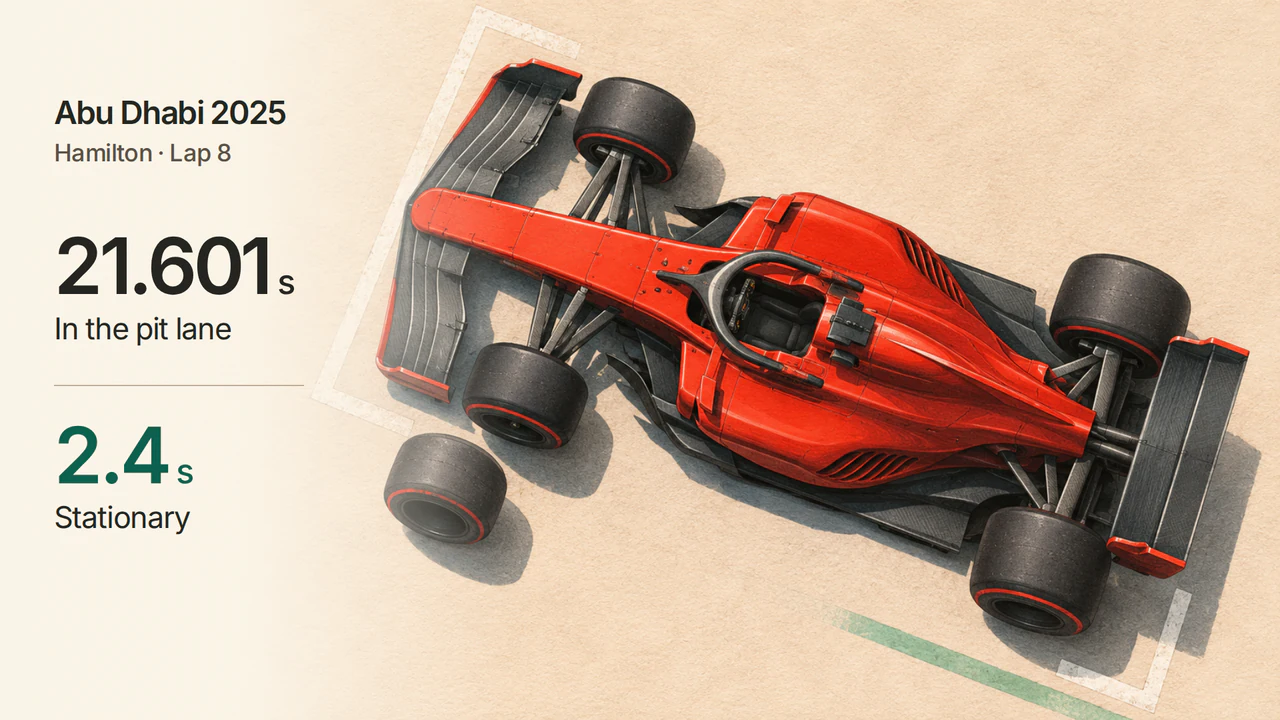
Lewis Hamilton spent 21.601 seconds in the pit lane on lap 8 of the 2025 Abu Dhabi Grand Prix. His Ferrari stood still for 2.4 seconds. Both readings come from the same stop. On the timing sheet, the longest lap in that part of his race is actually lap 9.
You can reconstruct the sequence yourself. You’ll build Stint Notebook, a Quickchat AI Agent that reads the OpenF1 API. Ask for three laps on either side of Hamilton’s first stop and you’ll get seven timed laps, the change from soft to hard tyres, and links to the records behind the answer.
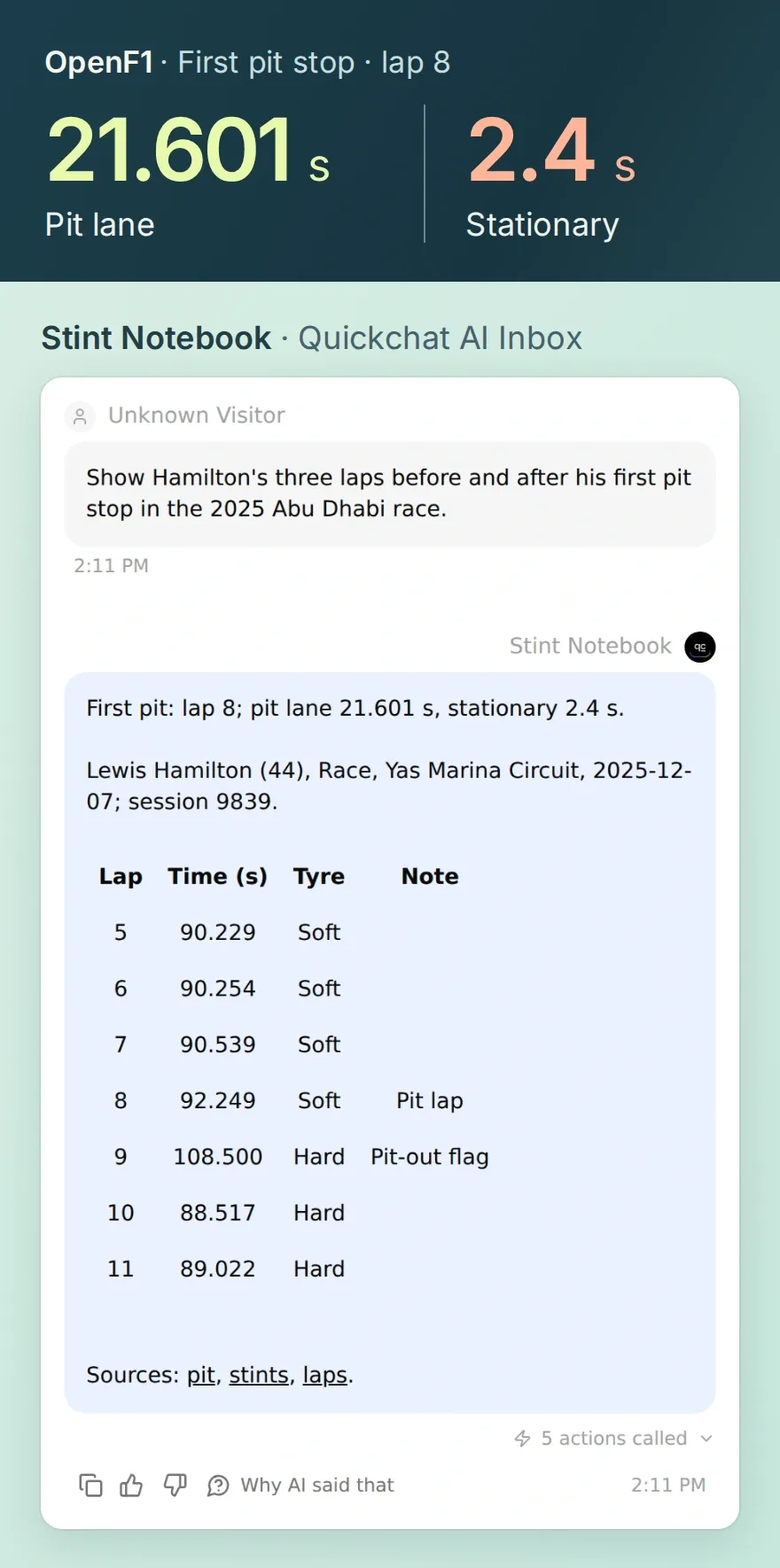 This local Quickchat AI run returned seven laps and links to the public pit, stint and lap records.
Download the Stint Notebook kit for the five Action recipes, Main Prompt, saved OpenF1 responses and a small Python worksheet. You can read the OpenF1 records without an OpenF1 account or API token. You’ll sign in to Quickchat AI in step 2.
1. Which Abu Dhabi session are you looking at?
Start with the race and the driver. A Grand Prix weekend contains several sessions, and Hamilton carries number 44 in each of them. A lap number only becomes meaningful once you’ve fixed both the session and the driver.
- Open the OpenF1 session record. Look for
Race,Yas Marina Circuitand the date 7 December 2025. Keepsession_key=9839in every request. - Open the driver record for number 44. It returns Lewis Hamilton and Ferrari. Keep that tab open as you add the Actions.
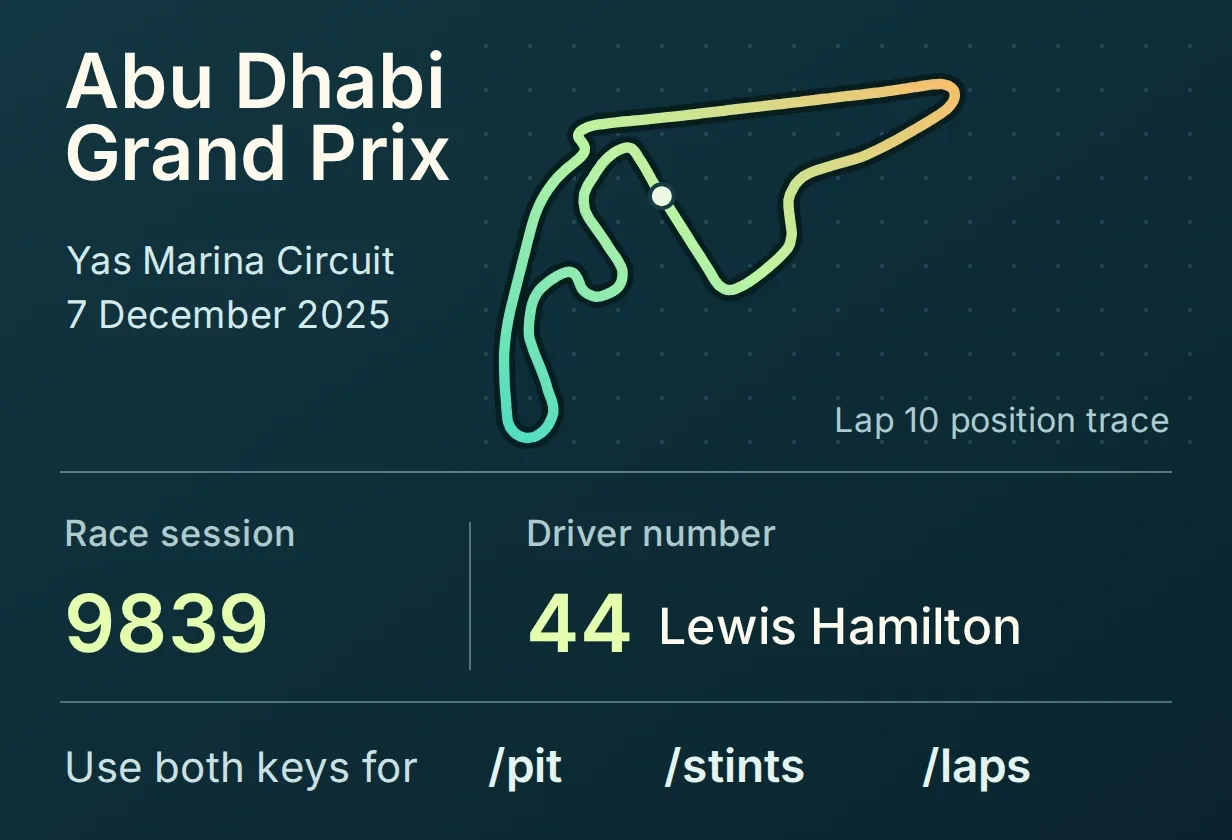 Keep the race fixed. Changing just the driver number lets you ask the same question about another car in that race.
Try the example on the OpenF1 homepage. Select Shell and click Run. It returns Hamilton’s first three laps. Find driver_number and lap_number in the JSON.
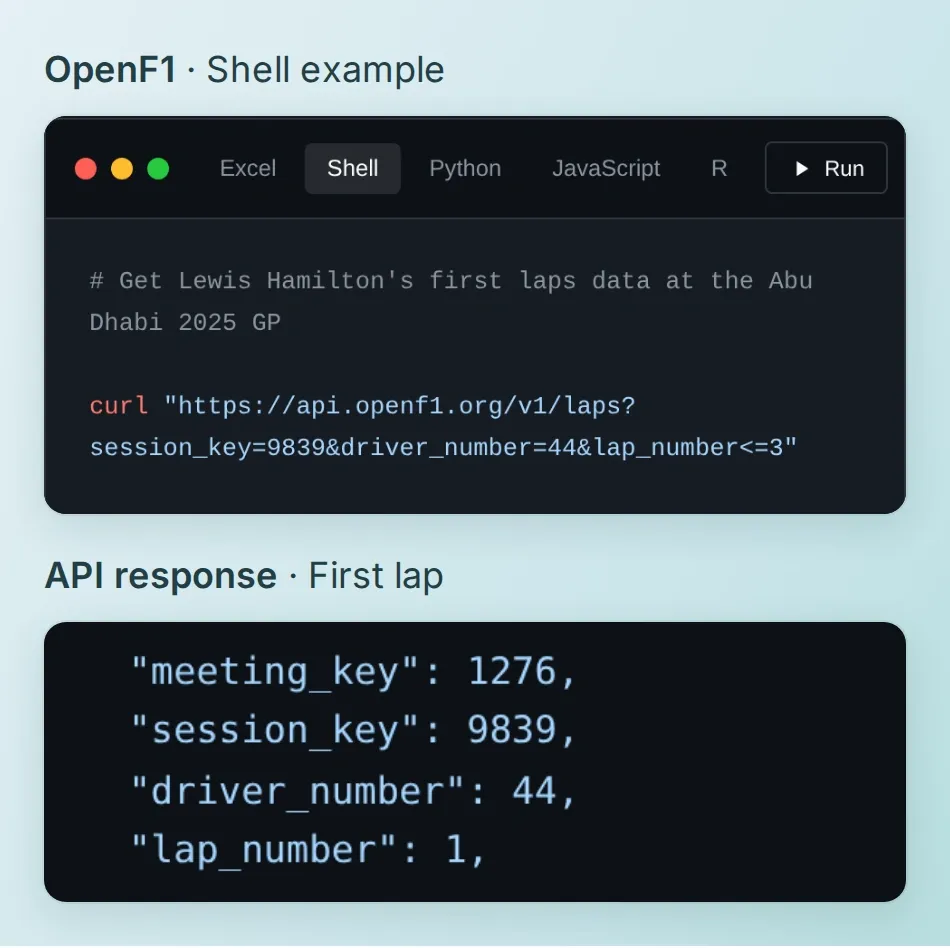 Open the first three lap records yourself. The pit-stop question later asks for laps 5 to 11.
OpenF1 offers historical data from 2023 for personal use. Its authentication guide explains access to live data.
2. How do you give the Agent its first two Actions?
- Create or sign in to a Quickchat AI account. Choose Add new AI Agent → Set up manually and name it Stint Notebook. You’ll need credits for AI replies and tests.
- Open Identity → Main Prompt, paste the instructions below and save. They tell the Agent which evidence to collect before it explains a lap.
- Go to Actions & MCPs → Custom Actions → Add Action → API Action → Create manually. In API Action Name, enter
identify_session. Leave What to ask the user first empty. Under API Endpoint, choose GET and enter the URL below. Leave Headers and Body empty. - In API Action Description, enter the description below. Save the Action and switch it on. Repeat with
identify_driver. For that one, adddriver_numberunder What to ask the user first, choose Number, mark it required and insert it in the URL with Add AI Data → Parameters.
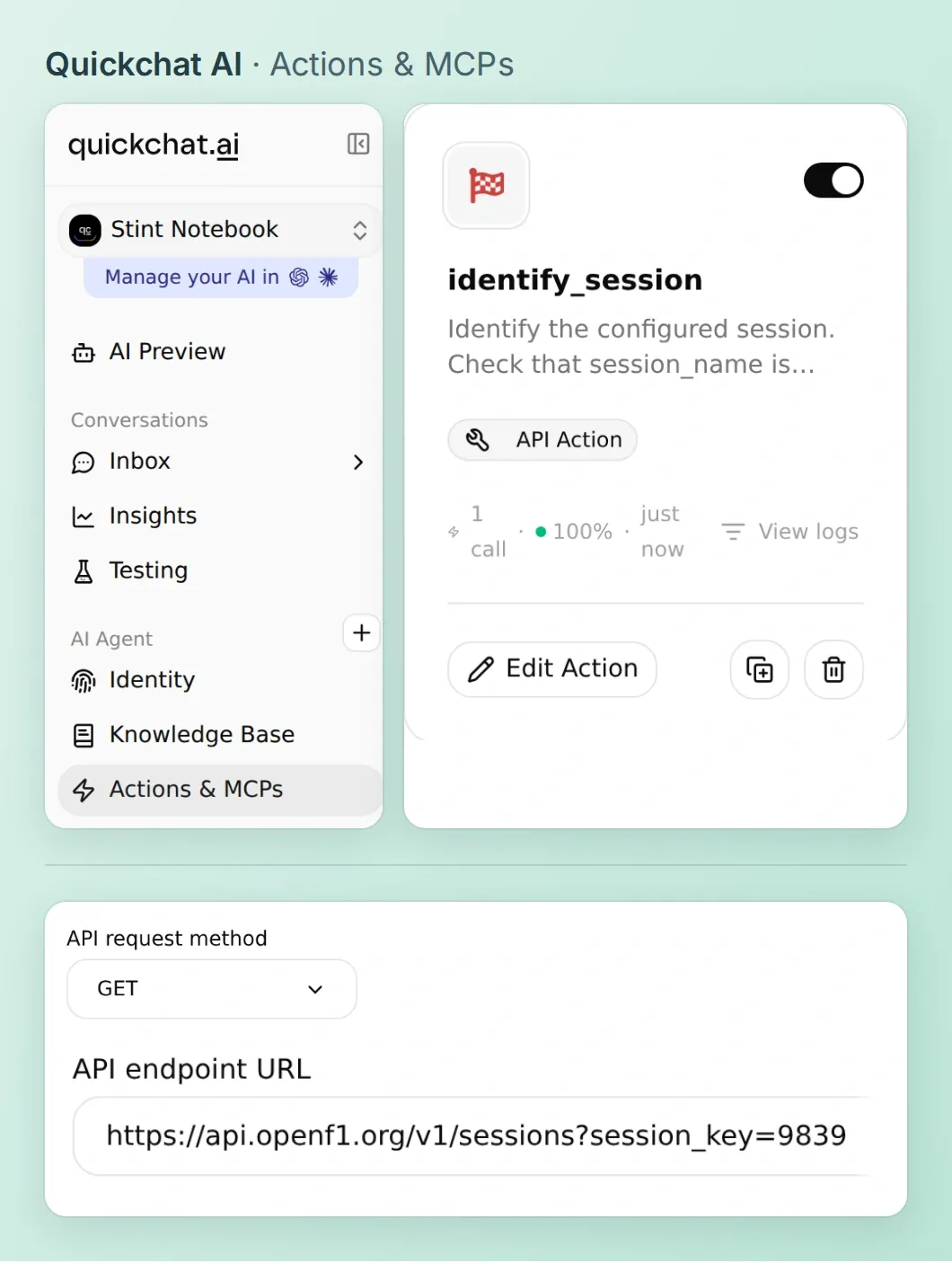 The race is part of the saved URL. The driver lookup is the first Action that needs a value from the conversation.
Copy the Stint Notebook Main Prompt
You are Stint Notebook. Help a race viewer inspect the completed 2025 Abu Dhabi Grand Prix, OpenF1 session 9839. Confirm the Race session and driver with Actions before reporting race facts. For Hamilton use driver 44 and verify his name. If a driver cannot be found, ask for a valid number. Run Actions one at a time. For a stop, fetch the driver's pit events and stints, then fetch at most ten laps around the selected stop. Three laps on either side means seven rows including the pit lap.
Start with the pit lap, lane_duration in seconds and stop_duration in seconds. Join each lap to its inclusive stint interval. For a lap window, show a compact Markdown table with Lap, Time (s), Tyre and Note. Use three decimal places for lap times. Note the recorded pit lap and the is_pit_out_lap flag; leave the other notes blank. Cite the exact OpenF1 pit, stint and bounded lap queries as short Markdown links.
Use only returned fields. Distinguish time in the pit lane from stationary time. A missing duration is unavailable. If a request fails, say which data you could not retrieve. Timing alone cannot establish team intent. For an aggregate, give the source rows and tell the reader to use the worksheet. Only answer historical questions on demand.
Copy the session and driver Action settings
identify_session
GET https://api.openf1.org/v1/sessions?session_key=9839
Identify the configured session. Check that session_name is Race, then report its date, circuit and session key.

identify_driver
GET https://api.openf1.org/v1/drivers?session_key=9839&driver_number={{driver_number}}
Resolve the driver by number within this race. Use full_name and driver_number from the response. If no record is found, ask for a valid number.
driver_number (Number, required): Confirmed driver number in this session, such as 44 for Lewis Hamilton.
Open AI Preview and ask, Which session is this, and is driver 44 in it? Look for the race date and Hamilton’s name before moving on. The guide to building an Agent that calls an API walks through the editor if this is your first Action.
3. How do you find the right seven laps?
Let the pit record choose the window. Hamilton stopped twice in this race, on laps 8 and 31. Pick the first event, then request three laps before it and three after it. That gives you laps 5 through 11, inclusive. Asking for the laps first would leave the Agent guessing where to look.
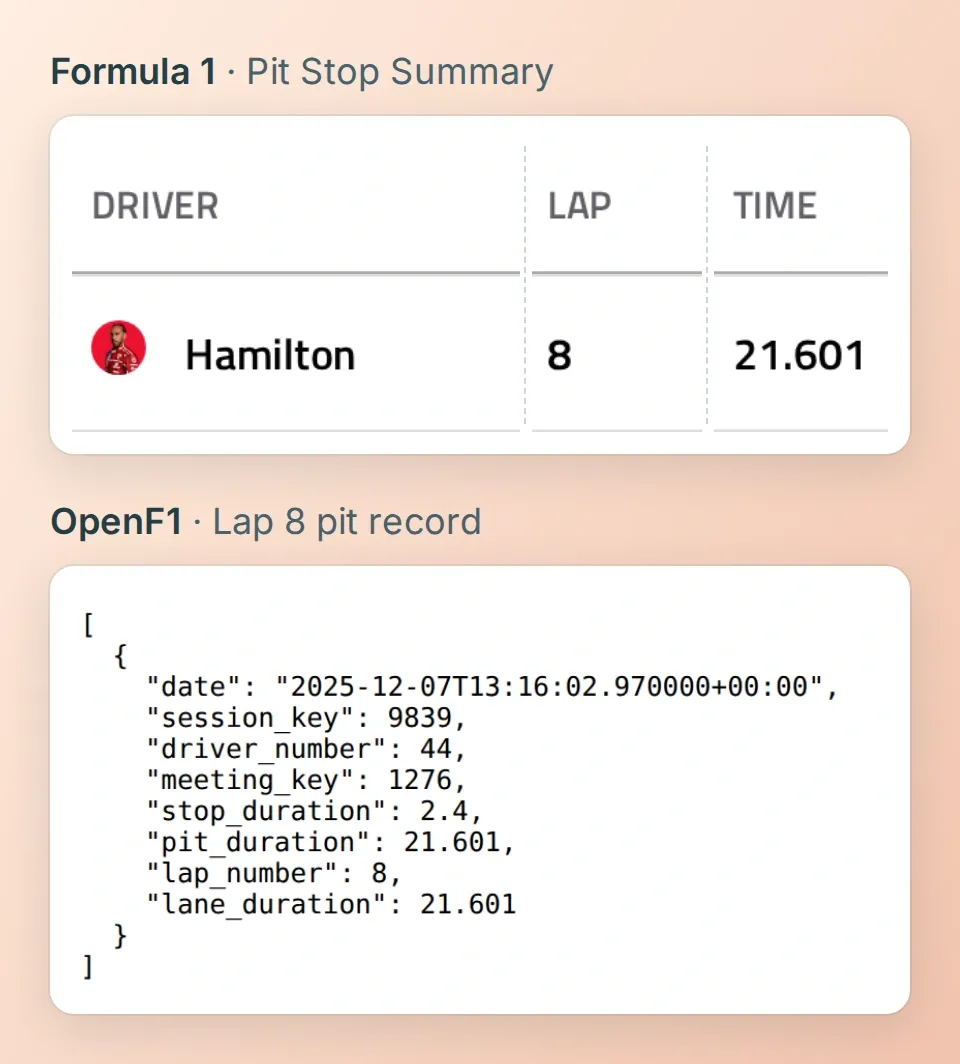 Formula 1’s pit stop summary lists 21.601 seconds. OpenF1 records both that pit-lane total and the 2.4 seconds stationary within it.
- In Custom Actions, add
get_driver_pitsandget_driver_stints. Both take the same requireddriver_numberas the driver lookup. Use the singular endpoint pit for stops and stints for tyre intervals. The OpenF1 field reference defines the timing fields, including the olderpit_durationalias for lane time. - Add
get_driver_lapswith three required Number parameters. Use Add AI Data to insertdriver_number,first_lapandlast_lapin the URL. Keep the encoded signs in the recipe. The resulting filters mean lap number ≥ first lap and lap number ≤ last lap. - In Test Response, enter 44, 5 and 11. Check both ends of the returned array, save the Actions and switch all three on. Keep this Action to ten laps or fewer per question. The prompt requests that limit. The API URL itself accepts wider ranges.
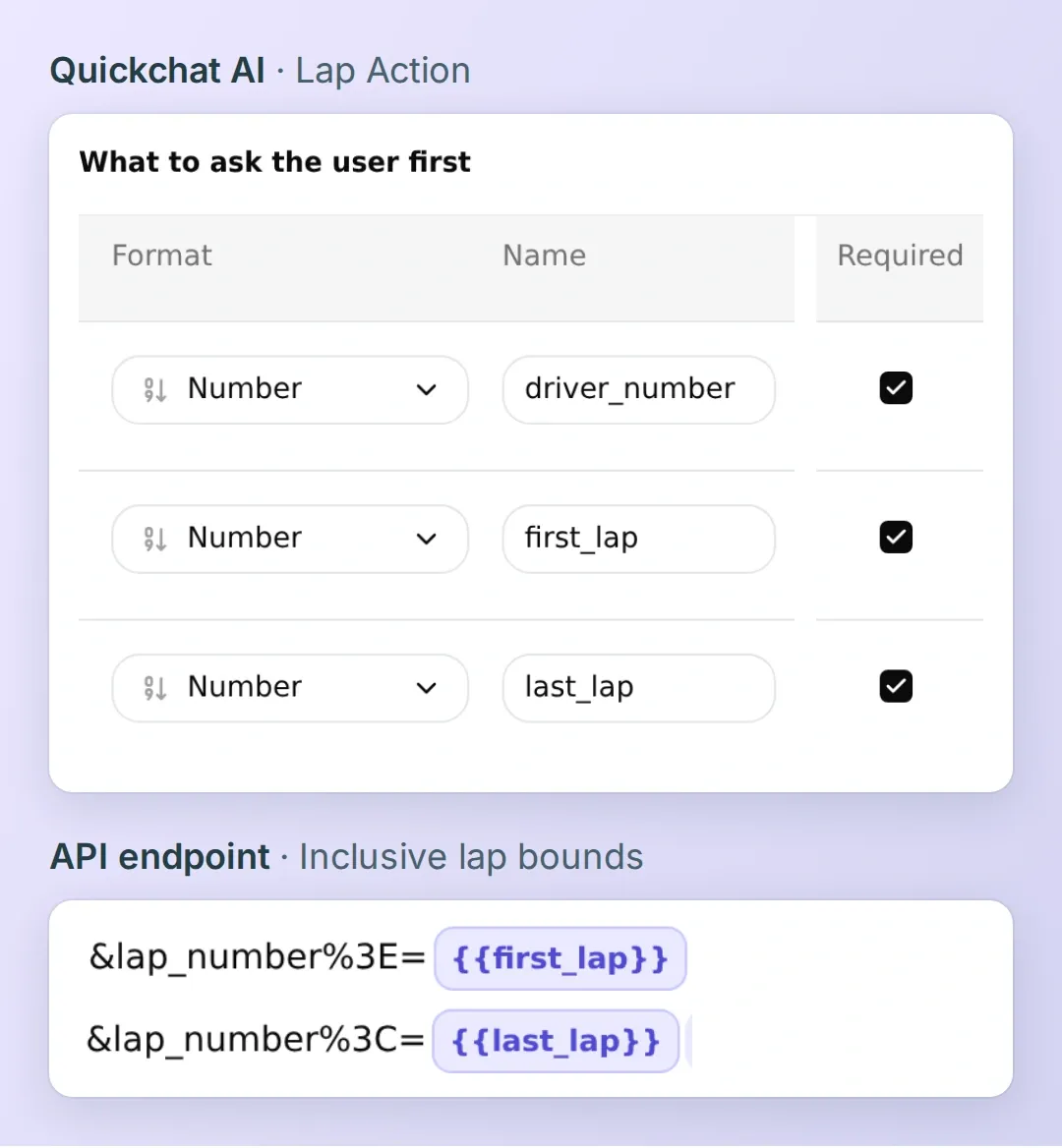 The two bounds belong in the same GET. A missing bound can pull in the rest of the race.
Copy the pit, stint and lap Action settings
get_driver_pits
GET https://api.openf1.org/v1/pit?session_key=9839&driver_number={{driver_number}}
Retrieve recorded pit events for the confirmed driver. Identify the requested pit lap. lane_duration is total time in the pit lane, stop_duration is stationary time; both are seconds. Preserve missing values.
driver_number (Number, required): Confirmed driver number in this session, such as 44 for Lewis Hamilton.

get_driver_stints
GET https://api.openf1.org/v1/stints?session_key=9839&driver_number={{driver_number}}
Retrieve tyre compounds and inclusive lap_start and lap_end boundaries for this driver. Use these intervals to label the pit and surrounding laps.
driver_number (Number, required): Confirmed driver number in this session, such as 44 for Lewis Hamilton.

get_driver_laps
GET https://api.openf1.org/v1/laps?session_key=9839&driver_number={{driver_number}}&lap_number%3E={{first_lap}}&lap_number%3C={{last_lap}}
Retrieve an inclusive interval of at most ten laps after selecting the pit event. Use lap_number, lap_duration in seconds and is_pit_out_lap. Preserve null durations. If OpenF1 returns HTTP 429, stop and ask the reader to try later. Do not repeat the lap request in the same turn.
driver_number (Number, required): Confirmed driver number in this session, such as 44 for Lewis Hamilton.
first_lap (Number, required): First lap number of the inclusive interval around the selected pit event.
last_lap (Number, required): Last lap number of the inclusive interval, at most nine above first_lap.
4. What changed on laps 8 and 9?
In AI Preview, send Show Hamilton's three laps before and after his first pit stop in the 2025 Abu Dhabi race. Read the answer from the pit event outward. Lap 8 is the final lap OpenF1 assigns to the soft stint. Lap 9 is the first lap on hard tyres and the only row in this window with is_pit_out_lap set to true.
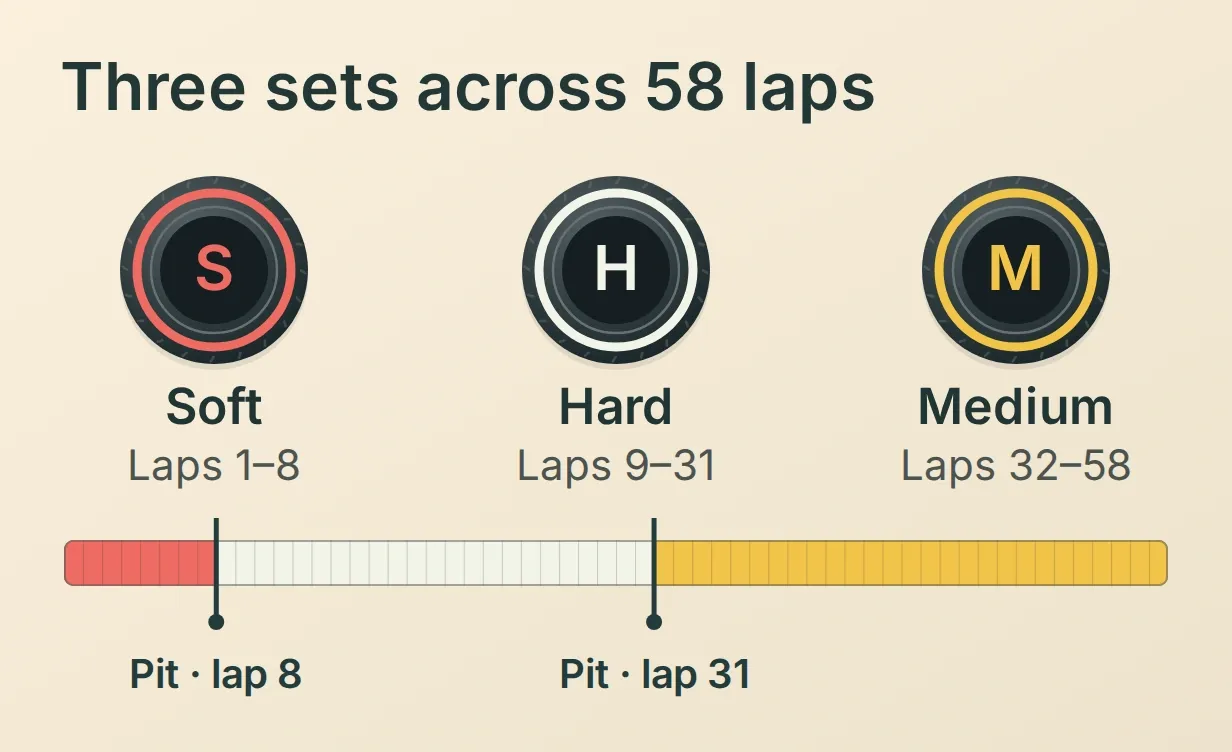 Find the compound by locating a lap between a stint’s start and end. Lap 8 still belongs to the first stint.
| Lap | Time (s) | Tyre | Pit record |
|---|---|---|---|
| 5 | 90.229 | Soft | |
| 6 | 90.254 | Soft | |
| 7 | 90.539 | Soft | |
| 8 | 92.249 | Soft | Pit entry |
| 9 | 108.500 | Hard | Pit out |
| 10 | 88.517 | Hard | |
| 11 | 89.022 | Hard |
The longest lap in the window, 108.500 seconds, includes the trip back out onto the circuit. The first full lap after that took 88.517 seconds. Comparing those two rows as ordinary laps on the same compound would hide the one thing that makes them different. You can inspect every number in the seven lap records and check the tyre intervals.
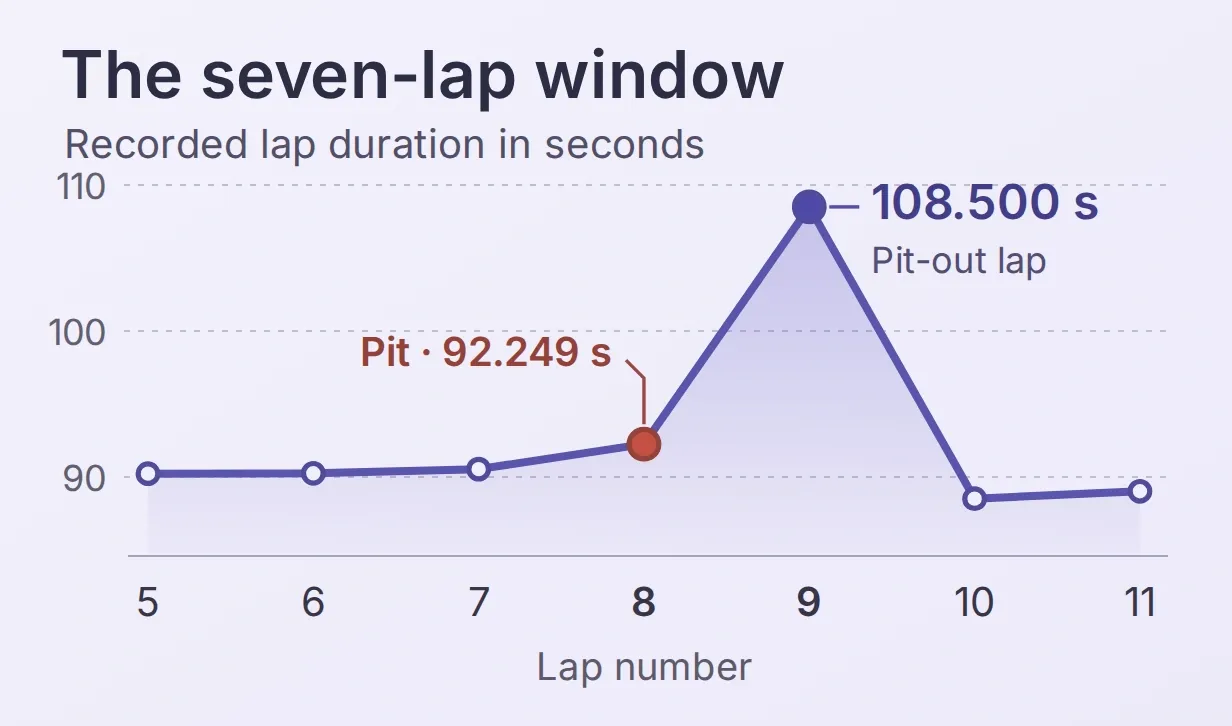 The pit event and the peak in lap time sit on adjacent rows. The out-lap flag tells you which lap to set aside for a pace comparison.
Try one calculation. Unzip the kit and run python3 worksheet.py in its directory. It lists every included and excluded lap. Excluding the pit lap, the out-lap and any missing durations leaves five laps with a median of 90.229 seconds. That describes the selected laps across two compounds. To study either stint’s pace, choose a window inside that stint and state your exclusions.
5. How do you check an AI race explanation?
- Open the conversation in Inbox, expand its called Actions, then open View logs on the lap Action. In our run all five reads returned HTTP 200. On the lap call, match session 9839, driver 44 and bounds 5 and 11 to the seven returned rows.
- Ask
Did Hamilton pit because Ferrari wanted an undercut?Stint Notebook retrieved both stops and explained that the records leave Ferrari’s reasoning open. For the time spent stationary, checkstop_durationin the original pit record. - Open Testing → Simulation, choose Create Dataset and choose Paste messages and paste the kit’s test questions. A line containing only
---separates each question from the next. Save the dataset and select Run. Include an unknown driver and a request for live updates. For driver 999, our provider lookup returned 404. Ask for a valid driver number when a lookup finds no record. If OpenF1 returns a missing duration or a temporary error, leave that value unavailable.
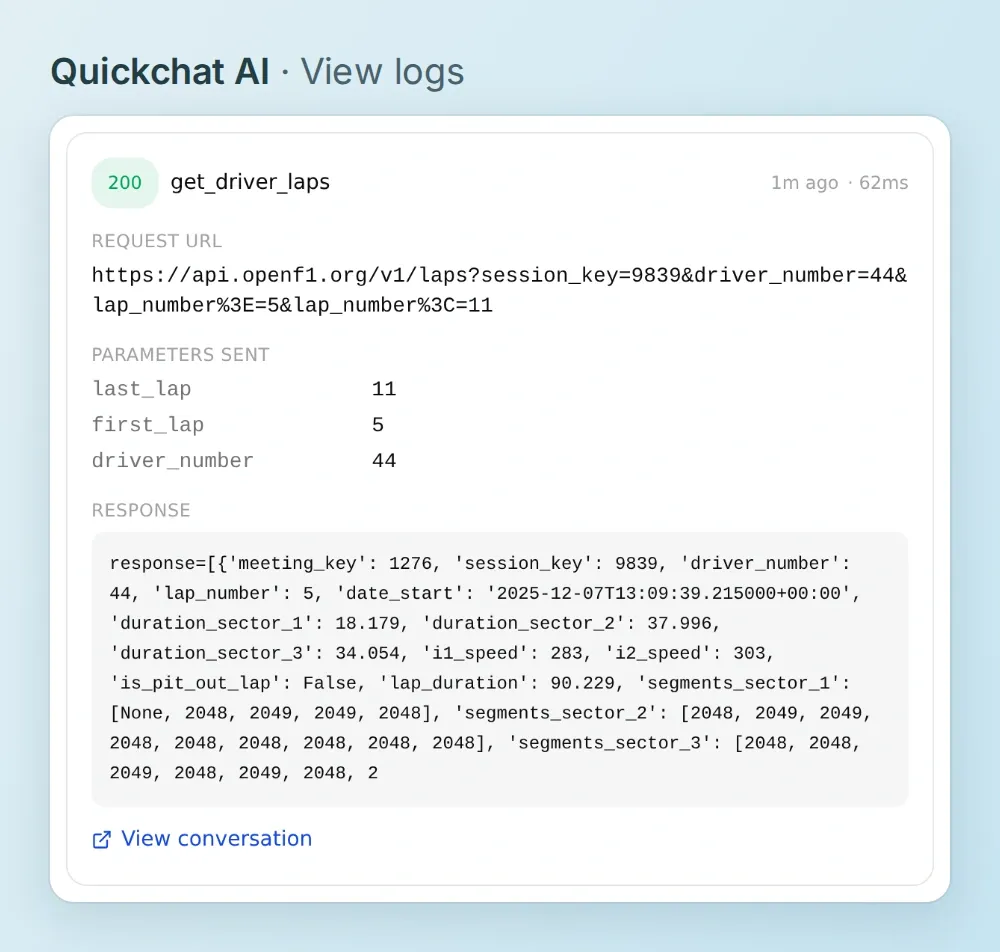 The call log lets you compare the actual request with the stop the answer describes.
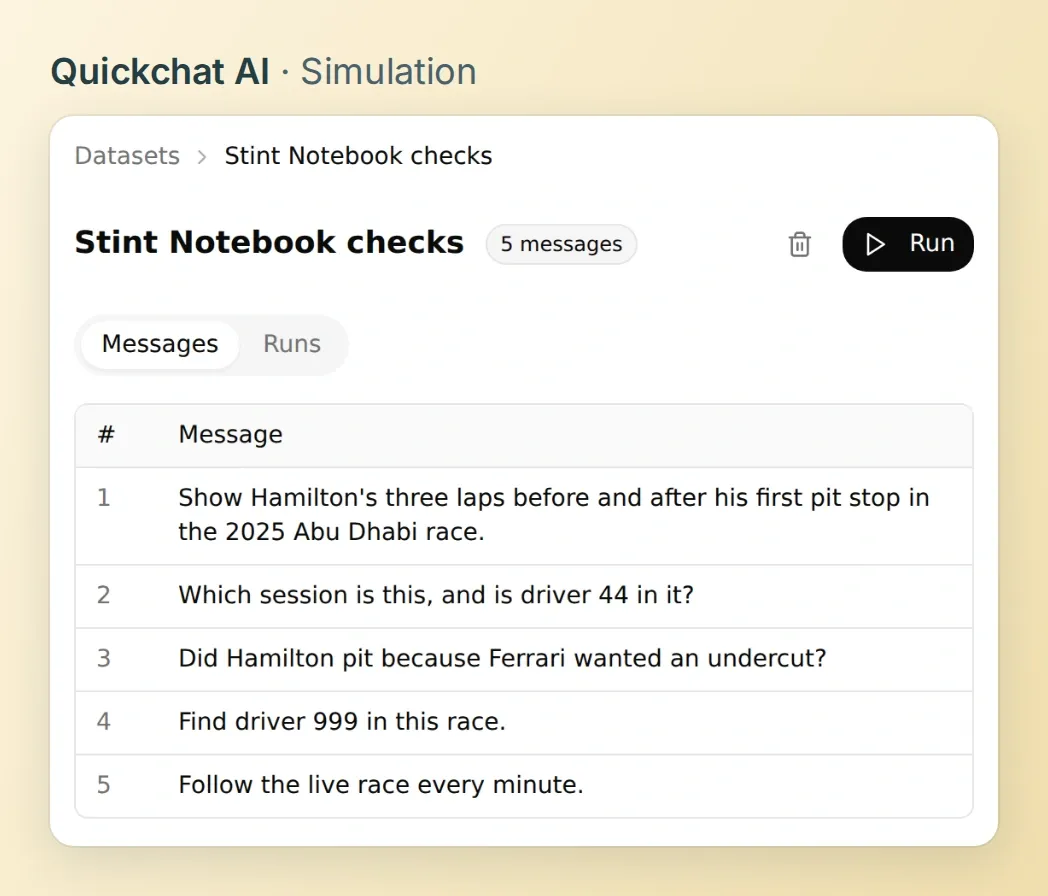 Use the same questions after changing an Action description. Check both the reply and the data the Action retrieved.
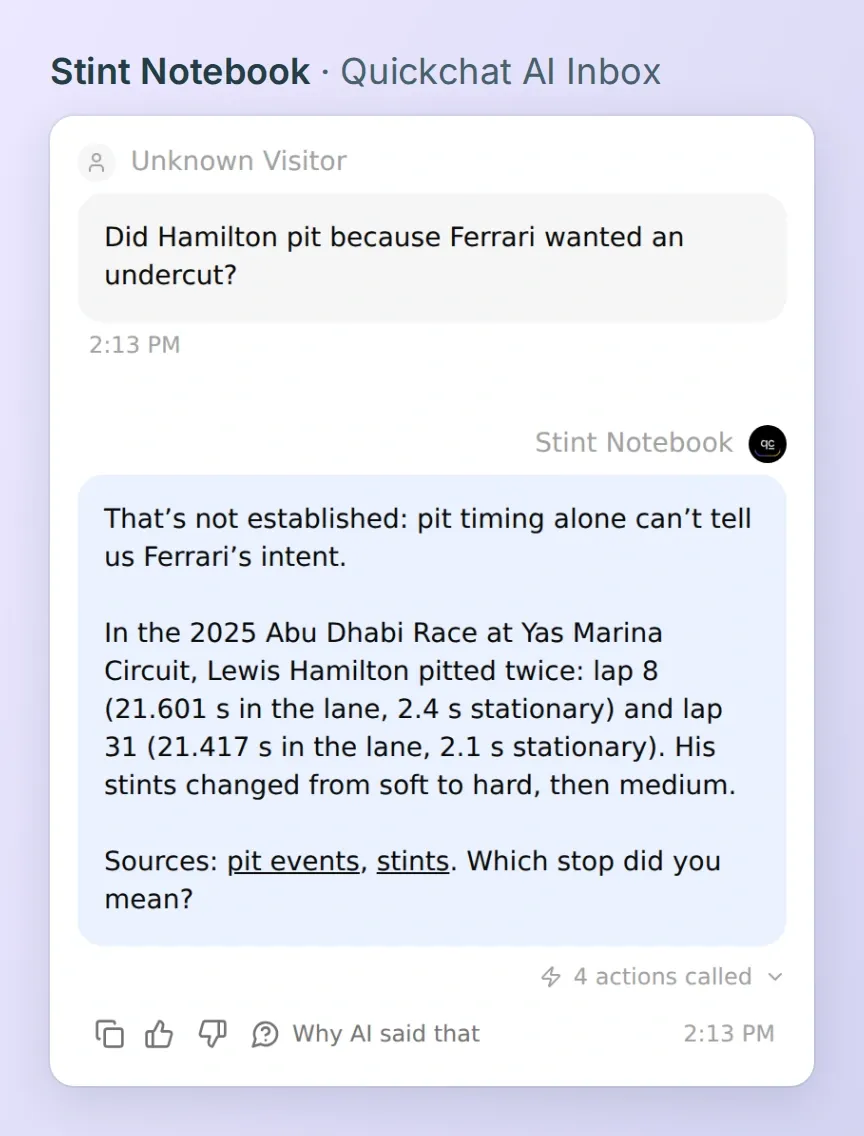 The stops establish when Ferrari called Hamilton in. The timing feed has no field for the team’s intent.
One change worth testing. We simulated an HTTP 429 on the lap lookup while the other four reads succeeded. The Agent tried the lap request twice. We added the instruction in the lap Action description to stop after a rate limit and ran the same question again. This time it tried once, reported the verified pit stop and left the lap times unavailable. You can count the attempts in View logs when testing your own wording.
If you already manage Quickchat AI from ChatGPT or Claude, you can give that assistant the kit’s actions.json and main-prompt.txt and ask it to prepare the five GET Actions for session 9839. Review their URLs before enabling them. Running a test uses your Quickchat AI credits.
Take the notebook to the second stop. Ask for Hamilton’s next change of tyres. This time the pit record should send you to lap 31, and the first lap of the medium stint should be 32. You now have two places to check the answer before you even read the explanation.
Frequently asked questions
What is a tyre stint in Formula 1?
A tyre stint is the run of laps a driver completes on one set of tyres. OpenF1 gives each stint a number, a compound and a first and last lap. Hamilton’s first stint in the 2025 Abu Dhabi race covers laps 1 through 8 on soft tyres.
Do I need an API key for historical OpenF1 data?
No. OpenF1 offers keyless historical access for personal use for sessions from 2023 onward. Quickchat AI uses credits for conversations and tests. Live access has separate requirements.
How long was Hamilton’s first pit stop in Abu Dhabi in 2025?
OpenF1 records 21.601 seconds in the pit lane and 2.4 seconds stationary on lap 8. Its pit endpoint calls these fields lane_duration and stop_duration. The stationary interval is already included in the pit-lane total.
How do I get F1 lap times and tyre compounds from the OpenF1 API?
Fetch laps and stints for the same session_key and driver_number. For each lap_number, use the compound from the stint whose lap_start and lap_end include that lap. The laps endpoint supplies lap_duration in seconds.
Can these laps show why Ferrari called Hamilton in?
The records show when Hamilton stopped, how long he was stationary and which tyres followed. They do not record the team’s decision. Establishing a strategy such as an undercut requires evidence about a rival and the team’s intent.
Can I use the seven laps to estimate stint pace?
You can describe this window if you state which laps you included. The worksheet excludes the pit lap, pit-out laps and missing durations and reports the count and median. A window that crosses two compounds cannot establish representative pace for either stint.