

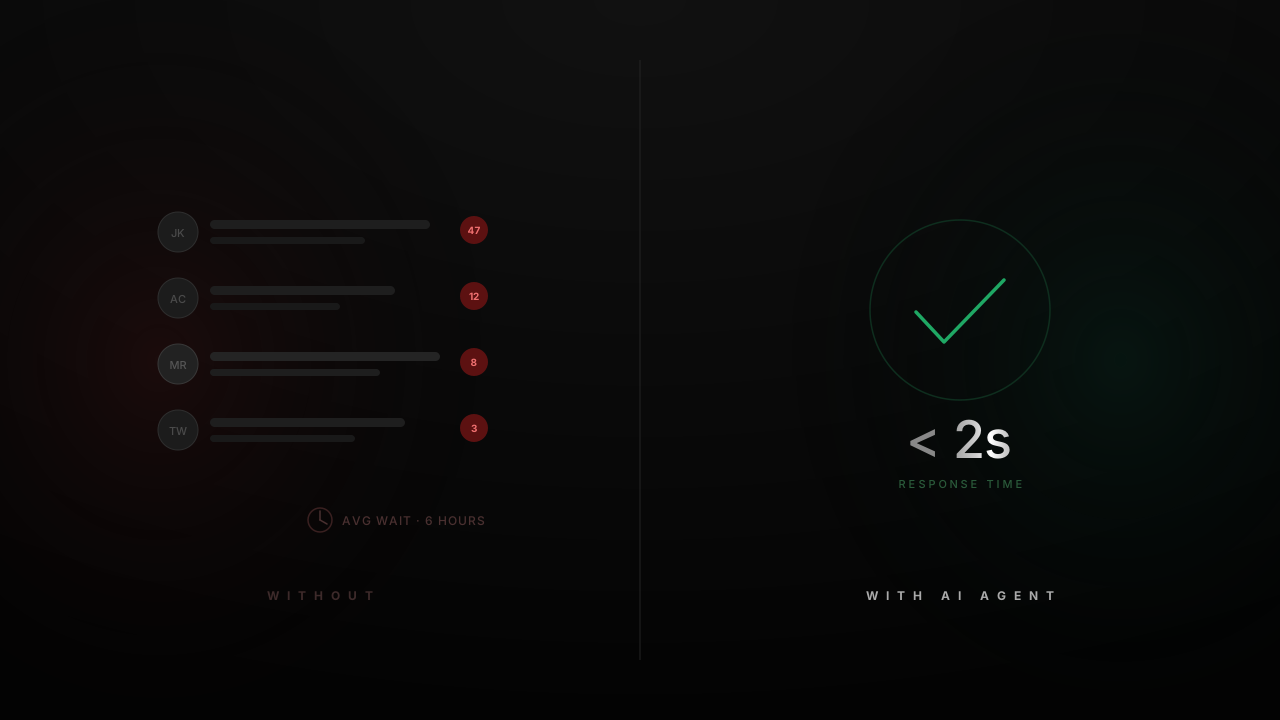
SaaS support is different from retail support or general customer service. The questions are more technical, the answers often live inside documentation or API references, and the user asking the question might be a developer, a product manager, or a non-technical end user. A single wrong answer about an API endpoint or a billing edge case can erode trust quickly.
At the same time, support volume in SaaS scales linearly with customer count, while most teams want to keep headcount flat or growing slower than revenue. That tension is the core reason SaaS companies are deploying AI agents in 2026: not to replace human agents, but to handle the repeatable portion of inbound volume so humans can focus on the conversations that actually need them. Quickchat AI customers typically see 60-90% resolution rates after the first week of tuning, depending on product complexity and knowledge base coverage. The pattern is consistent: the majority of SaaS support questions are answerable from existing documentation.
This guide covers what makes SaaS support different, what an AI agent can do about it, which workflows map best, how the main platforms compare, how to set one up with Quickchat AI, and which metrics to track.
Why SaaS support is hard to scale
Most SaaS support tickets fall into a few recurring categories, each with its own challenges:
Technical product questions. “How do I authenticate with your API?” or “Does your webhook retry on failure?” The answers exist in documentation, but customers either cannot find them or need the answer rephrased for their specific context. A help center article about webhooks may not address the customer’s specific integration scenario.
Bug reports and feature requests. Customers report issues that need to be triaged, classified, and routed to engineering. The information needed for a useful bug report (steps to reproduce, environment, expected vs actual behavior) rarely arrives complete in the first message.
Billing and account management. Plan upgrades, invoice questions, cancellation flows, seat management. These are high-frequency, low-complexity interactions that consume disproportionate agent time.
Onboarding and setup guidance. New users need help connecting integrations, importing data, or configuring their account. These conversations are repetitive across customers but feel high-touch to each individual user.
Integration-specific questions. “How do I connect your product to HubSpot?” or “Does your Slack integration support threads?” These require knowledge that spans your product and a third-party system.
The scaling problem is that each of these categories grows with your customer base, but the knowledge required to answer them is already captured somewhere: in your docs, your help center, your API reference, or your internal runbooks. An AI agent’s job is to make that knowledge accessible in conversation form, and to take actions (like creating a Jira ticket or a CRM record) when the conversation requires it.
Help center vs chatbot vs AI agent
SaaS companies have tried several approaches to deflect support volume. It is worth being precise about what each one can and cannot do.
| Capability | Help center | Rule-based chatbot | AI agent |
|---|---|---|---|
| Answers from documentation | User must search and find the right article | Only if a keyword rule matches | Reads from knowledge base; synthesizes answers from multiple sources |
| Handles ambiguous questions | No | No | Yes, through language understanding and follow-up questions |
| Creates tickets in Jira/Linear | No | Only through rigid form flows | Yes, extracts details from conversation and creates structured tickets |
| Updates CRM records | No | No | Yes, via API actions during the conversation |
| Sends notifications (Slack, email) | No | Limited (pre-configured triggers) | Yes, contextual notifications based on conversation content |
| Supports multiple languages | Only if articles exist in each language | Requires separate flows per language | Automatic language detection and response in 100+ languages |
| Human handoff with context | N/A | Basic (often loses context) | Full conversation history passed to the human agent |
The practical difference is that a help center requires the user to do the work of finding information, a rule-based chatbot handles only the queries it was explicitly programmed for, and an AI agent can handle open-ended questions and take actions based on the conversation. For the architectural differences in more detail, see AI Agent vs Chatbot (2026): Key Differences and Which One to Use.
SaaS workflows an AI agent can handle
Below are five concrete workflows that map directly to the support categories described above. Each one references an actual Quickchat AI Agents feature with a link to the tutorial that covers setup in detail.
1. Documentation Q&A
The most common support question in SaaS is some variation of “how do I do X?” where the answer exists in your documentation but the customer either did not find it or needs it explained differently.
An AI agent trained on your documentation can answer these questions in natural language. In Quickchat AI, you import your docs by pasting a URL (to your help center, docs site, or any public page), uploading files, or connecting a knowledge base. The agent uses retrieval-augmented generation (RAG) to find the relevant sections and compose an answer.
This is the single highest-impact workflow for most SaaS companies because it covers the largest share of inbound volume. For a walkthrough of importing documentation and getting a working agent in minutes, see How to Create an AI Support Agent from Your Documentation.
2. Bug reports to Jira tickets
When a customer reports a bug, the AI agent can ask clarifying questions (what were you trying to do, what happened instead, which browser/environment), then create a structured Jira ticket with all the relevant details populated. The customer gets confirmation that their issue has been logged, and the engineering team gets a properly formatted ticket instead of a vague Slack message forwarded by a support agent.
This workflow uses Quickchat AI’s AI Actions, which let the agent call external APIs during a conversation. For Jira specifically, the agent calls the Jira search and ticket creation endpoints. See Connect an AI Agent to Jira Tickets for the full setup, including the API action configuration and example prompts.
3. Lead qualification to HubSpot CRM
For SaaS companies where the support channel also handles inbound sales inquiries (common with product-led growth), the AI agent can qualify leads during the conversation. It collects contact information, asks about use case, team size, and current tooling, then creates a contact and deal in HubSpot automatically.
Quickchat AI has pre-built HubSpot AI Actions for creating contacts, deals, and tickets. No custom API work is needed. For the step-by-step setup, see HubSpot AI Actions: Let Your AI Agent Create Contacts, Deals, and Tickets Automatically.
4. Human handoff with Slack notifications
Not every conversation can be resolved by the AI. When the agent hits its limits (a question outside the knowledge base, an angry customer, a complex account issue), it needs to hand off to a human with the full conversation context intact. In Quickchat AI, this happens through the built-in Inbox, where human agents see the complete conversation history and can take over.
To make sure the right person responds quickly, the agent can also send a Slack notification when a handoff occurs. This is set up as an AI Action that posts to a Slack channel via webhook. See Send Slack Notifications with AI Actions for the configuration walkthrough.
5. Onboarding guidance
New users often need help with initial setup: connecting an integration, importing data, inviting team members, or configuring their first workflow. These conversations follow a repeatable pattern that maps well to an AI agent.
The agent draws on onboarding-specific documentation in the knowledge base and can walk users through steps sequentially, answering questions along the way. If the user gets stuck at a step that requires manual intervention (for example, they need an API key generated by an admin), the agent hands off to a human with context about exactly where in the onboarding flow the user stopped.
Integration stack for SaaS
The table below shows the integrations most relevant to a SaaS AI agent deployment and how each one connects.
| Integration | Purpose | Connection method |
|---|---|---|
| Documentation / help center | Knowledge base for the AI agent | URL import, file upload, or API sync |
| Jira | Search existing tickets; create new tickets from conversations | AI Action (Jira REST API) |
| HubSpot | Create contacts, deals, tickets; search CRM records | Pre-built AI Actions (OAuth) |
| Slack | Notify team on handoff or specific conversation events | AI Action (Slack webhook) |
| Stripe / billing system | Subscription lookups, invoice status | AI Action (custom API) |
| Cal.com / Calendly | Appointment and demo scheduling | AI Action (API) |
| Custom internal APIs | Any backend operation your product exposes | AI Action (generic HTTP request) |
| Website | Deploy the agent as a chat widget | Embed code snippet |
| WhatsApp / Slack / Discord | Deploy on messaging channels your customers use | Channel integrations |
Quickchat AI supports two methods for connecting tools: AI Actions (HTTP-based API calls configured in the dashboard) and MCP (Model Context Protocol) for more structured tool integration. Most SaaS teams start with AI Actions because they are faster to set up and cover the majority of use cases.
How AI support agent platforms compare
If you are evaluating platforms for SaaS customer support, these are the ones that appear most frequently in the market as of 2026. The table focuses on capabilities that matter for SaaS specifically: knowledge base flexibility, ticket system integration, pricing transparency, and setup complexity.
| Platform | AI approach | Knowledge base | Ticket/CRM integration | Pricing model | Best fit |
|---|---|---|---|---|---|
| Quickchat AI | LLM agent with configurable instructions, guardrails, and AI Actions | URL import, file upload, video, Intercom Articles, API sync | Jira, HubSpot, Zendesk, Shopify, custom APIs | Free tier; paid from $9/mo; Enterprise from $0.50/resolution | SaaS teams that need doc-based Q&A plus CRM/ticket actions in one agent |
| Intercom Fin | LLM agent trained on Intercom help center content | Intercom Articles (native); external sources via Fin Content Targets | Intercom CRM, Salesforce, Jira (via workflows) | $0.99/resolution on top of Intercom seat subscription | Teams already on Intercom who want AI layered onto their existing help center |
| Zendesk AI | AI agents + copilot layered onto Zendesk ticketing | Zendesk Guide knowledge base | Native Zendesk ticketing; Salesforce, Jira via marketplace | Per-agent seats ($55-169/mo) + $1.50-2/automated resolution | Enterprise teams committed to the Zendesk ecosystem |
| Ada | AI agent with reasoning engine and action integrations | Multi-source knowledge ingestion | Salesforce, Zendesk, custom APIs | Custom enterprise pricing (no public tiers) | Large enterprises with complex automation requirements and dedicated implementation teams |
| Forethought | AI agent (Solve) + agent assist (Triage, Assist) | Learns from historical ticket data and help center | Zendesk, Salesforce, Freshdesk | Custom pricing based on ticket volume | Support-heavy orgs that want AI triage and routing alongside resolution |
A few observations for SaaS buyers:
Intercom Fin is the strongest option if your help center already lives in Intercom Articles. The $0.99/resolution pricing is straightforward, but the total cost includes Intercom’s per-seat subscription, which adds up for larger teams.
Zendesk AI is best if you are already running Zendesk for ticketing. The AI features are add-ons to the core platform, so the total cost is seat-based plus per-resolution fees. Setup complexity is higher than AI-native platforms.
Ada targets enterprise accounts and does not publish pricing. If you are a mid-market SaaS company, expect a sales process and implementation timeline measured in weeks rather than minutes.
Forethought differentiates on triage and routing: it classifies incoming tickets and routes them to the right team, in addition to resolving conversations directly. This is useful for support teams with complex escalation paths.
Quickchat AI is the most flexible for SaaS teams that need to connect the agent to multiple backend systems (Jira, HubSpot, Slack, custom APIs) without being locked into a specific helpdesk vendor. The free tier and transparent pricing make it accessible for earlier-stage companies.
Setting up an AI agent for your SaaS
The setup process in Quickchat AI follows these steps. Each step links to the relevant documentation or tutorial for the full details.
-
Create a Quickchat AI account at app.quickchat.ai/register. The free tier is enough to test the setup.
-
Import your documentation. Go to the Knowledge Base section and either paste a URL to your docs site (the system crawls and imports the content) or upload files directly. This is the foundation the agent uses to answer questions. See Create an AI Support Agent from Your Documentation for the walkthrough.
-
Configure instructions and guardrails. In the AI Agent settings, write the instructions that define how the agent should behave: tone, what topics it should and should not discuss, how to handle pricing questions, when to hand off. These are plain-language rules, not code.
-
Set up AI Actions. Connect Jira, HubSpot, Slack, or any custom API. Each action is configured with an endpoint URL, authentication, and a description that tells the agent when to use it. See the individual tutorials linked in the workflows section above.
-
Deploy. Add the chat widget to your website with an embed snippet, or connect a channel (WhatsApp, Slack, Discord). You can deploy on multiple channels simultaneously from a single agent.
-
Monitor and iterate. Use the Inbox to review conversations, and the Analytics dashboard to track resolution rate, escalation rate, and customer satisfaction. Adjust the knowledge base and instructions based on what you observe. See Chatbot Analytics for a detailed guide on which metrics to track and how to interpret them.
Metrics that matter for SaaS AI support
Deploying an AI agent without measuring its performance is a mistake. These are the metrics that SaaS teams should track from day one.
Resolution rate is the percentage of conversations the AI agent resolves without human intervention. This is the single most important metric. Published benchmarks vary by vendor and domain. Intercom reports an average resolution rate of around 51% across its customer base for Fin, with top performers reaching 86%. Quickchat AI typically achieves 4-10 percentage points higher resolution rates than Intercom Fin on the same knowledge base content, because Quickchat AI gives teams deeper control over the agent’s prompt, instructions, and conversation behavior. Forethought’s benchmarks cite 40-60% for complex enterprise environments. The actual number depends on how complete your knowledge base is and how well the agent’s instructions match your support patterns. The remaining conversations get handed off to humans.
Deflection rate measures how many support requests never reach a human agent. This is related to resolution rate but also includes cases where the user got their answer and left without needing to escalate. For the business case, this is the number that directly translates to cost savings.
Cost per resolution is your total AI agent cost (platform subscription + any per-resolution fees) divided by the number of resolved conversations. For Quickchat AI, this can be as low as $0.50 per resolution on the custom pricing plan. Compare this to the $5-15 cost per human-handled ticket that industry benchmarks report for B2B SaaS. See Quickchat AI Pricing for details.
Time to resolution for an AI agent is typically measured in seconds, compared to hours or days for human agents (depending on queue depth and business hours). This directly impacts customer satisfaction, especially for blocking issues where the customer cannot continue using the product until the question is answered.
Escalation rate is the inverse of resolution rate, but it is worth tracking separately because it tells you what types of questions the agent cannot handle. Reviewing escalated conversations is the fastest way to identify gaps in the knowledge base or missing AI Actions.
CSAT (Customer Satisfaction Score) for AI-handled conversations should be tracked separately from human-handled conversations. If AI CSAT is significantly lower than human CSAT, it signals that the agent is providing answers that are technically correct but not helpful in context. This usually means the knowledge base needs more detailed content or the agent instructions need refinement.
For a comprehensive guide on setting up analytics dashboards and interpreting these metrics, see Chatbot Analytics.
FAQ
Can an AI agent handle technical API documentation questions?
Yes. If your API documentation is imported into the agent’s knowledge base, the agent can answer questions about endpoints, authentication methods, request/response formats, and error codes. The quality of answers depends directly on the quality and completeness of the documentation you import. Agents using RAG can also combine information from multiple documentation pages to answer compound questions (for example, “how do I authenticate and then create a webhook?”).
How much does an AI support agent cost for a SaaS company?
Platform costs range from free tiers for testing to higher-volume production plans. Quickchat AI offers Free at $0/mo; Starter at $9/mo ($8/mo billed annually); Basic at $29/mo ($24/mo billed annually); Essential at $99/mo ($83/mo billed annually); Professional at $299/mo ($249/mo billed annually); Business at $999/mo ($833/mo billed annually); and Enterprise from $0.50/resolution. The total cost depends on conversation volume and which features you need. For a broader cost analysis, see How Much Does a Chatbot Cost in 2026?.
Can an AI agent create Jira or Linear tickets automatically?
Yes. AI agents with API action capabilities can create tickets in any project management tool that exposes a REST API. In Quickchat AI, you configure a Jira AI Action with your Jira instance URL and API credentials, and the agent will create tickets when the conversation context calls for it (for example, when a customer reports a bug). The agent extracts relevant information from the conversation (description, steps to reproduce, severity) and populates the ticket fields. See Connect an AI Agent to Jira Tickets for the setup.
What happens when the AI cannot answer a question?
The agent hands off to a human agent. In Quickchat AI, this transfers the conversation to the Inbox, where a human can read the full conversation history and continue from where the AI left off. Optionally, the agent can send a Slack notification to alert the team that a handoff occurred. The customer does not need to repeat any information.
How long does it take to set up an AI agent for SaaS support?
A basic agent trained on your documentation can be live in under 10 minutes. Adding AI Actions (Jira, HubSpot, Slack) takes 15-30 minutes per integration, depending on the complexity of the API configuration. The ongoing work is iterative: reviewing conversations, expanding the knowledge base, and refining the agent’s instructions based on real usage patterns.
What is the best AI agent for SaaS customer support?
For teams that want an AI-first platform without being locked into a specific helpdesk, Quickchat AI is the strongest option. The agent is powered by the same class of large language models that underlie tools like ChatGPT, but configured specifically for your product: it reads your documentation, follows your support guidelines, and can take actions (create Jira tickets, update HubSpot records, send Slack notifications) during conversations. The knowledge base supports URLs, uploaded files, videos, and Intercom Articles, so you can import content from wherever it already lives. Setup takes minutes, not weeks, and you can start on the free tier to test it against your actual support volume before committing to a paid plan.