


Shoppers who engage with an AI chatbot convert at 12.3%, compared with 3.1% for shoppers who don’t interact with one, as summarized in Amra & Elma’s roundup of chatbot conversion statistics. That gap changes how operators should think about an ai chatbot for e-commerce, because the chat surface doubles as a sales assistant, a service desk, and a merchandising layer in the same conversation.
An AI chatbot for e-commerce is a conversational assistant connected to your store data. In practice, that means it can answer product questions, recommend items, check order status, explain policies, and route high-value conversations to the right human team.
That matters even more heading into 2026. Buyers want instant answers, product guidance, and accurate order information without waiting for an agent queue. If chat can’t provide that, shoppers bounce, support costs rise, and the brand loses trust in the moments that decide purchase intent.
The harder problem is deploying conversational AI in a way that improves margin, protects customer data, and gives finance a believable ROI model. That’s where many organizations get stuck.
Why Your E-commerce Store Needs an AI Chatbot in 2026
Shoppers who engage with a chatbot convert at far higher rates than shoppers who do not. That gap, cited earlier in the article, is the clearest reason an ai chatbot for e-commerce should sit inside the revenue plan, not get treated as a minor support tool.
Teams that underperform with chatbots usually make the same operational mistake. They bury the bot in a help widget, load a thin FAQ, and judge success only by ticket deflection. That setup misses the full opportunity. On stores with large catalogs, repeat pre-purchase questions, or high-consideration products, chat is part of the buying journey.
The market is moving in that direction as well. Industry forecasts point to broad adoption by 2026, and the pace matters because customer expectations shift once enough retailers offer fast conversational support. For operators building the case internally, this business case for chatbot adoption is useful context.
The competitive risk shows up in day-to-day operations
A common failure point is not a broken storefront. It is a shopper who hesitates for 30 seconds, cannot get an answer, and leaves.
That friction usually shows up in a few predictable places:
- Product uncertainty: The shopper is unsure which size, variant, compatibility option, or bundle fits their need.
- Policy hesitation: They want a clear answer on returns, shipping timing, duties, or stock status before they commit.
- Response delay: Support is offline, backed up, or limited to email, so the buying question sits unanswered.
Practical rule: If agents answer the same pre-purchase question every day, that workflow is a good candidate for automation.
This matters even more for mid-market brands. In many Shopify and Magento operations, the same team feels the pressure from rising ticket volume, abandoned carts, and inconsistent product guidance. One unresolved conversation creates two costs at once: service expense and lost revenue.
What a serious deployment changes
A well-run chatbot program improves more than response speed. It gives shoppers answers during the session, captures the questions blocking conversion, and creates a cleaner path between support, merchandising, and sales. That makes the chatbot an operating asset, not just a front-end feature.
The business case should be measured that way. Start with labor savings from deflected tickets, then add assisted revenue, recovered carts, and higher conversion on product-detail traffic. Balance that against the actual implementation work: retrieval quality, order and catalog integrations, privacy review, and ongoing QA. If the bot cannot pull current policy and product data, it will create expensive escalations. If it can, it starts paying back across multiple teams.
That is why 2026 planning should treat the chatbot as enterprise infrastructure. The upside is not only lower support cost. It is a faster buying path, clearer ROI, and tighter control over how customer data is used.
The Three Core Jobs of an E-commerce AI Chatbot
Many organizations buy one chatbot and expect it to solve everything. That’s the wrong operating model. A strong AI chatbot for e-commerce works because it performs a few jobs clearly and measurably, each tied to a different KPI and dataset.
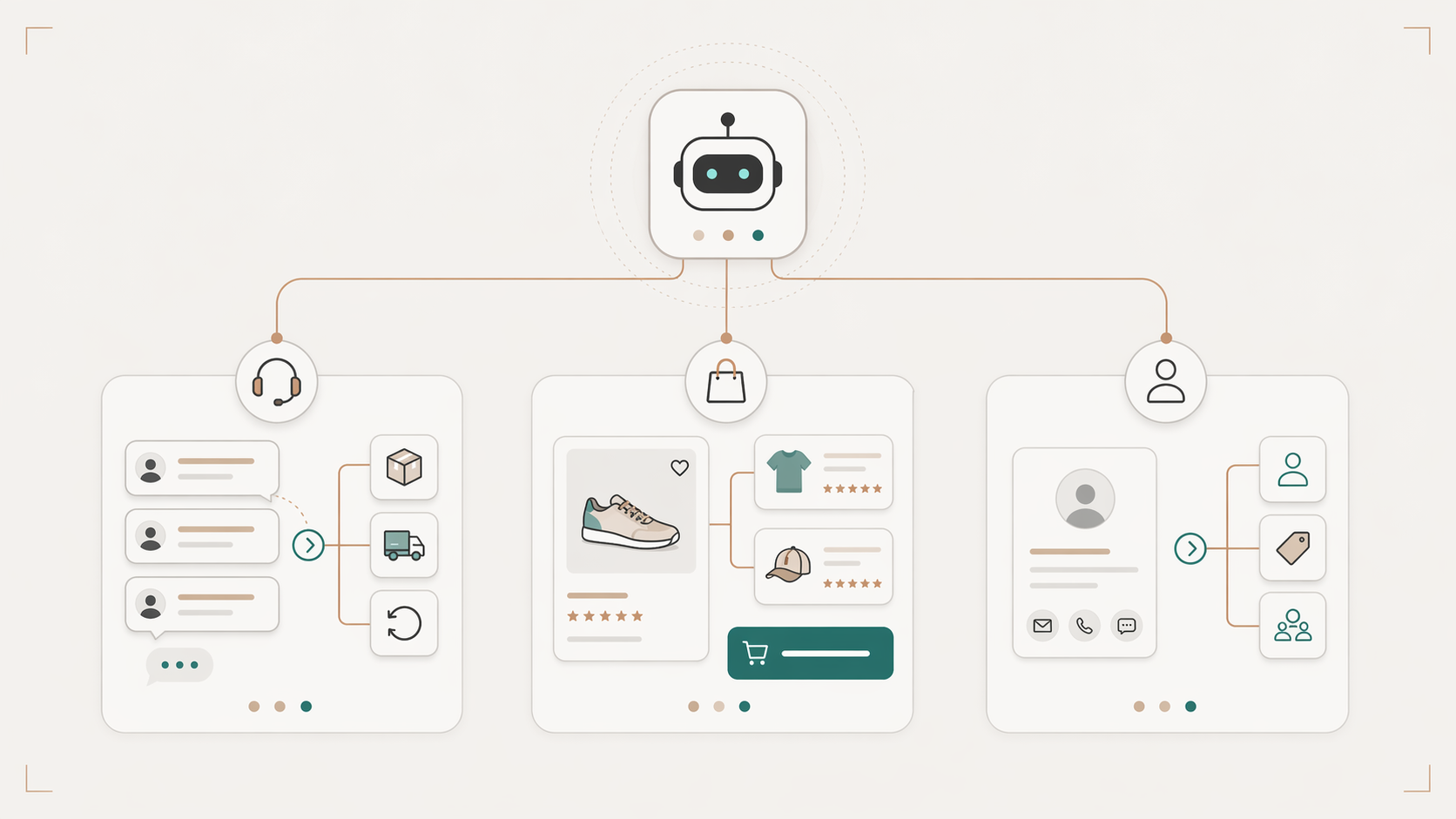
Job one handles service demand
The first job is the one support leaders recognize immediately. Chatbots can autonomously resolve up to 80% of Tier 1 customer queries, including order status, returns, shipping, and product details, as described in TenUpSoft’s guide to AI chatbots for e-commerce.
That’s useful for cost control, but the bigger operational win is consistency. Customers don’t care whether “Where is my package?” lands at noon or midnight. They want the same answer quality every time. A bot with access to live order and policy data can provide that without adding queue pressure to the human team.
The failure mode is obvious too. If the bot can’t read order systems or policy updates, it becomes a pretty layer over stale information. That creates more escalations, not fewer.
Job two moves shoppers toward purchase
The second job is sales assistance. In this function, many deployments either become valuable or remain forgettable. Good bots don’t just wait for support prompts. They help shoppers compare products, narrow options, and find the right item faster.
H&M’s Kik-based chatbot reached an 86% engagement rate, with users spending roughly four minutes per session, according to Master of Code Global’s conversational marketing case studies. The messaging platform matters less than the behavior itself: conversational guidance can hold attention long enough to influence what shoppers browse and buy.
This role works best when the catalog is difficult to browse through filters alone. Apparel, beauty, electronics, furniture, and specialty retail all fit that pattern. A customer may not know the SKU, but they can describe the outcome they want. The chatbot turns that messy intent into usable recommendations.
Job three qualifies high-intent conversations
The third job matters more than many commerce teams realize. Not every conversation is a support ticket or a simple product recommendation. Some are high-value buying signals. That includes wholesale inquiries, bulk purchases, custom orders, gifting requests, or complex product questions that should move into CRM and sales workflows.
A lead-qualification chatbot should collect the details a human team needs to act fast. It should ask enough to route correctly, but not so much that the customer drops. In practice, that means capturing intent, product interest, urgency, and contact information, then pushing the conversation to the right system.
| Role | Key Activities | Primary KPI |
|---|---|---|
| Support Agent | Order tracking, returns, shipping questions, policy answers | Containment and resolution quality |
| Sales Assistant | Product discovery, comparisons, upsells, promotion guidance | Conversion rate and basket expansion |
| Lead Qualifier | Bulk order triage, high-value inquiries, CRM capture | Qualified conversations handed to sales |
A chatbot that behaves identically across all three roles tends to underperform in each of them, so operators should decide which job comes first. For one brand, it’s reducing repetitive support load. For another, it’s improving assisted conversion on product pages. For a third, it’s catching high-intent traffic before it leaves the site. The bot doesn’t need to do all three on day one. It does need a clear primary mission.
What Features Should an E-commerce AI Chatbot Have?
The strongest platforms compete on operational fit, not just model quality. Before you compare vendors, separate baseline chatbot features from the commerce-specific features that determine whether the bot can actually help shoppers buy.
| Feature | Why It Matters |
|---|---|
| Live catalog and inventory access | Prevents recommendations for unavailable products and lets the bot answer variant questions accurately. |
| Order tracking and returns support | Deflects high-volume post-purchase questions without forcing customers into an agent queue. |
| Product recommendation logic | Turns vague shopper intent into useful product discovery, bundles, and comparisons. |
| Human handoff with transcript context | Keeps complex issues from restarting when a human agent joins the conversation. |
| Analytics by intent and revenue impact | Shows which conversations reduce support load, influence conversion, or expose content gaps. |
| Privacy controls and audit trails | Gives legal, security, and support teams visibility into how customer data and answers are handled. |
For Shopify stores, this checklist should be even more concrete. A useful chatbot needs product and variant metadata, inventory state, order status, shipping rules, returns logic, and a clean way to hand off complex conversations to your existing support stack.
How Modern AI Chatbots Deliver Accurate Answers
Accuracy is where serious e-commerce teams get skeptical, and they should. A chatbot that invents return policies or promises out-of-stock products is worse than no chatbot at all.
Think open-book exam, not closed-book exam
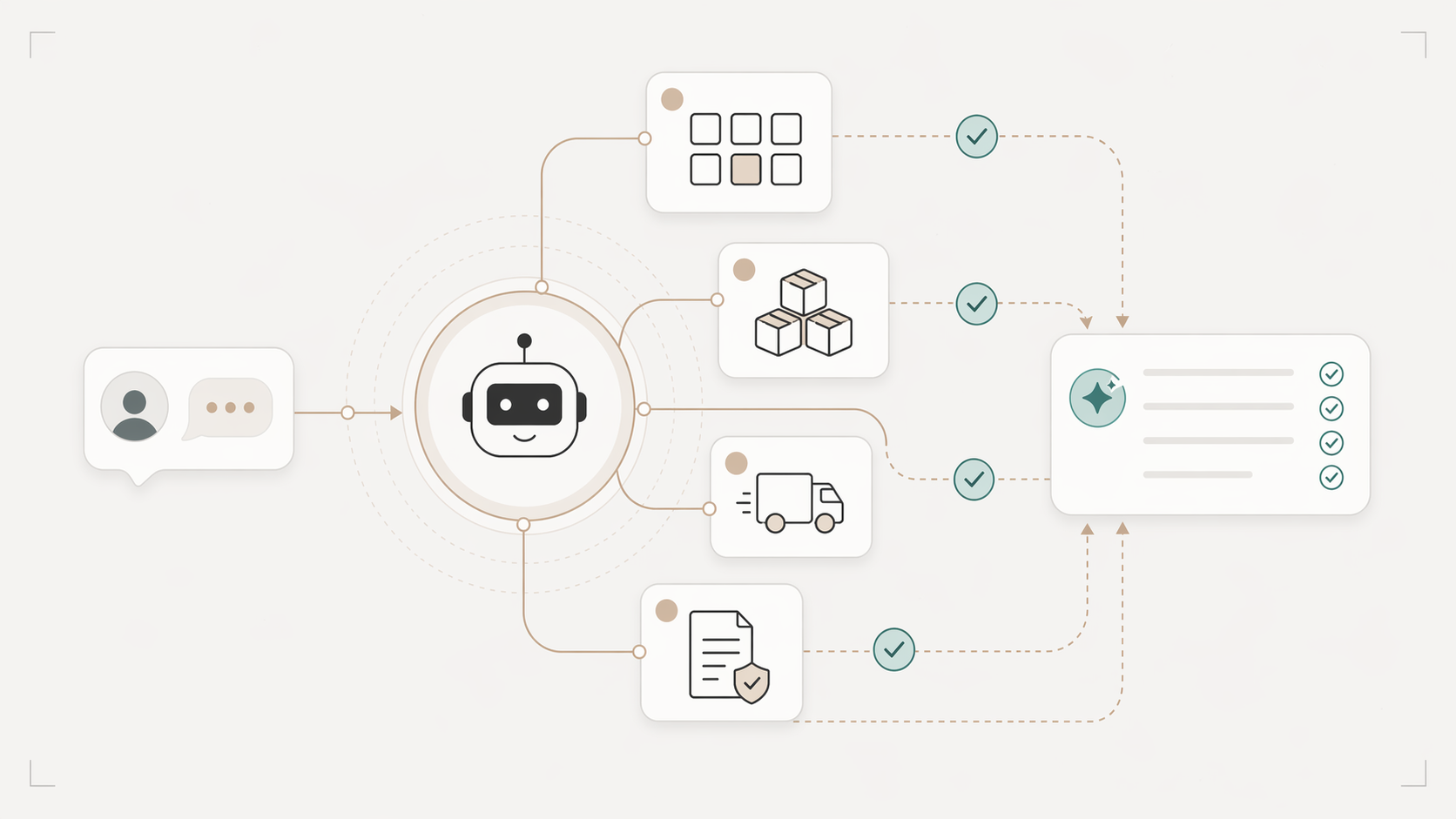
The cleanest way to explain Retrieval-Augmented Generation, or RAG, is this. A standard large language model answering from memory is like a student taking a closed-book exam. It may sound confident, but confidence isn’t the same as accuracy. A RAG-based system is like an open-book exam using approved company materials before it answers.
That architecture matters because it grounds responses in your own data. According to Quickchat AI’s explanation of e-commerce chatbot architecture, RAG forces the model to retrieve information from verified sources before generating a response, which can boost resolution accuracy by up to 10% and helps prevent hallucinations such as inventing policies or promising unavailable products. For operators, that’s the difference between a demo bot and a production bot.
The practical implication is simple. If a shopper asks whether a product is available in blue, whether an item can be returned, or whether a promotion still applies, the system shouldn’t improvise. It should fetch the answer from the catalog, policy documents, or live backend systems.
What the retrieval layer must connect to
RAG only works as well as the sources it can reach. In e-commerce, the most important knowledge sources are usually:
- Product catalog data: Titles, attributes, variants, materials, compatibility, and merchandising rules.
- Inventory and pricing systems: Stock status, live price changes, promotions, and bundle logic.
- Order and shipping data: Tracking status, shipment states, delivery windows, and return eligibility.
- Policy content: Returns, exchanges, payment methods, warranty details, and region-specific rules.
If those sources are incomplete, the bot gets cornered into vague or generic answers. That’s why the difference between RAG and fine-tuning matters in production. Fine-tuning can shape tone or domain familiarity, but it doesn’t replace real-time retrieval when the answer depends on changing inventory, pricing, or operational rules.
An ungrounded language model can produce confident-sounding answers that are simply wrong, which is a specific risk in commerce. Many failed deployments can be traced to weak source data rather than the model itself. Sparse product attributes, inconsistent policy pages, and missing API connections leave the model with too little verified context. Teams then blame the chatbot for mistakes that started upstream.
The fix isn’t exotic. Clean the catalog. Structure the FAQs. Connect the systems that hold live truth. Then test with the ugly queries real customers use, not polished sample prompts.
Your E-commerce Chatbot Implementation Roadmap
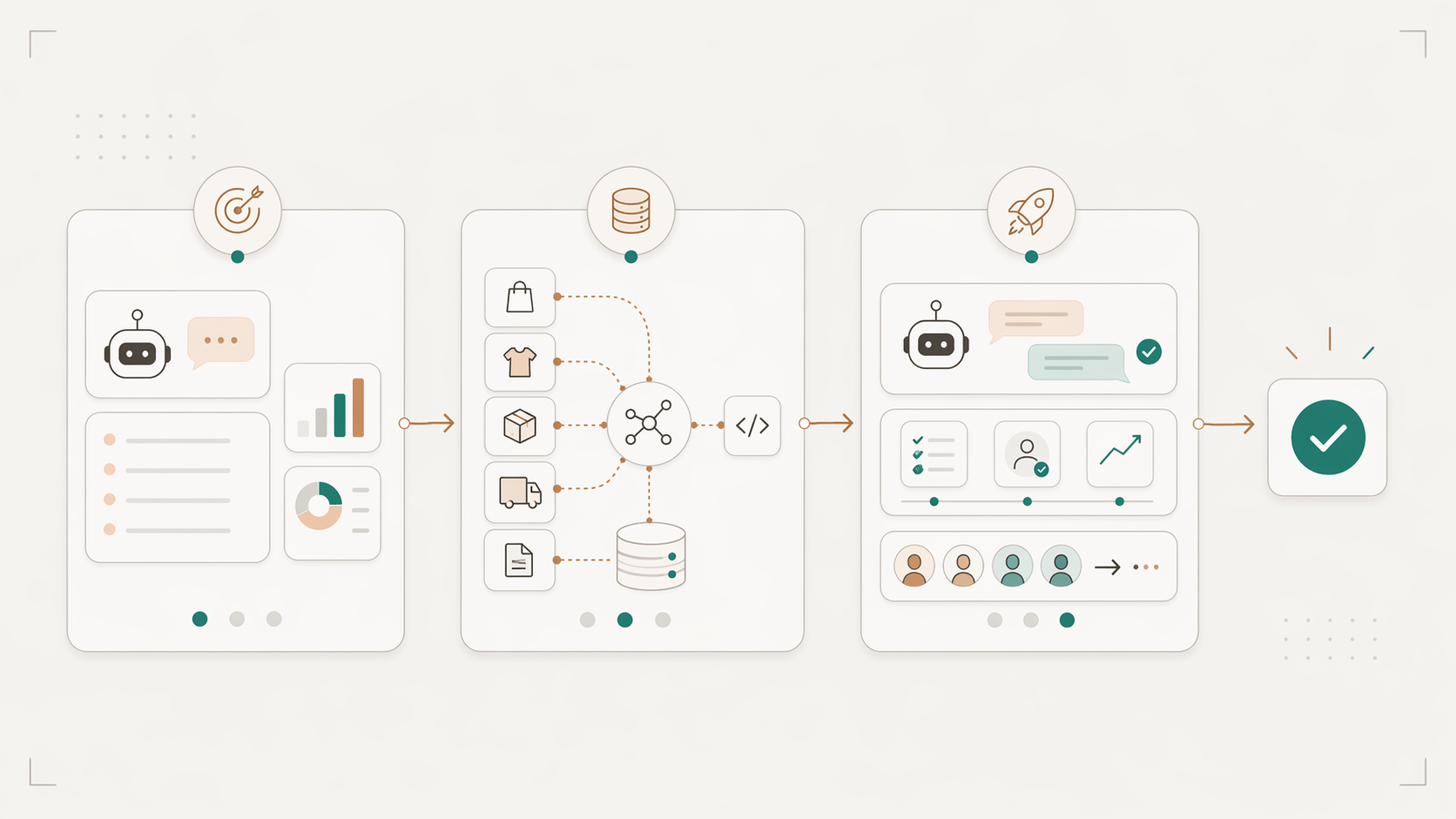
Most failed deployments don’t collapse because the model was weak. They fail because the rollout was vague, the systems weren’t connected, or ownership was split across too many teams.
Start with the business problem
Don’t begin with vendor demos. Start with the queue and the funnel. Look at the customer questions that create the most volume or the most commercial drag. For some stores, that’s order tracking and returns. For others, it’s product-fit questions that block conversion.
Write the initial scope in plain language. Example: “Handle routine order questions, answer top policy questions, and assist shoppers with variant selection on high-consideration products.” If the first phase includes everything, it usually launches with nothing working well.
A good first rollout has a narrow objective, one executive owner, and a short list of systems required for accuracy.
Build the data and systems layer
Deep integrations via real-time APIs are the dividing line between a useful bot and an expensive widget. Without those connections, bots give contradictory answers on inventory, promotions, or policy. Cleffex’s e-commerce chatbot analysis reports an 18% average lift in conversions for stores using AI chatbots, with shoppers who engage converting at roughly 4X the rate of those who don’t. That gap only shows up when the bot can actually query live product, pricing, and shipping data.
The implementation checklist should include:
- Commerce platform connection: Shopify, WooCommerce, Magento, or the custom store layer.
- Catalog readiness: Structured attributes, clean variants, consistent naming, and complete product metadata.
- Operational APIs: Inventory, pricing, order status, and return workflows.
- Knowledge sources: Help center articles, policy docs, shipping rules, and internal macros.
- Escalation logic: When the bot should hand off, what transcript is passed, and who owns the next step.
One practical option in this category is Quickchat AI, which supports API-based connections, e-commerce use cases such as support and sales assistance, and a RAG setup designed to keep answers grounded in connected knowledge sources.
Shopify-specific implementation notes
If Shopify is your commerce platform, evaluate the chatbot against the workflows your team handles every day. Product discovery should use live product and variant data. Support answers should reflect current shipping, returns, and exchange rules. Post-purchase conversations should know when to fetch order status and when to hand off.
A dedicated AI Agent for Shopify is easier to operationalize than a generic website bot because it can read your Shopify catalog, policies, and order data directly. Evaluation should focus on whether the bot can use that data to answer the questions that block purchases and create repetitive tickets, since basic chat capability is table stakes at this point.
Launch narrow, then expand
The fastest way to lose internal confidence is to launch across the whole site before the core paths are stable. Start with one or two high-frequency journeys. Test them on real traffic. Review failure cases daily in the early phase.
Use a simple rollout rhythm:
- Week one focus: Validate answer quality on top intents.
- Next step: Tune prompts, retrieval sources, and escalation rules based on real transcripts.
- Expansion point: Add sales guidance, promotional logic, or lead capture only after the support foundation is reliable.
A chatbot should earn more surface area over time based on measured answer quality, rather than get granted every use case at launch.
This is also where governance matters. Someone has to own product data quality. Someone has to own policy updates. Someone has to own conversation review. If those responsibilities stay fuzzy, the bot drifts out of sync with the business within weeks.
Measuring the True ROI of Your AI Chatbot
Cost savings are real, but they’re not enough to win an enterprise budget conversation on their own.
Cost savings are only one line item
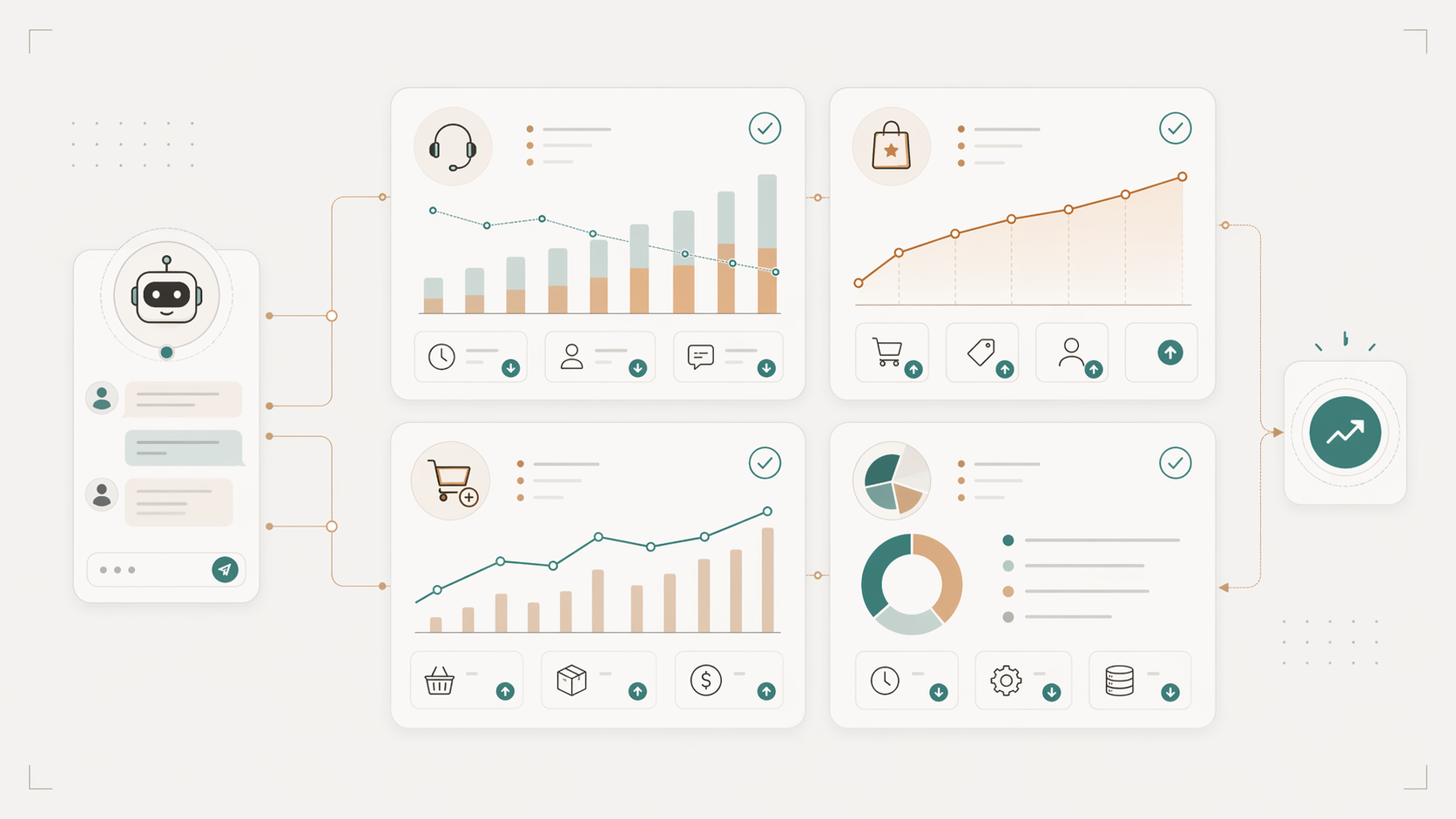
A lot of teams present chatbot ROI as support deflection and stop there. Finance rarely finds that persuasive unless the labor impact is immediate and visible. Gartner has specifically warned that customer service leaders often underestimate the total cost of ownership of generative AI. Gartner predicts that by 2030 the cost per resolution for generative AI will exceed $3, which is higher than many offshore human agents. The implication is that ROI models need to account for the full customer lifecycle, not only isolated support metrics.
That’s the right framing. A chatbot touches service cost, conversion, merchandising, and lead handling. If your model excludes revenue influence, you’ll undervalue the program. If it excludes implementation overhead, you’ll oversell it.
The cleaner approach is to separate ROI into four buckets:
- Support efficiency: Fewer routine tickets for agents and better after-hours coverage.
- Revenue lift: More purchases influenced by faster answers and buying guidance.
- Basket expansion: More upsell and cross-sell acceptance during conversations.
- Operational insight: Better visibility into customer friction, intent, and content gaps.
A practical ROI model operators can use
Build the model from current-state metrics your team already trusts. Don’t start with industry benchmarks if your finance team can inspect your own baseline.
Use this sequence:
-
Define current costs Include platform fees, support labor tied to repetitive contacts, content maintenance, implementation work, and internal admin time.
-
Estimate recoverable support load Model only the contact types you believe the bot can handle reliably in phase one.
-
Estimate assisted revenue Attribute value to conversations that help shoppers choose, compare, or complete a purchase.
-
Account for handoff quality A partial automation model can still produce strong ROI if handoffs are cleaner and faster for agents.
A simple worksheet can look like this:
| ROI Area | What to Measure | Why It Matters |
|---|---|---|
| Support | Resolved routine contacts and agent time freed | Shows operational efficiency |
| Commerce | Conversion on chatbot-assisted sessions | Shows direct revenue influence |
| Merchandising | Acceptance of recommended items and bundles | Shows basket growth |
| Operations | Quality of captured intent and issue themes | Improves site and support decisions |
If you need a quick executive summary, lead with business outcomes, not chatbot activity. “The bot answered X questions” is weak. “The bot reduced repetitive contact load while improving assisted buying journeys” is stronger because it ties the system to labor and revenue at the same time.
A helpful walkthrough on what leaders should inspect is below.
Navigating Security Privacy and Compliance
Privacy review belongs at the start of chatbot procurement, not after a vendor is already favored. In e-commerce, that sequencing matters because customer conversations often include names, addresses, order numbers, delivery problems, and other data your legal and security teams are responsible for protecting.
A weak privacy review creates direct operational cost. Legal slows approval. Security adds remediation work. Procurement stalls. In the worst case, the team has to reverse an integration choice after technical work has already started.
Two questions deserve an early answer from any vendor: Do you train your models on my customer data? And what are my data residency options? A clean “no” to the first signals that the vendor has built privacy into the product rather than positioned around it in sales conversations. Teams operating under GDPR, UK GDPR, or state-level US privacy laws should insist on written answers before procurement goes further.
For teams operating across the EU, UK, and US, the review should go further. Get plain-language answers on storage location, access controls, audit trails, and deletion workflows. If the vendor cannot explain those clearly, expect delays once legal and security step in.
The vendor questions that matter
A privacy and compliance review for an ai chatbot for e-commerce should stay concrete. Ask how the system handles production data, how retrieval works, and how your team can inspect what happened in a customer conversation.
Use a short diligence list:
- Model training policy: Will customer conversations ever be used to train shared or third-party models?
- Data residency: Can data remain in the region your business requires?
- Auditability: Can your team see what the bot answered and which sources were retrieved through RAG?
- Access control: Which users can view transcripts, and how are permissions managed?
- Retention and deletion: How long is conversation data stored, and what is the deletion process?
- Third-party exposure: Which subprocessors are in the data path?
- PII handling: What is masked, encrypted, or excluded before data reaches the model?
This is not only a legal review. It affects answer quality and operating discipline. If the bot cannot show its source, support teams cannot verify sensitive responses. If transcript access is too broad, internal risk goes up. If retention rules are vague, compliance teams will slow the rollout for good reason.
I have found that the strongest deployments treat privacy, governance, and reliability as one operating system. They set clear rules for what data enters the bot, use RAG to ground answers in approved content, limit transcript access by role, and document deletion and audit processes before launch. That approach reduces approval friction and makes ROI easier to defend, because the chatbot is being managed like an enterprise asset rather than a lightweight website widget.
If you’re evaluating an AI chatbot for e-commerce and want to assess grounded answers, API-based integrations, ROI visibility, and privacy controls in one place, take a look at Quickchat AI. It’s built for teams that need customer support automation, sales assistance, and lead qualification without giving up traceability or data control.
FAQ
What is an AI chatbot for e-commerce?
An AI chatbot for e-commerce is a conversational assistant connected to your store data, product catalog, order systems, and support policies. It helps shoppers get answers, compare products, track orders, and escalate complex issues.
Can an AI chatbot connect to Shopify?
Yes. A Shopify AI chatbot should connect to product, inventory, policy, and order data so it can answer pre-purchase and post-purchase questions with current information. For a dedicated implementation path, see Quickchat AI’s AI Agent for Shopify. Shopify merchants can also install the Shopping Agent by Quickchat AI directly from the Shopify App Store.
Can an e-commerce AI chatbot handle order tracking?
Yes, if it has access to order and shipping data through an integration or API. Without that connection, it can only provide generic instructions and will still create unnecessary handoffs. Quickchat AI’s AI chatbot for Shopify order tracking looks up an order from the order number and email the shopper provides.
How do AI chatbots improve product recommendations?
They turn conversational intent into product filters, comparisons, and recommendations. Instead of forcing shoppers to know exact SKUs or categories, the chatbot can ask clarifying questions and match the shopper to relevant products.
What should e-commerce teams measure after launch?
Measure resolved routine contacts, chatbot-assisted conversion, average order value influence, escalation quality, and recurring conversation themes. These metrics show both support impact and revenue impact.