

Quickchat AI documentation — learn how to build, deploy, and manage no-code AI Agents for customer support, sales, and internal operations.
Learn how Quickchat AI Platform helps businesses to build, deploy and manage advanced AI Agents for customer support, internal operations, and automated workflows.
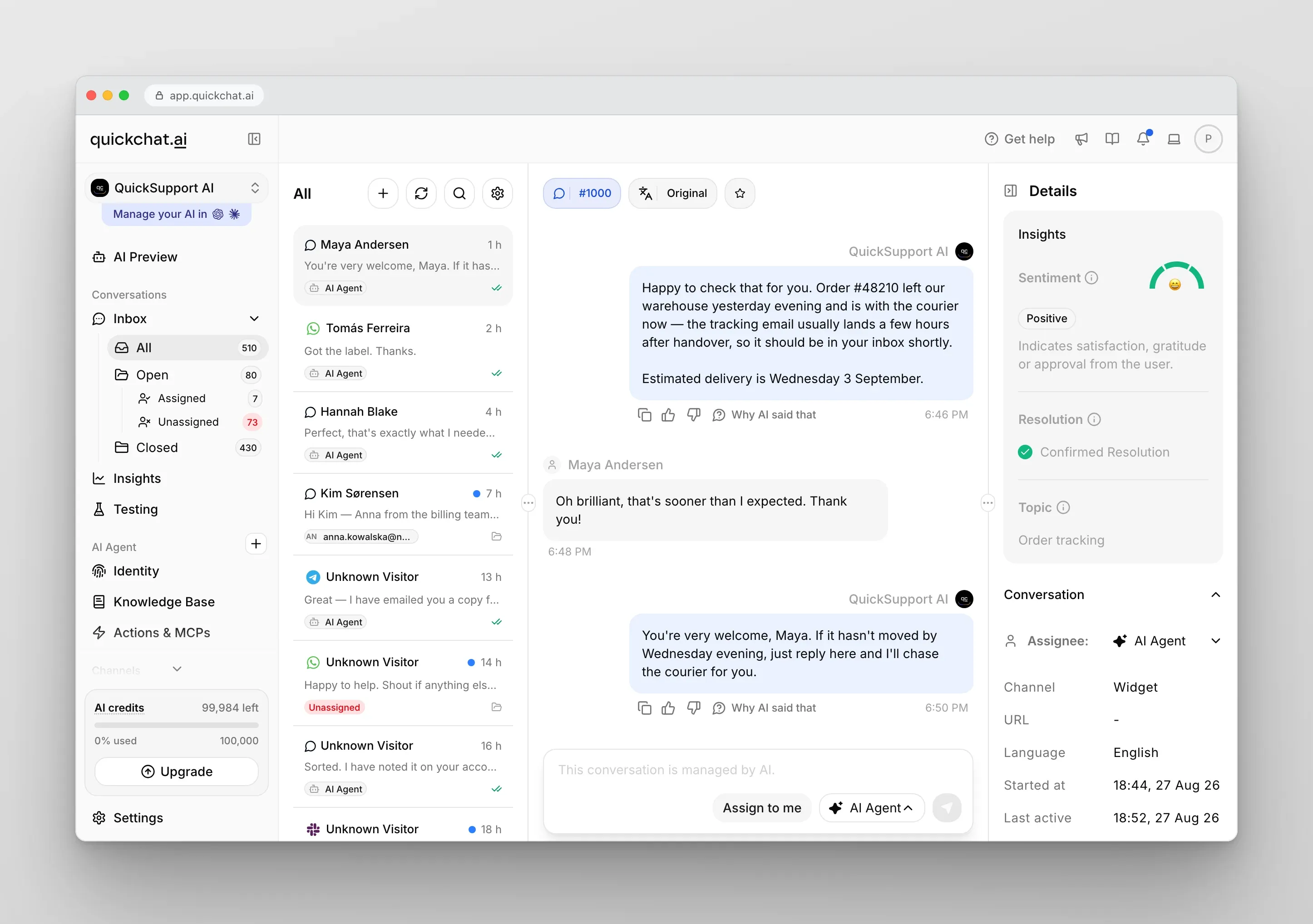
What is Quickchat AI?
Section titled “What is Quickchat AI?”Quickchat AI delivers an enterprise-grade Conversational AI platform for building AI Agents that enhance both customer-facing and internal operations.
It’s powered by a Four-Module System:
- AI Identity / Personality
- AI Knowledge Base
- AI Actions
- Insights from Conversations
It enables businesses to build and deploy end-to-end AI Agents that continuously improve through smart feedback loops and AI-driven recommendations.
What are AI Agents?
Section titled “What are AI Agents?”AI Agents are AI systems that communicate with users and execute tasks autonomously. Unlike simple chatbots, AI Agents are designed to understand natural language, provide meaningful answers, and take actions in external integrated systems.
AI Agents built on the Quickchat AI Platform can:
- Answer customer inquiries and provide 24/7 support.
- Assist employees with finding information and streamlining processes.
- Automate repetitive tasks like order tracking or appointment scheduling.
- Provide detailed insights and recommendations for continuous improvement.
Agents leverage advanced conversational AI to handle complex interactions while aligning with your unique business objectives.
How does it work?
Section titled “How does it work?”Quickchat AI uses Large Language Models (LLMs) to create AI Agents that understand and generate natural language. The system combines LLM capabilities with tools for customization and integration to meet specific business needs.
Here’s a breakdown of how it works:
Large Language Models (LLMs)
Section titled “Large Language Models (LLMs)”Quickchat AI runs on OpenAI’s GPT models. You pick one per AI Agent under Identity → AI Model, where the three GPT-6 models are listed first:
- GPT-6.1 Terra (Default): a balanced model for most AI Agents, and the default for every new AI Agent. Uses 1 AI credit per reply.
- GPT-6 Luna (Fast): the fastest GPT-6 model, for high-volume AI Agents with straightforward instructions. Uses 0.5 AI credits per reply.
- GPT-6.1 Sol (Advanced): the most capable GPT-6 model, for AI Agents with complex instructions, AI Actions and MCPs. Uses 2 AI credits per reply.
The earlier GPT-5 models, such as GPT-5.1, remain available further down the list. The Free plan can use GPT-6.1 Terra and GPT-5.1, and every paid plan can select any model. The number of AI credits per reply depends on the model.
You do not bring your own model or your own API key. There is no setting for an OpenAI, Anthropic, or Google Gemini key of your own, and no self-service self-hosted option — the models above are managed by us and included in your plan. If you need a specific model, a private deployment, or your own infrastructure, that is an Enterprise conversation: talk to us.
Connecting with ChatGPT, Claude and other AI assistants
Section titled “Connecting with ChatGPT, Claude and other AI assistants”“Connect my AI Agent to ChatGPT” can mean several different things, and each one has its own setup:
| What you want | What to use |
|---|---|
| An AI like ChatGPT that answers people on your website, WhatsApp, Instagram, Discord or another channel | That is what a Quickchat AI Agent does. Create one and add it to a channel under Channels. Start with the Quickstart. |
| ChatGPT, Claude or Cursor asking your AI Agent as a tool. For example, you ask Claude a question and Claude gets the answer from your Agent | Your Agent’s hosted MCP server URL. See MCP. |
| The AI assistants your website visitors use, such as ChatGPT, Claude, Perplexity or an AI browser, asking your Agent on their behalf | AI assistant access, which you switch on under Channels → Your Website → Install. See AI assistant access. |
| Setting up, changing and checking your Quickchat AI account by talking to ChatGPT or Claude | Connect your Quickchat AI account to ChatGPT or Claude. See Manage your AI from ChatGPT & Claude. |
| Your AI Agent using tools from other apps through their MCP servers | MCP Actions. |
A custom GPT, a Claude Project or a Gemini Gem cannot be linked to your AI Agent as its knowledge. Move it instead: copy its instructions into the Main Prompt under Identity and add its documents and web pages to the Knowledge Base.
Your AI Agent does not use your own ChatGPT, Claude or Gemini account or subscription. It runs on the models listed above, which are included in your plan.
Our role
Section titled “Our role”Quickchat AI provides the tools and infrastructure to adapt these generic LLMs for enterprise use cases, enabling businesses to create purpose-built AI Agents. This includes:
- Knowledge Base Integration: Extending LLMs with structured, business-specific knowledge, such as product details, FAQs, or internal documentation, ensuring accurate and context-aware responses.
- Conversation Control: Configuring the Agent’s tone, behavior, and conversational flow to meet brand guidelines and business requirements.
- System Integration: Connecting the AI Agent to APIs, databases, or internal tools for advanced capabilities, such as automating tasks or retrieving real-time information.
- Conversation Analytics: Collecting and analyzing data from interactions to measure performance, detect issues, and improve the AI Agent over time. Analytics provide insights into user queries, response accuracy, and interaction trends, helping refine the AI Agent’s functionality and knowledge.
The Output
Section titled “The Output”When deployed, the AI Agent processes your users’ inputs and generates responses that are:
- Natural: Coherent and conversational, leveraging LLM language capabilities.
- Informed: Based on your company knowledge.
- Actionable: AI Agents can perform tasks such as retrieving data, updating records, or completing workflows when connected to external systems.
This workflow ensures the AI Agent provides precise, contextually relevant, and actionable outputs while continually improving through analytics and feedback.
If you need assistance, reach out to us.